
1. Introduction
This manual provides detailed instructions for the Gardway BBH-939s Neckband Bluetooth Speaker and the Gardway T30 True Wireless Earbuds. This product combines a wearable neckband speaker with a pair of in-ear true wireless earbuds, offering versatile audio experiences for various activities. Please read this manual thoroughly before use to ensure proper operation and to maximize your enjoyment of these devices.

Image 1.1: The Gardway BBH-939s Neckband Bluetooth Speaker and T30 True Wireless Earbuds, showcasing both components.
2. Package Contents
Verify that all items are present in the package:
- Gardway BBH-939s Neckband Bluetooth Speaker
- Gardway T30 True Wireless Earbuds (Left and Right)
- Earbud Charging Case
- USB Charging Cable
- User Manual
3. Product Overview
3.1. BBH-939s Neckband Bluetooth Speaker

Image 3.1: The Gardway BBH-939s Neckband Bluetooth Speaker, showing its ergonomic design and controls.
The BBH-939s neckband speaker is designed for comfortable wear around the neck, providing an immersive audio experience without covering the ears. It features four strategically placed speaker units for 360-degree sound.
Controls and Indicators:
- Power Button: Press and hold to power on/off.
- Volume Up/Next Track Button: Short press for volume up, long press for next track.
- Volume Down/Previous Track Button: Short press for volume down, long press for previous track.
- Multi-function Button (Play/Pause/Call):
- Single press: Play/Pause music.
- Single press: Answer/End calls.
- Long press: Reject incoming calls.
- Double press: Redial last number.
- LED Indicator: Shows power status, pairing mode, and charging status.
- Microphone: Built-in for hands-free calls with noise-canceling technology.
3.2. T30 True Wireless Earbuds

Image 3.2: The Gardway T30 True Wireless Earbuds securely placed in their charging case, displaying battery indicators.
The T30 earbuds are designed for a secure and comfortable in-ear fit, ideal for active use. They feature touch controls for various functions.
Controls and Indicators:
- Touch Control Area: Located on the outer surface of each earbud.
- LED Indicators: On earbuds and charging case to show charging and pairing status.
- Charging Case: Houses and charges the earbuds, with a digital display for battery percentage.
Touch Control Functions (T30 Earbuds):
- Single Tap (Left/Right): Play/Pause music, Answer/End call.
- Double Tap (Right): Next track.
- Double Tap (Left): Previous track.
- Triple Tap (Right): Volume Up.
- Triple Tap (Left): Volume Down.
- Long Press (2 seconds): Reject call, Activate voice assistant.
4. Setup
4.1. Charging the Devices
Before first use, fully charge both the neckband speaker and the earbuds.

Image 4.1: Battery life information for the neckband speaker, indicating charging time, music time, and standby time.
Neckband Speaker Charging:
- Connect the USB charging cable to the charging port on the neckband speaker.
- Connect the other end of the cable to a USB power adapter (not included) or a computer's USB port.
- The LED indicator will show charging status (e.g., red while charging, blue when fully charged). A full charge takes approximately 1.5 hours.
Earbuds Charging:
- Place the T30 earbuds into their charging case, ensuring proper alignment with the charging contacts.
- Close the charging case. The digital display on the case will show the battery percentage.
- To charge the case, connect the USB charging cable to the case's charging port and a USB power source.
- The earbuds will charge automatically when placed in the powered case.
4.2. Bluetooth Pairing
Both the neckband speaker and the earbuds use Bluetooth 5.3 for stable and fast connections. They can be paired independently to your device.
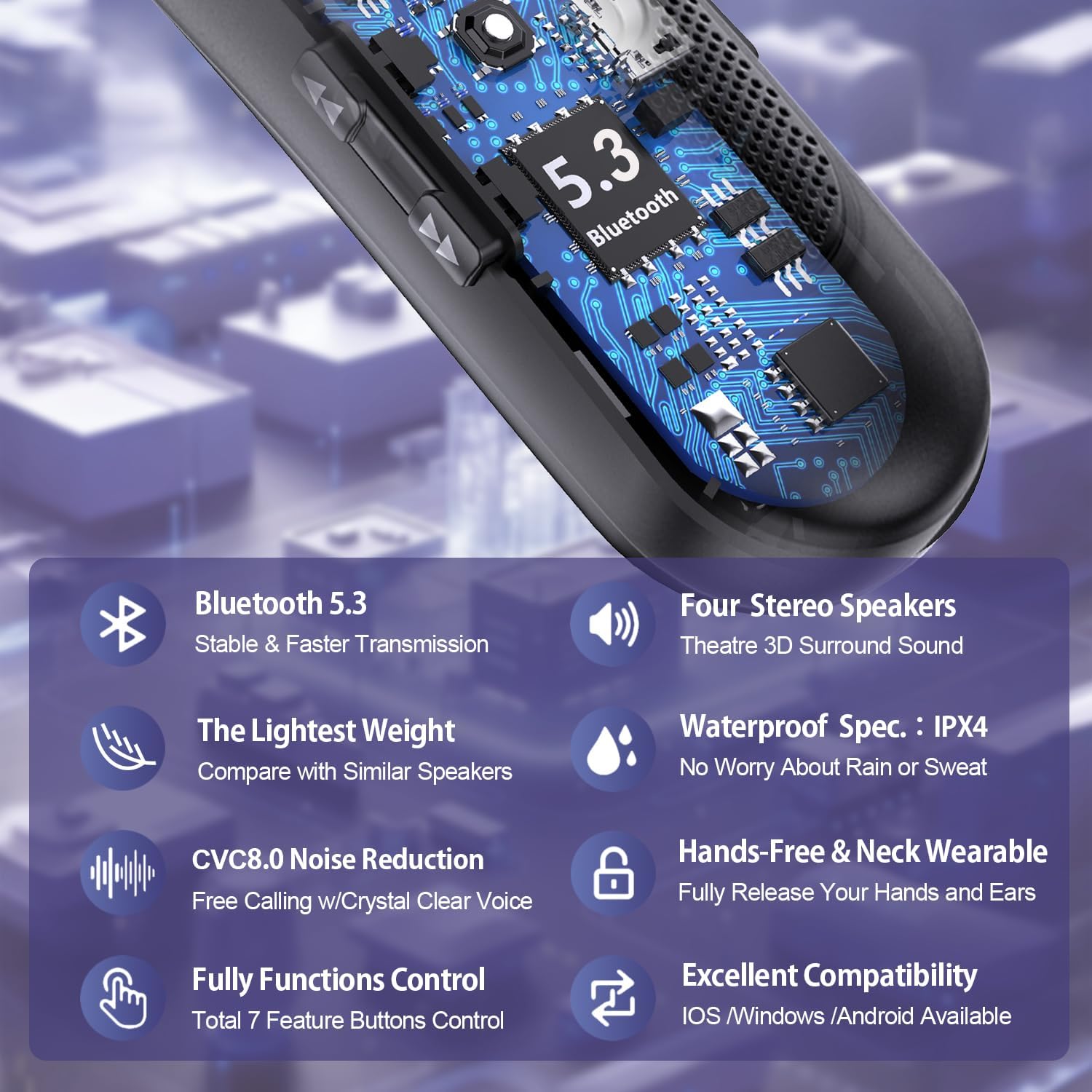
Image 4.2: Infographic highlighting key features including Bluetooth 5.3 technology, four stereo speakers, IPX4 waterproof rating, CVC8.0 noise reduction, hands-free design, full function control, and broad compatibility.
Pairing the BBH-939s Neckband Speaker:
- Ensure the neckband speaker is charged.
- Press and hold the Power button until the LED indicator flashes blue and red, indicating pairing mode.
- On your device (smartphone, tablet, computer), enable Bluetooth and search for available devices.
- Select "Gardway BBH-939s" from the list.
- Once connected, the LED indicator will flash blue slowly or turn solid blue.
- The neckband speaker supports multi-point connection, allowing it to connect to two devices simultaneously.
Pairing the T30 True Wireless Earbuds:
- Ensure the earbuds and charging case are charged.
- Open the charging case. The earbuds will automatically enter pairing mode (LEDs will flash).
- On your device, enable Bluetooth and search for available devices.
- Select "Gardway T30" from the list.
- Once connected, the earbud LEDs will turn off or flash slowly.
- For single earbud use, simply take one earbud out of the case. It will automatically connect if previously paired.
5. Operating Instructions
5.1. Using the BBH-939s Neckband Speaker
Wear the neckband speaker comfortably around your neck. The ergonomic design ensures a light and secure fit.

Image 5.1: A woman wearing the Gardway BBH-939s Neckband Speaker during a yoga session, demonstrating its lightweight and ergonomic design for comfortable all-day wear.
- Power On/Off: Press and hold the Power button.
- Music Playback: Use the Multi-function button for Play/Pause. Use Volume Up/Down buttons for volume adjustment and long press for track navigation.
- Hands-Free Calling: When a call comes in, press the Multi-function button once to answer, press again to end. Long press to reject. Double press to redial.
- Upward-Facing Sound: The speaker directs sound towards your ears, creating a personal audio zone without disturbing others.
5.2. Using the T30 True Wireless Earbuds
Insert the earbuds into your ears, ensuring a snug and secure fit. The ergonomic anti-fall earhook design helps them stay in place during movement.

Image 5.2: A man wearing the Gardway T30 True Wireless Earbuds during a workout, illustrating their secure and comfortable fit with an ergonomic anti-fall earhook.
- Power On/Off: Earbuds power on automatically when removed from the case and power off when returned to the case.
- Music Playback: Use the touch controls as described in Section 3.2 for Play/Pause, Volume, and Track navigation.
- Hands-Free Calling: Use the touch controls as described in Section 3.2 for Answer/End/Reject calls.
- Voice Assistant: Long press the touch control area to activate your device's voice assistant.
6. Maintenance
Proper maintenance ensures the longevity and optimal performance of your Gardway devices.
- Cleaning: Use a soft, dry, lint-free cloth to clean the neckband speaker and earbuds. Do not use abrasive cleaners or solvents.
- Water Resistance: The neckband speaker has an IPX4 rating, meaning it is resistant to splashing water from any direction. The earbuds also offer water resistance. Do not submerge either device in water. Dry thoroughly if exposed to moisture.
- Storage: Store the devices in a cool, dry place away from direct sunlight and extreme temperatures. Keep the earbuds in their charging case when not in use.
- Battery Care: To preserve battery life, avoid fully discharging the devices frequently. Charge them regularly, even if not used for extended periods.
7. Troubleshooting
If you encounter issues, refer to the following common solutions:
| Problem | Possible Cause | Solution |
|---|---|---|
| Device does not power on. | Low battery. | Charge the device fully. |
| Cannot pair with device. | Bluetooth is off, device is out of range, or already paired to another device. | Ensure Bluetooth is enabled on your device. Move closer to the device. Disconnect from other devices or reset pairing mode. |
| No sound or low volume. | Volume too low on device or speaker/earbuds, or not properly connected. | Increase volume on both the connected device and the speaker/earbuds. Re-pair the device. |
| Earbuds not charging. | Earbuds not seated correctly in case, or charging case is out of battery. | Ensure earbuds are properly seated. Charge the charging case. Clean charging contacts. |
| Call quality is poor. | Weak signal, microphone obstruction, or environmental noise. | Move to an area with better signal. Ensure microphone is not covered. Reduce background noise. |
8. Specifications
| Feature | Description |
|---|---|
| Model | BBH-939s (Neckband Speaker) / T30 (True Wireless Earbuds) |
| Connectivity Technology | Wireless (Bluetooth 5.3) |
| Bluetooth Range | Up to 33 feet (10 meters) |
| Frequency Range | 20 Hz to 20,000 Hz |
| Neckband Speaker Weight | Approximately 90g |
| Neckband Speaker Audio | 4 Stereo Speakers, 3D Surround Sound |
| Noise Control | Active Noise Cancellation (Earbuds), CVC8.0 Noise Reduction (Neckband Speaker Microphone) |
| Water Resistance | IPX4 (Neckband Speaker) |
| Control Method | Physical Buttons (Neckband Speaker), Touch (Earbuds) |
| Ear Placement | In Ear (Earbuds) |
| Form Factor | In Ear (Earbuds) |
| Battery Life (Neckband Speaker) | Up to 15 hours music time (under 60% volume), 150 hours standby time |
| Charging Time (Neckband Speaker) | Approx. 1.5 hours |
9. Warranty and Support
For warranty information, technical support, or customer service inquiries, please refer to the official Gardway website or contact your retailer. Keep your purchase receipt as proof of purchase for warranty claims.
Manufacturer: Gardway
ASIN: B0DWJ5DCL7