
1. Introduction
This manual provides essential information for setting up, operating, and maintaining your iBUYPOWER Slate MESH Gaming PC, model SMI7N5701. Please read this guide thoroughly before using your new computer to ensure optimal performance and longevity.
Your iBUYPOWER Slate MESH Gaming PC is a high-performance desktop system designed for gaming, content creation, and demanding applications. It features an Intel Core i7 14700F CPU, NVIDIA GeForce RTX 5070 12GB GPU, 32GB DDR5 RGB 5200MHz RAM, and a 1TB NVMe SSD. The system comes pre-installed with Windows 11 Home and includes an iBUYPOWER gaming keyboard and mouse.
2. Setup Guide
2.1. Unboxing and Initial Inspection
Carefully remove all components from the packaging. Inspect the PC and accessories for any signs of damage. Retain all packaging materials for future transport or warranty claims.
2.2. Connecting Peripherals
- Monitor: Connect your monitor to the graphics card (NVIDIA GeForce RTX 5070) ports on the rear of the PC using an appropriate cable (HDMI, DisplayPort).
- Keyboard and Mouse: Connect the included iBUYPOWER gaming keyboard and mouse to any available USB ports on the PC.
- Power: Connect the power cable to the power supply unit (PSU) on the rear of the PC and then to a wall outlet.
- Network (Optional): For a wired connection, connect an Ethernet cable from your router to the RJ-45 port on the PC. For Wi-Fi, ensure the included Wi-Fi antenna (if separate) is connected.
- Audio (Optional): Connect speakers or headphones to the audio ports on the rear or front of the PC.
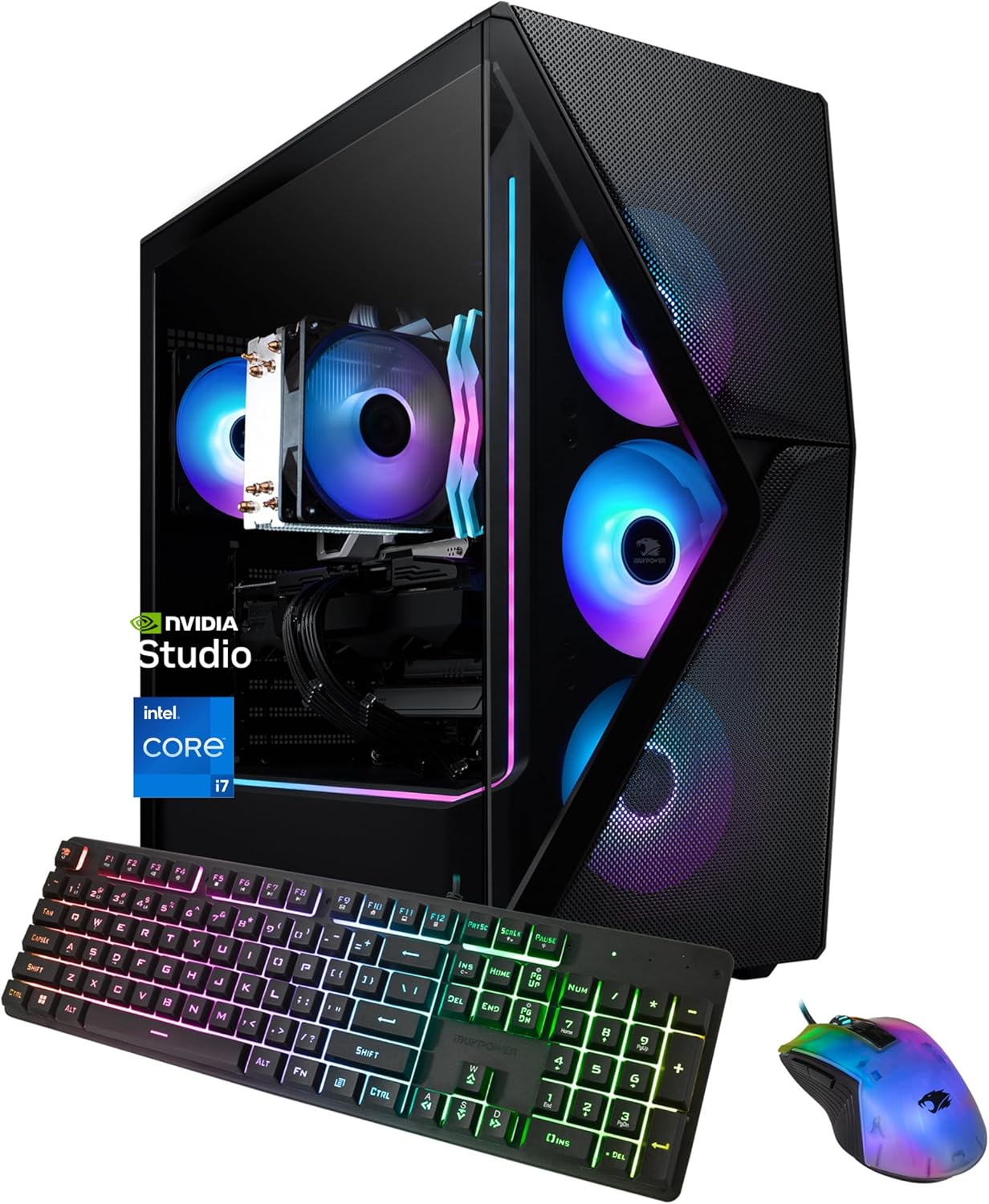
Image: The iBUYPOWER Slate MESH Gaming PC with included keyboard and mouse, ready for connection.
2.3. First Boot-Up and Windows 11 Setup
Press the power button located on the front of the PC. The system will boot into Windows 11 Home. Follow the on-screen instructions to complete the initial Windows setup, including language, region, network connection, and user account creation.
3. Operating Your PC
3.1. Power On/Off and Restart
- Power On: Press the power button on the front of the PC.
- Shut Down: Click the Start button in Windows, then select Power > Shut down.
- Restart: Click the Start button in Windows, then select Power > Restart.
3.2. Understanding I/O Ports
Your PC is equipped with various input/output (I/O) ports for connecting external devices. Refer to the image below for common port locations and types.

Image: Detailed view of the accessible I/O ports on the iBUYPOWER Slate MESH PC.
- USB Ports: Used for connecting keyboards, mice, external drives, and other USB devices. The system includes 6 x USB 3.1 ports and 2 x USB 2.0 ports.
- RJ-45 Ethernet Port: For wired network connections (10/100/1000 Mbps).
- Audio Ports: For connecting speakers, headphones, and microphones.
- Video Output Ports: Located on the NVIDIA GeForce RTX 5070 graphics card for connecting displays.
3.3. NVIDIA Studio Features
The NVIDIA Studio suite of software enhances performance for video editing, 3D rendering, and design tasks. It leverages the RTX 5070 GPU's capabilities, including AI-powered tools and Studio Drivers, to optimize creative applications. Ensure your NVIDIA drivers are regularly updated for the best performance.
3.4. RGB Lighting Customization
The iBUYPOWER Slate MESH case features 16-color RGB lighting and RGB fans. Specific software or physical buttons on the case may be available to customize lighting effects. Refer to the iBUYPOWER website or included documentation for detailed instructions on RGB control.

Image: The iBUYPOWER Slate MESH PC displaying its customizable RGB lighting.
4. Specifications
| Component | Detail |
|---|---|
| Processor | Intel Core i7 14700F (2.1 GHz) |
| Graphics Card | NVIDIA GeForce RTX 5070 12GB |
| RAM | 32GB DDR5 RGB 5200MHz |
| Storage | 1TB NVMe SSD |
| Operating System | Windows 11 Home |
| Connectivity | Wi-Fi (802.11AC), Ethernet (10/100/1000), 6x USB 3.1, 2x USB 2.0, On-board Audio |
| Case | iBUYPOWER Slate MESH with Tempered Glass Side Panel and RGB Lighting |
| Cooling | Tower Air Cooler, RGB Fans |
| Dimensions (LxWxH) | 20.1 x 8.66 x 19.4 inches |
| Weight | 36 pounds |
5. Maintenance
5.1. Keeping Your PC Clean
Regularly clean your PC to prevent dust buildup, which can affect performance and component lifespan. Use compressed air to clear dust from fans, vents, and internal components. Ensure the PC is powered off and unplugged before cleaning.

Image: The iBUYPOWER Slate MESH PC case, highlighting the mesh front panel designed for optimal airflow.
5.2. Software Updates
Keep your operating system (Windows 11) and all drivers (especially graphics drivers from NVIDIA) updated. This ensures system stability, security, and optimal performance for your hardware.
5.3. Airflow
The Slate MESH case is designed with a mesh front panel to promote good airflow. Ensure the PC is placed in a location with adequate ventilation, avoiding enclosed spaces that could restrict air circulation.
6. Troubleshooting
If you encounter issues with your PC, consider the following basic troubleshooting steps:
- No Power: Ensure the power cable is securely connected to both the PC and the wall outlet. Check the power switch on the PSU (if present) is in the 'on' position.
- No Display: Verify that your monitor is connected to the graphics card's output ports, not the motherboard's integrated graphics ports. Ensure the monitor is powered on and set to the correct input source.
- Network Issues: For wired connections, check the Ethernet cable. For Wi-Fi, ensure the Wi-Fi adapter is enabled and connected to your network. Restart your router and modem if necessary.
- System Freezes/Crashes: Ensure all drivers are updated. Check for sufficient airflow and proper cooling. If issues persist, consult the iBUYPOWER support resources.
7. Warranty and Support
Your iBUYPOWER Slate MESH Gaming PC is backed by a 1-year retail manufacturer guarantee. For technical assistance, warranty claims, or further support, please refer to the official iBUYPOWER website or contact their customer service directly. Keep your purchase receipt and serial number readily available when seeking support.