
1. Introduction
This manual provides essential instructions for the safe and efficient use of your Gmmhhs Replacement Battery Charger. Please read this manual thoroughly before operating the charger and retain it for future reference. This charger is designed for specific Black & Decker 20V MAX Lithium-Ion batteries.
2. Product Overview
The Gmmhhs Replacement Battery Charger is an AC-to-DC charger designed to power Black & Decker 20V MAX Lithium-Ion batteries. It is compatible with various Black & Decker battery part numbers, including LB20, LB2X4020, LBX20, LBXR20, LBXR2020, LBXR20B, and LBXR20-OPE.
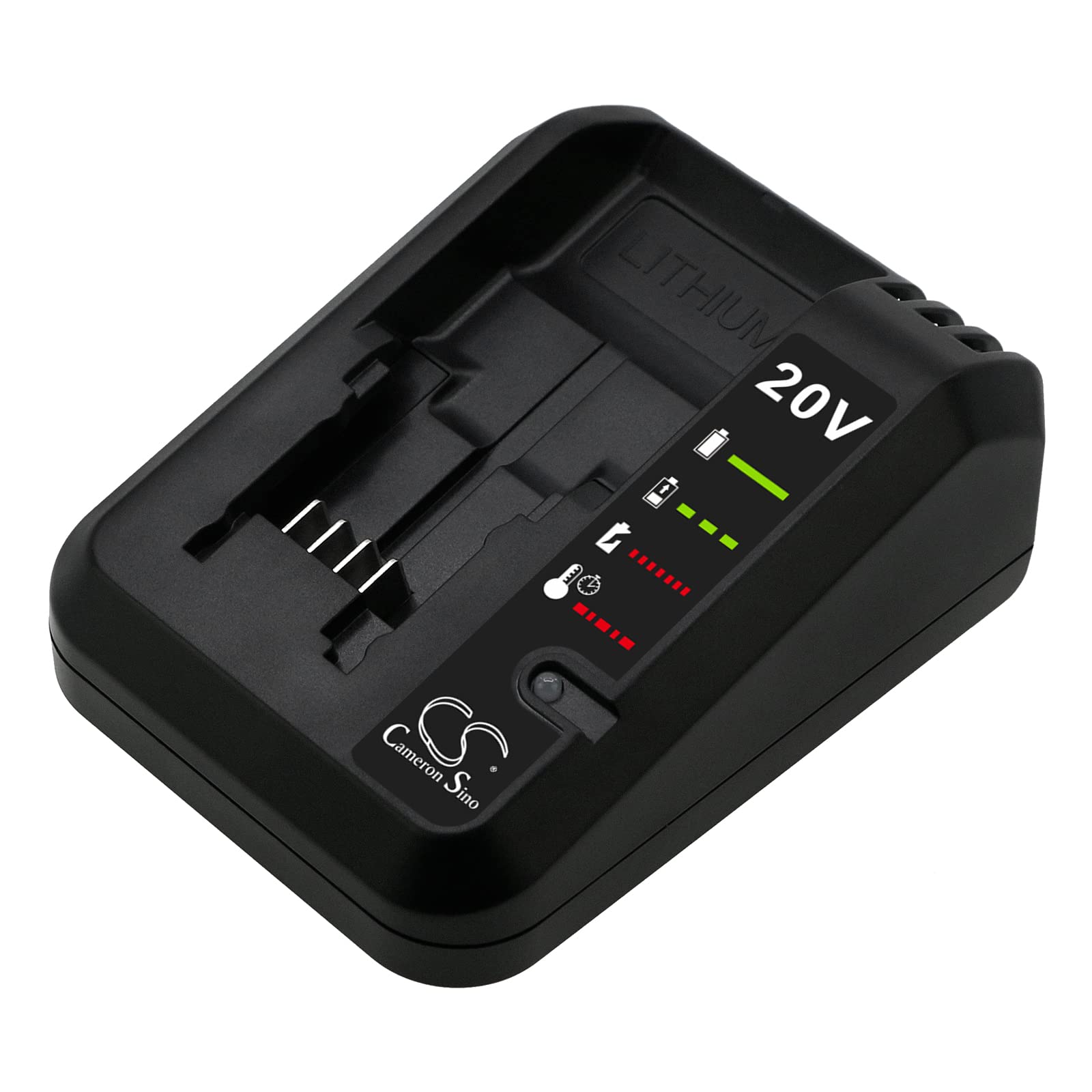
Image 1: Front view of the Gmmhhs Replacement Battery Charger, showing the battery slot and indicator lights.

Image 2: Front view of the charger, including the attached power cord for connection to an AC outlet.
3. Safety Instructions
WARNING: To reduce the risk of injury, always follow these safety precautions.
- Indoor Use Only: This charger is designed for indoor use in dry conditions. Do not expose to rain or extreme conditions.
- Do Not Disassemble: Do not attempt to disassemble, open, or service this product. There are no user-serviceable parts inside.
- Avoid Damage: Do not crush, puncture, or expose the charger to short external contacts.
- Fire Hazard: Do not dispose of this product in fire or water.
- Proper Ventilation: Ensure adequate ventilation around the charger during use. Do not cover the charger.
- Unplug When Not In Use: Always unplug the charger from the power outlet when not in use or before cleaning.
- Inspect Before Use: Before each use, inspect the charger for any signs of damage to the cord, plug, or casing. Do not use a damaged charger.

Image 3: Bottom view of the charger, displaying model information, input/output specifications, and critical safety warnings.
4. Setup
- Unpack the Charger: Carefully remove the charger from its packaging.
- Choose a Location: Place the charger on a stable, flat, non-flammable surface in a well-ventilated area, away from direct sunlight, heat sources, and moisture.
- Connect to Power: Plug the charger's power cord into a standard AC 100-240V wall outlet. The charger's indicator lights may briefly illuminate.
5. Operating Instructions
This charger is designed to charge Black & Decker 20V MAX Lithium-Ion batteries. Always ensure the battery is compatible with the charger before attempting to charge.
- Insert Battery: Align the battery with the charger's slot and slide it firmly into place until it clicks.
- Monitor Charging: The charger features indicator lights to show the charging status. Refer to the labels on the charger for specific light patterns (e.g., solid red for charging, solid green for fully charged).
- Remove Battery: Once the battery is fully charged (indicated by the green light), press the battery release button (if present) and slide the battery out of the charger.
- Unplug Charger: For energy conservation and safety, unplug the charger from the wall outlet when not in use.
6. Maintenance
- Cleaning: Disconnect the charger from the power supply before cleaning. Use a dry, soft cloth to wipe the exterior of the charger. Do not use abrasive cleaners or solvents.
- Storage: Store the charger in a cool, dry place away from direct sunlight and moisture. Ensure the power cord is neatly coiled and not kinked.
- Inspection: Periodically inspect the charger and its cord for any signs of wear or damage.
7. Troubleshooting
If you encounter issues with your charger, refer to the following common problems and solutions:
| Problem | Possible Cause | Solution |
|---|---|---|
| Charger indicator lights do not illuminate. | No power to the charger, faulty outlet, or damaged charger. | Check power outlet with another device. Ensure charger is fully plugged in. Inspect charger and cord for damage. |
| Battery not charging. | Battery not properly seated, incompatible battery, or battery fault. | Ensure battery is fully inserted. Verify battery compatibility. If issue persists, the battery may be faulty. |
| Charger or battery becomes excessively hot. | Poor ventilation, faulty battery, or charger malfunction. | Disconnect immediately. Ensure charger is in a well-ventilated area. Do not use if overheating persists. |
8. Specifications
| Feature | Detail |
|---|---|
| Brand | Gmmhhs |
| Model Number | DF-FMC690UA (also known as DF-FMC690) |
| Compatible Part Numbers | LB20, LB2X4020, LBX20, LBXR20, LBXR2020, LBXR20B, LBXR20-OPE |
| Input | AC 100-240V |
| Output | 20.0V |
| Item Type | AC to DC Charger |
| Color | Black |
| Item Weight | 661 Grams |
| Dimensions | Approximately 160.15 x 116.30 x 65.50 mm |
9. Warranty and Support
Your satisfaction is important to us. If you have any questions or require assistance with your Gmmhhs Replacement Battery Charger, please do not hesitate to contact us. We provide pre-sales and after-sales service and aim to reply to all inquiries within 24 hours.
Please refer to your purchase documentation for specific warranty details. Ensure you double-check your device's model number and battery part number for compatibility before purchasing or contacting support.