Introduction
Thank you for choosing the HONEYWHALE C1 Electric Scooter. This manual provides essential information for the safe operation, maintenance, and troubleshooting of your scooter. Please read it thoroughly before your first ride to ensure proper use and to maximize your riding experience.
The HONEYWHALE C1 electric scooter is designed for urban commuting, offering a powerful 980W motor, a maximum speed of 45 km/h, and a range of up to 40 km thanks to its 13AH battery. It features three adjustable speed modes, a clear LCD display, and a robust aluminum alloy frame with dual suspension for a comfortable ride.
Safety Information
Your safety is paramount. Always adhere to the following guidelines:
- Always wear a helmet and appropriate protective gear (knee pads, elbow pads) when riding.
- Familiarize yourself with local laws and regulations regarding electric scooter use.
- Do not ride in heavy rain, on icy surfaces, or through deep puddles. The scooter has an IPx4 waterproof rating, meaning it is resistant to splashing water from any direction, but not fully submersible.
- Maintain a safe distance from other vehicles and pedestrians.
- Avoid sudden turns or maneuvers at high speeds.
- Do not allow children under the age of 16 to operate the scooter.
- Ensure the battery is adequately charged before each ride.
- Regularly inspect brakes, tires, and all moving parts for wear or damage.
- The maximum load capacity is 120 kg. Do not exceed this limit.
Package Contents
Please check that all items are present in your package:
- HONEYWHALE C1 Electric Scooter
- Charger
- Frontal backpack
- Mobile phone holder
- Installation Tools
- Instruction Manual (this document)
Setup
1. Unfolding the Scooter
Carefully remove the scooter from its packaging. Locate the folding mechanism near the base of the steering column. Release the latch and lift the steering column until it locks into the upright position. Ensure the locking mechanism is securely engaged before use.

Image: The HONEYWHALE C1 Electric Scooter folded, demonstrating its compact size for transport in a car trunk.
2. Attaching the Seat and Handlebars
If the seat or handlebars are not pre-installed, follow the instructions provided with the installation tools. Ensure all bolts are tightened securely. The handlebar height is adjustable from 96-117 cm, and the seat height from 62-68 cm, allowing for personalized comfort.

Image: The HONEYWHALE C1 Electric Scooter with key dimensions highlighted, including adjustable handlebar and seat heights, and overall length and folded size.
3. Initial Charging
Before your first ride, fully charge the scooter's 13AH battery. Connect the charger to the charging port on the scooter and then to a power outlet. The charging indicator on the charger will change color (e.g., red to green) when fully charged. Charging time is approximately 9 hours.

Image: Visual representation of the scooter's large capacity 13Ah battery, indicating a charging time of 9 hours and a range of 40 km.
4. Pre-Ride Checks
- Check tire pressure: The front tire is inflatable, the rear is solid. Ensure the front tire is adequately inflated.
- Test brakes: Ensure both front drum and rear disc brakes are functioning correctly.
- Verify all quick-release levers and folding mechanisms are securely locked.
- Check headlight and taillight functionality.
Operating Instructions
1. Powering On/Off
Press and hold the power button on the display to turn the scooter on or off.
2. Understanding the LCD Display
The integrated LCD display provides real-time information:
- Speed: Current riding speed.
- Battery Level: Indicates remaining battery charge.
- Mileage: Total distance traveled.
- Speed Mode: Shows the currently selected speed mode (ECO, MID, HIGH).
- Headlight Indicator: Shows if the headlight is on.
- Cruise Mode Indicator: Shows if cruise control is active.

Image: A detailed view of the multifunctional LCD display, showing indicators for speed, mileage, speed mode (ECO, MID, HIGH), battery level, cruise mode, and headlight status.
3. Speed Modes
The C1 offers three adjustable speed modes. Use the touch button to cycle through them:
- Mode 1 (ECO): Up to 25 km/h for energy efficiency and beginners.
- Mode 2 (MID): Up to 35 km/h for balanced performance.
- Mode 3 (HIGH): Up to 45 km/h for maximum speed.
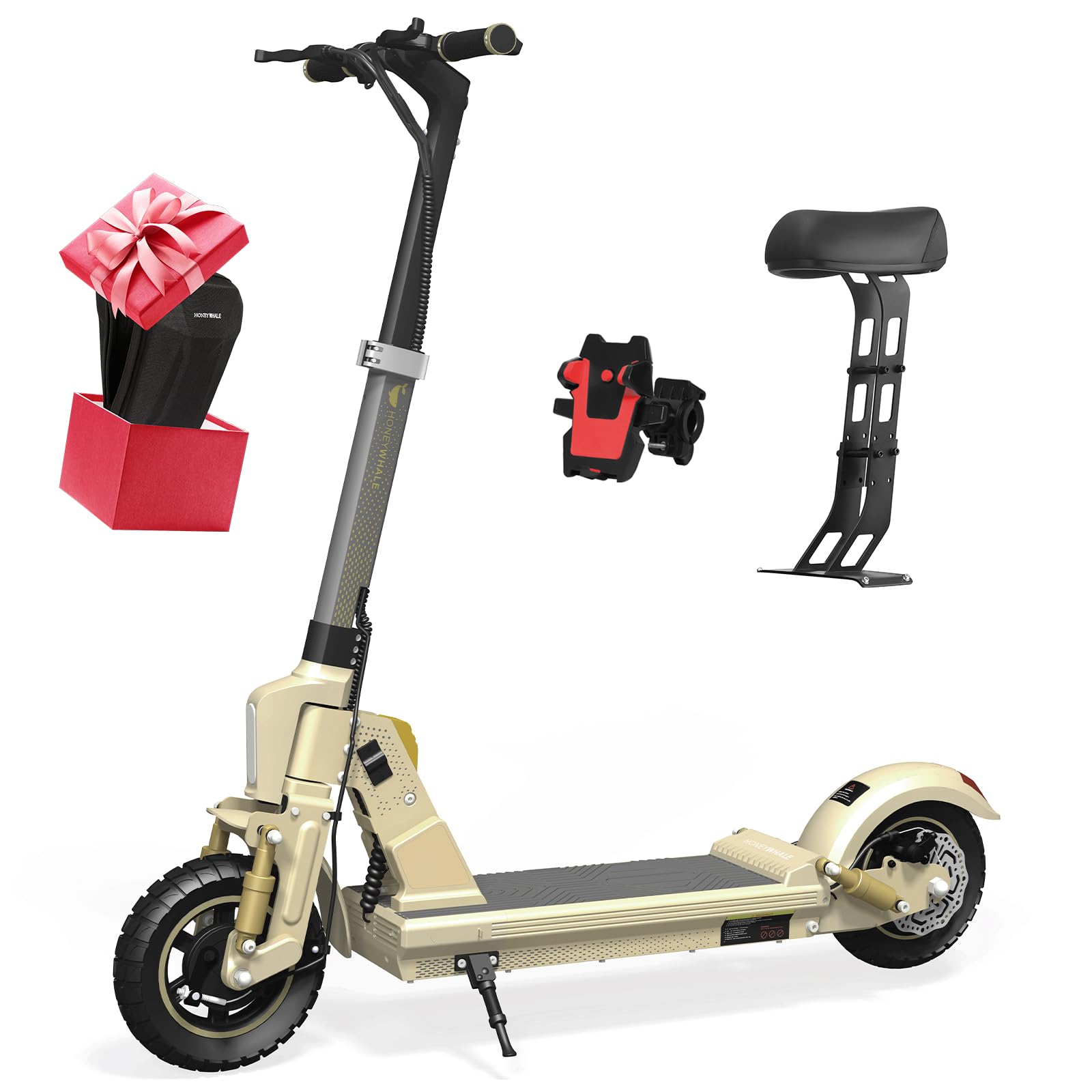
Image: Illustration of the scooter's powerful brushless motor (980W) and its three speed gears: 25km/h (first gear), 35km/h (second gear), and 45km/h (third gear), along with a 15-degree climbing angle and 150kg maximum load.
4. Braking
The scooter is equipped with a responsive braking system, featuring a rear disc brake and a front drum brake. Apply both brakes gently and evenly to slow down or stop. Avoid sudden, hard braking, especially at high speeds, to prevent loss of control.

Image: Depiction of the scooter's dual suspension system and disc brakes, highlighting the 10-inch inflatable front tire and solid rear tire for a comfortable ride on various terrains.
5. Lighting System
To activate the intelligent lighting system, double-click the designated button on the control panel. The bright headlights illuminate the path ahead, and the rear lights enhance visibility to other vehicles, ensuring safer night riding.

Image: Illustration of the scooter's intelligent lighting system, showing the front headlights and rear taillights for improved visibility and safety during night rides.
Maintenance
1. Battery Care
- Charge the battery regularly, even if the scooter is not in use, to prolong its lifespan.
- Avoid completely draining the battery before recharging.
- Store the scooter in a cool, dry place away from direct sunlight and extreme temperatures.
2. Tire Pressure
Regularly check the pressure of the front inflatable tire. Refer to the tire sidewall for the recommended PSI. Proper tire pressure ensures optimal performance, range, and safety.
3. Brake Inspection
Inspect brake levers, cables, and pads periodically for wear or damage. Adjust brakes as needed to ensure responsive stopping power. If brake pads are worn, replace them promptly.
4. Cleaning and Storage
Clean the scooter with a damp cloth. Do not use high-pressure water jets or corrosive cleaners. When storing for extended periods, ensure the battery is charged to about 50-70% and store in a dry, temperate environment.
Troubleshooting
| Problem | Possible Cause | Solution |
|---|---|---|
| Scooter does not power on | Low battery; Loose connections; Faulty power button | Charge battery; Check all connections; Contact support if issue persists |
| Reduced range or speed | Low tire pressure; Overloaded; Battery degradation; Riding uphill frequently | Inflate tires to correct pressure; Reduce load; Charge fully; Adjust riding style |
| Brakes feel weak | Worn brake pads; Loose brake cable; Contaminated brake disc | Inspect and replace brake pads; Adjust brake cable tension; Clean disc with brake cleaner |
| Unusual noises during ride | Loose components; Debris in wheels; Motor issue | Check all bolts and fasteners; Inspect wheels for obstructions; Contact support |
If you encounter issues not listed here or if the suggested solutions do not resolve the problem, please contact customer support.
Specifications
| Feature | Detail |
|---|---|
| Model | C1 |
| Motor Power | Rated 500W, Max 980W |
| Max Speed | 45 km/h |
| Battery Capacity | 48V 13AH |
| Max Range | 40 km |
| Charging Time | Approx. 9 hours |
| Max Load Capacity | 120 kg |
| Tire Size | 10 inches |
| Tire Type | Front: Inflatable (with air tube), Rear: Solid (without air tube) |
| Brake System | Rear disc brake, Front drum brake |
| Suspension | Dual Suspension (Front and Rear) |
| Waterproof Rating | IPx4 |
| Body Material | Aluminum Alloy |
| Product Dimensions (Unfolded) | 125 cm (L) x 53 cm (W) x 117 cm (H) |
| Folded Dimensions | 119 cm (L) x 53 cm (W) x 44 cm (H) |
| Handlebar Height (Adjustable) | 96-117 cm |
| Seat Height (Adjustable) | 62-68 cm |
| Net Weight | 25.5 kg |
| Display | LCD (Battery level, mileage, speed, speed mode) |
Warranty and Support
The HONEYWHALE C1 Electric Scooter comes with a standard manufacturer's warranty. Please refer to the warranty card included in your package for specific terms and conditions, including coverage duration and limitations. Keep your proof of purchase for warranty claims.
For technical assistance, spare parts, or any other inquiries, please contact HONEYWHALE customer support through the contact information provided on your warranty card or the official HONEYWHALE website. When contacting support, please have your model number (C1) and purchase date ready.