
1. Introduction
This manual provides essential information for the safe and effective use of the OSS TEAM 210 Series T210 C210 Pointed Soldering Iron Tips. These tips are designed for precision lead-free soldering applications, offering high performance and durability. Please read this manual thoroughly before installation and operation to ensure proper usage and to maximize the lifespan of your soldering tips.
2. Safety Information
Always observe the following safety precautions when working with soldering equipment:
- Ensure your soldering station is turned off and cooled before handling or changing soldering tips.
- Always use appropriate personal protective equipment, including safety glasses, to protect against solder splashes.
- Work in a well-ventilated area to avoid inhaling solder fumes.
- Do not touch the soldering tip when it is hot. Use heat-resistant tools for handling.
- Keep soldering equipment away from flammable materials.
- Always place the soldering iron in its designated stand when not in use.
3. Product Overview and Compatibility
The OSS TEAM 210 Series soldering iron tips are engineered for high thermal conductivity and resistance to oxidation, making them ideal for various electronic soldering tasks. They are specifically designed for lead-free soldering.
Compatible Soldering Stations:
- JBC T210 Series Soldering Stations
- Sugon T26 Soldering Stations
- Sugon T26D Soldering Stations
Available Models: C210-002, C210-018, C210-020 (Pointed Tips)
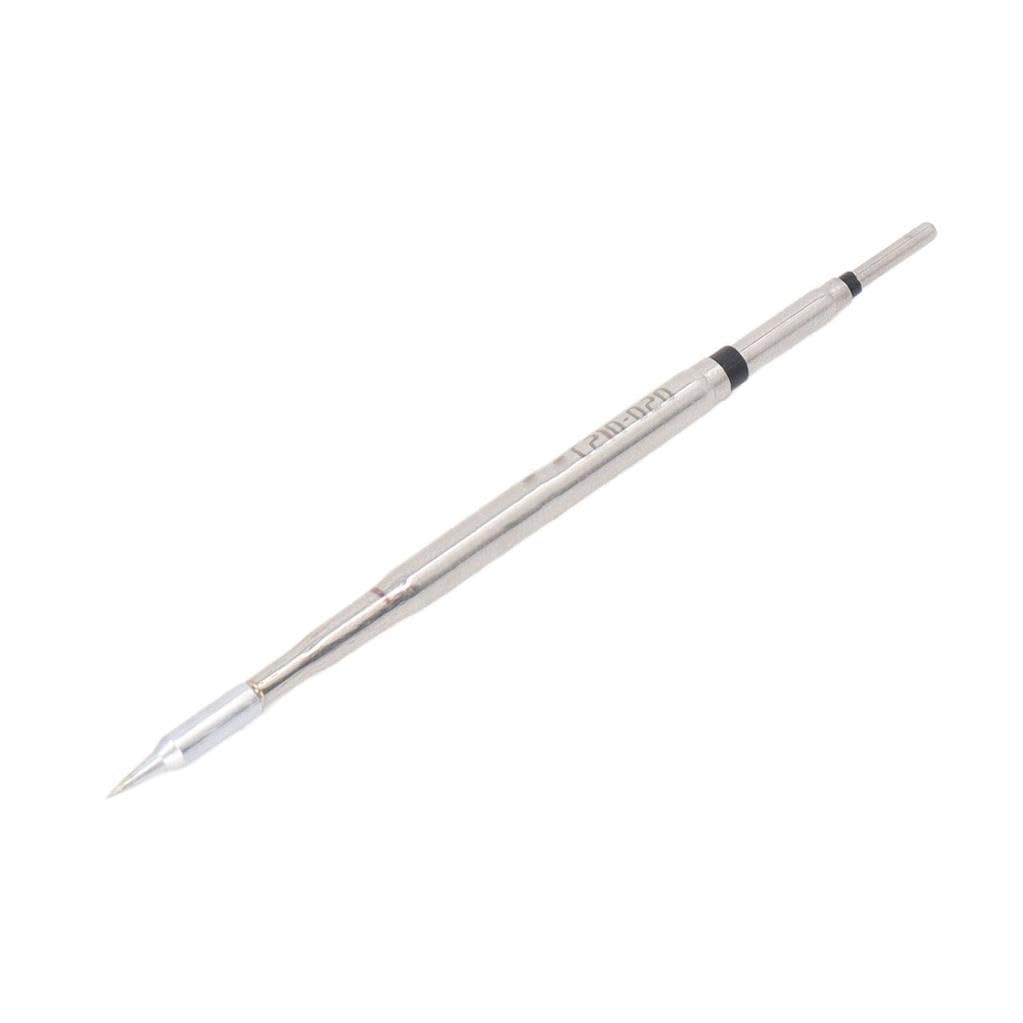
Image 1: An OSS TEAM C210 Series pointed soldering iron tip, showcasing its slender, conical shape designed for precision work. The tip is metallic gray, indicating its durable construction.
4. Setup and Installation
Follow these steps to properly install the soldering tip into your compatible soldering iron handle:
- Ensure the soldering station is powered off and the soldering iron handle is cool to the touch.
- Carefully remove the old soldering tip from the iron handle, if applicable. Refer to your soldering station's manual for specific tip removal instructions.
- Gently insert the new OSS TEAM C210 Series tip into the heating element of the soldering iron handle. Ensure it is fully seated to allow for optimal heat transfer.
- Do not force the tip into place, as this may damage the heating element or the tip itself.
- Once the tip is installed, you may power on your soldering station.
5. Operating Instructions
To achieve optimal soldering results with your OSS TEAM C210 Series tip:
- Pre-tinning: Before first use, and periodically during operation, pre-tin the tip by applying a small amount of solder to the heated tip. This helps prevent oxidation and improves heat transfer.
- Temperature Setting: Set your soldering station to the appropriate temperature for your solder type and components. For lead-free solder, higher temperatures are often required (typically 350-400°C).
- Application: Bring the heated tip into contact with both the component lead and the PCB pad simultaneously. Apply solder to the junction of the tip, lead, and pad. Allow the solder to flow smoothly and form a shiny, concave joint.
- Cleaning: Regularly clean the tip using a damp sponge or brass wool to remove excess solder and flux residue. This maintains tip efficiency and prevents contamination.
- Cool Down: After use, turn off the soldering station and allow the tip to cool down naturally before storage or maintenance.
6. Maintenance
Proper maintenance extends the life of your soldering tips and ensures consistent performance:
- Tip Cleaning: Always clean the tip before and after each soldering session. Use a damp cellulose sponge or brass wool. Avoid abrasive materials that can damage the tip plating.
- Tip Tinning: Always re-tin the tip with a fresh layer of solder before storing it. This protects the tip from oxidation when not in use.
- Storage: Store soldering tips in a dry, clean environment. Avoid exposing them to moisture or corrosive substances.
- Inspection: Periodically inspect tips for signs of wear, pitting, or excessive oxidation. Replace tips that show significant degradation to maintain soldering quality.
7. Troubleshooting
If you encounter issues with your soldering tip, consider the following:
- Solder Not Sticking to Tip: This is often due to oxidation. Try cleaning the tip thoroughly with brass wool and re-tinning it with fresh solder. If severe, use a tip tinner compound.
- Poor Heat Transfer: Ensure the tip is fully seated in the iron handle. Check the soldering station's temperature setting. A heavily oxidized tip can also impede heat transfer; clean and re-tin.
- Tip Pitting/Erosion: This can occur from using excessively high temperatures or aggressive fluxes. Reduce soldering temperature if possible and ensure proper tip cleaning.
- Tip Discoloration: Normal operation may cause some discoloration. As long as the tip can be tinned and performs well, it is generally not an issue. Severe blackening indicates heavy oxidation.
8. Specifications
| Feature | Specification |
|---|---|
| Model Series | C210 Series |
| Tip Types | Pointed (e.g., C210-002, C210-018, C210-020) |
| Material | High-quality materials for durability and reliability |
| Compatibility | JBC T210, Sugon T26, Sugon T26D Soldering Stations |
| Characteristics | Lead-free, environmentally friendly, fast heating, good oxidation resistance, high thermal conductivity |
| Part Number (Example) | havya-ucu-210-020 |
| ASIN | B0DWFPTRRS |
9. Warranty and Support
Specific warranty information for this product is not provided in the available documentation. For any support inquiries, technical assistance, or questions regarding product performance, please contact your retailer or the manufacturer directly. Always refer to the official product page or packaging for the most current warranty details and customer support contacts.