
BLINORY HK55
BLINORY HK55 GPS Drone User Manual
Model: HK55
Product Overview
The BLINORY HK55 GPS Drone is a versatile quadcopter designed for both beginners and experienced pilots, featuring a 2K HD camera for high-quality aerial photography and videography. It incorporates advanced functionalities such as GPS auto-return, intelligent flight modes like Follow Me, Waypoint Flight, and Circle Fly, and a powerful brushless motor for stable and efficient flight. Its foldable design enhances portability, making it an ideal companion for outdoor adventures.

What's in the Box
Verify that all components are present upon unboxing:
- Foldable GPS Drone x 1
- Remote Control x 1
- Battery x 2
- User Manual x 1
- Carrying Case x 1
- Spare Blade x 8
- USB Type-C Cable x 2
- Screws & Screwdriver
Setup Guide
1. Battery Installation
The drone comes with two modular batteries. Insert a fully charged battery into the drone's designated battery compartment until it clicks securely into place. Ensure the battery is properly aligned to avoid damage.
2. Remote Control Setup
Install the required batteries into the remote control. The remote features a phone holder; securely attach your smartphone to the holder. Download the "HK55 DRONE GO" application from your device's app store. Establish a Bluetooth connection between your smartphone and the remote control as per the app's instructions.
3. Drone Assembly (Unfolding)
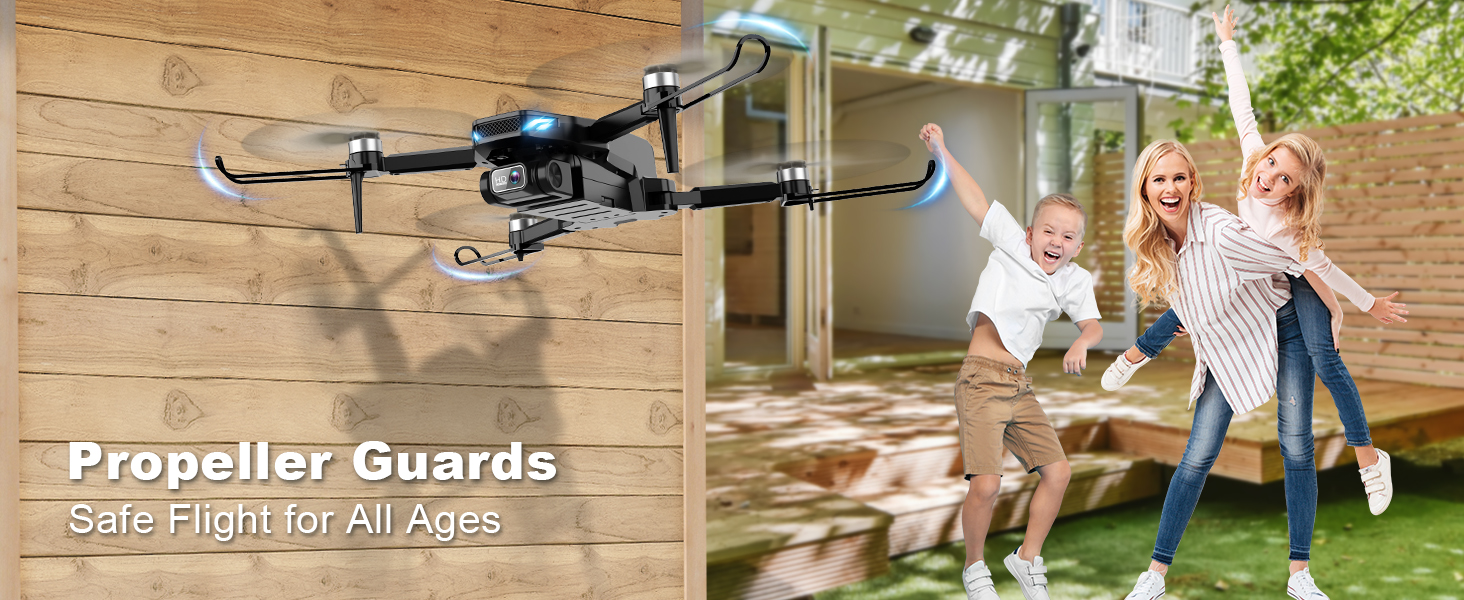
The HK55 drone features a foldable design for portability. Gently unfold the drone's arms until they are fully extended and locked into position. Ensure all propellers are clear and undamaged before flight.
4. Calibration
Before the first flight and after any significant change in location, it is crucial to calibrate the drone. Refer to the quick instruction sheet or the detailed user manual for specific calibration steps, which typically involve compass and gyroscope calibration to ensure stable flight performance.
Operating Instructions
Basic Flight Controls
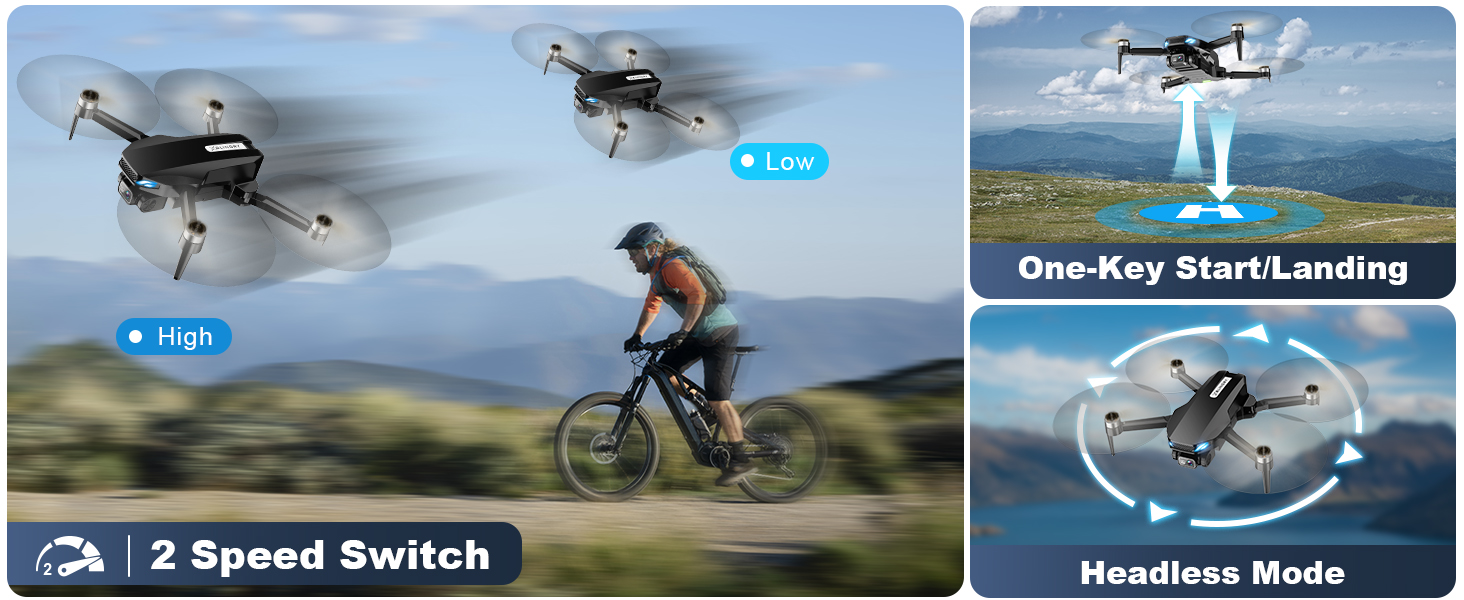
- One-Button Take Off/Landing: Press the designated button on the remote control or within the app for automated take-off and landing sequences.
- Headless Mode: This mode simplifies control by orienting the drone's direction relative to the pilot, regardless of the drone's actual front.
- Speed Switching: The drone offers two speed modes (low and high) to accommodate different skill levels and flying environments.

Advanced Flight Modes
- GPS Auto Return: The drone will automatically return to its take-off point in cases of low battery, signal loss, or when the one-key return button is pressed. This feature ensures the drone's safety and prevents loss.

- Follow Me: In this mode, the drone will automatically follow your movements, capturing dynamic footage as you move. Ideal for recording activities like hiking, skateboarding, or running.
- Waypoint Flight: Plan a custom flight path by drawing points on the map within the "HK55 DRONE GO" app. The drone will then autonomously fly along the specified route.
- Circle Fly (Point of Interest): The drone will orbit around a designated point of interest, maintaining a set distance and altitude, perfect for capturing cinematic circular shots.

- Gesture Selfie: Utilize specific hand gestures to command the drone to take photos or record videos, allowing for hands-free capture of moments.
Camera Operation
The drone is equipped with a 2K HD camera that can be electrically adjusted by 90° for optimal viewing angles. The 5GHz FPV transmission ensures a smooth and stable real-time video feed to your smartphone. Built-in shock absorption helps in capturing clear and steady footage.

Stable Hovering
The HK55 drone utilizes both GPS and Optical Flow positioning systems to achieve precise and stable hovering, both indoors and outdoors. This ensures consistent altitude and position, making it easier to control and capture steady shots.

Official Product Video
This video demonstrates the GPS Drone with 2K Camera for Adults and Kids, showcasing its features and ease of use. This video is provided by the seller.
Maintenance
Regular maintenance ensures the longevity and optimal performance of your BLINORY HK55 drone.
- Cleaning: After each flight, especially in dusty or sandy environments, gently clean the drone's body, motors, and propellers with a soft, dry cloth. Avoid using liquids directly on electronic components.
- Propeller Inspection: Regularly check the propellers for any signs of damage, cracks, or bends. Replace damaged propellers immediately using the provided spare blades and screwdriver to maintain flight stability and safety.
- Battery Care: Store batteries in a cool, dry place. Do not overcharge or over-discharge batteries. If storing for extended periods, charge them to about 50% capacity.
- Motor Inspection: Ensure the brushless motors are free from debris and can spin freely.
Troubleshooting
This section addresses common issues you might encounter with your BLINORY HK55 drone.
| Problem | Possible Cause | Solution |
|---|---|---|
| Drone does not power on. | Battery not installed correctly or discharged. | Ensure battery is fully charged and correctly inserted. |
| Unstable flight or drifting. | Improper calibration; damaged propellers; strong winds. | Perform calibration. Check and replace damaged propellers. Fly in calm conditions. |
| No FPV video feed. | Weak Wi-Fi signal; app not connected; camera issue. | Ensure strong 5GHz Wi-Fi connection. Reconnect app. Check camera connection. |
| Drone lost or out of range. | Beyond control range; GPS signal lost. | Activate GPS Auto Return. Use the "HK55 DRONE GO" app to find the drone's last known location on the map. |
Specifications
| Feature | Detail |
|---|---|
| Brand | BLINORY |
| Model Name | HK55 |
| Color | Black |
| Video Capture Resolution | 2K |
| Connectivity Technology | Wi-Fi (5G Transmission) |
| Skill Level | Kids, Beginner, Professional, Advanced |
| Item Weight | 5.12 ounces (approx. 145 grams) |
| Product Dimensions | 11.81"L x 7.87"W x 2.17"H |
| Flight Time | Up to 32 minutes (with two batteries) |
| Motor Type | Brushless Motor |
| Special Features | GPS Drone, Auto Return, Follow Me, Circle Fly, Waypoint Fly, Optical Flow, Foldable, FPV |
Warranty and Support
BLINORY is committed to providing excellent customer service. If you encounter any issues with your HK55 GPS drone, please do not hesitate to contact BLINORY support. Our team is always available to assist you with technical support, user guidance, tutorial videos, and after-sale service.
For assistance, please refer to the contact information provided in your product packaging or visit the official BLINORY website.
Related Documents - HK55
 |
VLT® AutomationDrive FC 360: Руководство по выбору и технические характеристики Подробное руководство по выбору и технические характеристики преобразователя частоты Danfoss VLT® AutomationDrive FC 360 мощностью от 0,37 до 75 кВт, включая особенности, преимущества, применение и аксессуары. |
 |
VLT® AutomationDrive FC 360 Operating Guide | Danfoss Comprehensive operating guide for the Danfoss VLT® AutomationDrive FC 360 AC drive, covering installation, safety, specifications, programming, and troubleshooting for models 0.37–90 kW. |
 |
BEURER Produktový katalóg Komplexný katalóg produktov BEURER: tlakomery, váhy, teplomery, masážne prístroje a ďalšie zdravotnícke a osobné prístroje. Podrobné informácie o modeloch. |