
Introduction
Thank you for choosing the BUDI Bluetooth Speaker SP11W. This manual provides essential information for setting up, operating, and maintaining your speaker to ensure optimal performance and longevity. Please read these instructions carefully before use.

Image: The BUDI Bluetooth Speaker, yellow, showcasing its wireless stereo capabilities.
Package Contents
Ensure all items are present in the package:
- BUDI Bluetooth Speaker SP11W
- USB-C Cable
- User Manual (this document)
Setup
1. Charging the Speaker
Before first use, fully charge the speaker. Connect the provided USB-C cable to the speaker's charging port and the other end to a compatible USB power adapter (not included) or a computer's USB port.
- The charging indicator light will illuminate during charging.
- A full charge provides up to 10 hours of playback.

Image: Rear view of the BUDI speaker, illustrating the USB-C charging port, TF card slot, and AUX input.
2. Powering On/Off
- To power on, long press the Power button (circle with vertical line) until you hear an audible prompt.
- To power off, long press the Power button again until you hear an audible prompt.
3. Bluetooth Pairing
- Ensure the speaker is powered on and in Bluetooth pairing mode (indicated by a flashing LED).
- On your device (smartphone, tablet, etc.), enable Bluetooth and search for available devices.
- Select "BUDI SP11W" from the list of devices.
- Once connected, the speaker will provide an audible confirmation, and the LED indicator will stop flashing.
4. TWS (True Wireless Stereo) Pairing
To achieve a wider stereo sound, you can pair two BUDI SP11W speakers together:
- Ensure both speakers are powered on and not connected to any other Bluetooth device.
- On one speaker, double-press the Power button (or a dedicated TWS button if available, refer to specific model instructions if different) to initiate TWS pairing.
- The speakers will automatically search and connect to each other. You will hear a confirmation tone once paired.
- Once TWS is established, connect your device to one of the speakers via Bluetooth as described in step 3. Both speakers will then play audio in stereo.
Operating Instructions
1. Basic Controls

Image: Top view of the BUDI speaker showing the control panel with Power, Mode, Play/Pause, and Volume buttons.
- Power Button (circle with vertical line): Long press to Power ON/OFF.
- Mode Button (M): Single click to switch sound effects. Long press to switch input channel (Bluetooth/TF Card/AUX).
- Play/Pause Button (triangle icon): Single click to Play/Pause audio.
- Volume Up (+): Short press to increase volume. Long press to go to the next song.
- Volume Down (-): Short press to decrease volume. Long press to go to the previous song.
2. Connectivity Options
The BUDI speaker supports multiple audio input methods:
- Bluetooth 5.3: For wireless connection to compatible devices.
- TF Card: Insert a TF (MicroSD) card with audio files for direct playback.
- AUX Input: Connect external audio devices using a 3.5mm audio cable (not included).

Image: Diagram illustrating Bluetooth, TF Card, and AUX input options for the speaker.
3. Sound Experience
The speaker delivers clear sound with balanced audio, deep bass, and 360° surround sound for an immersive listening experience.
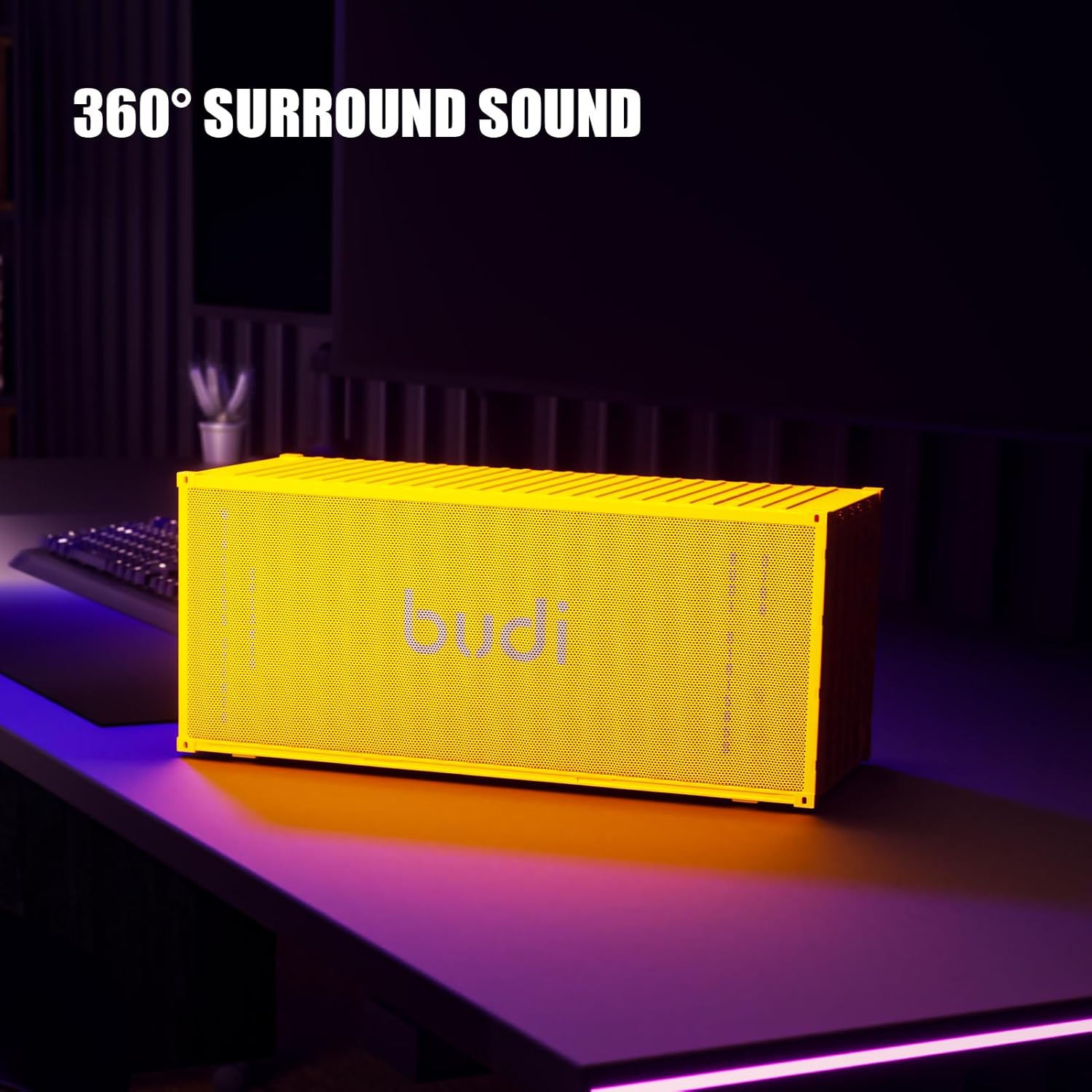
Image: The BUDI speaker positioned on a desk, highlighting its 360° surround sound capability.

Image: A visual representation of the speaker's 360° surround sound and dual 57mm full-range drivers.
Maintenance
1. Cleaning
- Wipe the speaker with a soft, dry cloth.
- Do not use abrasive cleaners, alcohol, or chemical solvents, as these may damage the surface.
2. Storage
- Store the speaker in a cool, dry place away from direct sunlight and extreme temperatures.
- If storing for an extended period, charge the battery to approximately 50% every few months to prolong its lifespan.
3. Battery Care
- The speaker features a 4000mAh rechargeable battery.
- Avoid fully discharging the battery frequently.
- The removable battery design allows for easy replacement, extending the product's usable life.

Image: The BUDI speaker highlighting its anti-slip silicone cover for enhanced durability and stability.
Troubleshooting
| Problem | Solution |
|---|---|
| Speaker does not power on. | Ensure the battery is charged. Connect the speaker to a power source using the USB-C cable. |
| Cannot pair via Bluetooth. |
|
| No sound or low volume. |
|
| TWS pairing failed. |
|
Specifications
| Feature | Detail |
|---|---|
| Model Number | SP11W |
| Brand | BUDI |
| Connectivity Technology | Bluetooth 5.3, TF Card, AUX |
| Battery Capacity | 4000mAh |
| Playback Time | Up to 10 hours (at moderate volume) |
| Frequency Response | 20 KHz |
| Product Dimensions (L x W x H) | 20 x 3.15 x 3.35 inches |
| Item Weight | 3.21 pounds |
| Recommended Uses | For Music Players |

Image: The BUDI speaker displaying its physical dimensions as 9.61 x 4.30 x 4.16 inches. Note: Please refer to the product packaging for the most accurate measurements, as specifications may vary slightly.
Product Videos
Video: Overview of the BUDI Bluetooth Speaker's features and design.
Video: Demonstration of the speaker's sound quality and connectivity options.
Video: A closer look at the unique shipping container design and portability.
Warranty Information
BUDI products are designed and manufactured to the highest quality standards. This product is covered by a limited warranty from the date of purchase. Please retain your proof of purchase for warranty claims. For specific warranty terms and conditions, refer to the warranty card included with your product or visit the official BUDI website.
Customer Support
If you encounter any issues or have questions regarding your BUDI Bluetooth Speaker SP11W, please contact our customer support team. You can find contact information on the official BUDI website or through your retailer.
For further assistance, please visit: BUDI Official Store on Amazon


