
Introduction
This manual provides essential information for the safe and effective use of your PowerMax Fitness TAC-7000 AC Motorized Commercial Treadmill. Please read all instructions carefully before assembly and operation to ensure proper function and to prevent injury.
Important Safety Instructions
Always follow basic precautions when using electrical appliances to reduce the risk of fire, electric shock, and personal injury. Read all instructions before using this treadmill.
- Keep children and pets away from the treadmill.
- Place the treadmill on a solid, level surface with adequate clearance around it.
- Wear appropriate exercise clothing and footwear.
- Do not operate the treadmill if it has a damaged cord or plug, or if it is not working properly.
- Consult a physician before starting any exercise program.
- Use the safety key feature during operation.
- Do not attempt to service the treadmill yourself. Contact customer support for assistance.
What's in the Box
Carefully unpack all components and verify that you have received the following items:
- 1 x PowerMax Fitness TAC-7000 Treadmill Machine
- 1 x Assembly Tool Kit
- 1 x User Manual (this document)
- 1 x Warranty Card
- 1 x Lubrication Oil (30ml)
If any items are missing or damaged, please contact PowerMax Fitness customer support immediately.
Setup and Assembly
Assembly is required for the PowerMax Fitness TAC-7000 treadmill. Follow these general steps for initial setup:
- Unpacking: Remove all packaging materials and place the main frame on a clear, level surface.
- Base Assembly: Attach the uprights and base frame components as instructed in the detailed assembly guide provided with your treadmill. Ensure all bolts are securely tightened.
- Console Attachment: Mount the console to the uprights, connecting all necessary cables.
- Power Connection: Plug the treadmill into a grounded electrical outlet.
- Placement: Position the treadmill on a stable, level surface, ensuring at least 2 meters (6.5 feet) of clear space behind it and 0.5 meters (1.6 feet) on each side.
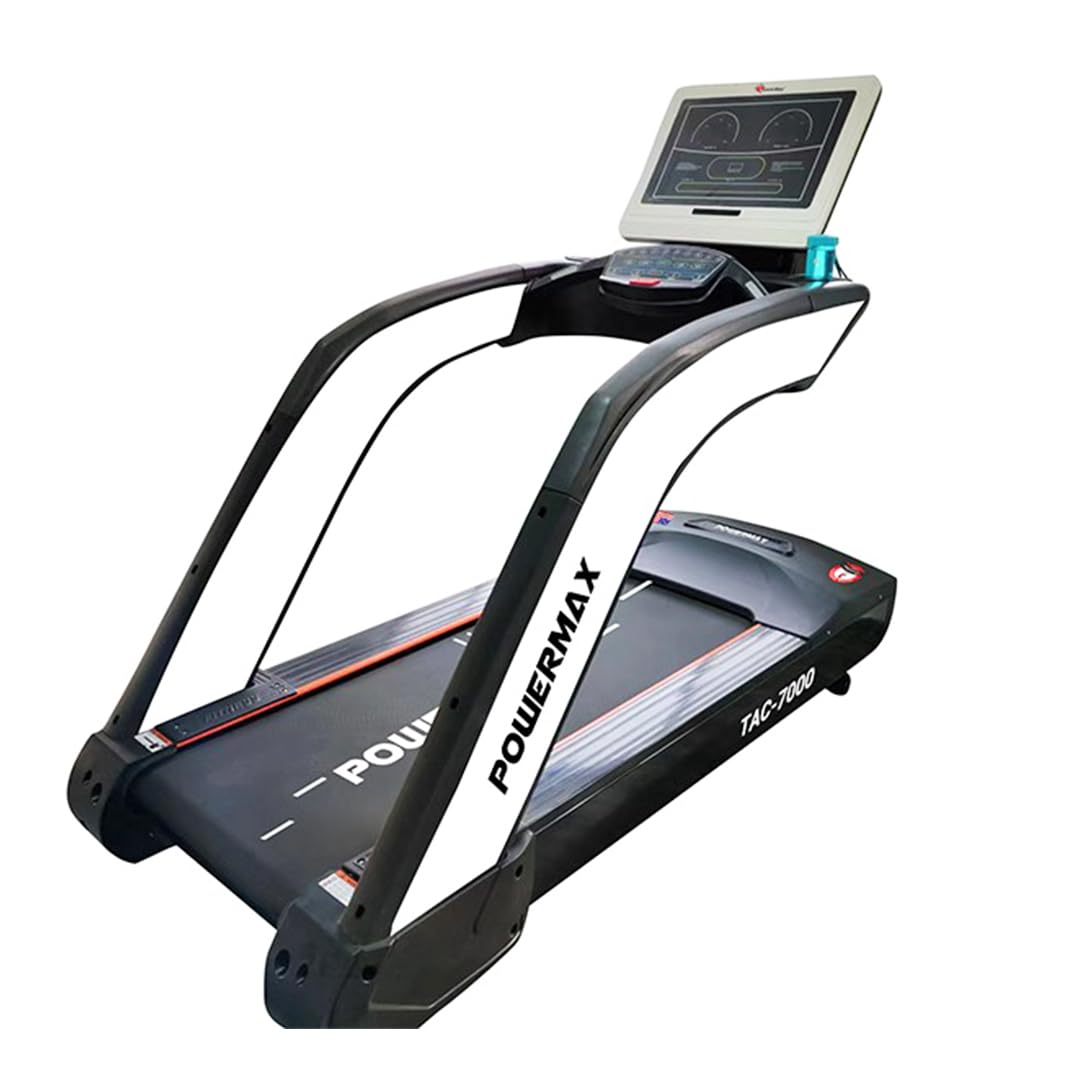
Image: The PowerMax Fitness TAC-7000 Treadmill, showcasing its robust design and console.

Image: A PowerMax Fitness Treadmill, similar to the TAC-7000, positioned in a room, demonstrating typical placement.
Operating Instructions
Familiarize yourself with the control panel and functions before beginning your workout.
Control Panel Overview
The TAC-7000 features a 19-inch LCD display that provides real-time workout data.
- Display: Shows Time, Speed, Distance, Calories Burned, and Heart Rate.
- Start/Stop Buttons: Initiate and end your workout.
- Speed Adjustment: Increase or decrease running speed (1 km/hr to 20 km/hr).
- Incline Adjustment: Adjust the automatic incline levels (0-20 levels) using dedicated buttons.
- Program Selection: Choose from various pre-set workout programs (refer to the detailed console manual for specific program details).
- Safety Key: Attach the safety key clip to your clothing. The treadmill will stop if the safety key is disengaged.
Starting a Workout
- Ensure the safety key is properly placed on the console and clipped to your clothing.
- Step onto the treadmill belt, holding the handrails for balance.
- Press the "Start" button. The belt will begin to move at a low speed.
- Adjust speed and incline to your desired levels using the control panel buttons.
- To stop, press the "Stop" button or pull the safety key.
Maintenance
Regular maintenance ensures the longevity and optimal performance of your treadmill.
Cleaning
- Wipe down the console and exterior surfaces with a damp cloth after each use.
- Avoid using abrasive cleaners or solvents.
Lubrication
The running belt requires periodic lubrication to reduce friction and wear. Use the provided lubrication oil (30ml) or a silicone-based treadmill lubricant.
- Turn off and unplug the treadmill.
- Loosen the rear roller bolts slightly to lift the belt.
- Apply a thin line of lubricant evenly under the center of the running belt.
- Tighten the rear roller bolts.
- Run the treadmill at a low speed for a few minutes to distribute the lubricant.
- Refer to the detailed maintenance schedule in the full user manual for frequency.
Belt Adjustment
The running belt may require adjustment over time to ensure it remains centered and properly tensioned.
- Centering: If the belt drifts to one side, use the provided Allen wrench to turn the corresponding rear roller bolt clockwise (to move the belt to the right) or counter-clockwise (to move the belt to the left) in small increments.
- Tensioning: If the belt slips during use, tighten both rear roller bolts equally in small increments until the slipping stops.
- Always make small adjustments and test the treadmill after each adjustment.
Troubleshooting
This section addresses common issues you might encounter with your treadmill.
| Problem | Possible Cause | Solution |
|---|---|---|
| Treadmill does not start. | Power cord unplugged, safety key not in place, circuit breaker tripped. | Check power connection, ensure safety key is correctly inserted, reset circuit breaker. |
| Running belt slips. | Belt tension too loose. | Adjust belt tension as described in the Maintenance section. |
| Running belt drifts to one side. | Belt not centered. | Adjust belt centering as described in the Maintenance section. |
| Unusual noise during operation. | Loose parts, lack of lubrication, motor issue. | Check for loose bolts, lubricate the belt, if noise persists, contact customer support. |
| Display not working correctly. | Loose cable connection, power issue. | Check console cable connections, ensure stable power supply. |
For issues not listed here or if solutions do not resolve the problem, please contact PowerMax Fitness customer support.
Product Specifications
| Feature | Detail |
|---|---|
| Model Number | TAC-7000 |
| Motor HP | 8 Horsepower (AC Motor) |
| Maximum User Weight | 220 Kilograms (Recommended buffer for running: 30KG) |
| Running Surface (Deck Length x Width) | 1655 mm x 590 mm |
| Speed Range | 1 to 20 Kilometers per Hour |
| Incline Levels | 20 Automatic Levels |
| Display Type | 19-inch LCD |
| Metrics Measured | Distance, Calories Burned, Heart Rate, Speed |
| Product Dimensions (D x W x H) | 215D x 94W x 173H Centimeters |
| Item Weight | 190 Kilograms |
| Material | Alloy Steel |
| Power Source | Corded Electric |
| Assembly Required | Yes |
| Country of Origin | China |
Warranty Information
Your PowerMax Fitness TAC-7000 Treadmill comes with the following warranty:
- Frame: 10 Years Warranty
- Motor: 5 Years Warranty
- Parts & Labor: 1 Year Warranty
Please retain your purchase receipt and warranty card for any claims. The warranty covers manufacturing defects under normal use. For full terms and conditions, refer to the included Warranty Card or contact customer support.
Customer Support
For technical assistance, service, or warranty inquiries, please contact PowerMax Fitness customer support:
- Phone: +91-8080-206-206
- WhatsApp: +91-8080-269-269
- Email: support@powermaxfitness.net
- Support Portal: support.powermaxfitness.net
When contacting support, please have your model number (TAC-7000) and purchase details ready.