1. Introduction
Thank you for choosing SoundPEATS Air5 Pro Hi-Res Wireless Earbuds. These earbuds are designed to provide a premium audio experience with advanced features such as LDAC & aptX Lossless audio, Hybrid Active Noise Cancellation, and Multipoint Connection. This manual will guide you through the setup, operation, and maintenance of your new earbuds.
2. Setup
2.1. Package Contents
The SoundPEATS Air5 Pro package includes the following items:
- Headphone Charging Case (1 PCS)
- Earbuds (L&R) (2 PCS)
- Ear caps (S/M (fitted to earbuds)/L)
- Charging Cable
- User Manual
- APP Card
- Stickers

Image: SoundPEATS Air5 Pro package contents.
2.2. Initial Setup & Pairing
Before first use, please remove the insulation film from the earbuds and then place the earbuds back into the case. The earbuds will turn on automatically when the charging case lid is opened and turn off when closed.
- Open the charging case lid. The earbuds will automatically enter pairing mode.
- Turn on Bluetooth on your device (smartphone, tablet, etc.).
- Search for and select the Bluetooth device named "SOUNDPEATS Air5 Pro" to connect.
- Upon successful connection, you will hear an audio prompt.
Video: Initial setup and pairing process for SoundPEATS Air5 Pro earbuds.
2.3. App Installation & Connection
For full functionality and customization, install the PeatsAudio APP:
- Search for "PeatsAudio" in your phone's APP marketplace (App Store or Google Play).
- Install the PeatsAudio APP.
- Open the PeatsAudio APP and enter your registered email and password to log in. If you haven't registered, click "Register" to sign up.
- After logging in, enter the interface and click "Connect Device" to connect. Upon successful connection, you will be directed to the SOUNDPEATS Air5 Pro function interface.
Video: Guide to installing and connecting the PeatsAudio APP.
3. Operating
3.1. Wearing Earbuds Correctly
To ensure optimal sound quality and comfort, wear the earbuds correctly:
- Identify the right (R) and left (L) earbuds.
- Insert the earbuds into your ears and gently twist them to find the most comfortable and secure position.

Image: Proper wearing of SoundPEATS Air5 Pro earbuds.
Video: Visual guide on how to wear the earbuds correctly.
3.2. Intelligent Touch Control
The earbuds feature intuitive touch controls:
- Single-tap left earbud: Decrease volume.
- Single-tap right earbud: Increase volume.
- Double-tap left/right earbud: Play/pause music or answer/end a call.
- Triple-tap left/right earbud: Activate voice assistant.
- Long press left/right earbud for 1.5 seconds: Reject an incoming call.
- Long press left earbud for 1.5 seconds: Switch between normal, noise-canceling, and transparent modes.
- Long press right earbud for 1.5 seconds: Play the next song.
Video: Demonstration of intelligent touch controls.
3.3. Active Noise Cancellation (ANC) & Transparency Mode
The Air5 Pro features advanced 55dB Hybrid ANC and AI Wind Noise Reduction for an immersive listening experience. Transparency mode allows you to hear your surroundings.
- Switching Modes: Long press the left earbud for 1.5 seconds to cycle through Normal, Noise-Canceling, and Transparent modes.
- AI Adaptive Noise Canceling: Intelligently adjusts to your environment and ear fit.
- AI Wind Noise Cancellation: Reduces wind interference by up to 90%.

Image: Illustration of 55dB Hybrid ANC.
Video: Demonstration of Adaptive Noise Cancellation and WindGuard AI Anti-Wind Noise.
3.4. App Functions & Customization
The PeatsAudio APP offers extensive customization:
- Disable All Touch Controls: Turn off touch controls to prevent accidental activation.
- Game Mode: Experience a low-latency gaming mode for synchronized audio and visuals.
- Multipoint Connection: Connect two devices simultaneously for seamless switching.
- Customized Touch Control: Personalize your touch control experience by reassigning functions.
- Sound Presets: Choose from 9 different sound styles or create your own.
- Customizable EQ: Adjust your own equalizer settings for a personalized sound profile.
- LE Audio Features: Enable LE Audio for high-quality audio transmission, low power consumption, and Audio Sharing (Note: Enable in App for best compatibility).
- LDAC Codec: Enable LDAC for high-resolution audio experience.
- Tone Volume Setting: Customize the volume of the earbud tones.
- Earbuds Find: When connected, tap L/R Earbuds Finder to make the Earbuds emit a sound, assisting you in locating them.
- Wearing Fit Test: Test the earbuds wearing fit to ensure it meets the standard. Adjust the earbuds or replace the ear cap if needed.

Image: Multipoint Connection & Bluetooth 5.4.

Image: PeatsAudio App customization options.
Video: Overview of various app functions and customization options.
3.5. Multipoint Connection
The SoundPEATS Air5 Pro supports connecting to two devices simultaneously:
- Turn on the earbuds and make them enter the pairing state.
- Connect Device A to the earbuds.
- Disconnect Device A, and the earbuds will enter pairing mode again.
- Connect Device B to the earbuds.
- Manually operate Device A to connect the earbuds again.
- Now you can enjoy the new experience of seamless switching between two devices.
Video: Instructions for connecting to two devices simultaneously.
4. Maintenance
4.1. Cleaning the Earbuds
Regular cleaning helps maintain performance and hygiene:
- Clean and sterilize the earbuds as well as the charging contacts regularly with alcohol and clean cotton swabs.
- Avoid long-term non-cleaning to prevent situations where earbuds can't be charged or turned on.
Video: Guide on how to clean the earbuds and charging contacts.
4.2. Charging the Case and Earbuds
To charge the SoundPEATS Air5 Pro:
- Connect the Type-C charging adapter to charge the case. The charging current should not exceed 1A.
- If not in use for a long time, charge the case at least once every three months.
- Battery Indication:
- When the charging case is closed, the status indicator shows the power level of the charging case.
- When the charging case is open and earbuds are inside, the indicator light shows the power level of the earbuds.
- When the left/right earbuds are removed, the indicator shows the power level of the left/right earbuds (always on for 1s).
- Power Indicator Colors:
- Green: 100%-70%
- Yellow: 69%-20%
- Red: <20%
- Charging Process Indicator:
- Red: <20%
- Yellow: 69%-20%
- Green: 99%-70%
- Solid Green: 100%
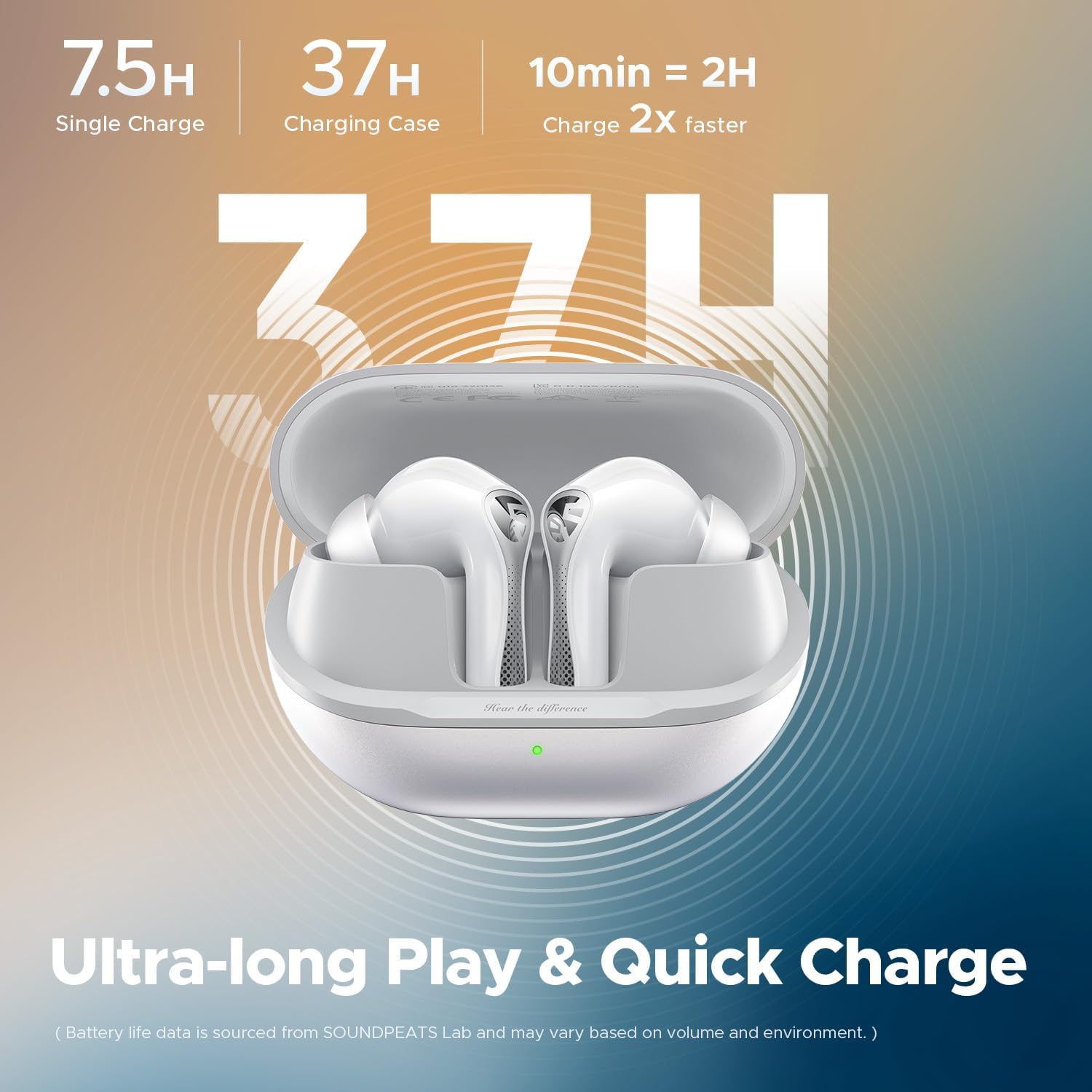
Image: Battery life and charging information.
Video: How to connect the charging case and understand battery indications.
5. Troubleshooting
5.1. Restore Factory Settings
If you encounter pairing issues or other malfunctions, you can restore the earbuds to factory settings:
- Delete the pairing information of the earbuds from your device's Bluetooth settings.
- Place both earbuds in their positions in the charging case to ensure they are securely seated.
- With the charging case open, press and hold the charging case button for 10 seconds until the charging case indicator light blinks red 3 times. The reset is complete.
- After restoring the factory settings, the earbuds will automatically enter the pairing state, and the white light on the status indicator on the charging case will keep flashing.
Video: Steps to restore factory settings.
5.2. Forcing into Pairing State
If the earbuds do not enter pairing mode automatically:
- Place the two earbuds into the correct position in the charging case, making sure they are successfully put into the case.
- Keep the charging case open, press and hold the charging case button for 2 seconds. When the white light of the charging case indicator light continues to flash, the earbuds will enter the pairing state.
Video: How to manually force earbuds into pairing state.
6. Specifications
| Feature | Detail |
|---|---|
| Model Name | SoundPEATS Air5 Pro |
| Noise Control | Adaptive Noise Cancellation (55dB Hybrid ANC, AI Wind Noise Reduction) |
| Connectivity Technology | Wireless (Bluetooth 5.4) |
| Audio Codecs | LDAC, aptX Lossless, LC3 |
| Audio Driver Type | 10mm Composite Bio-Diaphragm Dynamic Driver |
| Battery Life (Single Charge) | Up to 7.5 Hours (ANC off) |
| Total Playtime (with Charging Case) | Up to 37 Hours |
| Water Resistance Level | IPX5 Water Resistant |
| Control Method | App, Touch |
| Item Weight (Earbuds) | ~4.9g per earbud |
| Product Dimensions | 2.6 x 1.06 x 1.89 inches |
| Manufacturer | SoundPEATS |
7. Warranty & Support
SoundPEATS products come with a warranty. For detailed warranty information and support, please visit the official SoundPEATS website or contact their customer service.
- Official Website: www.soundpeats.com
- Email Support: support@soundpeats.com