
1. Introduction
This instruction manual provides comprehensive guidance for the safe and effective use of the GTANND MDJ-1200K Gold Density Purity Tester. This device is designed for accurately determining the purity and density of various precious metals, including gold, silver, K gold, palladium, and platinum, through non-destructive testing methods. Please read this manual thoroughly before operation to ensure optimal performance and longevity of your instrument.

Figure 1: GTANND MDJ-1200K Gold Density Purity Tester.
2. Safety Information
Always adhere to the following safety precautions to prevent injury or damage to the instrument:
- Operate the device on a stable, level surface to ensure accurate measurements.
- Keep the instrument away from direct sunlight, high temperatures, humidity, and strong vibrations.
- Avoid exposing the device to corrosive chemicals or liquids.
- Do not attempt to disassemble or repair the instrument yourself. Contact qualified service personnel for assistance.
- Ensure the power supply matches the instrument's requirements.
- Keep out of reach of children.
3. Product Overview
The GTANND MDJ-1200K is a sophisticated digital electronic densimeter designed for precise analysis of precious metals. It features a digital display for clear readings, non-destructive testing capabilities, and a built-in rechargeable battery for portability.
Key Features:
- Non-destructive Testing: Preserves the integrity of precious metal samples.
- Digital Display: Provides clear, accurate readings of density, purity, and K number.
- Portability: Equipped with a built-in rechargeable battery for convenient use on the go.
- High Precision: Utilizes advanced technology for accurate density and purity determination.
- Wide Application: Suitable for gold, silver, K gold, palladium, platinum, and other precious metals.

Figure 2: Key features and internal components of the Gold Density Purity Tester.
Components:
- Main Unit with Digital Display
- Measuring Platform
- Water Tank
- Hanging Basket (for submerged measurements)
- Power Adapter

Figure 3: Large water tank design and stainless steel hanging wire for precise measurements.
4. Specifications
The following table details the specifications for the MDJ-1200K model, along with other available models for comparison.
| Feature | MDJ-300K | MDJ-600K | MDJ-1200K | XF-120K | XF-200K |
|---|---|---|---|---|---|
| Weighing Range | 300g | 600g | 1200g | 120g | 200g |
| Weighing Accuracy | 0.01g | 0.01g | 0.01g | 0.001g | 0.001g |
| Density Resolution | 0.001g/cm³ | 0.001g/cm³ | 0.001g/cm³ | 0.0001g/cm³ | 0.0001g/cm³ |
| Recommended Sample Weight | 5g or more | 5g or more | 10g or more | 2g or more | 2g or more |
Note: Only solid samples can be tested. Hollow gold products or samples inlaid with gemstones cannot be measured accurately.
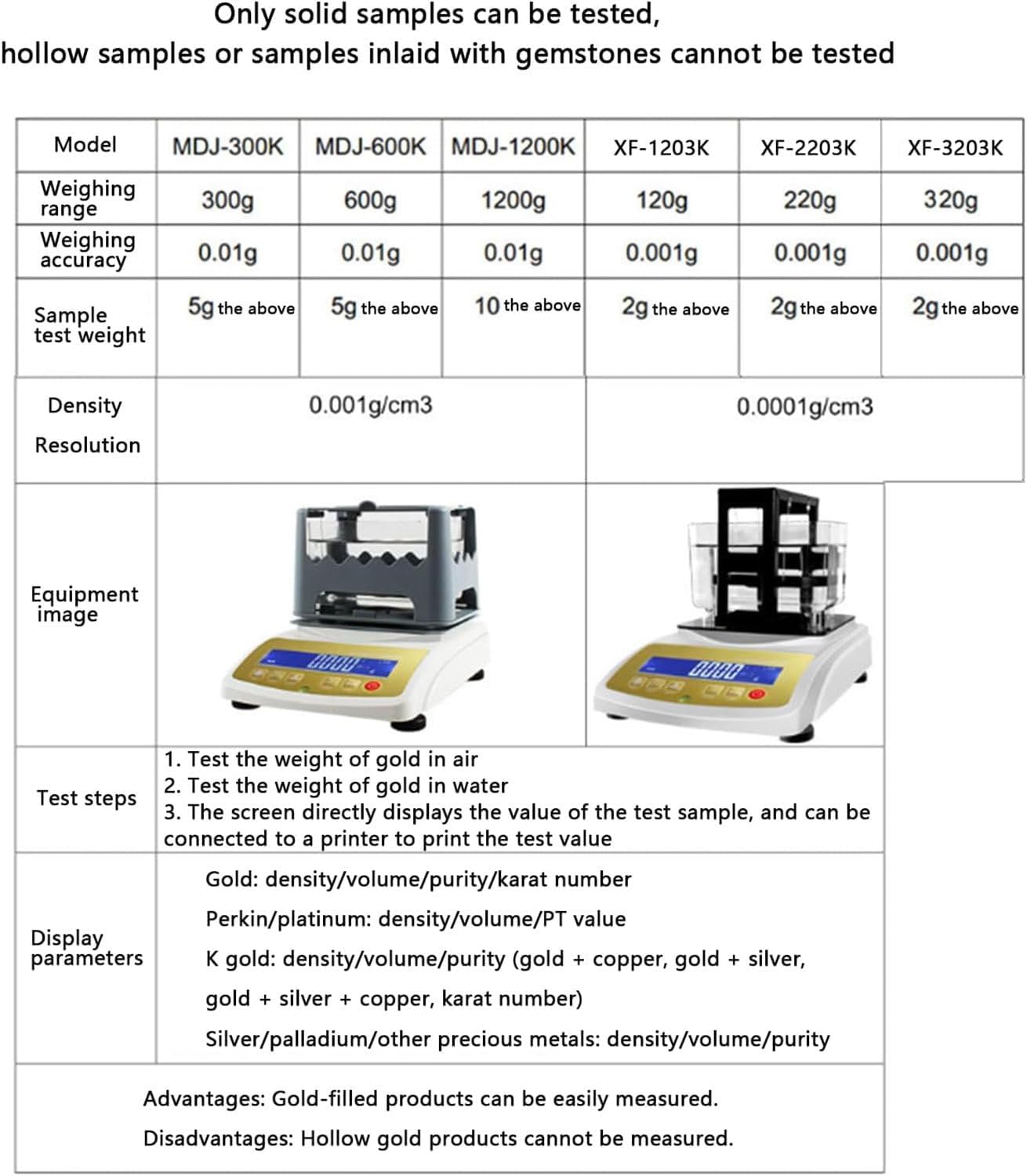
Figure 4: Detailed specifications for different models and limitations.
5. Setup
Follow these steps to set up your GTANND MDJ-1200K Gold Density Purity Tester:
- Unpack: Carefully remove all components from the packaging.
- Placement: Place the main unit on a stable, level, and vibration-free surface. Use the front level instrument (bubble level) to ensure the device is perfectly level.
- Assemble Water Tank: Position the water tank onto the designated area of the measuring platform. Ensure it is securely seated.
- Install Hanging Basket: Place the hanging basket inside the water tank. Ensure the stainless steel hanging wire is properly positioned and allows free movement.
- Fill Water Tank: Fill the water tank with distilled water until the hanging basket is fully submerged, but not overflowing. Ensure no air bubbles are trapped under the basket.
- Power On: Connect the power adapter to the instrument and a suitable power outlet. Press the power button to turn on the device.
- Calibration (if necessary): Refer to the separate calibration guide if initial calibration is required.
6. Operating Instructions
The MDJ-1200K offers a straightforward process for measuring the density and purity of precious metals. The general testing procedure involves two main steps: measuring the sample in air and then in water.
General Testing Steps (4-Step Method):
- Step 1: Place Sample on Measuring Table. Place the gold or precious metal sample directly onto the dry measuring platform. Wait for the reading to stabilize.
- Step 2: Save Air Weight. Once the value on the display is stable, press the ENTER button to save the test value (weight in air).
- Step 3: Submerge Sample in Water. Carefully place the sample into the hanging basket, ensuring it is completely submerged in the water without touching the sides or bottom of the tank. Wait for the reading to stabilize. Press ENTER again to save the test value (weight in water).
- Step 4: Display Results. The screen will directly display the density value. Press the MODE button to switch between displaying volume, purity, and K number of the gold or other precious metal.

Figure 5: Visual guide for the 4-step testing process.
Simplified Testing Steps (2-Step Method with Printer):
For a quicker process and direct printing of results, follow these steps (printer is an optional accessory):
- Step 1: Measure in Air. Place the gold sample on the measuring table. Wait for the value to stabilize and press ENTER.
- Step 2: Measure in Water. Open the lid, place the gold in the stainless steel hanging basket submerged in water. Wait for the value to stabilize and press ENTER.
The screen will directly display the purity of gold. Press MODE to display the K number, density, and volume. If a printer is connected, press PRINT to output the test value and a detailed report.
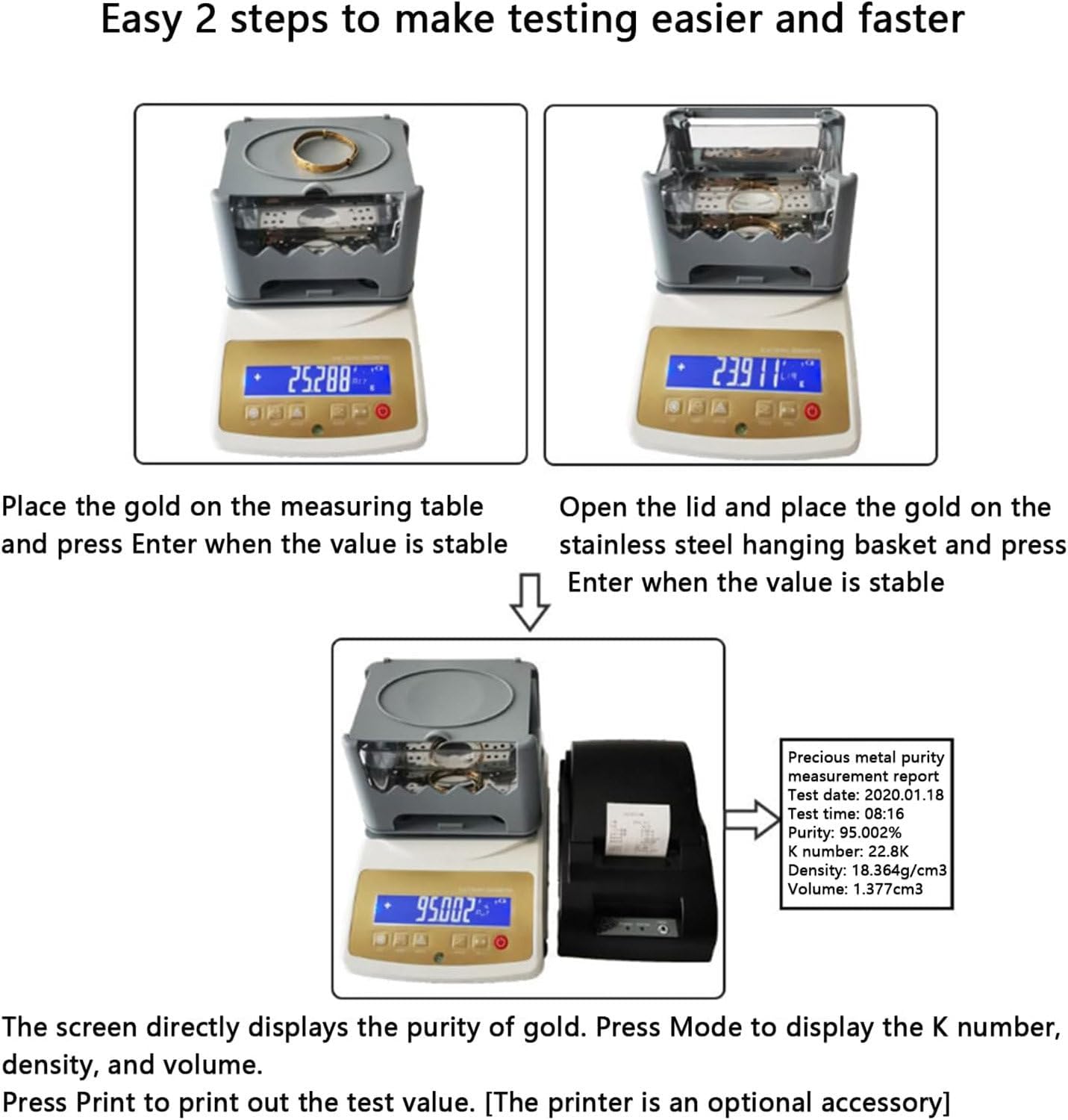
Figure 6: Simplified 2-step testing process with optional printer output.
Display Parameters for Different Materials:
- Gold: Density, Volume, Purity, Karat Number
- Platinum: Density, Volume, PT Value
- K Gold: Density, Volume, Purity (gold + copper, gold + silver, gold + silver + copper), Karat Number
- Silver/Palladium/Other Precious Metals: Density, Volume, Purity
- Gemstone/Jade/Emerald/Brick Stone: Weight, Density (Specific Gravity)
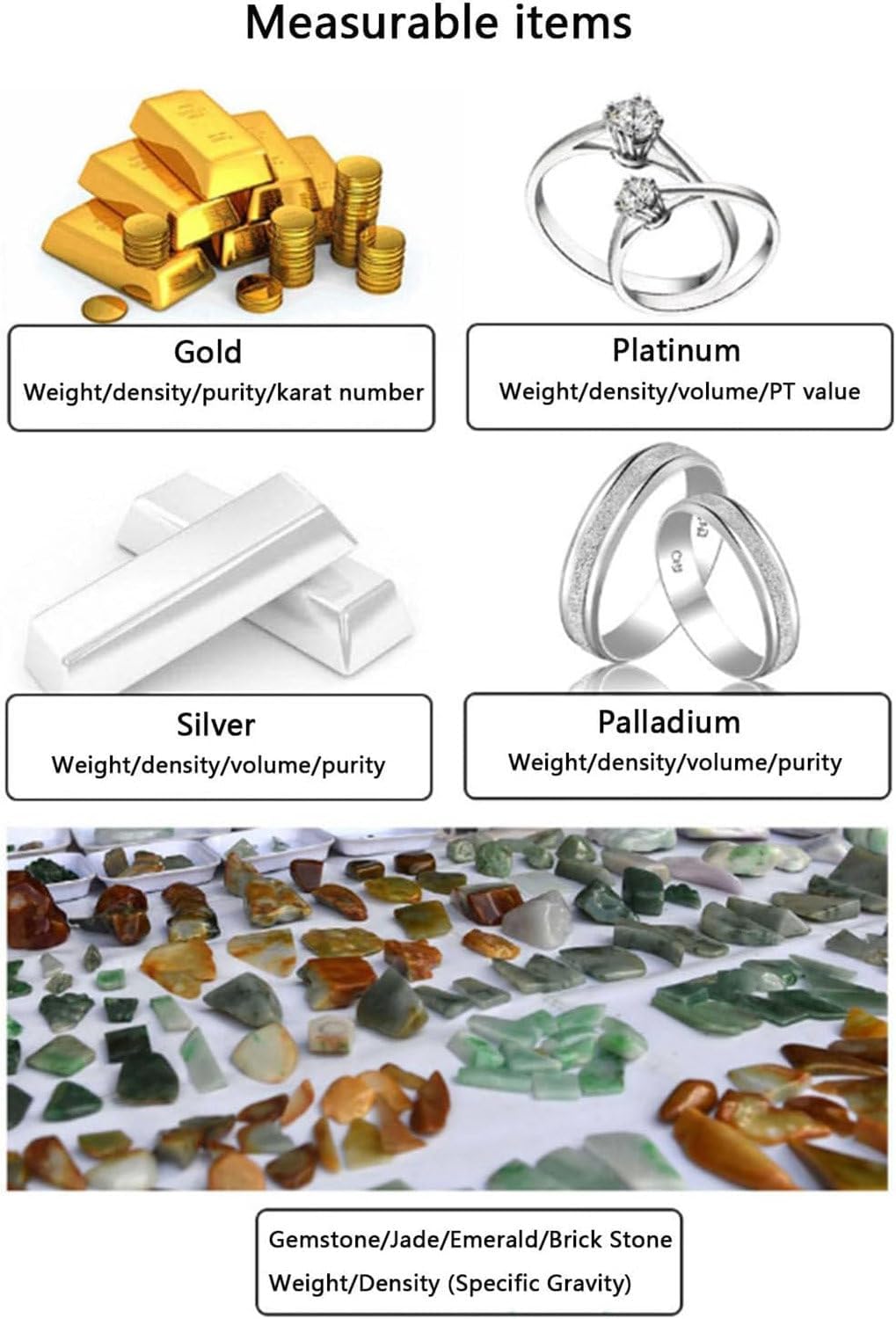
Figure 7: Examples of measurable items and their corresponding display parameters.
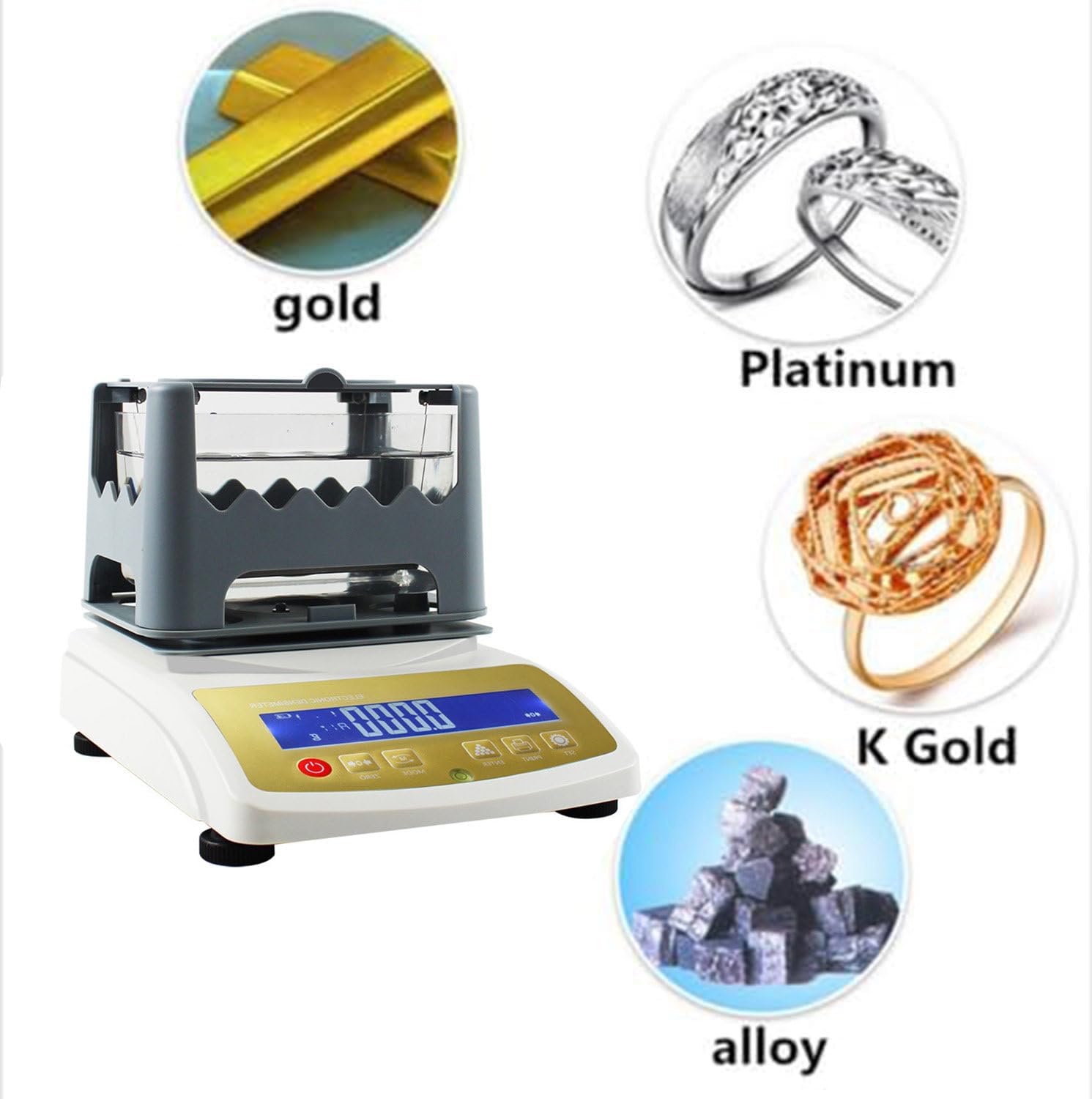
Figure 8: The tester is suitable for various precious metals and alloys.
7. Maintenance
Proper maintenance ensures the accuracy and longevity of your MDJ-1200K tester.
- Cleaning: Wipe the exterior of the instrument with a soft, dry cloth. For stubborn dirt, use a slightly damp cloth with mild detergent, then dry thoroughly. Do not use abrasive cleaners or solvents.
- Water Tank: Regularly clean the water tank and replace the distilled water to prevent mineral buildup and ensure accurate readings.
- Storage: When not in use, store the instrument in a clean, dry, and stable environment, away from extreme temperatures and humidity.
- Battery: Recharge the built-in battery regularly, even if the device is not frequently used, to maintain battery health.
8. Troubleshooting
If you encounter issues with your MDJ-1200K, refer to the following common problems and solutions:
| Problem | Possible Cause | Solution |
|---|---|---|
| Inaccurate readings | Instrument not level; air bubbles in water; sample touching tank sides; dirty water; calibration needed. | Ensure instrument is level. Remove air bubbles. Ensure sample is free-floating. Replace water. Perform calibration. |
| Display not turning on | No power; low battery; faulty power adapter. | Check power connection. Charge battery. Try a different power outlet or adapter. |
| "Error" message on display | Overload; unstable environment; internal fault. | Ensure sample weight is within range. Move to a stable environment. Restart the device. If persistent, contact support. |
| Cannot measure hollow items | Device limitation. | This device is designed for solid samples only. Hollow items cannot be accurately measured for density. |
If the problem persists after attempting these solutions, please contact customer support.
9. Warranty and Support
For warranty information, technical support, or service inquiries, please refer to the warranty card included with your product or contact GTANND customer service through the retailer where the product was purchased. Please have your model number (MDJ-1200K) and purchase date available when contacting support.