
Dapper Supply DP-WPFS1204
User Manual: Dapper Supply Battery Powered Walk Behind Mini Automatic Floor Scrubber Machine
Model: DP-WPFS1204
1. Introduction
Welcome to the Dapper Supply family! This user manual provides essential information for the safe and efficient operation, maintenance, and troubleshooting of your new Battery Powered Walk Behind Mini Automatic Floor Scrubber Machine. Please read this manual thoroughly before operating the machine to ensure optimal performance and longevity.
2. Safety Information
Your safety and the safety of others are paramount. Always adhere to the following safety guidelines:
- Read all instructions before using the appliance.
- Do not operate the machine with wet hands or in wet conditions unless specifically designed for it.
- Keep children and pets away from the machine during operation.
- Use only Dapper Supply approved accessories and replacement parts.
- Ensure the machine is unplugged before performing any maintenance or cleaning.
- This machine is designed for tile, vinyl, hardwood, laminate, concrete, and other sealed hard floors. It is not intended for use on carpets or rugs.
- Do not use flammable or combustible liquids with the machine.
- Store the machine in a dry, secure location when not in use.
3. Product Overview
3.1 Components
The Dapper Supply Mini Automatic Floor Scrubber comes with the following components:
- Main Scrubber Unit
- Adjustable Handle
- Solution Tank (1.2-gallon capacity)
- Recovery Tank (1.5-gallon capacity)
- Charger and Power Cord
- Set of White Scouring Pads (included)
- Scrubbing Brushes (optional/additional purchase)
- Polishing Pads (optional/additional purchase)
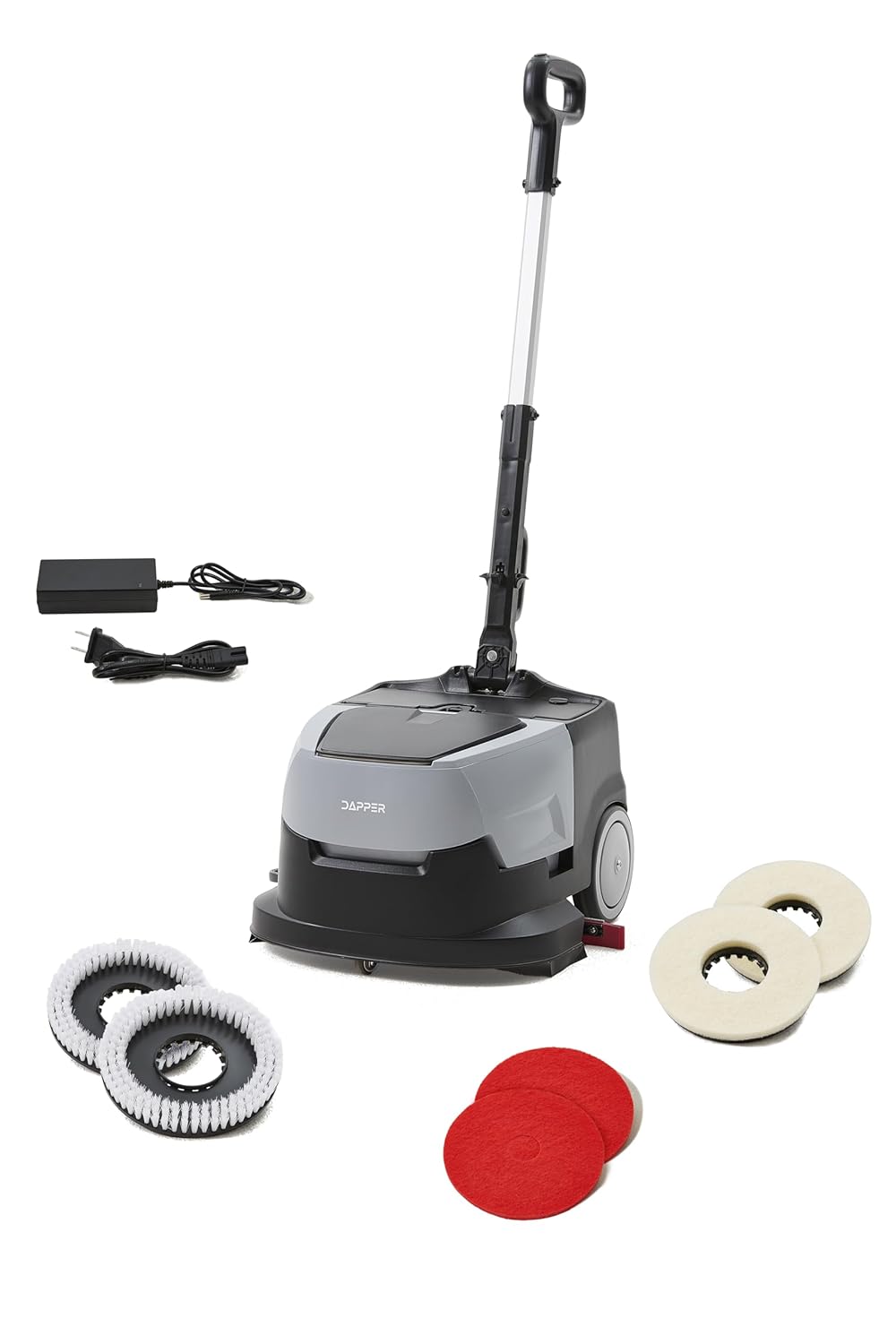


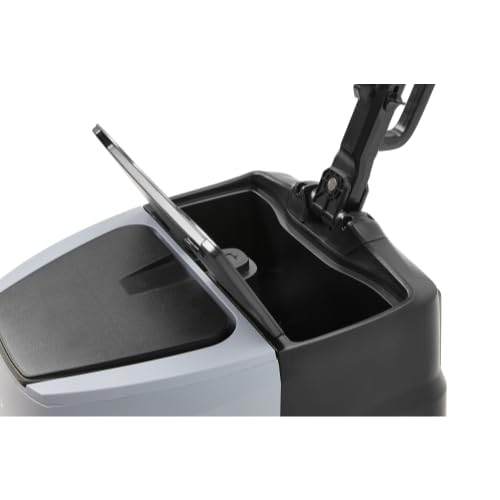
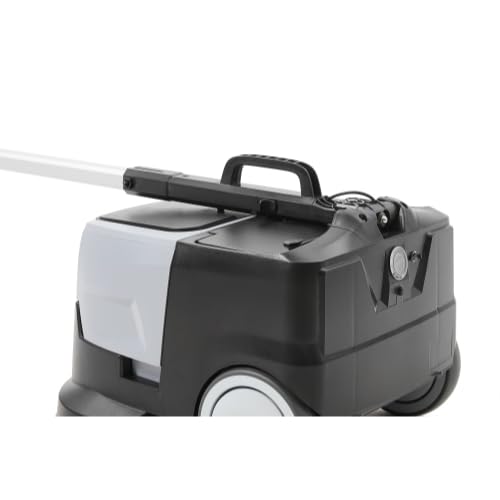
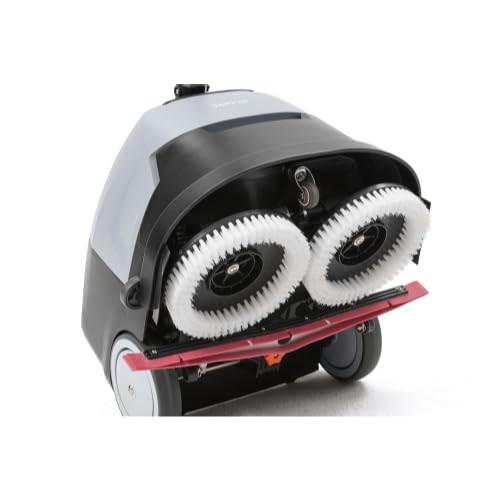
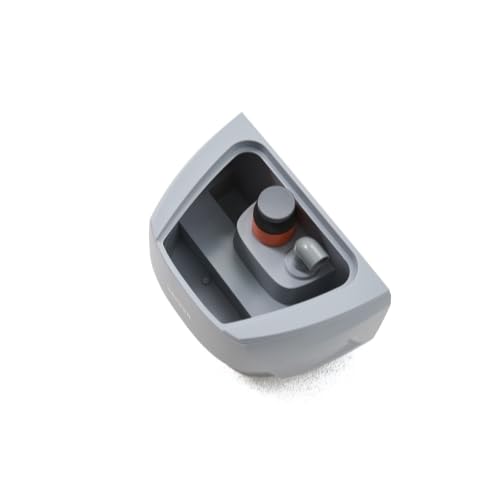


3.2 Key Features
- Compact & Efficient Cleaning: 15-inch cleaning width and 170 RPM brush speed.
- High Productivity: Covers up to 12,900 ft² per hour.
- Long-Lasting Performance: Powerful 24V system with up to 90 minutes runtime and 100-minute charge time.
- Dual Tanks: 1.2-gallon solution tank and 1.5-gallon recovery tank for efficient water management.
- Quiet Operation: Operates at just 65 dB, suitable for daytime cleaning.
- Superior Drying Performance: 17-inch squeegee and 70W suction motor ensure quick water recovery.
- Lightweight & Easy to Maneuver: Weighs 22 lbs, easy to transport and operate in tight spaces.
- Versatile Floor Compatibility: Designed for tile, vinyl, hardwood, laminate, concrete, and other sealed hard floors.
4. Setup
4.1 Unpacking
Carefully remove all components from the packaging. Inspect for any damage during transit. Retain packaging for future storage or transport.
4.2 Assembly
- Attach the adjustable handle to the main scrubber unit, ensuring it clicks securely into place.
- Open the brush/pad compartment on the underside of the machine.
- Install the desired scrubbing brushes or polishing pads by aligning them with the mounting points and securing them. (Refer to Figure 3.7 for brushes and Figure 3.8 for pads).
- Ensure the recovery tank is properly seated in its compartment. (Refer to Figure 3.3).
4.3 Initial Charging
Before first use, fully charge the machine's battery. The powerful 24V system requires approximately 100 minutes for a full charge.
- Locate the charging port on the machine.
- Connect the charger to the machine and then plug the power cord into a standard electrical outlet.
- The charging indicator will show the charging status. Disconnect once fully charged.
Video 4.1: Official product video demonstrating features including charging and operation. This video is provided by Dapper Supply.
5. Operating Instructions
5.1 Filling the Solution Tank
- Ensure the machine is turned off.
- Open the lid of the solution tank located on the top of the unit. (Refer to Figure 3.4).
- Fill the tank with clean water and an appropriate, low-foaming floor cleaning solution. Do not overfill.
- Securely close the solution tank lid.
5.2 Starting the Machine
- Ensure the machine is on a flat, stable surface.
- Press and hold the power button on the handle for approximately 3 seconds until the machine powers on.
- Adjust the handle to a comfortable operating height.
5.3 Cleaning Process
The machine is designed for efficient cleaning of hard floor surfaces.
- Gently push the machine forward to begin scrubbing. The solution will be dispensed, and the brushes/pads will rotate to clean the floor.
- The 17-inch squeegee and 70W suction motor will recover the dirty water into the recovery tank, leaving floors dry and safe to walk on.
- Move the machine in overlapping passes to ensure complete coverage.
- The machine can cover up to 12,900 ft² per hour, making it ideal for small commercial spaces.
5.4 Emptying the Recovery Tank
It is crucial to empty the recovery tank after each use or when it reaches its maximum capacity (1.5 gallons).
- Turn off the machine.
- Remove the recovery tank from the main unit. (Refer to Figure 3.3 and Figure 3.5).
- Carefully pour the dirty water into a suitable drain.
- Rinse the recovery tank with clean water to prevent residue buildup.
- Reinstall the clean recovery tank securely.
6. Maintenance
6.1 Daily Maintenance
- After each use, empty and rinse both the solution and recovery tanks thoroughly.
- Clean the squeegee blade to ensure effective water pickup. Inspect for wear and tear.
- Wipe down the exterior of the machine with a damp cloth.
6.2 Brush/Pad Replacement
Regularly inspect the scrubbing brushes or polishing pads for wear. Replace them when they show signs of reduced effectiveness.
- Turn off the machine and tilt it back to access the underside.
- Remove the worn brushes/pads by twisting or unlatching them. (Refer to Figure 3.7 and Figure 3.8).
- Install new brushes/pads, ensuring they are securely fastened.
6.3 Storage
When storing the machine for extended periods:
- Ensure both tanks are empty and clean.
- Store the machine in a dry, temperature-controlled environment.
- For optimal battery life, charge the battery fully before storage and recharge every 3-6 months if not in use.
7. Troubleshooting
Refer to the table below for common issues and their solutions.
| Problem | Possible Cause | Solution |
|---|---|---|
| Machine does not power on. | Battery is low or depleted. Power button not held long enough. | Charge the battery fully. Press and hold the power button for 3 seconds. |
| Poor water pickup (squeegee not working). | Recovery tank is full. Squeegee blade is dirty or worn. Suction motor issue. | Empty and clean the recovery tank. Clean or replace the squeegee blade. Contact customer support if suction motor is faulty. |
| Brushes/Pads not rotating. | Brushes/pads not installed correctly. Obstruction in brush area. | Reinstall brushes/pads securely. Check for and remove any debris. |
| Machine leaves streaks. | Dirty solution tank. Incorrect cleaning solution concentration. Squeegee blade issue. | Clean the solution tank. Adjust solution concentration as per manufacturer's guidelines. Clean or replace squeegee blade. |
8. Specifications
Technical specifications for the Dapper Supply Mini Automatic Floor Scrubber:
| Feature | Specification |
|---|---|
| Product Dimensions | 17 x 17 x 44 inches |
| Weight | 22 Pounds |
| Model Number | DP-WPFS1204 |
| Battery Type | 1 x 12V battery (included) |
| Runtime | Up to 90 minutes |
| Charge Time | Approximately 100 minutes |
| Cleaning Width | 15 inches |
| Brush Speed | 170 RPM |
| Solution Tank Capacity | 1.2 gallons |
| Recovery Tank Capacity | 1.5 gallons |
| Noise Level | 65 dB |
| Squeegee Width | 17 inches |
| Suction Motor Power | 70W |
| Manufacturer | Dapper Supply |
| Country of Origin | China |
9. Warranty and Support
9.1 Product Warranty
The Dapper Supply Mini Automatic Floor Scrubber is backed by a full 1-Year Warranty from the date of purchase. This warranty covers defects in materials and workmanship under normal use. Please retain your proof of purchase for warranty claims.
9.2 Customer Support
For technical assistance, troubleshooting not covered in this manual, or warranty inquiries, please contact Dapper Supply customer support:
- Website: Visit the Dapper Supply Store on Amazon
- Email: support@dappersupply.com (Example Email)
- Phone: 1-800-XXX-XXXX (Example Phone Number)
Related documentsDP-WPFS1204


Ask a question about this manual
Ask about setup, troubleshooting, compatibility, parts, safety, or missing instructions. Manuals+ will review the question and use this page’s manual context to help answer it.