
1. Introduction
This manual provides detailed instructions for the safe and effective use of your Aiwa Exos 5 Wireless Speaker. Please read this manual thoroughly before operating the device and retain it for future reference.
What's in the Box:
- Aiwa Exos 5 Wireless Speaker
- Remote Control
- Power Adapter (not explicitly listed but implied for battery/wall powered)
- User Manual (this document)
2. Safety Information
To ensure safe operation and prevent damage, observe the following precautions:
- Do not expose the device to water, moisture, or extreme temperatures.
- Avoid placing the speaker near heat sources or in direct sunlight.
- Do not attempt to disassemble or modify the speaker. Refer all servicing to qualified personnel.
- Use only the specified power adapter.
- Keep the speaker away from strong magnetic fields.
- Ensure proper ventilation around the speaker during operation.
3. Product Overview
Familiarize yourself with the components and controls of your Aiwa Exos 5 speaker.
Top Panel Controls:

- Power On/Off Button: Turns the speaker on or off.
- Bluetooth Button: Activates Bluetooth pairing mode.
- FM Button: Switches to FM radio mode.
- Menu Button: Accesses system settings and options.
- Back Button: Navigates back in menus or functions.
- Rewind/Forward Buttons: Skips tracks in media playback or adjusts tuning in FM mode.
- Tuning Knob: For analog-style tuning in FM mode or navigation in menus.
Rear Panel Ports:
- FM ANT. Port: Connects to the external FM antenna for improved radio reception.
- AUX Input: For connecting external audio devices via a 3.5mm audio cable.
- USB Port: For playing audio files from a USB drive.
- DC 5V Input: Connects the power adapter to power the speaker and charge its internal battery.
- RESET Button: Resets the device to factory settings (use a thin object to press).
Remote Control:

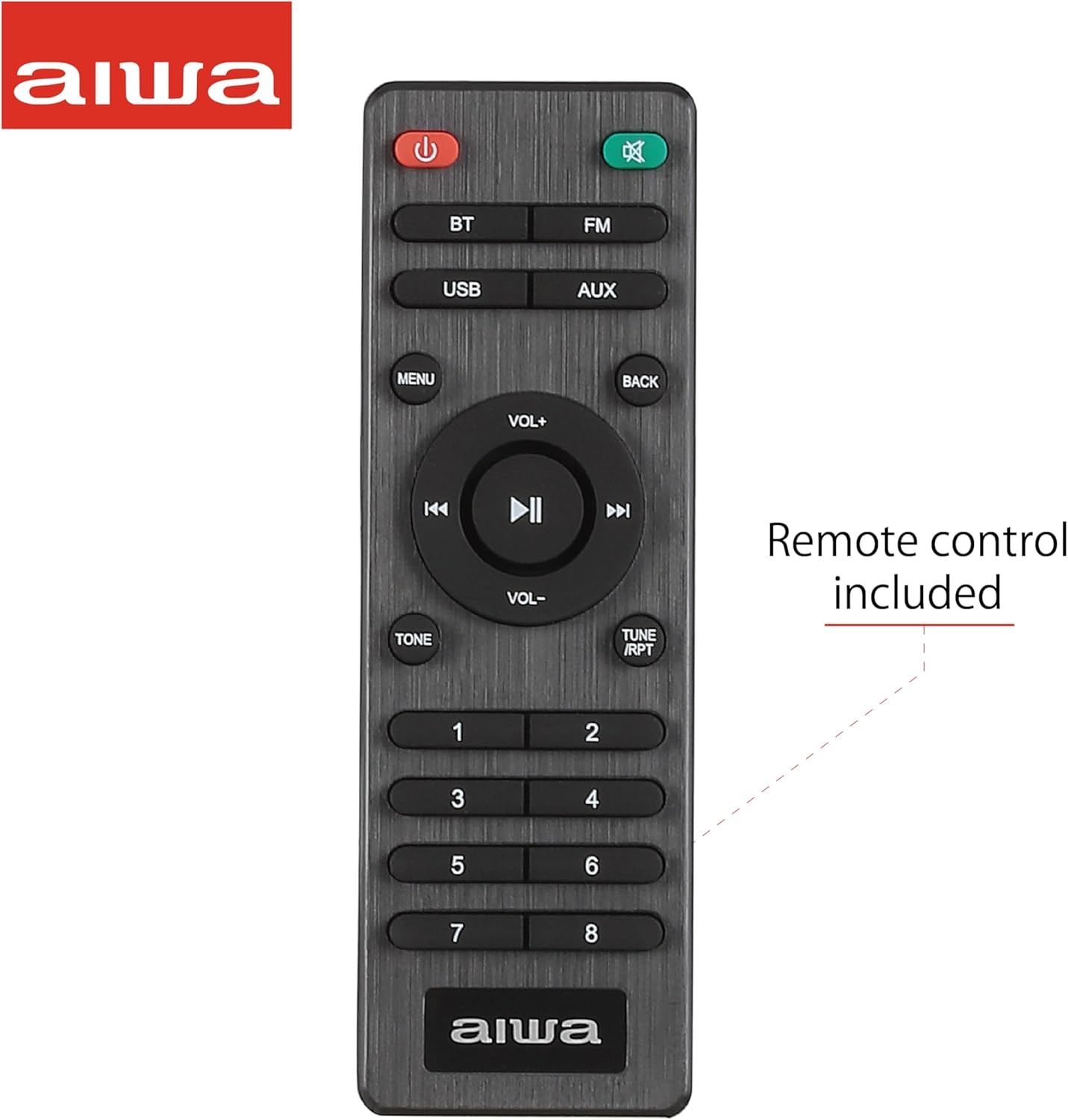
The included IR remote control provides convenient access to all speaker functions from a distance.
4. Setup
4.1 Powering the Speaker
The Aiwa Exos 5 can be powered by its internal battery or by connecting it to an AC power source.
- Battery Power: The speaker has an internal battery providing up to 6 hours of playtime. Ensure the battery is charged before portable use.
- AC Power: Connect the provided power adapter to the DC 5V input port on the rear of the speaker and plug it into a wall outlet. The speaker will automatically charge its battery while connected to AC power.
4.2 Initial Setup
Upon first use or after a reset, you may need to set the clock and other basic preferences.
- Press the Power On/Off button to turn on the speaker.
- Use the Menu button to navigate to the 'Time Settings' or 'Clock' option on the LCD display.
- Use the Tuning Knob or Rewind/Forward buttons to adjust the hour and minute.
- Confirm your selection using the Menu or a dedicated 'Set' button if available.
4.3 Connecting the FM Antenna
For optimal FM radio reception, connect the included FM antenna to the 'FM ANT.' port on the rear of the speaker. Extend the antenna fully and position it for the best signal.
5. Operating Instructions
5.1 Power On/Off
Press the Power On/Off button on the top panel or the remote control to turn the speaker on or off.
5.2 Bluetooth Mode
Connect your smartphone, tablet, or other Bluetooth-enabled device to the Aiwa Exos 5 for wireless audio streaming.
- Turn on the Aiwa Exos 5 speaker.
- Press the Bluetooth button on the top panel or the remote control. The LCD display will show 'Bluetooth' and an indicator will flash, signifying pairing mode.
- On your device, enable Bluetooth and search for available devices.
- Select 'Aiwa Exos 5' from the list. Once connected, the speaker will emit a confirmation sound, and the Bluetooth indicator will stop flashing.
- You can now play audio from your device through the speaker.
5.3 FM Radio Mode
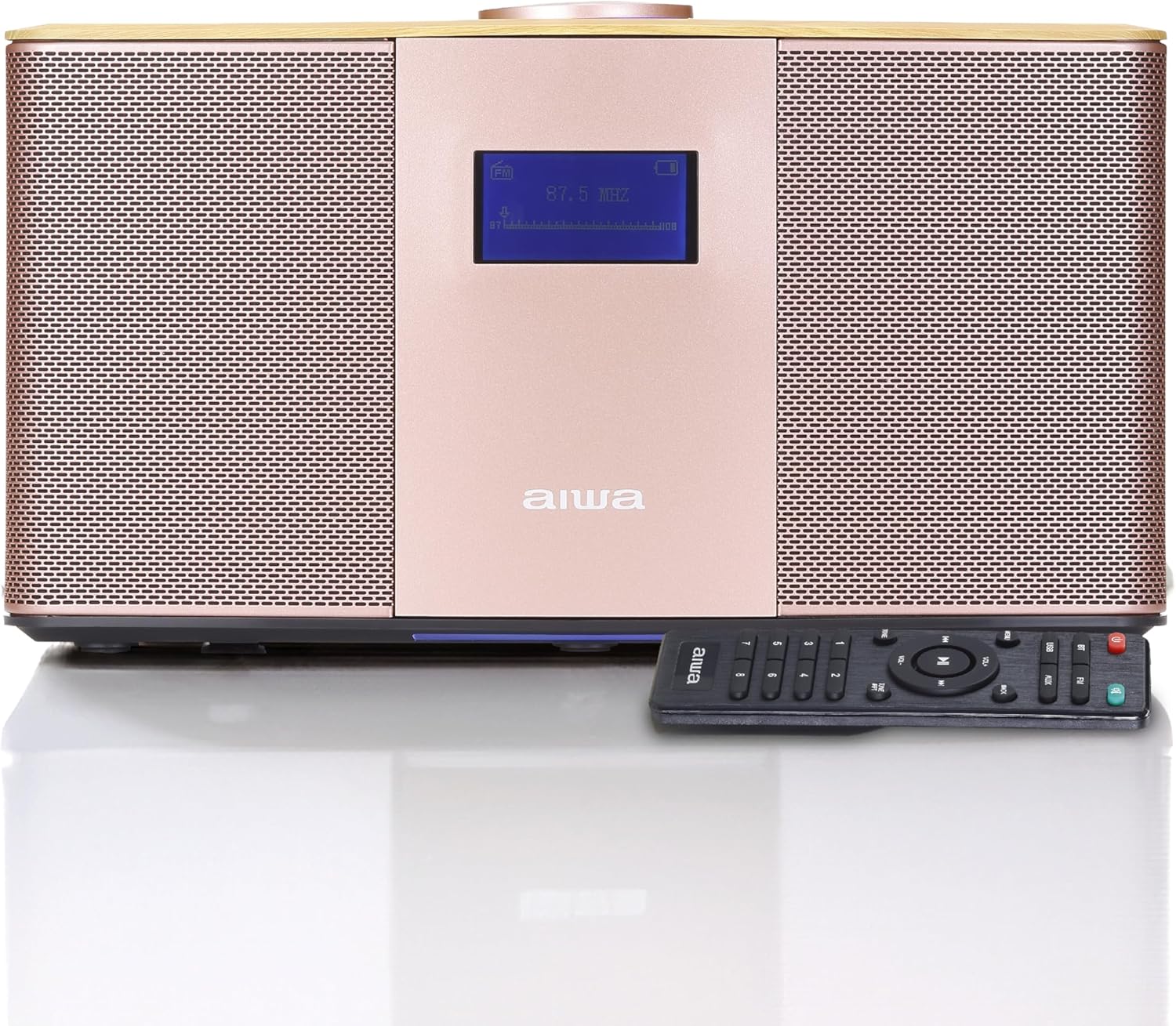
Listen to your favorite FM radio stations.
- Press the FM button on the top panel or the remote control to switch to FM mode.
- Automatic Scan: Press and hold the Play/Pause button (or a dedicated scan button on the remote) to automatically scan and save available stations.
- Manual Tuning: Use the Tuning Knob or the Rewind/Forward buttons to manually tune to a specific frequency.
- Preset Stations: Use the numbered buttons on the remote control to select saved preset stations. To save a station, tune to the desired frequency, then press and hold a numbered button until the display confirms the save.
5.4 USB Playback
Play audio files directly from a USB flash drive.
- Insert a USB flash drive into the USB port on the rear of the speaker.
- Press the USB button on the remote control (or cycle through modes using the Mode button on the speaker) to select USB mode.
- The speaker will automatically begin playing compatible audio files from the USB drive.
- Use the Rewind/Forward buttons to skip tracks and the Play/Pause button to control playback.
5.5 AUX Input
Connect external audio devices using a 3.5mm audio cable.
- Connect one end of a 3.5mm audio cable to the AUX input port on the rear of the speaker.
- Connect the other end of the cable to the headphone jack or audio output of your external device.
- Press the AUX button on the remote control (or cycle through modes) to select AUX mode.
- Control playback and volume from your external device.
5.6 Alarm Clock Functionality
The Aiwa Exos 5 features a built-in clock and allows setting up to four alarms.
- Press the Menu button and navigate to 'Alarm Settings'.
- Select one of the four available alarms (Alarm 1, Alarm 2, etc.).
- Use the Tuning Knob or Rewind/Forward buttons to set the desired alarm time.
- Choose the alarm source (e.g., FM radio, buzzer) and volume level.
- Confirm and activate the alarm. The alarm icon will appear on the LCD display.
6. Maintenance
6.1 Cleaning
To maintain the appearance and functionality of your speaker:
- Wipe the exterior surfaces with a soft, dry cloth.
- Do not use abrasive cleaners, waxes, or solvents.
- Avoid spraying liquids directly onto the speaker.
6.2 Battery Care
To prolong the life of the internal battery:
- Charge the battery fully before first use.
- Avoid completely draining the battery frequently.
- If storing the speaker for an extended period, charge it to approximately 50% every few months.
7. Troubleshooting
If you encounter issues with your Aiwa Exos 5, refer to the following common problems and solutions:
| Problem | Possible Cause | Solution |
|---|---|---|
| No power | Battery drained; Power adapter not connected or faulty. | Connect the power adapter and ensure it's plugged into a working outlet. Allow time for the battery to charge. |
| No sound | Volume too low; Incorrect input mode selected; Device not connected properly. | Increase volume on the speaker and connected device. Ensure the correct mode (Bluetooth, FM, USB, AUX) is selected. Re-pair Bluetooth or re-connect cables. |
| Bluetooth not connecting | Speaker not in pairing mode; Device too far; Interference. | Ensure the speaker is in Bluetooth pairing mode (flashing indicator). Move your device closer to the speaker. Turn off other Bluetooth devices to reduce interference. |
| Poor FM reception | Antenna not connected or extended; Weak signal. | Connect and fully extend the FM antenna. Adjust the antenna's position. Try manual tuning for stronger signals. |
| Remote control not working | Batteries drained; Obstruction between remote and speaker. | Replace remote control batteries. Ensure there is a clear line of sight between the remote and the speaker's IR receiver. |
If the problem persists after trying these solutions, please contact Aiwa customer support.
8. Specifications
Key technical specifications for the Aiwa Exos 5 Wireless Speaker:
| Feature | Specification |
|---|---|
| Model Name | Exos 5 |
| Item Model Number | AI6008-T37-2 |
| Brand | Aiwa |
| Speaker Type | Woofer |
| Connectivity Technology | Bluetooth |
| Wireless Communication Technology | Bluetooth |
| Speaker Maximum Output Power | 20 Watts RMS |
| Audio Output Mode | Stereo |
| Power Source | Battery Powered / AC Adapter |
| Battery Life | Up to 6 hours (on battery) |
| Control Method | Remote |
| Included Components | Remote |
| Product Dimensions | 7"D x 15"W x 11"H |
| Item Weight | 3.33 Kilograms (7.32 pounds) |
| UPC | 021331114211 |
9. Warranty and Support
9.1 Limited Warranty
The Aiwa Exos 5 Wireless Speaker comes with a limited warranty. Please refer to the warranty card included with your product or visit the official Aiwa website for detailed terms and conditions.
9.2 Customer Support
For technical assistance, troubleshooting, or warranty inquiries, please contact Aiwa customer support through their official website or the contact information provided in your product packaging.