
ROVSUN Wall AC-8K
ROVSUN Smart 8000 BTU Through the Wall Air Conditioner
Brand: ROVSUN | Model: Wall AC-8K
Introduction
The ROVSUN Smart 8000 BTU Through the Wall Air Conditioner is designed to provide efficient and versatile climate control for your living space. This unit offers both cooling and heating capabilities, making it suitable for year-round use. With smart features like remote and app control, along with an energy-saving ECO mode, it ensures optimal comfort and convenience.

Image: The ROVSUN 8000 BTU Through the Wall Air Conditioner, showcasing its main unit, remote control, and smartphone app interface.
Key Features
- Fast Cooling: Equipped with a powerful compressor, this 8000 BTU unit effectively cools rooms up to 350 square feet, providing rapid temperature reduction for immediate comfort.

Image: A visual representation of the air conditioner's fast cooling capability, illustrating its effectiveness in a 350 square foot area.
- Versatile Modes & Speeds: Features an LED display and offers 4 operational modes (Cool, Auto, Dry, Fan) and 3 fan speeds (Auto/High/Medium/Low). This allows for precise control over your environment, adapting to various climate needs.
- Smart Control Options: Seamlessly integrate with your smartphone via the dedicated app or use voice commands with Alexa/Google Assistant. This enables convenient adjustment of settings from anywhere, ensuring your space is comfortable upon arrival.
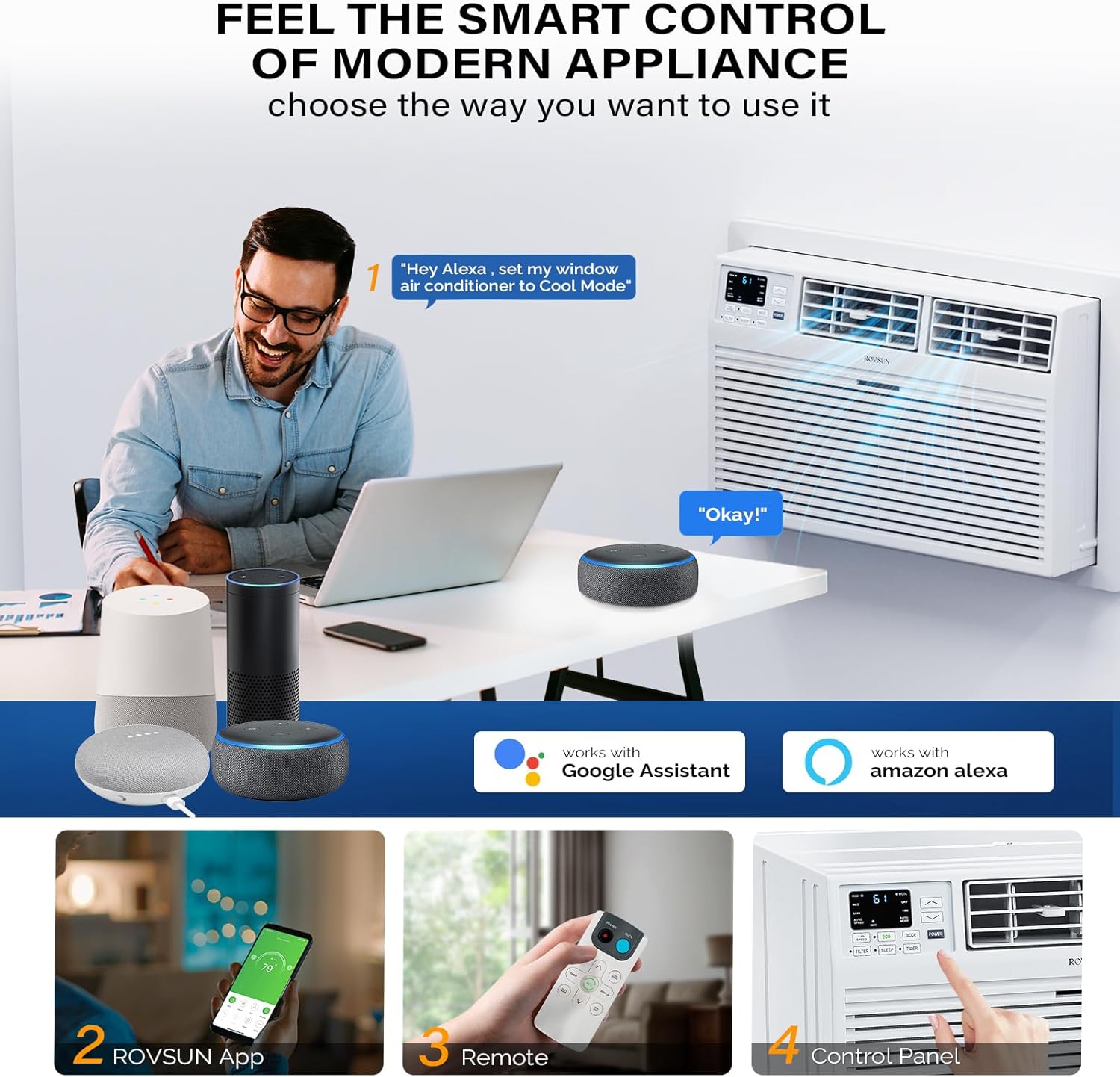
Image: A man interacting with smart speakers to control the air conditioner, highlighting the Wi-Fi and voice control features.
- 24-Hour Timer & ECO Mode: Program the unit to turn on or off automatically with the 24-hour timer. The ECO energy-saver mode helps reduce energy consumption while maintaining comfort.
- Washable Filter: The easily accessible front panel allows for quick removal and cleaning of the washable filter, ensuring optimal performance and fresh air circulation.
- Quiet Operation: Designed for quiet performance, allowing for a peaceful environment, especially during sleep.

Image: A graphic comparing the sound level of the ROVSUN AC unit (53dB) to other units (60dB), emphasizing its quiet operation.
Setup & Installation
This ROVSUN Through the Wall Air Conditioner is designed for straightforward installation. A detailed instruction manual is included to guide you through the process, which typically takes less than 30 minutes. The unit fits into a standard 25.5-inch wide wall sleeve (not included) and comes with a trim kit and back grille for a complete and secure setup.
Installation Steps:
- Ensure you have a standard 25.5-inch wall sleeve installed in your desired location.
- Carefully unbox the air conditioner unit and its components.
- Slide the unit into the wall sleeve.
- Install the included trim kit and back grille according to the manual's instructions to secure the unit and provide a finished look.
- Plug the unit into a 115V power outlet.

Image: The ROVSUN AC unit neatly installed in a wall, demonstrating the easy installation with the included trim kit.

Image: A diagram detailing the dimensions of the air conditioner and the required wall-sleeve dimensions for proper installation, along with plug type and cable length.
Operating Instructions
The ROVSUN Smart Air Conditioner offers multiple ways to control your comfort:
Control Panel:
The intuitive LED control panel on the unit allows for direct adjustments. Use the buttons to select modes (Cool, Auto, Dry, Fan), adjust fan speeds (High, Medium, Low, Auto), set the temperature, and activate features like the 24-hour timer or ECO mode.
Remote Control:
For convenience, use the included remote control to manage all functions from a distance. The remote allows you to power the unit on/off, change modes, adjust temperature, set fan speeds, and access special features like the timer and ECO mode.
Smartphone App & Voice Control:
Download the ROVSUN app to your smartphone to unlock advanced control features. Connect the unit to your home Wi-Fi network to control it from anywhere. The unit is also compatible with Alexa and Google Assistant, allowing for hands-free voice control of temperature and settings.
Modes Explained:
- Cool Mode: Provides powerful cooling to lower room temperature.
- Auto Mode: Automatically selects cooling or fan-only operation based on the set temperature and current room temperature.
- Dry Mode: Dehumidifies the air, reducing humidity levels for increased comfort.
- Fan Mode: Circulates air without cooling or heating, useful for ventilation.
- ECO Mode: Optimizes energy usage by adjusting cooling cycles to maintain comfort efficiently.
Maintenance
Regular maintenance ensures your ROVSUN Air Conditioner operates efficiently and provides clean air. The primary maintenance task is cleaning the air filter.
Cleaning the Air Filter:
- Turn off and unplug the air conditioner before performing any maintenance.
- Locate the front panel of the unit. The washable filter is easily accessed from here.
- Gently pull or slide out the filter. No tools are required for removal.
- Wash the filter with warm, soapy water. Rinse thoroughly to remove all soap residue.
- Allow the filter to air dry completely before reinserting it into the unit.
- Once dry, slide the filter back into its position and close the front panel.
It is recommended to clean the filter every two weeks or more frequently depending on usage and air quality to maintain peak performance and air freshness.
Specifications
| Feature | Detail |
|---|---|
| Brand Name | ROVSUN |
| Model Number | Wall AC-8K |
| Product Dimensions | 20.28 x 24.21 x 14.53 inches (D x W x H) |
| Installation Type | Through The Wall |
| Form Factor | Through the Wall |
| Special Features | Remote Controlled, WiFi Enabled, Powerful Cooling Function |
| Voltage | 115 Volts |
| Floor Area Coverage | Up to 350 Square Feet |
| Power Source | Corded Electric |
| Controller Type | Remote Control, App Control, Voice Control |
Troubleshooting
If you encounter issues with your ROVSUN Air Conditioner, please refer to these common troubleshooting tips before contacting support:
- Unit Not Turning On: Ensure the power cord is securely plugged into a working 115V outlet. Check your home's circuit breaker.
- Insufficient Cooling/Heating: Verify that the air filter is clean and not obstructed. Ensure no objects are blocking the air intake or exhaust vents. Check that the correct mode (Cool/Heat) and desired temperature are selected.
- Unusual Noises: Minor operational sounds are normal. If you hear loud or unusual noises, ensure the unit is installed securely and not vibrating against the wall sleeve.
- Wi-Fi Connectivity Issues: Ensure your Wi-Fi network is active and the unit is within range. Follow the app's instructions for re-pairing if necessary.
- Water Leakage: Check the drainage pan and hose (if applicable) for blockages. Ensure the unit is level.
For more detailed troubleshooting or persistent issues, please consult the full instruction manual or contact ROVSUN customer support.
Warranty & Support
ROVSUN provides a 1-year warranty for this air conditioner unit. If you have any questions, concerns, or require assistance with your product, please do not hesitate to contact ROVSUN customer service. Our team is committed to providing satisfied service and ensuring the best shopping experience.
For support, please refer to the contact information provided in your product packaging or visit the official ROVSUN website.
Ask a question about this manual
Ask about setup, troubleshooting, compatibility, parts, safety, or missing instructions. Manuals+ will review the question and use this page’s manual context to help answer it.