
1. Safety Information
Please read all instructions carefully before using your ROVSUN Smart Through the Wall Air Conditioner. Retain this manual for future reference.
1.1. General Safety Precautions
- Ensure the unit is properly grounded to reduce the risk of electric shock.
- Do not operate the unit with a damaged power cord or plug. If damaged, contact qualified service personnel.
- Keep children and pets away from the unit during operation.
- Do not insert fingers or objects into the air outlet or inlet.
- Turn off the unit and unplug it before cleaning or performing any maintenance.
1.2. Electrical Safety
- This unit operates on 115 Volts / 60Hz. Ensure your electrical supply matches these requirements.
- Do not use extension cords or adapter plugs with this unit.
- If the power cord is damaged, it must be replaced by the manufacturer, its service agent, or similarly qualified persons to avoid a hazard.
2. Product Overview
The ROVSUN Smart Through the Wall Air Conditioner with Heat provides versatile climate control for your space.
2.1. Key Features
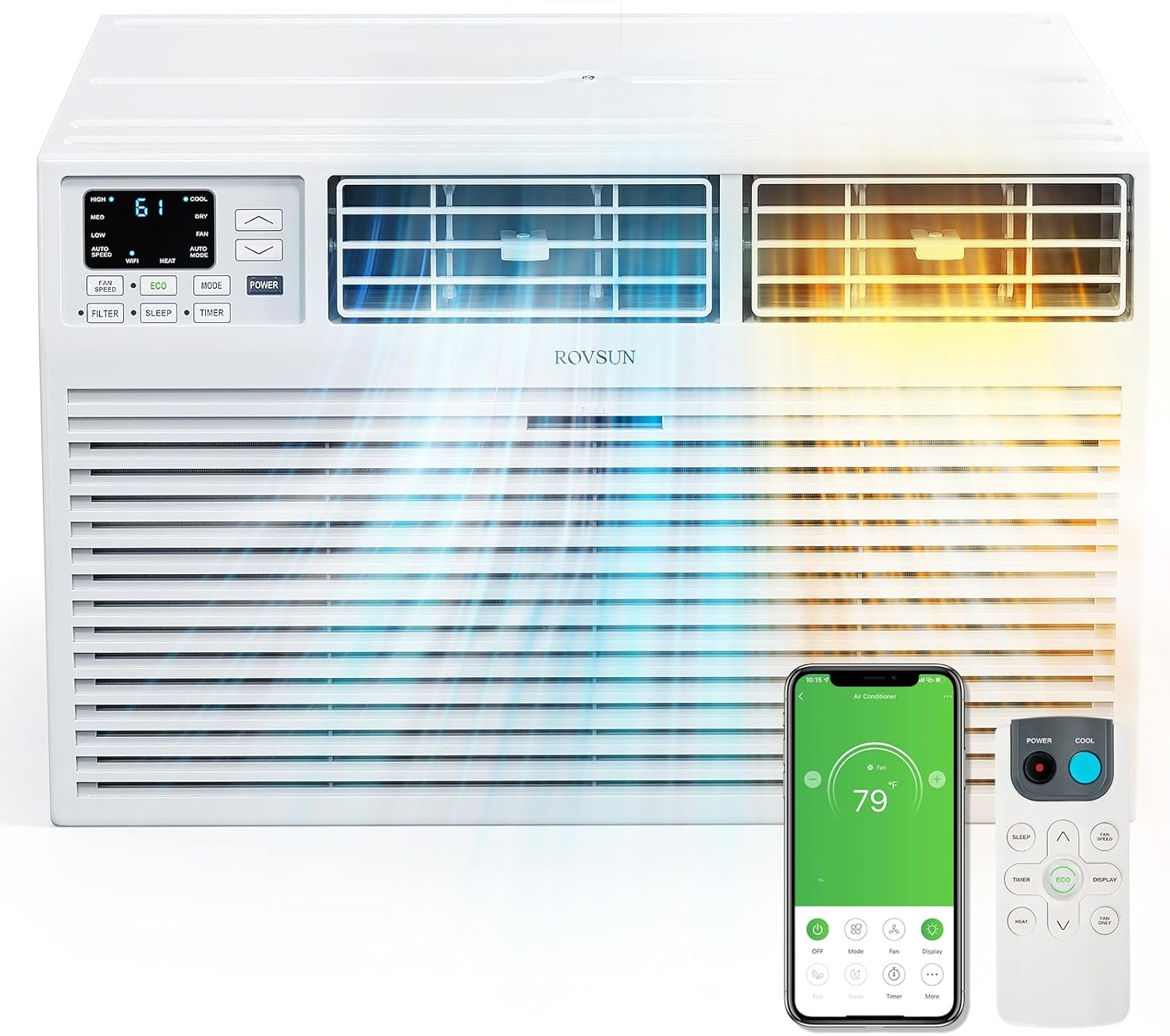
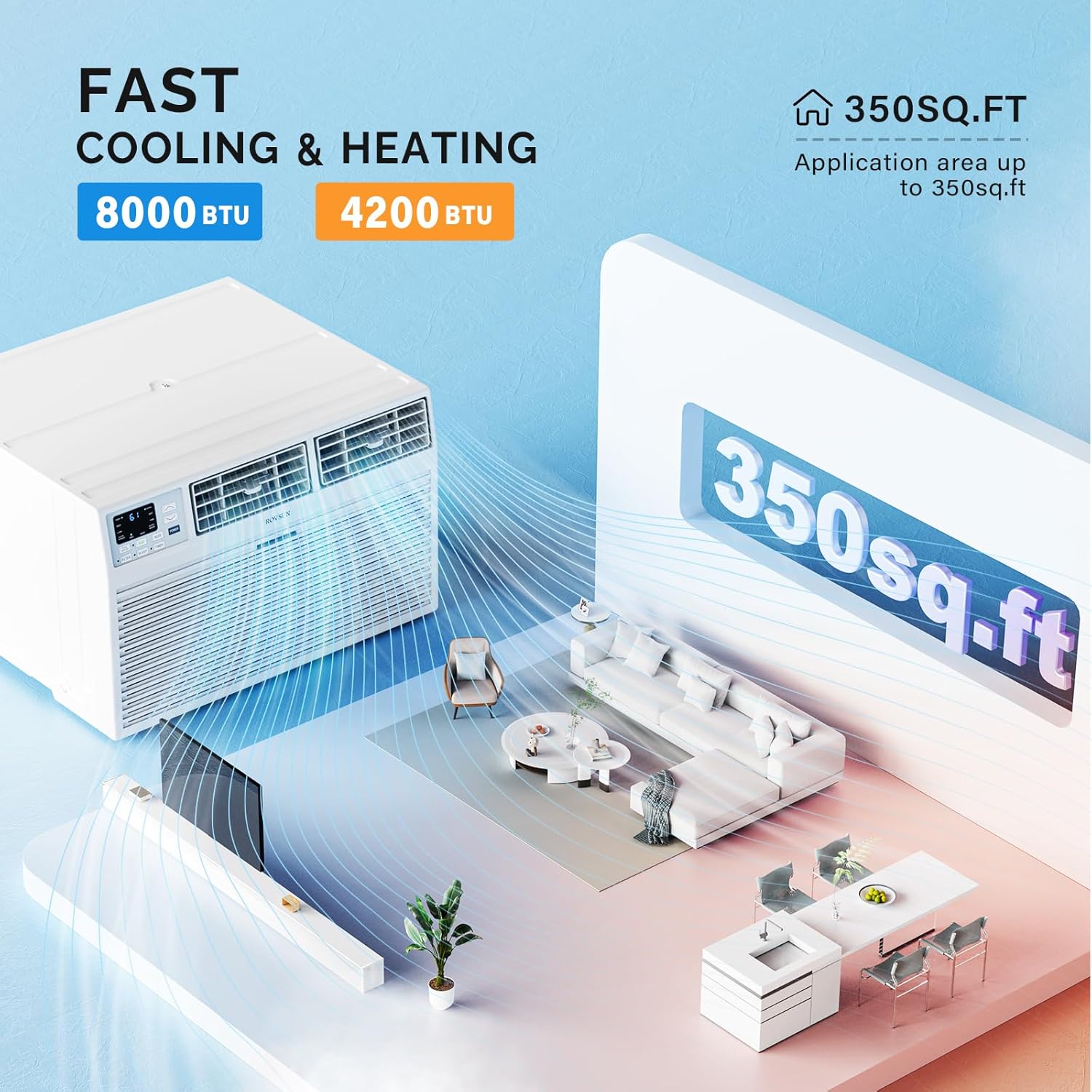
- Fast Cooling & Heating: 8000 BTU air conditioning and 4200 BTU heating, suitable for rooms up to 350 square feet. Includes dehumidifier and fan functions for year-round comfort.
- Smart Control Options: Control the unit via the integrated LED display, included remote control, or through the dedicated phone APP. Compatible with Alexa and Google Assistant for voice control.
- Energy Efficiency: Features an ECO energy-saver mode and a 24-hour timer for optimized energy consumption.
- User-Friendly Design: Equipped with a washable filter for easy maintenance and a swing button to adjust louvers for optimal airflow direction.
3. Setup & Installation
This section provides guidance for the proper installation of your air conditioner. A detailed instruction manual is included with the product for comprehensive steps.
3.1. Placement Considerations
- The unit is designed for through-the-wall installation.
- Ensure the installation location allows for proper air circulation around the unit.
- The unit fits into a standard wall sleeve of 25.5 inches wide. A wall sleeve is not included and must be purchased separately.
3.2. Installation Steps (Summary)
- Prepare the wall opening to accommodate a standard 25.5-inch wide wall sleeve.
- Install the wall sleeve (not included) securely into the prepared opening.
- Carefully slide the air conditioner unit into the installed wall sleeve.
- Secure the unit within the sleeve using the provided trim kit and back grille.
- Ensure all seals are tight to prevent air leakage.


4. Operating Instructions
Your ROVSUN air conditioner offers multiple ways to control your indoor climate.
4.1. Control Panel
The intuitive LED display on the unit allows direct control over all functions.
- Power Button: Turns the unit on or off.
- Mode Button: Cycles through 5 modes: Heat, Auto, Cool, Dry, and Fan.
- Temperature Up/Down Arrows: Adjust the desired temperature setting.
- Fan Speed Button: Selects between 3 fan speeds: Auto, High, Medium, and Low.
- Timer Button: Sets the 24-hour timer for delayed start or stop.
- ECO Button: Activates energy-saving mode.
- Sleep Button: Adjusts settings for comfortable sleep.
- Filter Button: Indicates when the filter needs cleaning.
- Swing Button: Controls the automatic swing of the louvers to distribute air.
4.2. Remote Control
Use the included remote control for convenient operation from a distance.
- All functions available on the control panel are accessible via the remote.
- Point the remote directly at the unit's receiver for optimal response.
4.3. APP & Voice Control
For enhanced convenience, connect your unit to the ROVSUN app and integrate with smart home assistants.
- Download the ROVSUN app on your smartphone.
- Follow the in-app instructions to connect your air conditioner via Wi-Fi.
- Once connected, you can control the unit, set schedules, and monitor status from anywhere.
- Enable the ROVSUN skill/action in your Alexa or Google Assistant app to use voice commands.

5. Maintenance
Regular maintenance ensures optimal performance and longevity of your air conditioner.
5.1. Cleaning the Air Filter
- The washable filter is easily accessed from the front panel.
- Clean the filter every two weeks or when the 'Filter' indicator light illuminates.
- Wash the filter with warm, soapy water, rinse thoroughly, and allow it to air dry completely before reinserting.
5.2. General Cleaning
- Wipe the exterior of the unit with a soft, damp cloth. Do not use harsh chemicals or abrasive cleaners.
- Ensure the unit is unplugged before cleaning.
6. Troubleshooting
If you encounter issues with your air conditioner, refer to the following common problems and solutions.
| Problem | Possible Cause | Solution |
|---|---|---|
| Unit does not turn on | No power supply; tripped circuit breaker; unit unplugged. | Check power cord connection; reset circuit breaker; ensure unit is plugged in. |
| Insufficient cooling/heating | Dirty air filter; blocked air intake/outlet; incorrect mode setting; room size exceeds capacity. | Clean air filter; clear obstructions; select appropriate mode (Cool/Heat); ensure room size is within 350 sq ft. |
| Unit is noisy | Loose parts; unit not level; fan obstruction. | Check for loose components; ensure unit is installed on a level surface; remove any fan obstructions. |
| Water leakage | Improper installation angle; clogged drain. | Ensure unit is tilted slightly outwards for proper drainage; clear any drain blockages. |
| Remote control not working | Dead batteries; obstruction between remote and unit. | Replace batteries; remove obstructions; ensure remote is pointed at the unit. |
7. Specifications
| Feature | Detail |
|---|---|
| Brand | ROVSUN |
| Model Name | Wall AC with Heat-8K |
| Product Dimensions | 20.28 x 24.21 x 14.53 inches |
| Cooling Capacity | 8000 BTU (0.67 Tons) |
| Heating Capacity | 4200 BTU |
| Noise Level | 53 Decibels |
| Installation Type | Wall-Mounted (Through the Wall) |
| Special Features | Heating And Cooling Function, Remote Controlled, WiFi Enabled |
| Voltage | 115 Volts |
| Floor Area Coverage | Up to 350 Square Feet |
| ASIN | B0DW94K76Z |
| Date First Available | February 6, 2025 |

8. Warranty & Support
8.1. Product Warranty
This ROVSUN air conditioner unit is covered by a 1-year limited warranty. Please refer to the warranty documentation included with your product for specific terms and conditions.
8.2. Customer Support
For any questions, technical assistance, or warranty claims, please do not hesitate to contact ROVSUN customer service. Contact information can typically be found on the product packaging or the official ROVSUN website.
9. Additional Information
