
1. Introduction
This manual provides essential information for the safe and efficient operation, assembly, and maintenance of your Anrli 24V 7Ah Ride On Tractor. Please read this manual thoroughly before initial use and retain it for future reference.
2. Safety Information
Always supervise children while using this ride-on car. Ensure the safety belt is fastened and doors are locked. Use only on flat, stable surfaces. Regularly check for any damage and discontinue use if any issues are found. This product is ASTM F963 and CPSIA certified.
Recommended Age: 3 years and up.
3. What's in the Box
- 24V Rechargeable Battery
- 2x200W Motors
- 2.4G Remote Control
- Red Gift Pull Bow
- Car Body & Other Accessories

Image: The Anrli 24V 7Ah Ride On Tractor in Rose Red, showcasing its main components including the tractor body, detachable trailer, and remote control.
4. Setup and Assembly
Follow the steps below to assemble your ride-on tractor. It is recommended to watch the full installation video for detailed guidance.
4.1. Installation Video
Video: A detailed installation guide for the Anrli 24V Tractor (Model BBH030), demonstrating step-by-step assembly.
4.2. Key Assembly Steps
- Unboxing and Parts Identification: Carefully unpack all components and verify against the parts list.
- Battery Connection: Connect the battery wires as shown in the video. Ensure a secure connection.
- Wheel Assembly: Attach the wheels to the axles, securing them with the provided washers and nuts.
- Steering Wheel Installation: Insert the steering wheel into its designated slot and ensure it is firmly in place.
- Seat and Armrest Attachment: Secure the seat to the tractor body using the provided screws. Attach the armrests.
- Exhaust Pipe Attachment: Install the decorative exhaust pipe.
- Trailer Assembly: Assemble the detachable trailer by connecting its base, sides, and wheels.
- Trailer Connection: Attach the assembled trailer to the rear hitch of the tractor.

Image: The Anrli tractor demonstrating its 2-in-1 functionality, showing the main tractor unit and the detachable, tiltable trailer.
5. Operating Instructions
5.1. Power On/Off and Driving Modes
- Power Button: Press the red power button on the dashboard to turn the tractor on or off.
- Manual Driving: Older children can operate the tractor independently using the foot pedal and steering wheel. Select desired speed (2-speed options) using the gear shifter.
- Parental Remote Control: For younger children, parents can use the 2.4G remote control. The remote offers 3-speed settings and an emergency 'P' brake button for safety, overriding manual controls.

Image: The tractor's control panel, highlighting the power button, speed selection, and the parental remote control for dual operation.
5.2. Speed and Performance
- Equipped with dual 200W motors and a 24V rechargeable battery.
- Adjustable speed settings from 2-4.3 MPH.
- Features a soft-start function to prevent sudden jerks, ensuring a smooth ride.
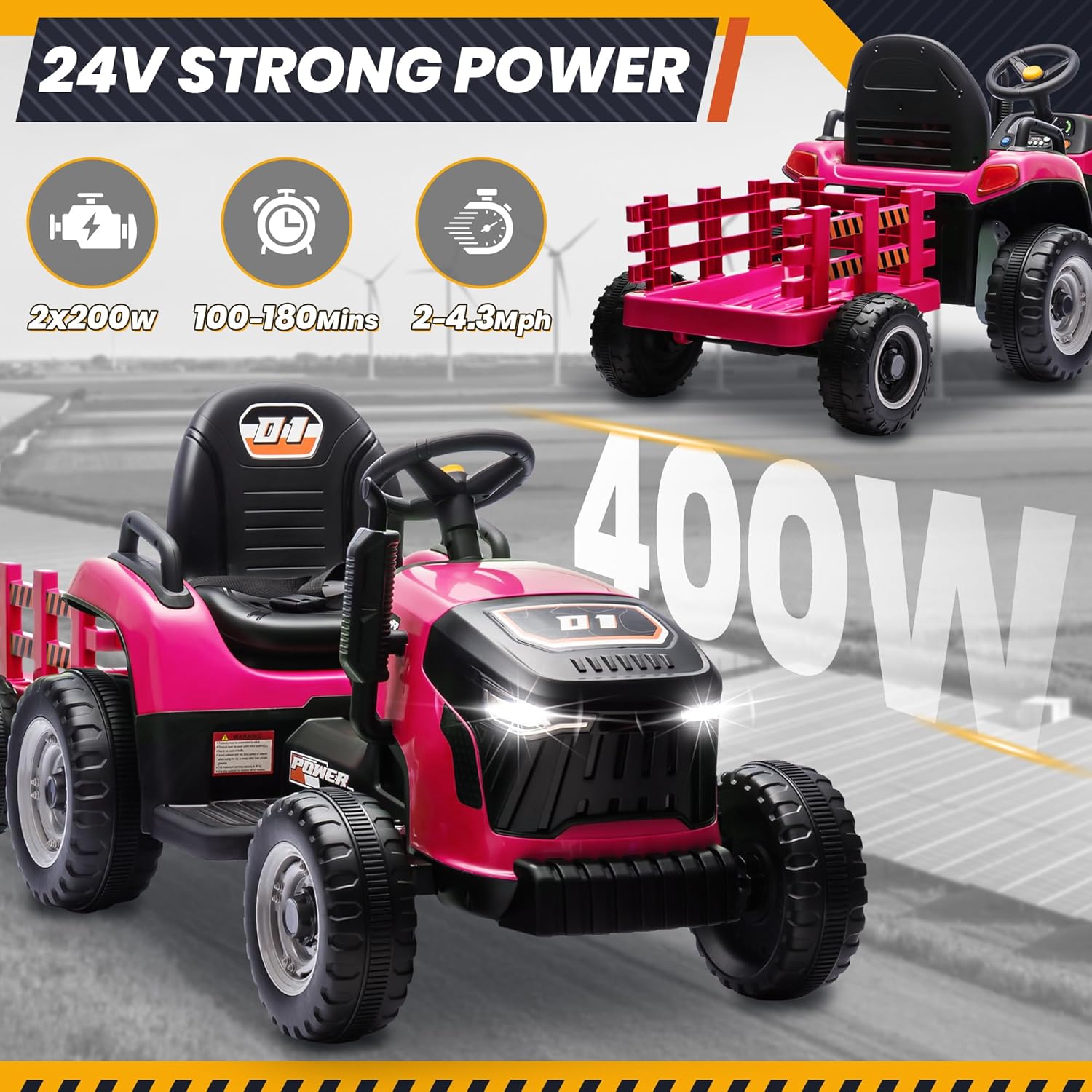
Image: Visual representation of the tractor's 24V strong power, indicating 2x200W motors, 100-180 minutes runtime, and 2-4.3 MPH speed.
5.3. Media and Entertainment
- Built-in music player with pre-loaded songs.
- Bluetooth connectivity allows streaming music or stories from a connected device.
- Realistic engine sounds and decals enhance the play experience.
5.4. Trailer Operation
- The trailer is detachable, transforming the vehicle from a 6-wheeler to a 4-wheeler.
- The trailer features a tiltable design for easy unloading of items.

Image: The tractor's anti-skid wheels are depicted on various terrains including asphalt, gravel, lawn, and muddy paths, highlighting its multi-terrain capability.
6. Maintenance
6.1. Battery Charging
- Charge the 24V battery for 8-12 hours before first use and after each play session.
- Do not overcharge the battery.
- Ensure the charging port is clean and dry before connecting the charger.
6.2. General Care
- Clean the tractor with a damp cloth. Do not use abrasive cleaners.
- Store the tractor in a dry, covered area away from direct sunlight and moisture.
- Regularly inspect all parts for wear and tear, especially wheels, axles, and electrical connections.
7. Troubleshooting
If you encounter any issues with your Anrli Ride On Tractor, please refer to the following common troubleshooting tips:
- Tractor not moving: Check battery connections, ensure the battery is charged, and verify the power button is on. If using remote control, ensure it is paired and within range.
- Reduced speed/power: The battery may need charging. Ensure the tractor is not overloaded beyond its maximum capacity.
- Remote control not working: Check batteries in the remote control and ensure it is properly paired with the tractor.
- Unusual noises: Inspect wheels and axles for any obstructions or loose parts.
8. Specifications
- Product Dimensions: 54.7 x 22.8 x 21.65 inches
- Item Weight: 29.8 pounds
- Item Model Number: BBH030
- Manufacturer Recommended Age: 3 years and up
- Motors: Dual 200W (Total 400W)
- Battery: 24V Rechargeable
- Speed: 2-4.3 MPH (Adjustable)
- Max Load (Trailer): 88 lbs
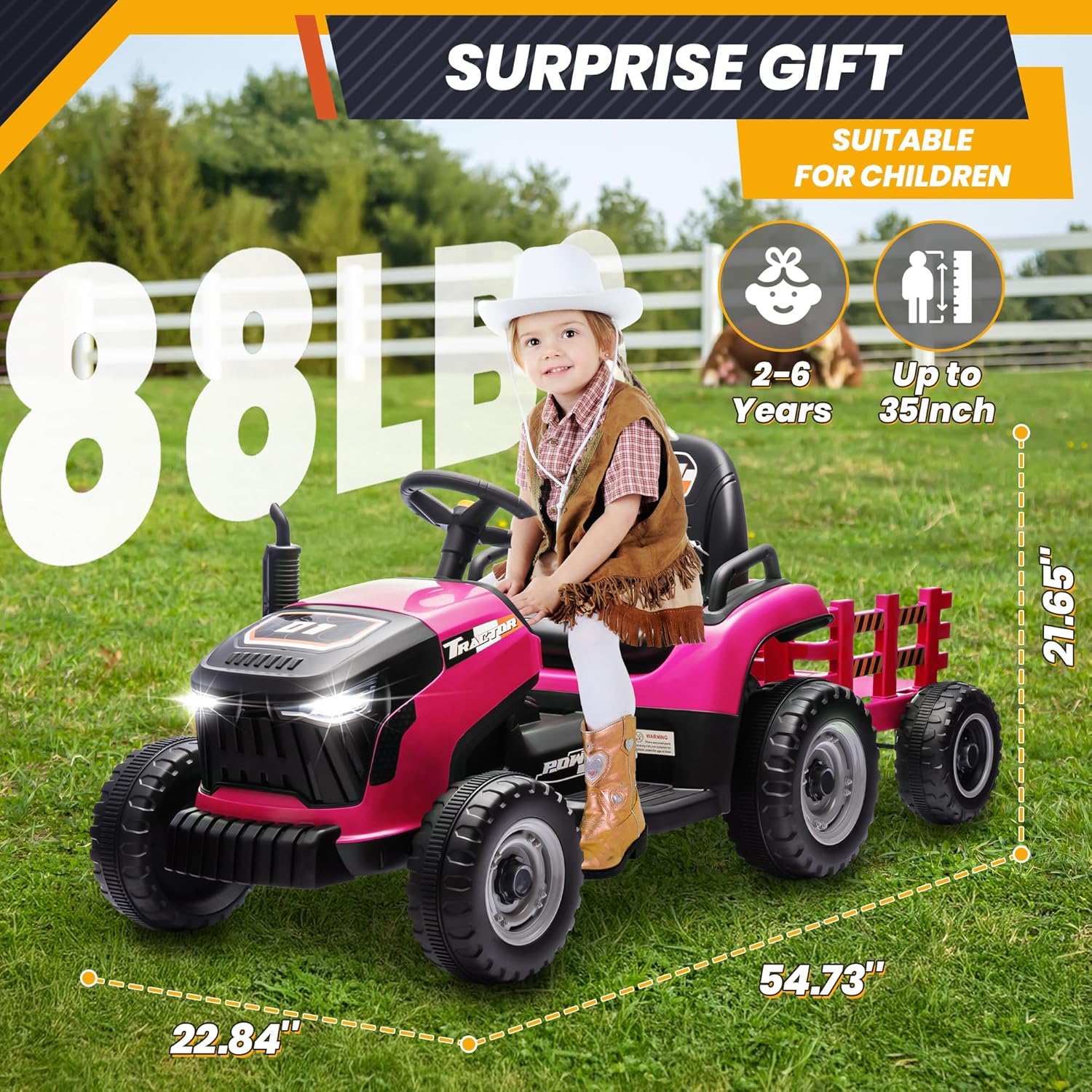
Image: Detailed dimensions of the Anrli tractor, along with recommended age (2-6 years) and maximum weight capacity (88 lbs).
9. Warranty and Support
Anrli prioritizes your satisfaction. For assistance with setup, operation, or any questions, please contact our customer support team directly via Amazon’s messaging system. We are committed to ensuring a hassle-free experience for your family.
