
Portable Bluetooth Karaoke Speaker
User Manual
8in Wireless Portable Bluetooth Karaoke Speaker
Model: Portable Bluetooth Karaoke Speaker
Introduction
This manual provides detailed instructions for the safe and efficient operation of your 8in Wireless Portable Bluetooth Karaoke Speaker. Please read this manual thoroughly before using the product and retain it for future reference.

Package Contents
Please check the package contents upon unboxing to ensure all items are present and undamaged.
- 1 x Portable Karaoke Speaker
- 1 x Charger
- 1 x Remote Control
- 2 x Wireless Microphones
- 2 x Tablet Stands
- 4 x Microphone Covers

Product Features
- Versatile Connectivity: Supports Bluetooth, USB, TF card, and AUX input.
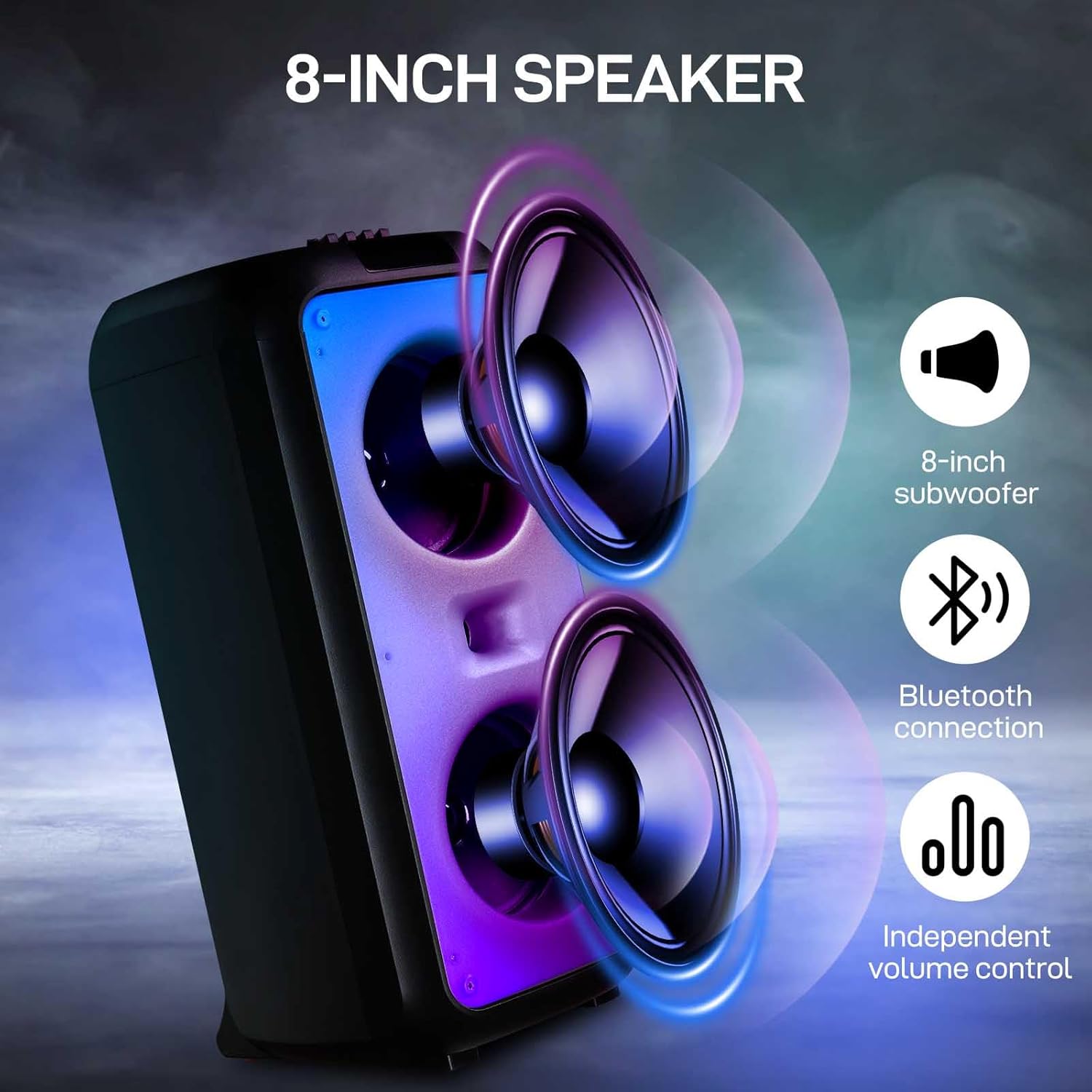
- Dual 8-inch Woofers: Equipped with two 8-inch subwoofers for powerful bass and clear audio.
- Wireless Microphones: Includes two wireless microphones with automatic connection and anti-whistle technology.
- Dynamic LED Lighting: Features 7 adjustable light modes that synchronize with music rhythm.
- Independent Sound Control: High-performance processor with high-low pitch separation technology for sound adjustment.
- Portable Design: Trolley speaker design with a retractable handle for easy transport.

Setup
- Charging the Speaker: Connect the provided charger to the speaker's charging port and plug it into a power outlet. The charging indicator will illuminate.
- Powering On: Locate the power switch on the speaker and slide it to the "ON" position. The display will light up.
- Microphone Setup:
- Insert batteries into the wireless microphones (batteries not included).
- Turn on the microphones. They should automatically connect to the speaker.
- Place the microphone covers on the microphones for hygiene.
- Tablet Stand Installation: Attach the tablet stands to the designated slots on the speaker if you wish to mount a tablet or smartphone.
Operating Instructions
Bluetooth Mode
- Ensure the speaker is powered on.
- Press the "Mode" button on the speaker or remote control until "Bluetooth" or "BT" appears on the display.
- On your mobile device, enable Bluetooth and search for "Karaoke Speaker" (or similar name).
- Select the speaker from the list of available devices to pair. A confirmation sound will indicate successful pairing.
- You can now play audio from your device through the speaker.
USB/TF Card Playback
- Insert a USB flash drive or TF (microSD) card into the respective port on the speaker.
- The speaker will automatically switch to USB or TF card mode and begin playing audio files. If not, press the "Mode" button to select the correct source.
- Use the playback controls (Play/Pause, Next/Previous Track) on the speaker or remote control.
AUX Input
- Connect an external audio device (e.g., smartphone, MP3 player) to the speaker's AUX input port using a 3.5mm audio cable (not included).
- Press the "Mode" button until "AUX" appears on the display.
- Audio from your connected device will now play through the speaker.
Microphone Usage
- Ensure microphones are powered on and paired.
- Adjust microphone volume using the dedicated knob on the speaker.
- For optimal sound, hold the microphone approximately 2-4 inches from your mouth.
LED Disco Light Control
- Press the "Light" button on the speaker or remote control to cycle through the 7 available light modes.
- Press and hold the "Light" button to turn the lights off.
Maintenance
- Cleaning: Use a soft, dry cloth to clean the speaker's exterior. Do not use abrasive cleaners or solvents.
- Storage: Store the speaker in a cool, dry place away from direct sunlight and extreme temperatures when not in use.
- Battery Care: To prolong battery life, avoid fully discharging the speaker frequently. Charge it regularly, even if not in use for extended periods.
- Microphone Hygiene: Regularly clean the microphone covers. Replace them if they become worn or damaged.
Troubleshooting
| Problem | Possible Cause | Solution |
|---|---|---|
| Speaker does not power on. | Battery is depleted. | Connect the speaker to the charger and allow it to charge. |
| No sound from speaker. | Volume is too low; Incorrect input mode; Device not paired (Bluetooth). | Increase speaker and device volume; Press "Mode" button to select correct input; Re-pair Bluetooth device. |
| Microphones not working. | Microphone batteries are low/dead; Microphones not powered on or paired. | Replace microphone batteries; Ensure microphones are powered on and within range for automatic pairing. |
| Bluetooth connection unstable. | Device is too far from speaker; Obstructions between devices. | Move device closer to speaker; Remove any obstacles. |
Specifications
- Function: Bluetooth mode, USB, TF card, Display, Recording, Power switch, Light switch, AUX input
- Output Wattage: 40W
- Peak Power: 1000W
- Battery: 7.4V 4500mAh
- Lighting Mode: 7 gears
- Battery Life: Approximately 90 minutes
- Speaker Size: Dual 8-inch speakers
- Dimensions (L x W x H): 11.02 x 11.41 x 23.62 inches (28 x 29 x 60 cm)
- Product Weight: 16.83 pounds (7.65 kg)
- Tie Rod Height: 35.83 inches (91 cm)
- Microphone Wireless Distance: 20 meters
Warranty and Support
This product comes with a standard manufacturer's warranty. For specific warranty terms and conditions, please refer to the documentation provided with your purchase or contact the seller directly.
For technical support, troubleshooting assistance, or inquiries regarding replacement parts, please contact the retailer or manufacturer's customer service department. Please have your product model and purchase date available when contacting support.