
1. Product Overview
The VEODONT FY2401/30 humidifier filter is designed to maintain optimal performance of your compatible Philips humidifier. This replacement accessory helps ensure efficient humidification by filtering water before it is dispersed into the air.
Compatibility: This filter is compatible with the following Philips humidifier models:
- Philips HU4801
- Philips HU4802
- Philips HU4803
- Philips HU4810
- Philips HU4811
- Philips HU4813
- Philips HU4814

Image 1: Two VEODONT FY2401/30 humidifier filters, shown from a side perspective.
2. Setup and Installation
Follow these general steps to replace the humidifier filter. Refer to your specific Philips humidifier manual for detailed instructions if available.
- Power Off: Ensure your humidifier is turned off and unplugged from the power outlet before beginning any maintenance.
- Access Filter Compartment: Open the humidifier's filter compartment. This usually involves removing the water tank or a specific cover.
- Remove Old Filter: Carefully remove the used filter. Dispose of it according to local regulations.
- Install New Filter: Unpack the new VEODONT FY2401/30 filter. Insert it into the filter compartment, ensuring it is seated correctly and securely.
- Close Compartment: Close the filter compartment and reattach any removed parts, such as the water tank.
- Power On: Plug in and turn on your humidifier. Some humidifiers may require a reset of the filter indicator light.

Image 2: Two VEODONT FY2401/30 humidifier filters, illustrating their flexible, unfolded structure.
3. Operating Considerations
Once the new filter is installed, your humidifier will operate as usual. The filter works by absorbing water and allowing the humidifier's fan to blow air through it, releasing moisture into the room. A clean, functional filter is crucial for efficient and hygienic humidification.
4. Maintenance
Regular filter replacement is essential for maintaining the performance and hygiene of your humidifier.
- Replacement Frequency: Filters typically need to be replaced every 3 to 6 months, depending on water hardness, usage frequency, and air quality. Your humidifier's indicator light or the manufacturer's recommendations should be followed.
- Visual Inspection: Periodically inspect the filter for signs of mineral buildup, discoloration, or mold. If these are present, replace the filter immediately.
- Cleaning: These filters are generally designed for replacement, not cleaning. Attempting to clean the filter may damage its structure and reduce its effectiveness.
5. Troubleshooting
If you experience issues after replacing the filter, consider the following:
- Reduced Humidification: Ensure the filter is correctly installed and fully saturated with water. If the issue persists, the filter might be defective or the humidifier itself may require servicing.
- Unusual Odors: A new filter should not produce odors. If you detect an unusual smell, ensure the humidifier's water tank is clean and filled with fresh water. If the odor persists, replace the filter.
- Filter Indicator Light: If your humidifier has a filter replacement indicator, consult your humidifier's manual on how to reset it after installing a new filter.
6. Specifications
| Feature | Detail |
|---|---|
| Brand | VEODONT |
| Model Number | 2280 |
| Compatible Models | Philips HU4801, HU4802, HU4803, HU4810, HU4811, HU4813, HU4814 |
| Package Dimensions | 1.18 x 0.79 x 0.39 inches |
| Item Weight | 1.76 ounces |
| Number of Pieces | 1 (per unit, typically sold in multi-packs) |
| ASIN | B0DW886TBN |
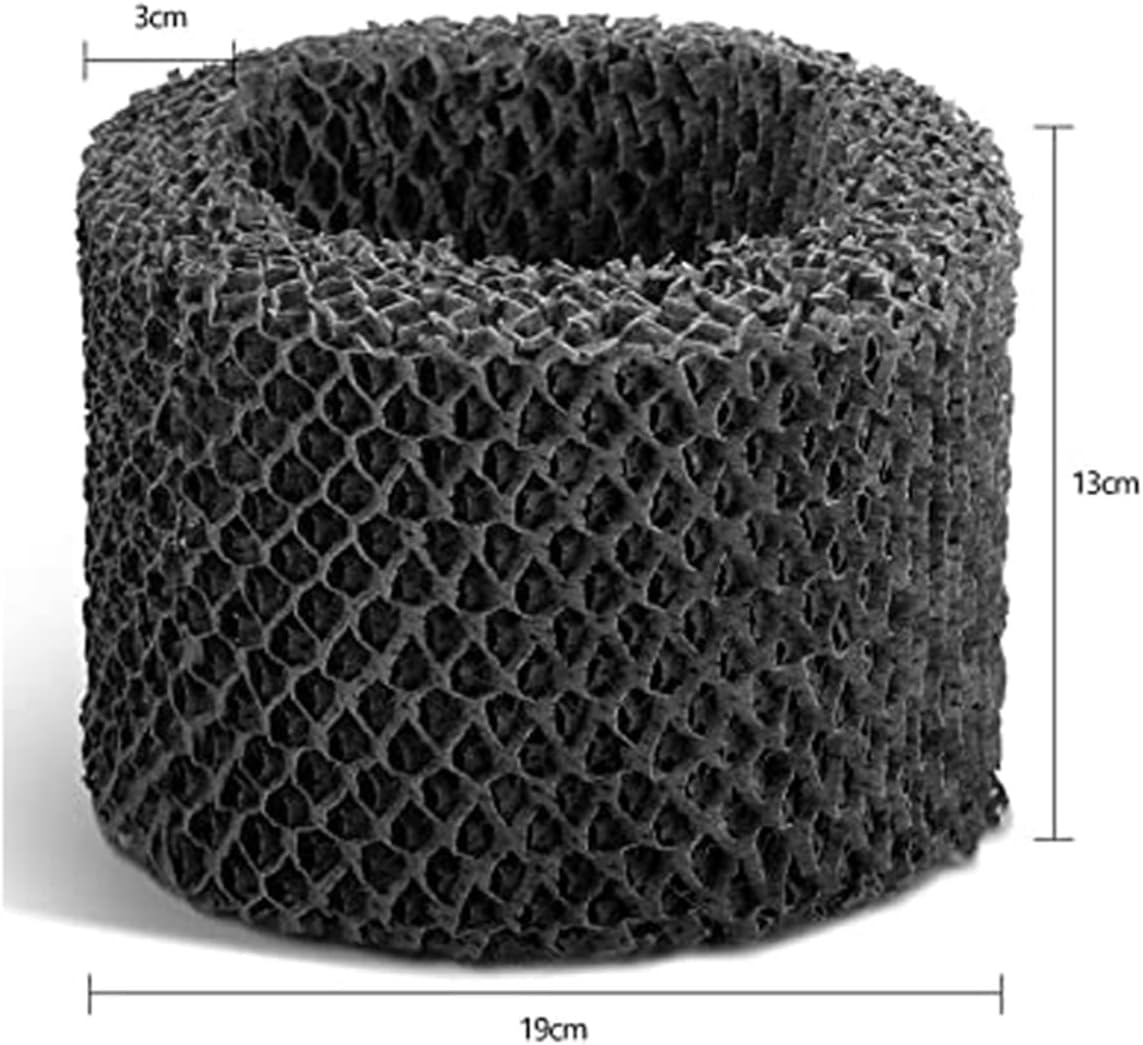
Image 3: A single VEODONT FY2401/30 humidifier filter with approximate dimensions indicated.
7. Warranty and Support
For warranty information or customer support regarding your VEODONT humidifier filter, please contact the seller or manufacturer directly. Specific warranty terms may vary.
Manufacturer: VEODONT