
Important Safety Instructions
Please read these instructions carefully before using the device and retain them for future reference. Improper use may result in electric shock, fire, or other hazards.
- Do not expose this appliance to rain or moisture.
- Do not block any ventilation openings. Install in accordance with the manufacturer's instructions.
- Do not install near any heat sources such as radiators, heat registers, stoves, or other apparatus (including amplifiers) that produce heat.
- Protect the power cord from being walked on or pinched, particularly at plugs, convenience receptacles, and the point where they exit from the appliance.
- Only use attachments/accessories specified by the manufacturer.
- Unplug this appliance during lightning storms or when unused for long periods of time.
- Refer all servicing to qualified service personnel. Servicing is required when the apparatus has been damaged in any way, such as power-supply cord or plug is damaged, liquid has been spilled or objects have fallen into the apparatus, the apparatus has been exposed to rain or moisture, does not operate normally, or has been dropped.
Package Contents
Verify that all items are included in your package:
- Kuephom T1USB Cassette Player Recorder Boombox
- AC Power Cable
- User Manual
Product Overview
Familiarize yourself with the main components and controls of your boombox.
Front Panel Controls:
- Volume Knob: Adjusts the overall sound output level.
- Treble Knob: Adjusts the high-frequency audio response.
- Bass Knob: Adjusts the low-frequency audio response.
- MIC VOL Knob: Adjusts the microphone input volume.
- Cassette Control Buttons: Play, Stop/Eject, Fast Forward, Rewind, Pause, Record.
- Mode Selector: Switches between Tape, USB, Bluetooth, FM, AM, SW modes.
Side/Rear Panel:
- USB Port: For USB drive playback and recording.
- Headphone Jack: For private listening.
- Built-in Microphone: For voice recording.
- AC Power Input: Connects to the AC power cable.
- Battery Compartment: For DC power using D-size batteries.
- Telescopic Antenna: For improved radio reception.
Setup
Power Connection
Your boombox can be powered by either AC (mains) electricity or DC (battery) power.
- AC Power: Connect the provided AC power cable to the AC power input on the boombox and then plug it into a standard wall outlet.
- DC Power (Batteries): Open the battery compartment on the rear/bottom of the unit. Insert 4 x D-size batteries (not included), ensuring correct polarity (+/-). Close the compartment securely.

Image: The boombox illustrating both AC power connection via a cable and DC power using four D-size batteries.
Antenna Adjustment
For optimal radio reception, extend the telescopic antenna fully. Adjust its direction and angle to achieve the clearest signal.

Image: The boombox with its telescopic antenna extended, indicating its use for strong FM/AM/SW radio reception.
Operating Instructions
General Audio Playback
Use the Volume, Bass, and Treble knobs to adjust the sound output to your preference. The 5-inch speaker provides clear and balanced audio.

Image: A detailed view of the boombox's 5-inch speaker and the bass/treble adjustment controls.
Cassette Player Operation
- Press the Stop/Eject button to open the cassette compartment.
- Insert a cassette tape with the open edge facing upwards. Close the compartment.
- Select 'TAPE' mode using the mode selector.
- Press Play to start playback.
- Use Fast Forward or Rewind to navigate the tape.
- Press Pause to temporarily stop playback. Press again to resume.
- Press Stop/Eject to stop playback and eject the tape.
USB Playback
- Insert a USB flash drive containing MP3 or WMA audio files into the USB port.
- Select 'USB' mode using the mode selector.
- The boombox will automatically detect and begin playing audio files from the USB drive.
- Use the playback control buttons (Play/Pause, Next/Previous Track) for navigation.
Bluetooth Pairing
Connect your smartphone or other Bluetooth-enabled devices wirelessly.
- Select 'BT' (Bluetooth) mode using the mode selector. The boombox will enter pairing mode, indicated by a flashing Bluetooth indicator.
- On your device, enable Bluetooth and search for available devices.
- Select 'Kuephom T1USB' from the list.
- Once paired, the Bluetooth indicator will become solid, and you can stream audio wirelessly.
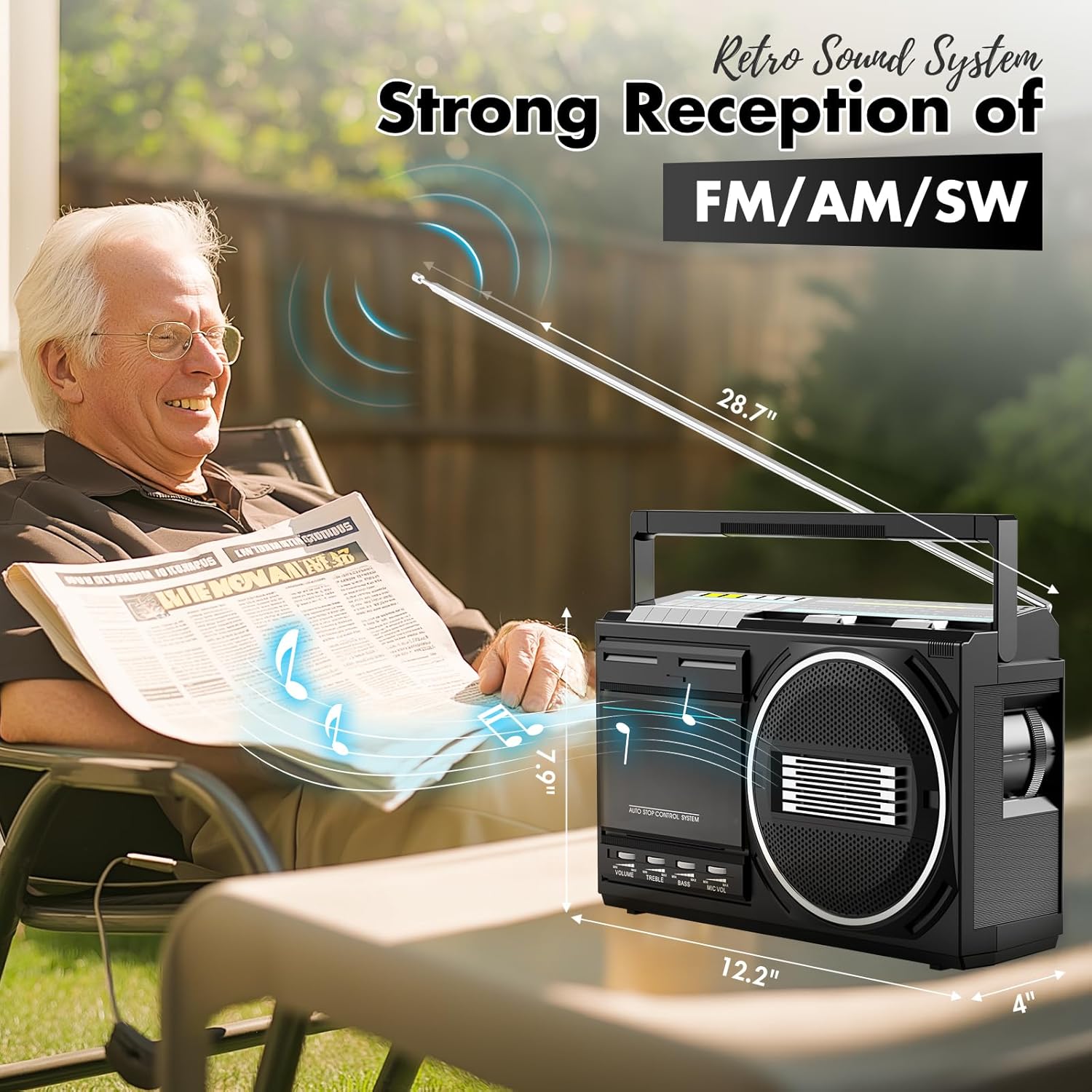
Image: The boombox displaying its Bluetooth connectivity feature, allowing wireless audio streaming.
Radio Operation (FM/AM/SW)
- Select 'RADIO' mode using the mode selector.
- Use the band switch to select FM, AM, or SW.
- Rotate the tuning knob to search for radio stations.
- Adjust the telescopic antenna for optimal reception.
Recording Functions
The boombox supports recording from the built-in microphone to tape or USB, and mutual conversion between tape and USB.
Voice Recording to Tape or USB:
- Insert a blank cassette tape or a USB drive.
- Select 'TAPE' or 'USB' mode.
- Press the Record button. The unit will begin recording audio from the built-in microphone.
- Adjust the MIC VOL knob to control the microphone input level.
- Press Stop to end the recording.
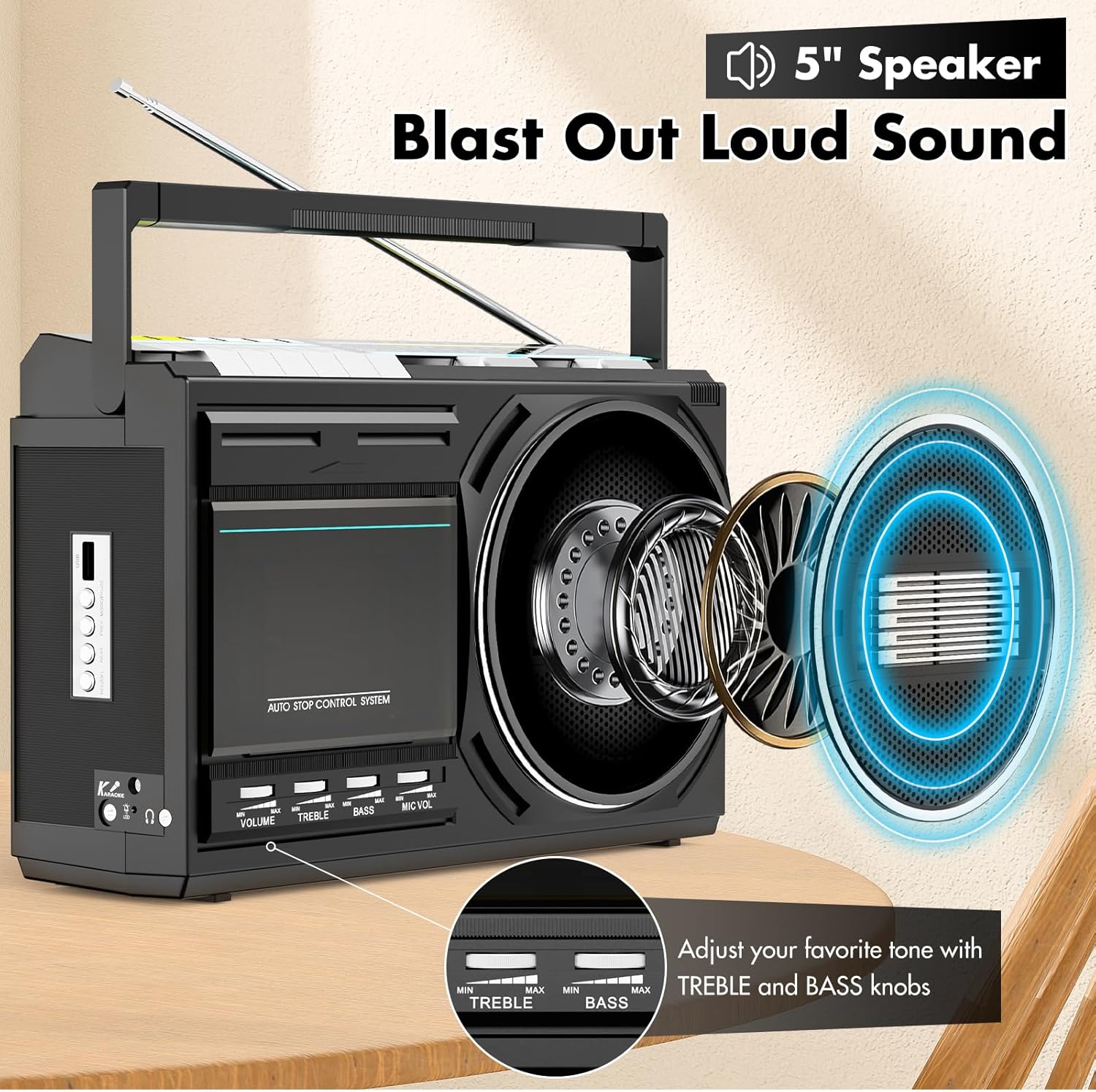
Image: The boombox demonstrating its built-in microphone for recording voice directly to a cassette tape or USB stick.
Tape to USB Conversion:
Digitize your cassette tapes by converting them to MP3 files on a USB stick.
- Insert the cassette tape you wish to convert and a USB flash drive.
- Select 'TAPE' mode.
- Start playing the cassette tape.
- Press the Record button. The audio from the tape will be recorded as an MP3 file onto the USB drive.
- Press Stop on the boombox to end the recording.

Image: The boombox showing the process of converting audio from a cassette tape to an MP3 file on a USB stick.
USB to Tape Recording:
Record audio from a USB drive onto a blank cassette tape.
- Insert a blank cassette tape and a USB flash drive with audio files.
- Select 'USB' mode and start playing the desired audio from the USB drive.
- While the USB audio is playing, select 'TAPE' mode.
- Press the Record button on the cassette player. The audio from the USB will now be recorded onto the tape.
- Press Stop on the cassette player to end the recording.
Karaoke Function
To use the karaoke function, connect an external microphone (not included) to the microphone input jack. Play audio from any source (Bluetooth, USB, Tape, Radio) and sing along. Adjust the MIC VOL knob to control your microphone's volume.
Maintenance
- Cleaning: Use a soft, dry cloth to clean the exterior of the boombox. Do not use liquid cleaners or abrasive chemicals.
- Cassette Head Cleaning: Periodically clean the cassette player's heads with a specialized cassette head cleaning kit to ensure optimal sound quality and prevent tape damage.
- Storage: When not in use for extended periods, remove batteries and store the unit in a cool, dry place away from direct sunlight and extreme temperatures.
Troubleshooting
| Problem | Possible Cause | Solution |
|---|---|---|
| No power | AC cable not connected; Batteries depleted or incorrectly inserted. | Ensure AC cable is securely plugged in. Replace batteries or check polarity. |
| No sound | Volume too low; Incorrect mode selected; Headphones connected. | Increase volume. Select the correct input mode (Tape, USB, BT, Radio). Disconnect headphones if using speakers. |
| Poor radio reception | Antenna not extended or positioned correctly; Weak signal. | Fully extend and adjust the telescopic antenna. Try moving the unit to a different location. |
| Bluetooth not connecting | Boombox not in pairing mode; Device too far; Incorrect device selected. | Ensure boombox is in 'BT' mode and flashing. Move device closer. Select 'Kuephom T1USB' from your device's Bluetooth list. |
| Cassette playback issues (muffled sound, tape eating) | Dirty tape heads; Worn out tape; Mechanical issue. | Clean tape heads. Try a different tape. If problem persists, contact support. |
Specifications
| Feature | Detail |
|---|---|
| Brand | Kuephom |
| Model Number | T1USB |
| Connectivity Technology | Bluetooth, USB |
| Color | Black |
| Speaker Type | Mono |
| Item Dimensions (L x W x H) | 11.42 x 3.35 x 4.92 inches |
| Power Source | Corded Electric (AC), Battery (4 x D-size) |
| Compatible Devices | MP3 Player, Smartphone |
| Wattage | 6 watts |
| Supported Audio Format | MP3, WMA |
| Number of Speakers | 1 |
| Audio Output Mode | Stereo |
| Item Weight | 1.85 kg |
| Built-In Media | Cassette player, User manual |
Warranty and Support
This Kuephom T1USB Boombox comes with a 1-year limited warranty from the date of purchase. This warranty covers manufacturing defects in materials and workmanship under normal use.
The warranty does not cover damage caused by accident, misuse, abuse, neglect, unauthorized product modification or repair, or failure to follow the instructions in this user manual.
For warranty claims or technical support, please contact Kuephom customer service through the retailer where the product was purchased or visit the official Kuephom website for contact information.