
1. Product Overview
The RONEGN 20000mAh Portable Charger (Model PA100) is a versatile power bank designed for charging multiple electronic devices on the go. It features a high-capacity battery, fast charging capabilities, and integrated cables for convenience.
Key Features:
- 20000mAh Capacity: Provides multiple charges for smartphones and other devices.
- Built-in Cables: Includes integrated iOS, Type-C, USB, and Micro USB cables, eliminating the need to carry extra cords.
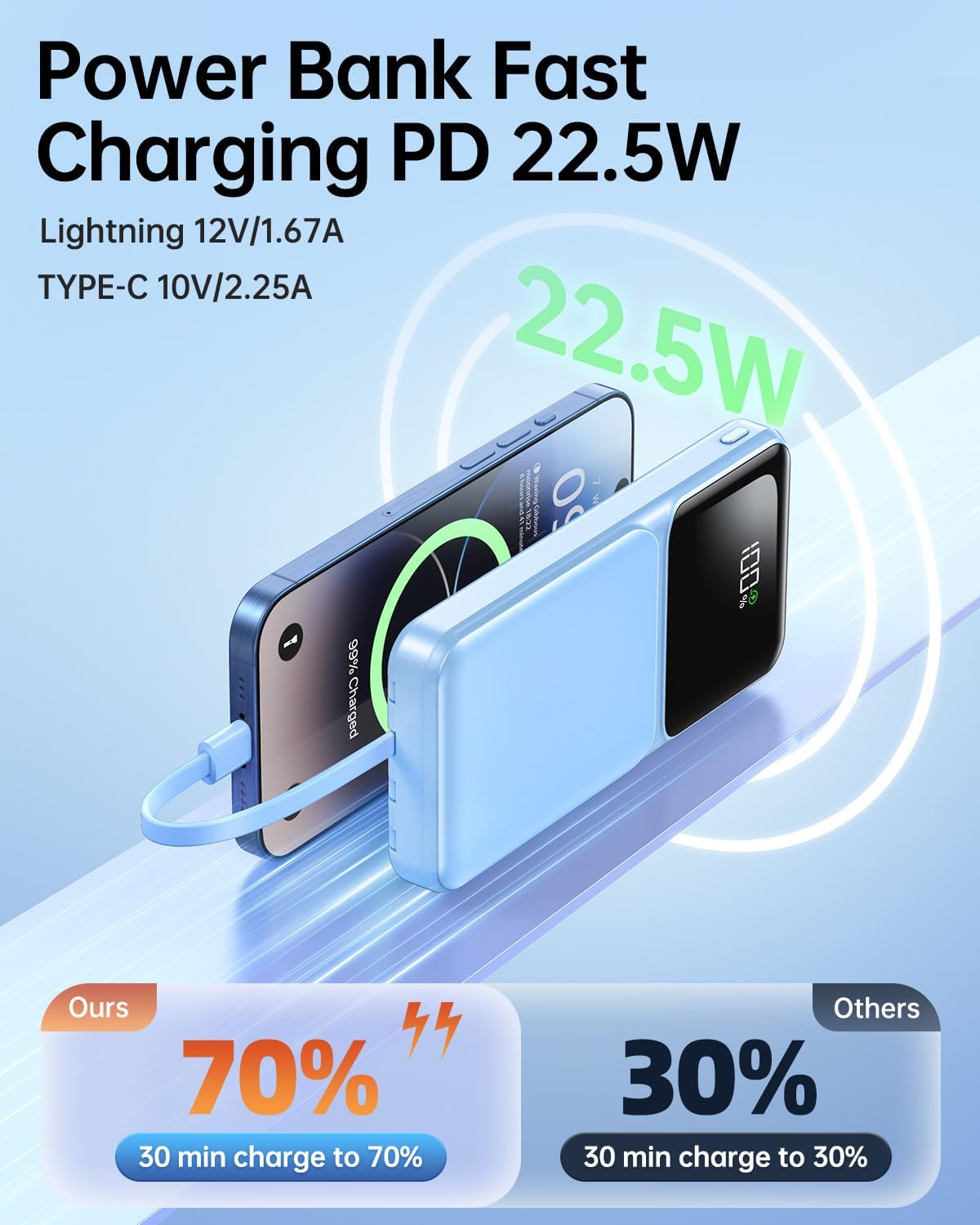
- Fast Charging: Supports 22.5W USB-C and 20W iOS fast charging for rapid power delivery.
- Multiple Outputs & Inputs: Features 5 output ports and 3 input options for broad compatibility and flexible recharging.
- LED Digital Display: Shows the precise battery percentage remaining.
- Compact Design: Slim and lightweight for easy portability.
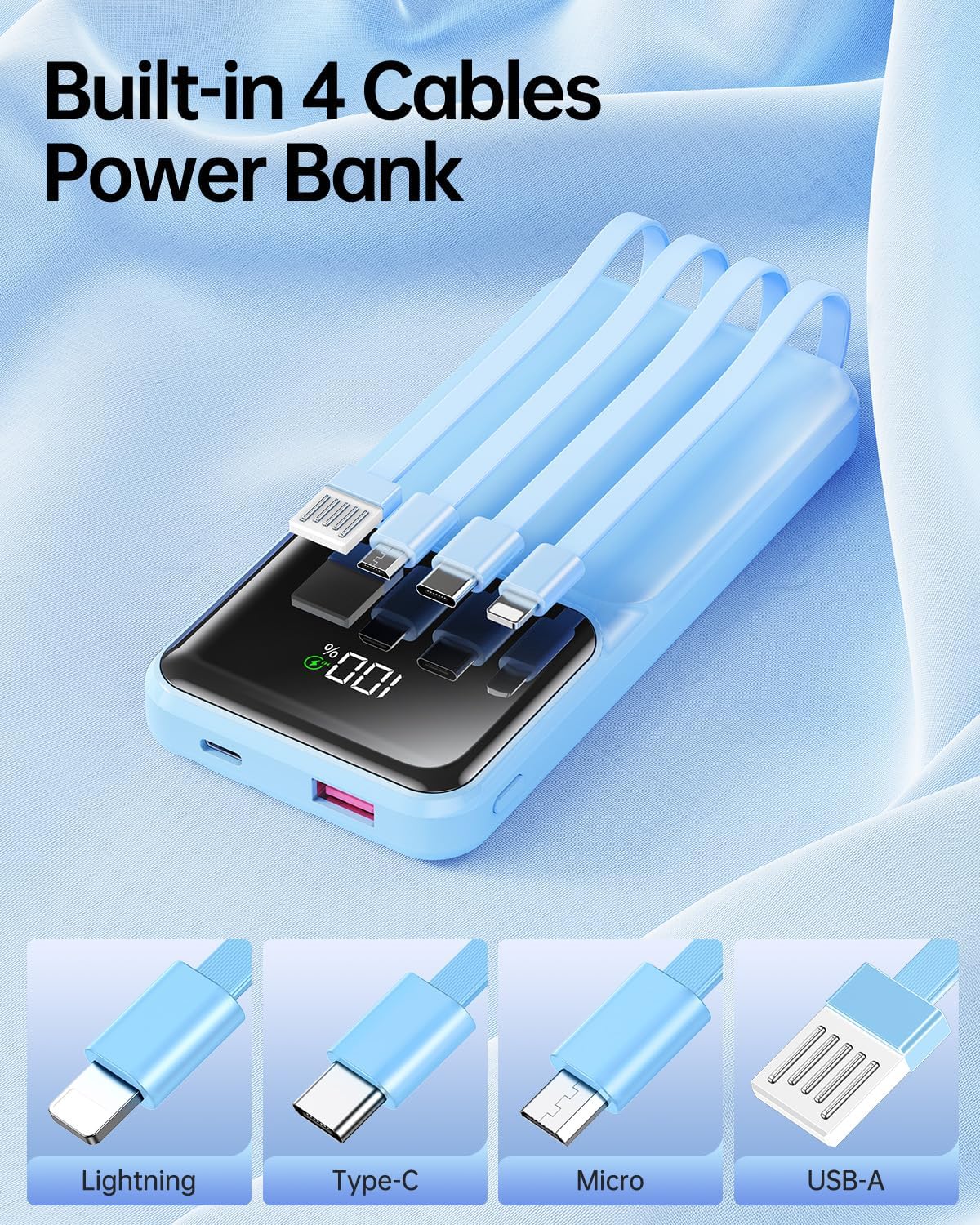
This power bank is designed to be airline-approved, making it suitable for travel.
2. Safety Information
Please read and understand all safety instructions before using this product to prevent injury or damage.
- Do not expose the power bank to extreme temperatures (hot or cold), direct sunlight, or high humidity.
- Avoid dropping, disassembling, or attempting to repair the device yourself.
- Keep away from water and flammable materials.
- This device includes built-in protection against overcharge, over-discharge, overcurrent, and short-circuiting.
- The power bank is airline-approved for carry-on luggage. Always check with your airline for specific regulations.
3. Setup
Initial Charging of the Power Bank:
Before first use, fully charge the power bank. This ensures optimal battery performance.
- Connect the power bank to a power source using one of the available input methods:
- USB-C Port: Use a USB-C to USB-C cable (not included) and a compatible wall adapter.
- Built-in USB-C Cable: Plug the built-in USB-C cable into a USB-C wall adapter.
- Built-in USB-A Cable: Plug the built-in USB-A cable into a standard USB-A wall adapter.
- The LED digital display will show the charging progress. It will indicate 100% when fully charged.

4. Operating Instructions
Charging Your Devices:
The power bank can charge up to 5 devices simultaneously using its built-in cables and additional ports.
- Using Built-in Cables: Select the appropriate built-in cable (iOS, Type-C, Micro USB) and plug it directly into your device's charging port.
- Using External Ports: For devices requiring other connections, use your own charging cable and plug it into the available USB-A or USB-C output ports on the power bank.
- The power bank will automatically begin charging your device. The LED display will show the power bank's remaining battery percentage.

Checking Battery Level:
The integrated LED digital display provides a clear, real-time indication of the power bank's remaining battery percentage.
- Briefly press the power button to activate the display.
- The percentage shown indicates the current charge level of the power bank.

Video 1: Demonstrating the RONEGN 20000mAh Portable Charger with built-in cables, showing its features like multiple charging ports, LED display, and portability.
5. Maintenance
Cleaning:
To maintain the appearance and functionality of your power bank:
- Wipe the exterior with a soft, dry cloth.
- Do not use harsh chemicals, abrasive cleaners, or immerse the device in water.
Storage:
When not in use for extended periods:
- Store the power bank in a cool, dry place, away from direct sunlight.
- It is recommended to charge the power bank to about 50-75% before storing to prolong battery life.
- Recharge the power bank every 3-6 months to prevent deep discharge.
6. Troubleshooting
Common Issues and Solutions:
| Issue | Possible Cause | Solution |
|---|---|---|
| Power bank not charging | Charging cable or adapter faulty; power bank fully discharged. | Try a different charging cable and adapter. Ensure the power bank is connected to a working power source. |
| Device not charging from power bank | Device cable faulty; power bank low on charge; device incompatible. | Ensure the power bank is charged. Try a different cable for your device. Verify device compatibility. |
| Slow charging | Non-fast charging cable/adapter; multiple devices charging simultaneously. | Use a fast-charging compatible cable and adapter. Charging multiple devices may reduce individual charging speed. |
| LED display not working | Power bank is off; display malfunction. | Press the power button to activate the display. If it remains off, contact customer support. |
7. Specifications
- Model Number: PA100
- Battery Capacity: 20000 Milliamp Hours (mAh)
- Product Dimensions: 1 x 1 x 1 inches
- Item Weight: 0.317 ounces
- Special Features: Fast Charging, Built-in Cables, LED Digital Display
- Connector Type: USB Type C (also includes built-in Lightning, Micro USB, USB-A)
- Manufacturer: Shenzhen Lang Shui Innovative Technology Co.,Ltd
8. Warranty and Support
This product is covered by a manufacturer's warranty. For specific warranty details, including duration and coverage, please refer to the product packaging or contact the manufacturer directly.
For technical support, troubleshooting assistance, or warranty claims, please contact RONEGN customer service through their official website or the retailer where the product was purchased.