
Leten Bermuda Storm FRYH
Leten Bermuda Storm Automatic Male Masturbator User Manual
Model: Bermuda Storm FRYH
Introduction
Thank you for choosing the Leten Bermuda Storm Automatic Male Masturbator. This manual provides essential information for the safe and effective use, maintenance, and care of your device. Please read it thoroughly before first use and retain it for future reference.
Safety Information
- This product is intended for adult use only.
- Do not use if the device appears damaged or faulty.
- Clean the device thoroughly before and after each use as per the "Maintenance" section.
- Use only water-based lubricants with this product. Oil-based lubricants may damage the material.
- This device is not water resistant. Avoid submerging it in water or exposing it to excessive moisture.
- Keep out of reach of children.
- If you experience any discomfort or irritation, discontinue use immediately.
- Do not attempt to disassemble or modify the device. This will void the warranty and may cause damage or injury.
Package Contents
Please check the package to ensure all items are present:
- Leten Bermuda Storm Automatic Male Masturbator
- USB Charging Cable
- User Manual (this document)
Product Overview
The Leten Bermuda Storm is an automatic male masturbator featuring multiple modes for an enhanced experience. It includes sucking, thrusting, and heating functions, all controlled via an intuitive interface.
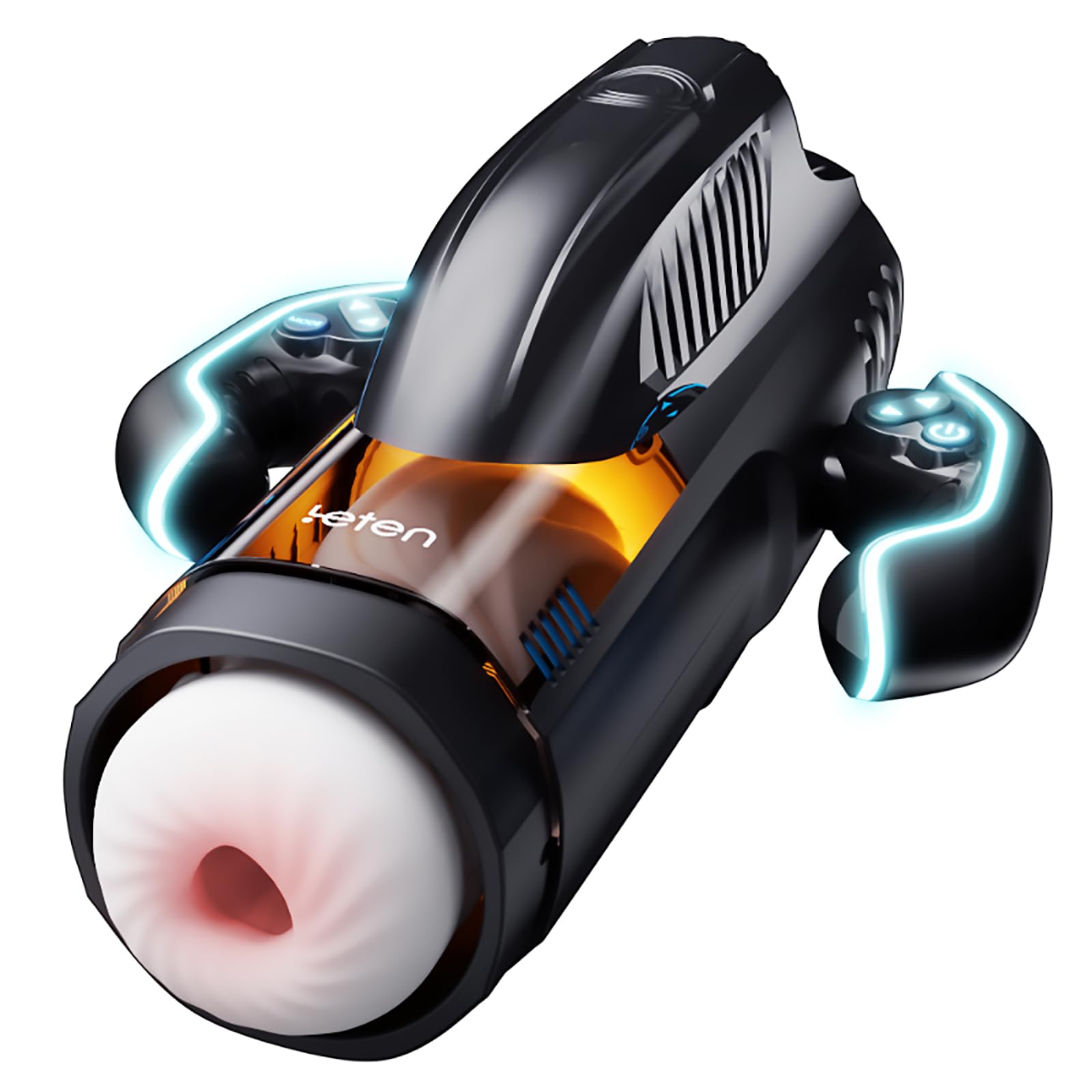
Image: The Leten Bermuda Storm device shown with its packaging, highlighting its overall design and dimensions (approx. 10.8 inches long, 7.4 inches high, 4.76 inches wide at the base).
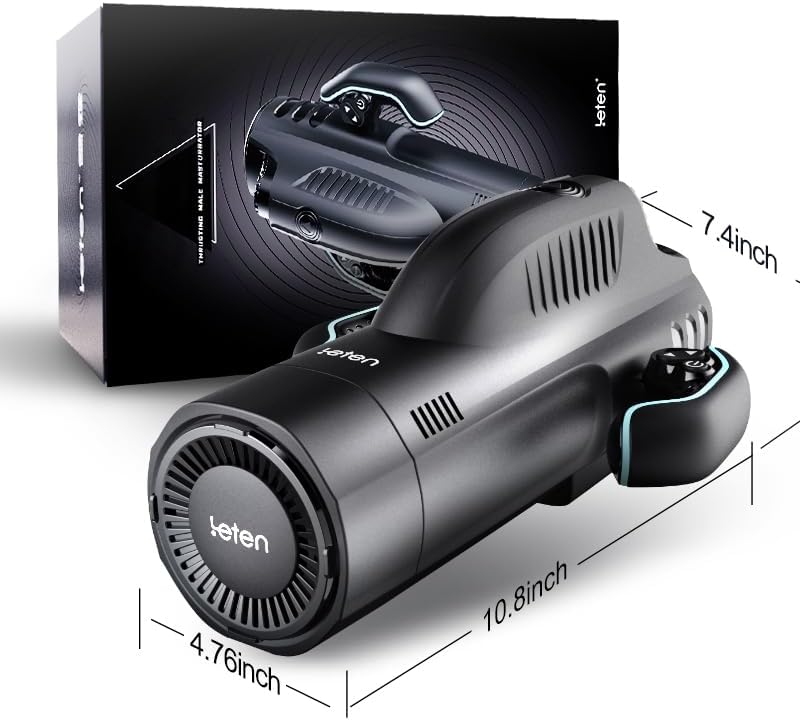
Image: A close-up view of the Leten Bermuda Storm device, showcasing its ergonomic design and control panel.
Setup
- Initial Cleaning: Before first use, carefully remove the internal sleeve and wash it with mild soap and warm water. Rinse thoroughly and allow it to air dry completely. Wipe the main unit with a damp cloth, ensuring no water enters the electronic components.
- Charging: Connect the USB charging cable to the charging port on the device and plug the other end into a USB power adapter (not included) or a computer USB port. The charging indicator light will illuminate. A full charge typically takes 2-3 hours. Disconnect the charger once fully charged.
- Insert Sleeve: Once dry, carefully reinsert the internal sleeve into the main unit, ensuring it is properly seated.
Operating Instructions
Controls Overview

Image: Detailed view of the device's internal components, including the vacuum suction chamber, high-speed jet engine for telescopic motion, somatosensory heating cabin, and the racing controller with left and right 10-speed adjustment buttons.
The device features an intuitive control panel, often referred to as a "racing controller," with buttons for power, mode selection, and intensity adjustment.
Basic Operation
- Power On/Off: Press and hold the power button (usually indicated by a universal power symbol) for 2-3 seconds to turn the device on or off.
- Apply Lubricant: Apply a generous amount of water-based lubricant to the entrance of the sleeve and to yourself for comfortable use.
Sucking Modes (10 Modes)

Image: An illustration detailing the "Sucking Storm" feature, showing the tender inner waves, the suction mechanism, and the control handle with 10 levels of adjustment.

Image: A cutaway view highlighting the 2.1L DC vacuum pump responsible for the vacuum sucking function, demonstrating the air flow and internal structure.
The device offers 10 distinct sucking modes. Press the dedicated "Suck" button (or corresponding mode button) to cycle through the different patterns and intensities. Use the intensity adjustment buttons (often labeled with '+' and '-') to increase or decrease the suction strength.
Thrusting Modes (10 Modes)
The device features 10 thrusting modes, simulating telescopic motion at up to 370 times per minute. Press the dedicated "Thrust" button (or corresponding mode button) to cycle through the different patterns and speeds. Use the intensity adjustment buttons to control the thrusting speed.
Heating Function

Image: An illustration of the device's warming and preheating double circulation system, indicating a target temperature of 42°C for a comfortable experience.
To activate the heating function, press the "Heat" button (if available) or the designated button on the control panel. The device will gradually warm the internal sleeve to a comfortable temperature, typically around 40-42°C. Allow a few minutes for the device to reach the desired temperature.
Maintenance
- Cleaning After Use:
- Turn off the device and disconnect any charging cables.
- Carefully remove the internal sleeve from the main unit.
- Wash the sleeve thoroughly with mild soap and warm water. Ensure all lubricant and residue are removed.
- Rinse the sleeve under running water until no soap remains.
- Allow the sleeve to air dry completely before reinserting it or storing.
- Wipe the exterior of the main unit with a damp cloth. Do not submerge the main unit in water.
- Storage: Store the device in a clean, dry, and dust-free environment, away from direct sunlight and extreme temperatures. Ensure the internal sleeve is completely dry before storage to prevent mold or damage.
- Battery Care: To prolong battery life, avoid fully discharging the device frequently. Charge it regularly, even if not in use for extended periods.
Troubleshooting
| Problem | Possible Cause | Solution |
|---|---|---|
| Device does not turn on. | Battery is depleted. | Charge the device using the provided USB cable. |
| Device not charging. | Cable or adapter faulty; improper connection. | Ensure the USB cable is securely connected. Try a different USB port or power adapter. |
| Weak suction/thrusting. | Low battery; sleeve not properly seated; internal obstruction. | Charge the device. Re-seat the internal sleeve. Ensure the sleeve is clean and free of debris. |
| Heating function not working. | Device malfunction. | Ensure the device is charged. If the issue persists, contact customer support. |
Specifications

Image: A cross-section view of the internal sleeve, showing its dimensions: 4.5 inches (11.5 cm) length, 2.4 inches (6 cm) width. Insertable length is 6.3 inches (16 cm) and insertable diameter is 3.15 inches (8 cm).
- Model: Bermuda Storm FRYH
- Brand: Leten
- Functions: 10 Sucking Modes, 10 Thrusting Modes, Heating
- Charging: USB Fast Charging
- Water Resistance: Not Water Resistant
- Internal Sleeve Dimensions:
- Length: 4.5 inches (11.5 cm)
- Width: 2.4 inches (6 cm)
- Insertable Length: 6.3 inches (16 cm)
- Insertable Diameter: 3.15 inches (8 cm)
- Operating Temperature (Heating): Approx. 40-42°C
- Thrusting Speed: Up to 370 times/min
- Manufacturer: male_masturbators
- Place of Business: CN
Warranty and Support
This product comes with a standard manufacturer's warranty against defects in materials and workmanship. For warranty claims or technical support, please refer to the retailer's return policy or contact the seller directly. Please retain your proof of purchase.
For further assistance, please visit the official Leten website or contact their customer service department (contact details not provided in product information).
Ask a question about this manual
Ask about setup, troubleshooting, compatibility, parts, safety, or missing instructions. Manuals+ will review the question and use this page’s manual context to help answer it.