
1. Introduction and Overview
The G-Shock GA2100RL-1A is a robust and stylish timepiece engineered for durability and functionality. Featuring Carbon Core Guard technology, this watch offers exceptional shock resistance in a lightweight, slim profile. Its design includes an octagonal bezel and a combination of analog and digital displays. Key functions include 200-meter water resistance, world time, multiple alarms, a stopwatch, a countdown timer, and a high-brightness LED backlight for visibility in low-light conditions.
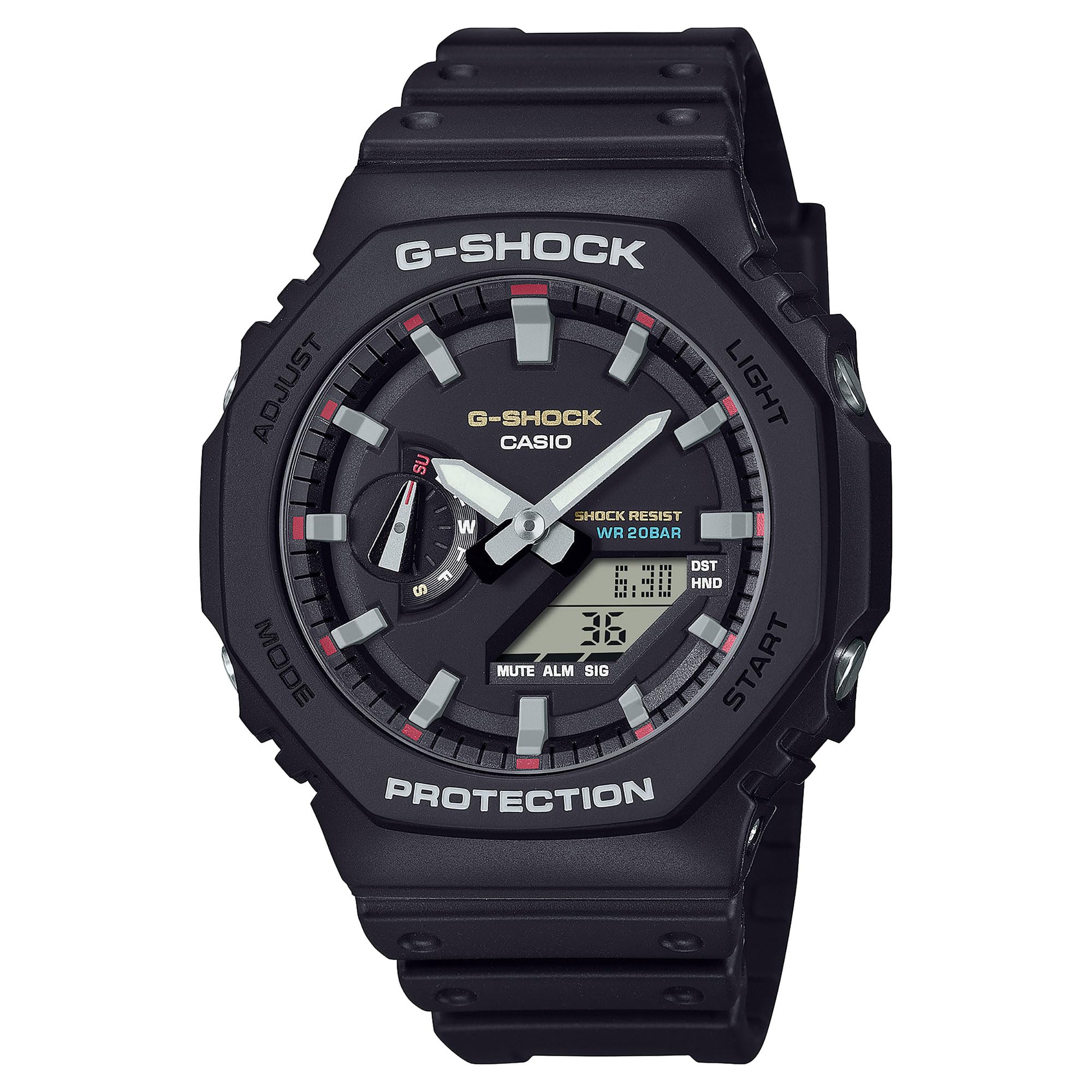
Figure 1: Front view of the G-Shock GA2100RL-1A watch, showcasing its octagonal bezel and analog-digital display.
2. Setup
2.1 Initial Time Setting
Upon first use or after a battery change, the watch requires initial time setting. Refer to the button functions diagram (Figure 2) for button identification.
- Enter Time Setting Mode: Press and hold the 'Adjust' button (usually top-left) until the city code starts flashing.
- Select Home City: Use the 'Forward' (top-right) and 'Reverse' (bottom-right) buttons to select your desired home city code. This will automatically set the time zone.
- Adjust Daylight Saving Time (DST): Press the 'Mode' button (bottom-left) to move to the DST setting. Use the 'Forward' or 'Reverse' button to toggle DST ON or OFF.
- Set Time and Date: Continue pressing the 'Mode' button to cycle through settings for seconds, hour, minute, year, month, and day. Use the 'Forward' and 'Reverse' buttons to adjust each value.
- Exit Setting Mode: Press the 'Adjust' button to save settings and exit.
2.2 Analog Hand Alignment
If the analog hands do not match the digital time, they may need alignment. Consult the full manufacturer's manual for detailed instructions on hand home position correction, typically found in the 'Time Adjustment' section.

Figure 2: Side view of the G-Shock GA2100RL-1A, showing the watch profile and button placement for operation.
3. Operating the Watch
3.1 Mode Navigation
Press the 'Mode' button (bottom-left) to cycle through the different modes:
- Timekeeping Mode: Displays current time and date.
- World Time Mode: Displays current time in various cities around the globe.
- Stopwatch Mode: Measures elapsed time.
- Countdown Timer Mode: Counts down from a specified time.
- Alarm Mode: Allows setting up to 5 daily alarms and an hourly time signal.
3.2 Using the LED Backlight
The watch features a Double LED Light (Super Illuminator) for both the face and digital display. Press the 'Light' button (usually top-right or bottom-right, depending on model configuration) to illuminate the display for a few seconds. The illumination duration can often be configured in the settings.
3.3 Water Resistance
The GA2100RL-1A is rated for 200-meter water resistance. This means it is suitable for swimming, snorkeling, and other water-based activities, but not for deep-sea diving. Do not operate buttons while the watch is submerged in water.

Figure 3: The G-Shock GA2100RL-1A watch worn on a wrist, demonstrating its fit and style.
4. Maintenance
4.1 Cleaning
To maintain the appearance and functionality of your watch:
- Wipe the watch with a soft, dry cloth to remove dirt and moisture.
- For stubborn dirt, use a soft cloth dampened with water and a mild neutral detergent. Avoid harsh chemicals or solvents.
- Rinse the watch with fresh water after exposure to saltwater or sand.
4.2 Battery Replacement
The GA2100RL-1A uses 2 nonstandard batteries. When the display becomes dim or functions become erratic, it may be time for battery replacement. It is recommended to have the battery replaced by an authorized service center to ensure proper sealing and maintain water resistance.

Figure 4: Back view of the G-Shock GA2100RL-1A, showing the case back with model information and Carbon Core Guard inscription.
5. Troubleshooting
5.1 Incorrect Time Display
- Digital Time: Re-enter Time Setting Mode (Section 2.1) to adjust the digital time and date. Ensure the correct home city and DST setting are selected.
- Analog Hands: If analog hands do not match the digital time, perform analog hand alignment as described in the full manual.
5.2 Dim or Blank Display
- This often indicates a low battery. Replace the batteries as soon as possible (Section 4.2).
- Ensure the watch is not in a power-saving mode if applicable (refer to the full manual).
5.3 Buttons Unresponsive
- Ensure the watch is not submerged in water when attempting to press buttons.
- If buttons remain unresponsive, a low battery might be the cause.
- If the issue persists, contact customer support.
6. Specifications
| Model Number | GA2100RL-1A |
| Brand Name | G-Shock |
| Manufacturer | Casio |
| Display Type | Analog-Digital |
| Watch Movement Type | Japanese Automatic |
| Power Source | Battery Powered (2 Nonstandard Battery batteries included) |
| Water Resistance Depth | 200 Meters |
| Case Material Type | Carbon |
| Band Material Type | Resin |
| Crystal Type | Mineral |
| Case Diameter | 48.5 mm |
| Case Thickness | 11.8 mm |
| Item Weight | 0.5 Kilograms (1.1 Pounds) |
| Product Dimensions | 4 x 4 x 3 inches |
| UPC | 889232397771 |
7. Warranty Information
The G-Shock GA2100RL-1A watch comes with a Limited Warranty. For specific terms, conditions, and duration of the warranty, please refer to the warranty card included with your purchase or visit the official G-Shock website. Keep your proof of purchase for warranty claims.
8. Support
For further assistance, detailed operating instructions, or service inquiries, please visit the official G-Shock support website or contact their customer service department. Contact information can typically be found on the manufacturer's website or in the packaging materials.
- Online Resources: Search for 'G-Shock GA2100RL-1A manual' on the official Casio G-Shock website.
- Customer Service: Refer to your product packaging or the G-Shock website for regional customer service contact details.


