
1. Introduction
Thank you for purchasing the Denver BTG-616 Bluetooth Speaker. This manual provides essential information for the safe and efficient operation of your device. Please read it thoroughly before use and retain it for future reference.
2. Safety Information
- Do not expose the speaker to extreme temperatures, direct sunlight, or high humidity.
- The speaker is rated IPX4, meaning it is protected against splashing water from any direction. It is not waterproof and should not be submerged in water.
- Keep the speaker away from heat sources and open flames.
- Do not attempt to disassemble or modify the speaker. This will void the warranty and may cause damage or injury.
- Use only the provided or approved charging cable.
- Avoid listening at high volumes for extended periods to prevent hearing damage.
3. Package Contents
Ensure all items are present in the package:
- Denver BTG-616 Bluetooth Speaker
- USB-C Charging Cable
- User Manual
4. Product Overview
Familiarize yourself with the various parts of your Denver BTG-616 speaker.

This image shows the Denver BTG-616 portable Bluetooth speaker from an angled perspective, highlighting its robust black casing, front speaker grille, and the dynamic LED lighting on both the main speakers and the side panel. A sturdy carry handle is visible on top.

A direct front view of the Denver BTG-616 Bluetooth speaker, displaying the two main speaker grilles with vibrant, circular LED lights illuminated. The 'denver' logo is centered between the speakers. The integrated carry handle is also visible.

The rear panel of the Denver BTG-616 speaker, featuring a protective flap covering the input ports. Clearly labeled are the TF (MicroSD card slot), USB port, TYPE-C (charging port), and AUX input. The speaker's textured black finish is also visible.
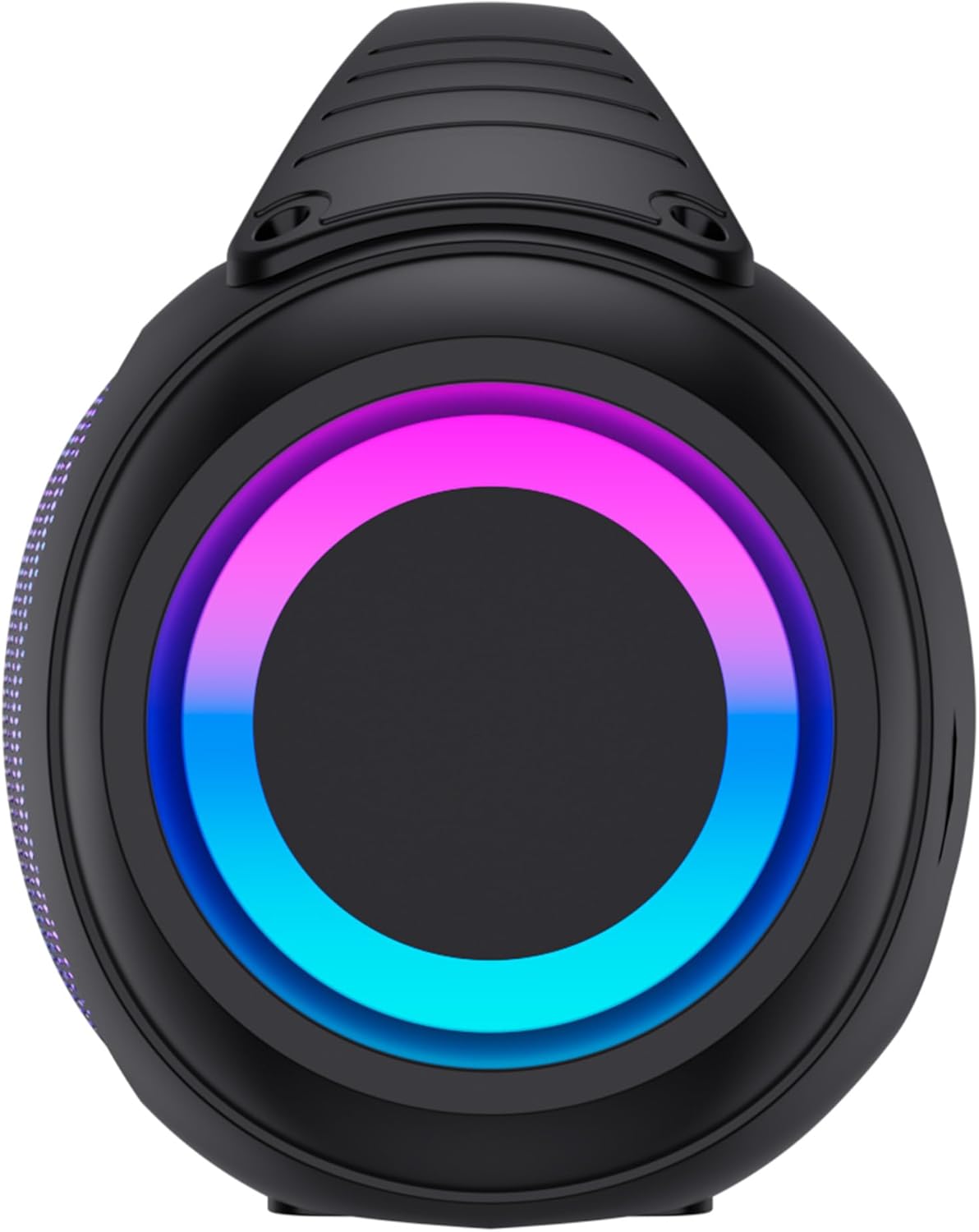
A side view of the Denver BTG-616 speaker, focusing on the circular end panel which features an illuminated LED light ring. This view emphasizes the compact yet powerful design of the speaker.
Control Panel and Ports:
- Power Button: Turns the speaker on/off.
- Mode Button: Switches between Bluetooth, USB, MicroSD, AUX, and FM Radio modes.
- Volume Up/Next Track Button: Increases volume or skips to the next track.
- Volume Down/Previous Track Button: Decreases volume or goes to the previous track.
- Play/Pause Button: Plays or pauses audio.
- LED Light Button: Controls LED lighting effects.
- TF Card Slot: For MicroSD card playback.
- USB Port: For USB drive playback.
- TYPE-C Port: For charging the speaker.
- AUX Input: For connecting external audio devices via a 3.5mm cable.
5. Setup
5.1 Charging the Speaker
- Connect the supplied USB-C charging cable to the TYPE-C port on the speaker.
- Connect the other end of the cable to a USB power adapter (not included) or a computer's USB port.
- The charging indicator will illuminate. Once fully charged, the indicator may change color or turn off.
- A full charge provides up to 4 hours of music playback.
5.2 Powering On/Off
- To power on, press and hold the Power button until the speaker activates.
- To power off, press and hold the Power button again until the speaker shuts down.
6. Operating Instructions
6.1 Bluetooth Mode
- Power on the speaker. It will automatically enter Bluetooth pairing mode, indicated by a flashing LED.
- On your device (smartphone, tablet, etc.), enable Bluetooth and search for available devices.
- Select "BTG-616" from the list of devices.
- Once paired, the speaker will emit a confirmation sound, and the LED will stop flashing.
- You can now play audio from your device through the speaker.
6.2 USB / MicroSD Card Playback
- Insert a USB drive into the USB port or a MicroSD card into the TF card slot.
- The speaker will automatically switch to the corresponding mode and begin playing audio files. If not, press the Mode button to select USB or TF mode.
- Use the Play/Pause, Next Track, and Previous Track buttons to control playback.
6.3 AUX Input Mode
- Connect one end of a 3.5mm audio cable (not included) to the AUX input port on the speaker.
- Connect the other end to the audio output of your external device (e.g., MP3 player, laptop).
- Press the Mode button until the speaker enters AUX mode.
- Control playback and volume from your external device.
6.4 FM Radio Mode
- Press the Mode button repeatedly until the speaker enters FM Radio mode.
- Press and hold the Play/Pause button to automatically scan and save available FM stations.
- Use the Next Track and Previous Track buttons to navigate between saved stations.
6.5 True Wireless Stereo (TWS) Function
The TWS function allows you to pair two BTG-616 speakers together for a stereo sound experience.
- Ensure both BTG-616 speakers are powered on and in Bluetooth mode, but not connected to any other device.
- On one of the speakers (this will be the primary speaker), press and hold the Play/Pause button for a few seconds until you hear a pairing tone.
- The two speakers will automatically connect to each other. Once connected, you will hear a confirmation sound.
- Now, connect your device to the primary speaker via Bluetooth as described in section 6.1.
- Audio will now play in stereo through both speakers.
6.6 LED Light Effects
The speaker features dynamic LED light effects. Press the LED Light button to cycle through different light modes or to turn the lights off.
7. Maintenance
- Cleaning: Use a soft, dry cloth to clean the speaker's exterior. Do not use abrasive cleaners or solvents.
- Storage: When not in use for extended periods, store the speaker in a cool, dry place.
- Battery Care: To prolong battery life, avoid fully discharging the battery frequently. Charge the speaker regularly, even if not in use.
8. Troubleshooting
| Problem | Possible Cause | Solution |
|---|---|---|
| Speaker does not power on. | Battery is depleted. | Charge the speaker using the USB-C cable. |
| No sound. | Volume is too low or muted. Incorrect mode selected. Device not connected. | Increase volume on speaker and connected device. Press Mode button to select correct input. Re-pair Bluetooth device. |
| Bluetooth connection fails. | Speaker is too far from device. Speaker is already connected to another device. Bluetooth is off on your device. | Move speaker closer to device. Disconnect from other devices. Ensure Bluetooth is enabled on your device. Try forgetting and re-pairing. |
| TWS pairing fails. | Speakers are too far apart. One speaker is already connected to a device. | Ensure speakers are within close proximity. Disconnect any Bluetooth devices from both speakers before initiating TWS pairing. |
| USB/MicroSD playback not working. | Incorrect file format. Drive/card not inserted correctly. | Ensure audio files are in a compatible format (e.g., MP3). Re-insert the USB drive or MicroSD card firmly. |
9. Specifications
| Feature | Specification |
|---|---|
| Model Name | BTG-616 |
| Brand | Denver |
| Color | Black |
| Product Dimensions (L x W x H) | 38 x 20 x 15 cm |
| Item Weight | 2.12 Kilograms |
| Maximum Speaker Output Power | 200 Watts (2 x 100W max) |
| Audio Output Mode | Stereo (2.0 Channel) |
| Speaker Type | Portable Speaker |
| Wireless Communication Technology | Bluetooth |
| Connectivity Technology | Bluetooth, AUX, USB, MicroSD |
| Control Method | Tactile (Touch) |
| Power Source | Electric Cable (USB-C for charging) |
| Battery | 2400 mAh (2 non-standard batteries included) |
| Battery Life | Up to 4 hours (approx.) |
| Water Resistance | IPX4 (Splash-proof) |
| Included Components | Speaker, USB-C Charging Cable |
| Compatible Devices | Smartphone, tablet, laptop, desktop computer |
| Recommended Uses | For computer, For smartphone or tablet |
10. Warranty and Support
For warranty information and technical support, please refer to the documentation provided with your purchase or contact your retailer. You may also visit the official Denver website for further assistance.


