
1. Introduction
Thank you for choosing the VEVOR HD-M10X 40W Half Moon Desk Lamp. This manual provides essential information for the safe and efficient operation, setup, and maintenance of your new desk lamp. Please read these instructions thoroughly before use and retain them for future reference.

Figure 1: VEVOR Half Moon Desk Lamp in use, highlighting key features.
2. Safety Instructions
- Ensure the power supply voltage matches the lamp's requirements (110V).
- Do not expose the lamp to water or excessive moisture.
- Avoid disassembling or modifying the lamp. Refer to qualified personnel for repairs.
- Keep the lamp away from heat sources and flammable materials.
- Unplug the lamp from the power outlet before cleaning or when not in use for extended periods.
- Use only the provided adapter.
3. Package Contents
Verify that all items are present in the package:
- 1 x Lamp Body
- 2 x Bases
- 1 x Adapter
- 1 x Remote Control
- 1 x Phone Holder Set (includes 2 small components)
- 1 x User Manual
4. Product Overview
The VEVOR Half Moon Desk Lamp features an arched design for even illumination, minimizing shadows and glare. It includes adjustable brightness and color temperature settings, controlled via an inline switch or a remote. The lamp is foldable for convenient storage and portability.

Figure 2: Overall view of the VEVOR Half Moon Desk Lamp with phone holder.
5. Setup Instructions
Follow these steps to assemble your VEVOR Half Moon Desk Lamp:
- Attach the Bases: Securely screw the two bases onto each end of the lamp body. Ensure they are tightened for stability.
- Install the Phone Holder: Attach the phone holder components to the designated mounting point on the top center of the lamp body.
- Connect Power: Plug the adapter into the lamp's power input, then connect the adapter to a standard 110V wall outlet.

Figure 3: Step-by-step installation guide for the lamp bases and power connection.
6. Operating Instructions
Your VEVOR Half Moon Desk Lamp offers flexible control options:
6.1 Power On/Off
- Using Inline Control: Press the red power button on the inline control unit attached to the power cord.
- Using Remote Control: Press the power button (⏻) on the remote control.
6.2 Adjusting Brightness
The lamp features stepless brightness control (0-100%).
- Using Inline Control: Use the '+' and '-' buttons on the inline control unit to increase or decrease brightness.
- Using Remote Control: Use the '+' and '-' buttons on the remote control to adjust brightness.
6.3 Adjusting Color Temperature
The lamp offers a color temperature range from 3200K (warm light) to 5600K (cool light).
- Using Inline Control: Press the 'W/Y' button on the inline control unit to cycle through warm and cool light settings.
- Using Remote Control: Use the '5600K' button for cool white light and '3200K' button for warm yellow light.
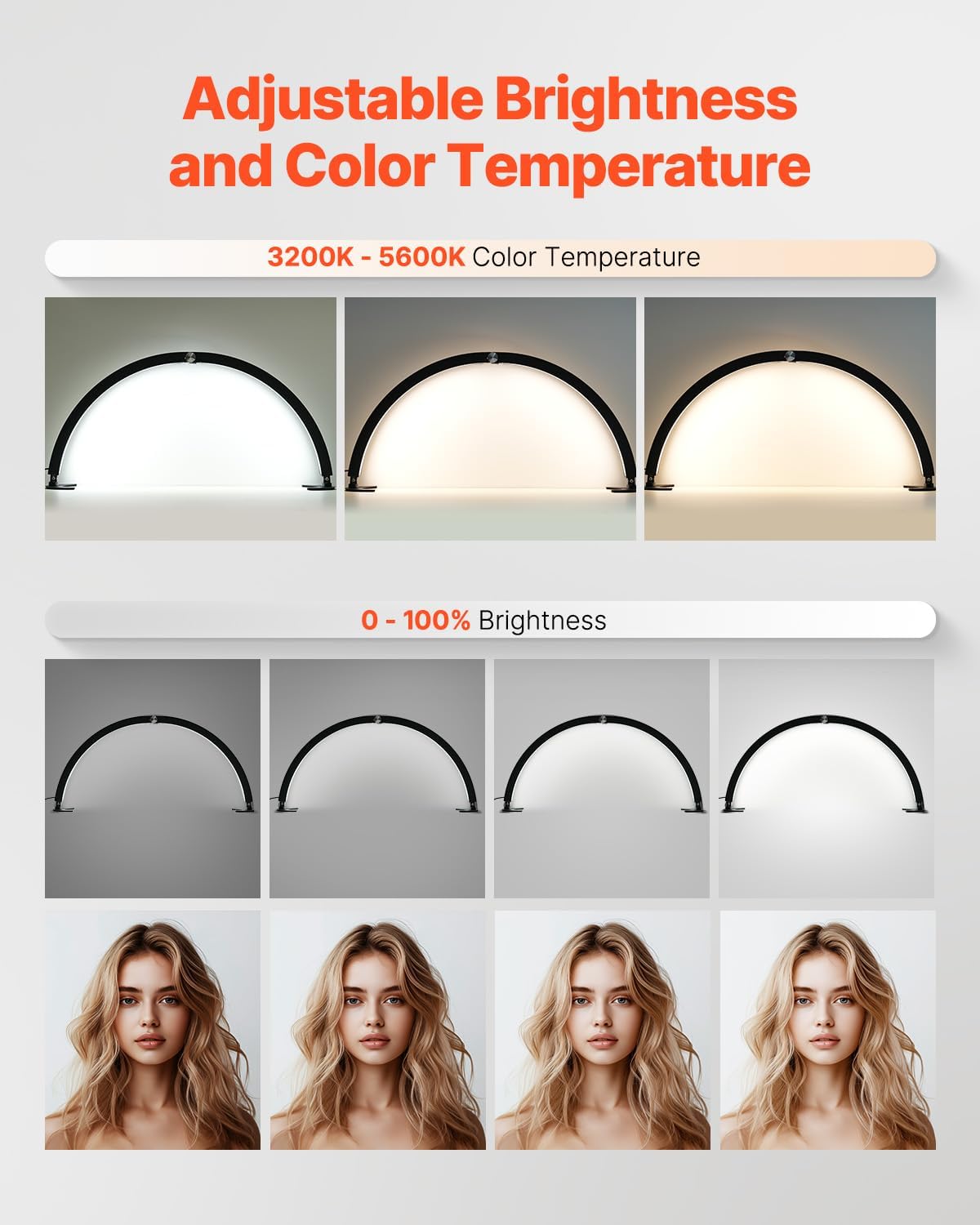
Figure 4: Two-way control options: inline buttons and remote control.

Figure 5: Demonstrating the adjustable brightness and color temperature features.
6.4 Foldable Design
The lamp is designed to fold for easy storage and transport. Gently fold the arched body inwards until the two halves meet. The bases can also be adjusted to lie flat.

Figure 6: The lamp's foldable design for compact storage.
7. Maintenance
- Cleaning: Wipe the lamp body and bases with a soft, dry cloth. Do not use abrasive cleaners or solvents.
- Storage: When not in use, fold the lamp to its compact size and store it in a dry, cool place away from direct sunlight.
8. Troubleshooting
| Problem | Possible Cause | Solution |
|---|---|---|
| Lamp does not turn on. | No power supply. | Check if the power adapter is securely plugged into the lamp and the wall outlet. Ensure the outlet is functional. |
| Brightness/Color Temperature cannot be adjusted. | Remote battery low or signal obstruction. | Replace remote battery. Ensure no obstructions between remote and lamp. Try using the inline control buttons. |
| Lamp is unstable. | Bases not properly secured. | Ensure both bases are tightly screwed onto the lamp body. Place on a flat, stable surface. |
9. Specifications
| Feature | Detail |
|---|---|
| Model Number | HD-M10X |
| Product Dimensions | 5.91"D x 28.94"W x 14.37"H |
| Item Weight | 2.76 Pounds (1.25 kg) |
| Lamp Type | Desk Lamp |
| Material | Iron |
| Color | Black |
| Switch Type | Remote / Inline Button Control |
| Number of Light Sources | 1 |
| Wattage | 40 watts |
| Voltage | 110 Volts |
| Color Temperature Range | 3200K - 5600K |
| UPC | 197988123996 |

Figure 7: Product dimensions and key specifications.
10. Warranty and Support
Warranty Description: None.
For further assistance or inquiries, please contact VEVOR customer support through their official channels.