
Stealth Cam STC-FXWTX2
Stealth Cam Fusion Max 2.0 Cellular Trail Camera User Manual
Model: STC-FXWTX2
Introduction
The Stealth Cam Fusion Max 2.0 is a high-performance cellular trail camera designed for capturing clear, high-definition imagery and footage of wildlife. Featuring 36MP photo resolution and 1440p video recording, it offers advanced PIR detection, a rapid trigger speed, and cellular connectivity for remote monitoring. This manual provides essential information for setting up, operating, maintaining, and troubleshooting your Fusion Max 2.0 camera to ensure optimal performance in various outdoor environments.

Front view of the Stealth Cam Fusion Max 2.0 Cellular Trail Camera, showcasing its camouflage design and main lens.
Setup Guide
Follow these steps to prepare your Fusion Max 2.0 camera for use.
- Battery Installation: Open the camera housing. The Fusion Max 2.0 operates on a 16-piece battery tray. Insert 16 AA batteries. Ensure correct polarity as indicated inside the battery compartment.
- SD Card Installation: Locate the SD card slot. Insert a compatible SD card. Ensure the card is inserted correctly until it clicks into place.
- SIM Card Installation: As a cellular trail camera, it requires a SIM card for network connectivity. Insert the activated SIM card into the designated slot. The camera features dual carrier auto-connect for reliable performance.
- Power On: Close the camera housing securely. Turn the camera on using the power switch.
- App Setup (Command PRO App): Download and install the Command PRO App on your smartphone. Follow the in-app instructions to register your camera and establish a connection. This app enables remote control and access to photos and videos.
- Mounting: Utilize the integrated multi-position mount or the ¼-20 threaded insert for flexible mounting options. For enhanced security, use the python cable provision. Position the camera to capture the desired area, ensuring a clear line of sight for cellular signal.
- External Power (Optional): For extended usage, connect an external 12V DC power pack to the auxiliary jack.

Internal view of the camera, showing the battery tray and connection status indicators for easy setup and troubleshooting.
Operating Instructions
Understand the key features and how to operate your Fusion Max 2.0 camera.
- Photo and Video Capture: The camera captures 36MP photos (selectable between 4MP, 8MP, 16MP, and 36MP) and 1440p video. You can configure these settings via the Command PRO App.
- Burst Mode: Utilize the 1-6 photo burst mode to capture multiple images in quick succession when motion is detected.
- Trigger Speed: The camera boasts a quick 0.4-second trigger speed, ensuring fast-moving subjects are captured with precision.
- Detection and Flash Range: With a 100ft detection and flash range, the camera provides optimal coverage in various environments, including low-light conditions.
- Time-Out Delays: Customize time-out delays from 2-59 seconds or 1-59 minutes to control the interval between captures.
- Remote Control (Command PRO App): The Command PRO App allows for photo and video on demand, enabling you to request and view media remotely. It also offers seamless remote control over camera settings.
- Built-in GPS: The integrated GPS feature enables accurate location tracking of your camera, useful for deployment and recovery.
- Dual Carrier Auto-Connect: This feature ensures reliable cellular performance by automatically connecting to the best available network (Verizon and AT&T compatible).
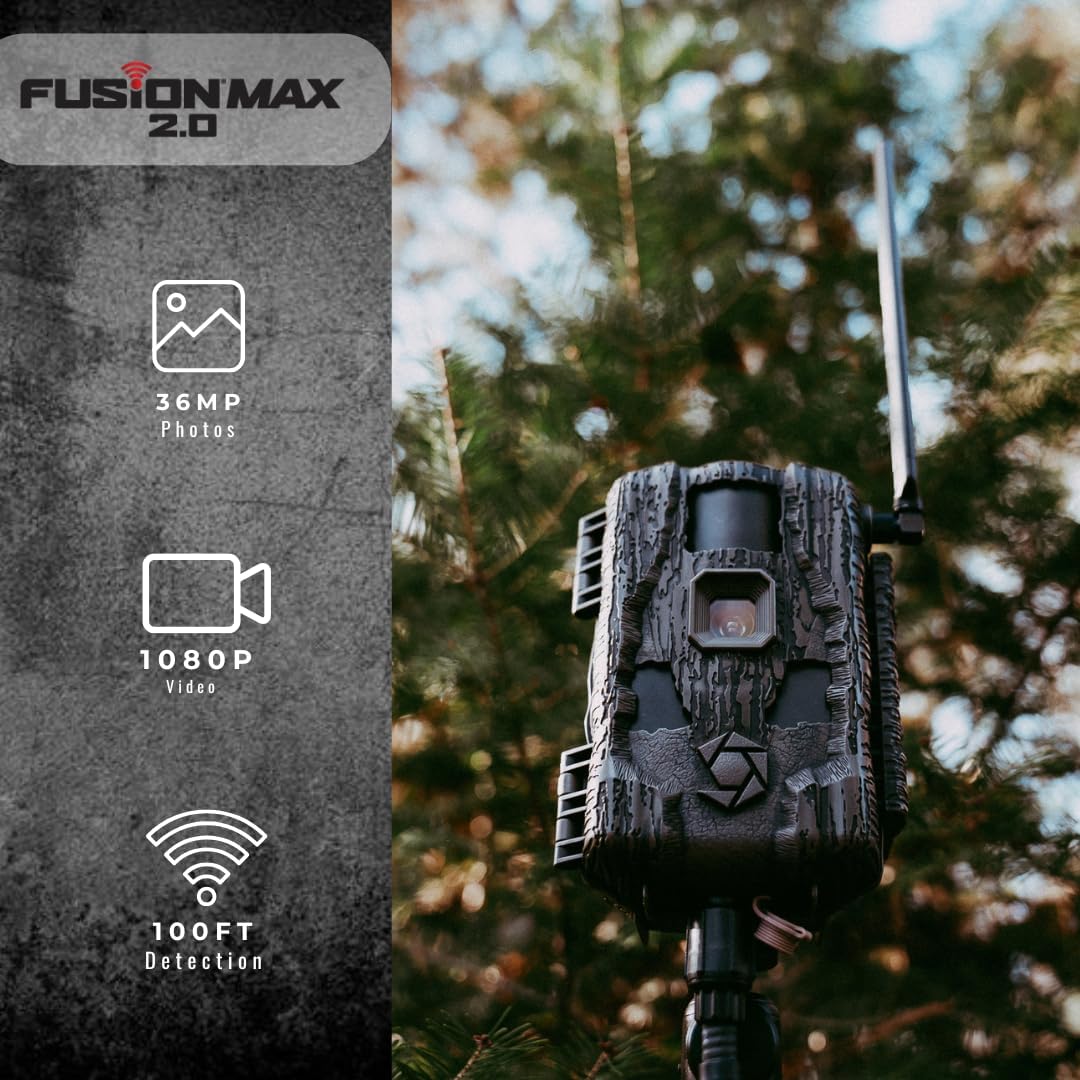
Key features of the Fusion Max 2.0, including high-resolution imaging and extensive detection range.

Connectivity and performance highlights, including network compatibility and rapid trigger speed.
Maintenance
Proper maintenance ensures the longevity and optimal performance of your trail camera.
- Battery Replacement: Regularly check battery levels via the Command PRO App or the camera's status indicators. Replace all 16 AA batteries when low to prevent interruption of service.
- SD Card Management: Periodically check the remaining storage on your SD card. Format the SD card regularly (e.g., monthly or quarterly) to maintain optimal performance and prevent data corruption. Back up important media before formatting.
- Cleaning: Gently wipe the camera lens and PIR sensor window with a soft, lint-free cloth to remove dirt, dust, or smudges. Ensure the housing is free of debris, especially around the seals, to maintain its weather-proof integrity.
- Storage: When not in use for extended periods, remove batteries and the SD card. Store the camera in a cool, dry place away from direct sunlight and extreme temperatures.
Troubleshooting
Refer to these common issues and their solutions.
| Problem | Possible Cause / Status Code | Solution |
|---|---|---|
| No Connection / Connection Error | Weak Signal, No Active Data Plan | Relocate the camera to an area with better cellular signal. Verify your data plan is active with your cellular provider. Ensure the SIM card is correctly inserted. |
| Camera Not Recording | SD Card Error, Full SD Card | Check if the SD card is properly inserted. Try reformatting the SD card (after backing up data). Replace the SD card if it's faulty. Ensure the SD card is not full. |
| Camera Not Powering On | Low Battery | Replace all batteries with fresh, high-quality AA batteries. Ensure correct battery polarity. Check if an external 12V DC power source is properly connected and functional. |
| Poor Image/Video Quality | Dirty Lens/Sensor, Incorrect Settings | Clean the camera lens and PIR sensor window. Adjust photo and video resolution settings via the Command PRO App to higher quality options. |
For further assistance, consult the Command PRO App or visit the Stealth Cam support website.
Specifications
| Feature | Detail |
|---|---|
| Model Name | Fusion Max 2.0 |
| Model Number | STC-FXWTX2 |
| Photo Resolution | 36MP (selectable: 4MP, 8MP, 16MP, 36MP) |
| Video Resolution | 1440p |
| Trigger Speed | 0.4 seconds |
| Detection & Flash Range | 100 feet |
| Internal Memory | 16GB |
| Power Source | 16-piece battery tray (AA batteries), 12V DC auxiliary jack |
| Connectivity | Cellular (Dual Carrier Auto-Connect, AT&T and Verizon compatible), Wireless |
| Controller Type | App Controlled (Command PRO App) |
| Special Features | HD Resolution, Motion Sensor, Night Vision, Weather Proof, Built-in GPS |
| Dimensions (L x W x H) | 7.48 x 5.51 x 3.15 inches |
| Weight | 1.38 pounds |
Warranty and Support
For warranty information, technical support, or service inquiries regarding your Stealth Cam Fusion Max 2.0 Cellular Trail Camera, please visit the official Stealth Cam website or contact their customer service department. Keep your purchase receipt as proof of purchase for any warranty claims.
Additional protection plans may be available for purchase separately to extend coverage beyond the standard manufacturer's warranty.
Stealth Cam Official Website: www.stealthcam.com
Related documentsSTC-FXWTX2


Ask a question about this manual
Ask about setup, troubleshooting, compatibility, parts, safety, or missing instructions. Manuals+ will review the question and use this page’s manual context to help answer it.