
Introduction
This manual provides detailed instructions for the installation and use of the Just Hanging Pegboards Wall Mounting Hardware. This product is designed to securely mount your pegboard, specifically compatible with IKEA SKADIS pegboards, without the need for drilling holes into your walls. It utilizes Command Strips for a strong, temporary hold, making it ideal for renters or those who prefer a non-permanent installation.
Each mount features brass metal threads for secure attachment to your pegboard and an incorporated bump for even weight distribution during installation. A set of four mounts can support a vertical load of up to 16 lbs.
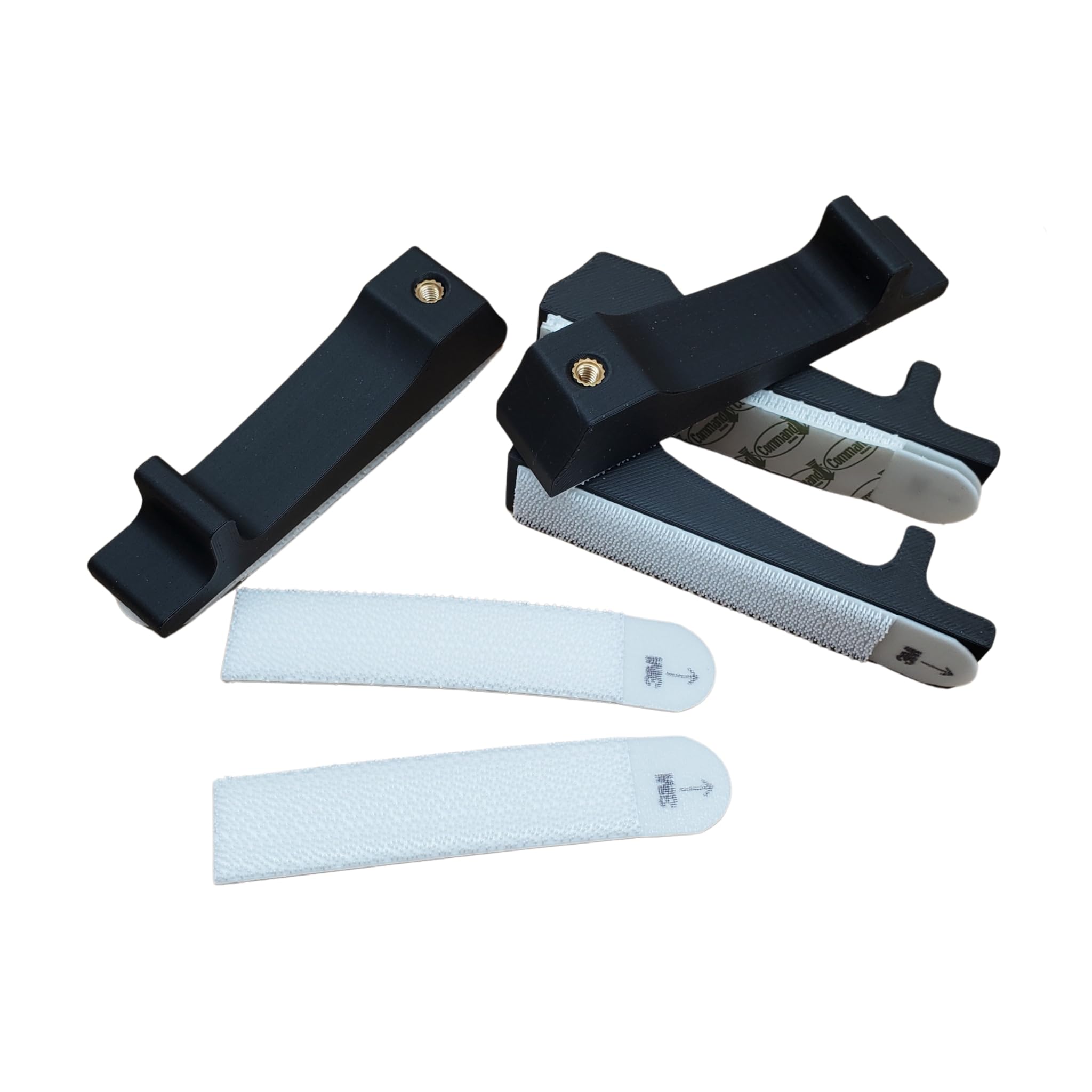
Image: The Just Hanging Pegboards mounting hardware, highlighting its key features: metal threads for secure mounting, an incorporated bump for installation, and the large Command Strip capable of holding 16 lbs with four mounts.
Package Contents
Please verify that all components are present in your package:
- 4 x Just Hanging Pegboards Mounting Brackets
- 4 x Sets of Large Command Strips (pre-attached to brackets)
Note: Pegboard screws are not included. This hardware is designed to be used with the original screws provided with your IKEA SKADIS pegboard.
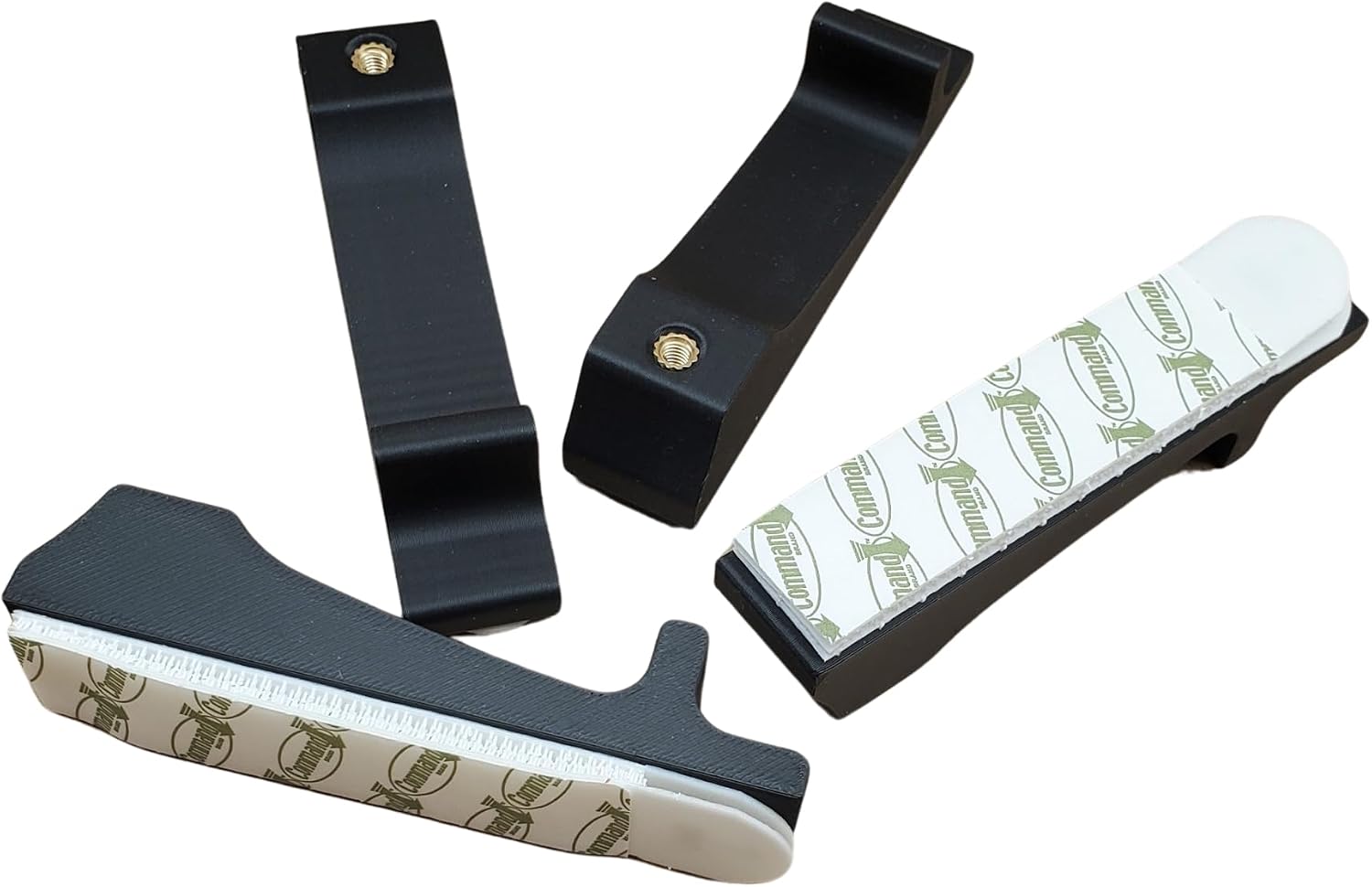
Image: A view of the four mounting brackets, each with a Command Strip attached, as they appear in the package.
Setup and Installation
Follow these steps carefully for proper installation of your pegboard mounting hardware:
- Prepare the Surface: Clean the wall surface where you intend to mount your pegboard. Ensure it is free of dust, dirt, and debris. Allow the surface to dry completely before proceeding.
- Attach Hardware to Pegboard: Install the mounting brackets onto your pegboard using the original screws that came with your IKEA SKADIS pegboard. We recommend placing one bracket at each of the four corners of the pegboard. Angle the hardware towards the center of the pegboard, ensuring the Command Strips remain vertical. Tighten the screws securely.

Image: Multiple mounting brackets are shown attached to the back of a pegboard, demonstrating their placement and the visible Command Strips.
- Prepare Command Strips: Once the brackets are securely attached to the pegboard, remove the four adhesive protectors from the Command Strips on each bracket.
- Mount Pegboard to Wall: Carefully position the pegboard against the desired location on the wall. Press the pegboard firmly onto the wall.
- Secure Adhesion: Push firmly on each of the four corners of the pegboard for a full 1 minute to ensure strong adhesion of the Command Strips to the wall.

Image: A side profile of a pegboard mounted to a wall, showing the discreet placement and function of the mounting hardware.
Operating Instructions
Once your pegboard is securely mounted, you can begin organizing your items. Ensure that the total weight of items placed on the pegboard does not exceed the recommended vertical load capacity of 16 lbs for a set of four mounts. Distribute weight evenly across the pegboard to maintain stability and prevent undue stress on the mounting points.
Maintenance
The mounting hardware requires minimal maintenance. Periodically check the adhesion of the Command Strips to the wall, especially if the pegboard is heavily loaded. To clean the hardware, wipe with a dry or slightly damp cloth. Avoid using harsh chemicals or abrasive cleaners, as these may damage the material or affect the adhesion of the Command Strips.
Troubleshooting
- Pegboard detaches from wall:
- Ensure the wall surface was thoroughly cleaned and dry before installation.
- Verify that sufficient pressure was applied to each corner for the recommended 1 minute during installation.
- Check that the total weight on the pegboard does not exceed 16 lbs.
- If re-mounting, use new Command Strips for optimal adhesion.
- Command Strips not included in package:
- While the product description states Command Strips are included, manufacturing or packaging errors can occur. Please contact the seller or manufacturer for assistance.
Specifications
| Color | Matte Black |
| Brand | Generic |
| Material | Brass |
| Item Dimensions (L x W x H) | 5 x 4 x 1 inches |
| Item Weight | 1.6 ounces |
| Model Number | 4PK-CS |
| Included Components | 4 Command Strip Sets, 4 Mounting Brackets |
| Mounting Type | Wall Mount (Adhesive) |
Warranty and Support
For any questions, concerns, or support regarding your Just Hanging Pegboards Wall Mounting Hardware, please contact the manufacturer, Lignum And Light, LLC, through your original point of purchase. Specific warranty details are not provided in this manual; please refer to the product listing or contact the manufacturer directly for warranty information.


