
1. Safety Instructions
Read all instructions carefully before installation and operation. Failure to follow these instructions may result in injury or damage to the product.
- Ensure the power supply is disconnected before any installation, maintenance, or repair work.
- This device operates on 24V DC. Do not connect directly to AC mains without a suitable DC converter.
- Keep hands and loose clothing clear of moving parts during operation.
- Do not allow children to operate the device or play near it.
- Install the actuator securely to prevent accidental detachment.
- Ensure the installation area is free from obstructions that could impede the actuator's movement.
- If any unusual noise, smell, or malfunction occurs, immediately disconnect power and contact support.
2. Product Overview
The ZKLGS 24V Smart Sliding Gate Motor / Window Opener Actuator is designed for automatic opening and closing of windows, skylights, greenhouses, or light sliding gates. It features a durable chain mechanism and can be integrated with smart home systems like Tuya Smartlife.
Key Features:
- Unidirectional Chain Movement: The chain extends when opening and retracts fully into the opener when closing.
- Double-Layer Chain: Enhanced durability and resistance to breakage.
- Overload Protection: Designed for longevity, capable of 20,000 open/close cycles.
- Strong Performance: Locking force of 2000N, with a push/pull force of 450N.
- Wide Operating Temperature: Functions reliably between 20°C and 75°C.
- Versatile Application: Suitable for various window types, skylights, and greenhouses.
- Operating Speed: 9mm/s.
- Smart Home Integration: Compatible with Tuya Smartlife via a WiFi switch (sold separately or as part of a kit).

Image 1: The ZKLGS 24V Smart Actuator mechanism, shown with a remote control and a wall-mounted switch for operation.
3. Setup and Installation
Proper installation is crucial for the safe and effective operation of the actuator. Consult a qualified professional if you are unsure about any steps.
3.1 Components Check:
Before starting, ensure all components are present and undamaged:
- Actuator unit
- Mounting brackets and screws
- Remote control (if included in kit)
- DC receiver/switch (for 100-240V to 24V DC conversion, if included)
- WiFi switch (for Tuya Smartlife integration, if included)
3.2 Mounting the Actuator:
- Identify the optimal mounting location on your window frame, skylight, or gate. Ensure the actuator's chain can extend and retract freely without obstruction.
- Attach the mounting brackets to the actuator unit using the provided screws.
- Securely fasten the actuator unit, with brackets, to the chosen surface. Use appropriate fasteners for the material (wood, metal, etc.).
- Connect the end of the actuator chain to the moving part of the window/gate. Ensure a firm and stable connection.
3.3 Wiring:
The actuator requires a 24V DC power supply.
- If using a DC receiver/switch or WiFi switch, connect the 100-240V AC mains to the input terminals of the switch/receiver.
- Connect the 24V DC output from the receiver/switch to the actuator's power input terminals. Observe correct polarity (+ and -).
- Ensure all connections are secure and insulated to prevent short circuits.
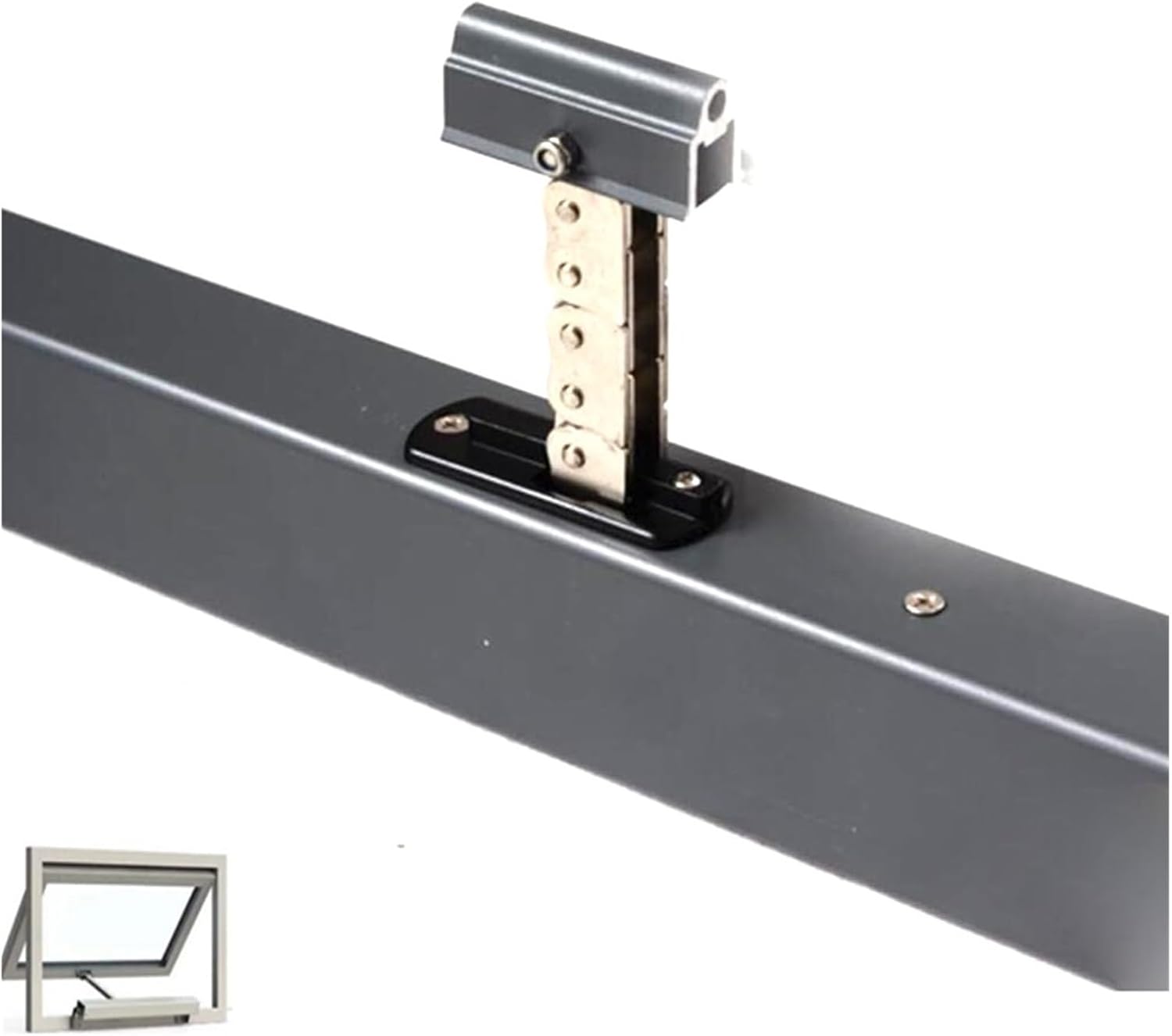
Image 2: A close-up view of the ZKLGS 24V Smart Actuator's chain mechanism, illustrating its robust design.
4. Operating Instructions
Once installed and powered, the actuator can be operated using the provided remote control, wall switch, or via the Tuya Smartlife app if a WiFi switch is connected.
4.1 Remote Control / Wall Switch Operation:
- Open Button: Press to extend the chain and open the window/gate.
- Close Button: Press to retract the chain and close the window/gate.
- Stop Button: Press to halt the actuator's movement at any point.
4.2 Tuya Smartlife App Operation (with WiFi Switch):
- Download the Tuya Smartlife app from your device's app store.
- Register or log in to your Tuya Smartlife account.
- Add the WiFi switch device to the app by following the in-app instructions (usually involves putting the switch into pairing mode).
- Once added, you can control the actuator (open, close, stop) directly from the app.
- The app may also allow for scheduling, voice control integration (e.g., with Alexa or Google Assistant), and status monitoring.
5. Maintenance
Regular maintenance ensures optimal performance and extends the lifespan of your actuator.
- Cleaning: Periodically clean the actuator housing and chain mechanism with a soft, dry cloth. Avoid using abrasive cleaners or solvents.
- Lubrication: Lightly lubricate the chain and moving parts with a suitable lubricant (e.g., silicone spray) every 6-12 months, or as needed, to ensure smooth operation.
- Connection Check: Annually inspect all electrical connections for tightness and signs of wear or corrosion.
- Mounting Check: Verify that the actuator and its mounting brackets remain securely fastened. Tighten any loose screws.
- Obstruction Check: Regularly check the path of the window/gate for any new obstructions that could interfere with the actuator's movement.
6. Troubleshooting
If you encounter issues with your ZKLGS actuator, refer to the following common problems and solutions:
| Problem | Possible Cause | Solution |
|---|---|---|
| Actuator does not respond | No power supply Remote control battery low/dead Wiring issue Actuator overload protection triggered | Check power connection and source Replace remote control batteries Inspect wiring for loose connections or damage Disconnect power for 5 minutes, then reconnect |
| Actuator moves slowly or with difficulty | Friction in window/gate mechanism Chain needs lubrication Low voltage | Check window/gate for obstructions or stiffness Lubricate the chain and moving parts Verify 24V DC power supply is stable |
| Actuator stops mid-movement | Obstruction detected Overload protection triggered | Remove any obstructions Disconnect power for 5 minutes, then reconnect. Reduce load if possible. |
| Remote control not working | Battery dead Out of range Not paired | Replace battery Move closer to the receiver Refer to receiver/switch manual for pairing instructions |
| Tuya Smartlife app not controlling actuator | WiFi switch not connected to network WiFi switch not paired with app Internet connectivity issues | Check WiFi switch status indicator Re-pair WiFi switch with Tuya Smartlife app Verify home internet connection |
If the problem persists after trying these solutions, please contact ZKLGS customer support or your retailer.
7. Specifications
| Feature | Specification |
|---|---|
| Brand | ZKLGS |
| Model | Kit7 200mm |
| Model Number | 1005003535375057 |
| Power Input | 24V DC |
| Locking Force | 2000N |
| Push/Pull Force | 450N |
| Operating Temperature | 20°C to 75°C |
| Operating Speed | 9mm/s |
| Package Dimensions | 2.54 x 2.54 x 2.54 cm |
| Package Weight | 2.8 kg |
| ASIN | B0DVQ1C259 |
8. Warranty and Support
For warranty information, please refer to the documentation provided with your purchase or contact your retailer directly. ZKLGS is committed to providing quality products and customer satisfaction.
If you require technical assistance or have questions not covered in this manual, please reach out to ZKLGS customer support through the contact information provided at the point of purchase or on the official ZKLGS website.