
HBCMWG16S2WS11
User Manual: 1.6 Cu ft Sensor Cook Countertop Microwave Oven
Model: HBCMWG16S2WS11
Brand: Generic
1. Introduction
Thank you for purchasing the Generic 1.6 Cu ft Sensor Cook Countertop Microwave Oven. This manual provides important information for the proper installation, operation, and maintenance of your new appliance. Please read this manual thoroughly before using the microwave oven and keep it for future reference.
This microwave oven is designed for household use and offers convenient features such as sensor cooking, a digital LED display, and a large glass turntable for efficient and even cooking.
2. Important Safety Instructions
When using electrical appliances, basic safety precautions should be followed, including the following:
- Read all instructions before using the appliance.
- Do not operate the oven if it has a damaged cord or plug, if it is not working properly, or if it has been damaged or dropped.
- Do not attempt to service or repair the oven yourself. Contact qualified service personnel for examination, repair, or adjustment.
- To reduce the risk of fire in the oven cavity:
- Do not overcook food.
- Remove wire twist-ties from paper or plastic bags before placing bag in oven.
- If materials inside the oven should ignite, keep oven door closed, turn oven off, and disconnect the power cord, or shut off power at the fuse or circuit breaker panel.
- Do not heat liquids or other foods in sealed containers since they are liable to explode.
- Do not use corrosive chemicals or vapors in this appliance.
- This appliance is designed for heating food. It is not designed for industrial or laboratory use.
- Always ensure the glass turntable and turntable support are correctly positioned before operation.
3. Package Contents
Please check the contents of the package to ensure all items are present and undamaged:
- Microwave Oven Unit
- Glass Turntable
- Turntable Ring Assembly
- Instruction Manual (this document)
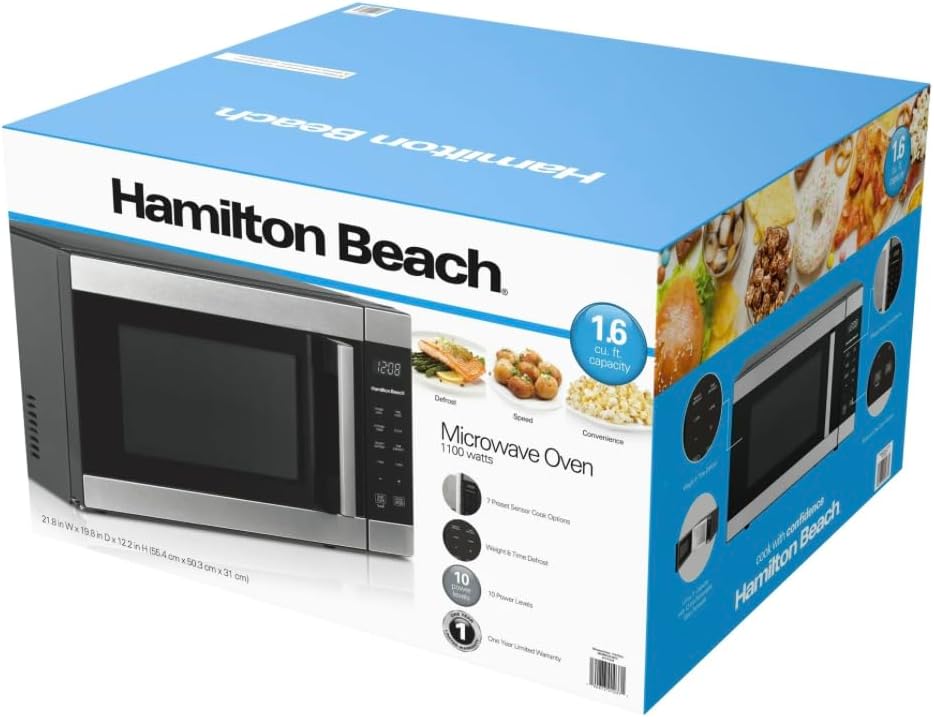
Image: The microwave oven as packaged in its retail box, showing the product and key features on the packaging.
4. Setup and Installation
- Unpacking: Carefully remove the microwave oven and all packing materials from the carton.
- Placement: Place the microwave oven on a flat, stable surface. Ensure there is adequate ventilation space around the unit (at least 4 inches on top, sides, and back). Do not block air vents.
- Power Connection: Plug the power cord into a grounded electrical outlet. Ensure the voltage matches the specifications of the microwave oven (120 Volts AC).
- Turntable Assembly: Place the turntable ring assembly in the center of the oven cavity. Then, place the glass turntable securely on top of the ring assembly.

Image: Front view of the 1.6 Cu ft Sensor Cook Countertop Microwave Oven, showing the door and control panel.
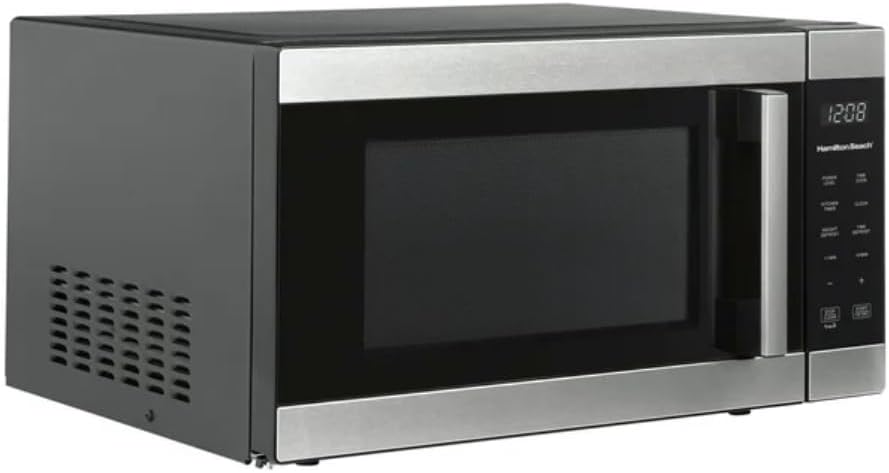
Image: Side view of the microwave oven, highlighting the ventilation grilles.
5. Operating Instructions
5.1 Control Panel Overview
The control panel features an LED display and various buttons for setting cooking times, power levels, and special functions.
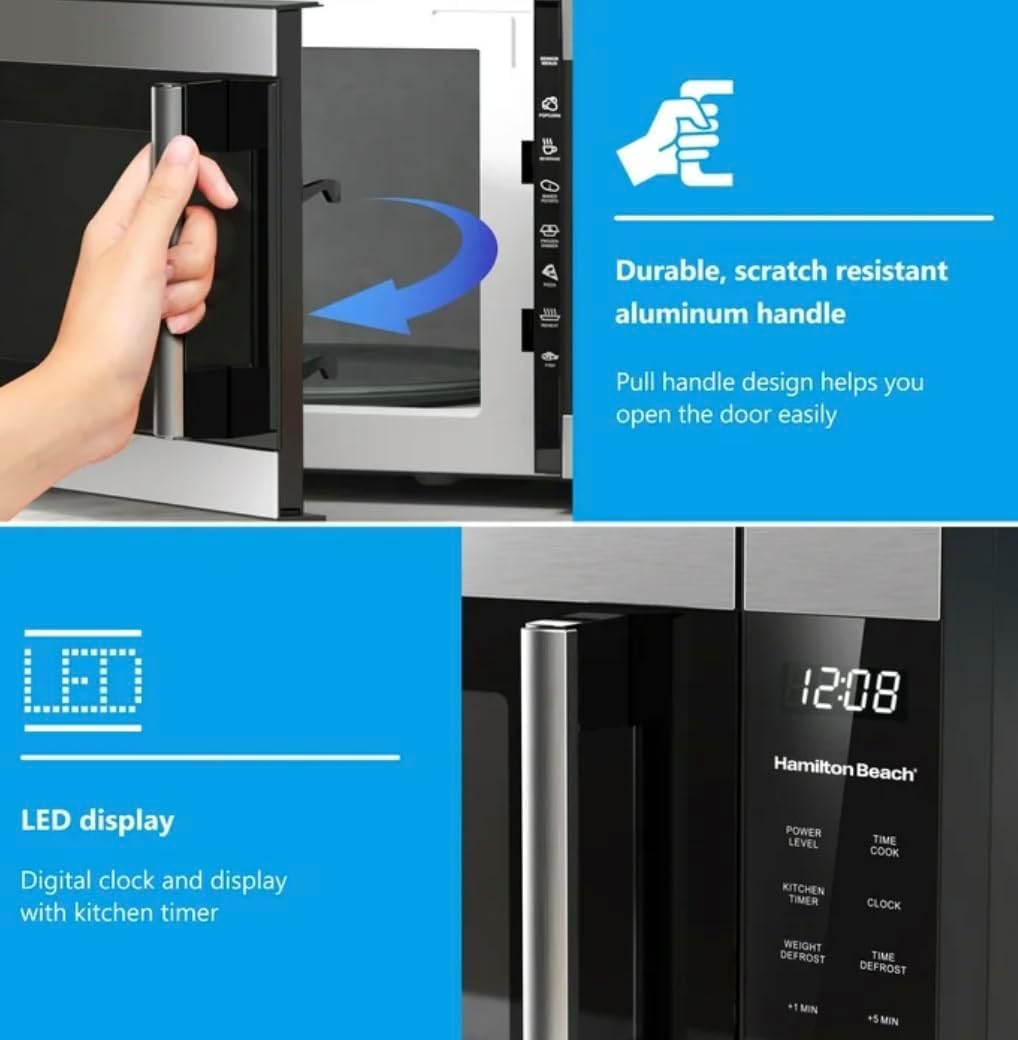
Image: Detailed view of the microwave's control panel, showing the digital LED display and various function buttons.
5.2 Setting the Clock
- Press the "CLOCK" button.
- Use the number pad to enter the current time.
- Press "CLOCK" again to confirm.
5.3 Microwave Cooking
- Place food in a microwave-safe container on the glass turntable.
- Close the oven door securely.
- For Quick Start: Press the "+30 SEC" button for 30 seconds of cooking at full power. Press repeatedly to add more time.
- For Manual Cooking:
- Press "TIME COOK".
- Enter desired cooking time using the number pad.
- Press "POWER LEVEL" and then enter the desired power level (1-10, 10 being 100%).
- Press "START/+30 SEC" to begin cooking.
5.4 Sensor Cook Options
This microwave features 7 preset sensor cook options for common foods. The sensor automatically adjusts cooking time based on humidity levels.
- Potatoes
- Popcorn
- Pizza
- Beverage
- Frozen Dinner
- Reheat
- Fresh Vegetable
To use: Press the corresponding sensor cook button (e.g., "POTATO"), then press "START/+30 SEC".
5.5 Defrosting
The microwave offers both Time Defrost and Weight Defrost functions.
- Weight Defrost: Press "WEIGHT DEFROST", enter the weight of the food in pounds (e.g., 1.0 for 1 lb), then press "START/+30 SEC".
- Time Defrost: Press "TIME DEFROST", enter the desired defrosting time, then press "START/+30 SEC".

Image: The interior of the microwave oven with the door open, showing the glass turntable and the oven cavity.
6. Maintenance and Cleaning
Regular cleaning and maintenance will help prolong the life of your microwave oven.
- Interior Cleaning: Wipe the interior cavity with a damp cloth after each use. For stubborn stains, use a mild detergent. Do not use abrasive cleaners or scouring pads.
- Exterior Cleaning: Clean the exterior surfaces with a soft, damp cloth. For stainless steel surfaces, use a stainless steel cleaner.
- Turntable and Ring: The glass turntable and turntable ring can be removed and washed in warm, soapy water or in the dishwasher. Ensure they are completely dry before placing them back in the oven.
- Door Seal: Keep the door seal clean to ensure proper closure and efficient operation.
- Odor Removal: To remove odors, combine 1 cup of water with several lemon slices or 2 tablespoons of white vinegar in a microwave-safe bowl. Heat on high for 5 minutes, then let stand in the oven for 10-15 minutes before wiping clean.
7. Troubleshooting
| Problem | Possible Cause | Solution |
|---|---|---|
| Oven will not start | Power cord not plugged in; Door not closed properly; Fuse blown or circuit breaker tripped. | Ensure plug is securely in outlet; Close door firmly; Check household fuse/circuit breaker. |
| Food not cooking evenly | Food not stirred or turned; Turntable not rotating; Incorrect power level/time. | Stir or turn food during cooking; Check turntable assembly; Adjust power level and time. |
| Light not working | Bulb burned out. | Contact qualified service personnel for bulb replacement. |
| Oven smells or smokes | Food residue inside; Overcooked food. | Clean oven interior thoroughly; Reduce cooking time. If smoke persists, unplug immediately. |
If the problem persists after trying these solutions, please contact customer support.
8. Specifications
- Model: HBCMWG16S2WS11
- Capacity: 1.6 Cubic Feet
- Power Output: 1100 Watts
- Voltage: 120 Volts (AC)
- Frequency: 60 Hz
- Dimensions (L x W x H): 21.8 in x 19.8 in x 12.2 in (55.37 cm x 50.29 cm x 30.99 cm)
- Item Weight: 42 Pounds (19.05 kg)
- Material: Stainless Steel (Exterior and Interior)
- Control Type: Digital Touch
- Special Features: Sensor Cook, LED Display, Kitchen Timer, Auto Defrost
9. Warranty and Support
This product comes with a limited manufacturer's warranty. Please refer to the warranty card included with your purchase for specific terms and conditions.
For technical support, service, or warranty claims, please contact the retailer or manufacturer's customer service department. Keep your proof of purchase for warranty validation.
no relevant documents