
1. Introduction
The Merkury Innovations Smart Tracker Tag is a compact Bluetooth device designed to help you locate your personal belongings. Utilizing the Apple Find My network, this tracker allows you to pinpoint the location of items such as keys, wallets, luggage, and even pets, directly from your Apple device. It features an audible alarm and provides proximity alerts to prevent loss.
This manual provides essential information for setting up, operating, and maintaining your Smart Tracker Tag.
2. Package Contents
- Merkury Innovations Smart Tracker Tag (2 units)
- Keychain attachments (2 units)

The Merkury Innovations Smart Tracker Tags, shown here with their included keychains, are designed to integrate seamlessly with the Apple Find My network, as illustrated by the smartphone interface.
3. Setup
Before beginning, ensure your Apple device (iPhone, iPad, or Mac) has Bluetooth enabled and is running the latest iOS/iPadOS/macOS version.
- Activate the Tracker: Locate the battery pull tab on the side of the Smart Tracker Tag. Carefully pull and remove this tab to activate the device. The tracker will emit a sound indicating it is ready for pairing.
- Open Find My App: On your Apple device, open the 'Find My' application.
- Add New Item: Navigate to the 'Items' tab in the Find My app. Tap the '+' icon, then select 'Add Other Item'.
- Pairing: Your Apple device will begin searching for nearby compatible items. When the Merkury Innovations Smart Tracker Tag appears in the list, select it to connect. Follow the on-screen prompts to name your tracker and assign an emoji.
- Completion: Once paired, the tracker will appear in your 'Items' list within the Find My app. You can now use the app to locate your item.
Important: It is recommended to read these instructions thoroughly before activating the device, as the pairing process typically needs to be completed within a few minutes of battery activation.
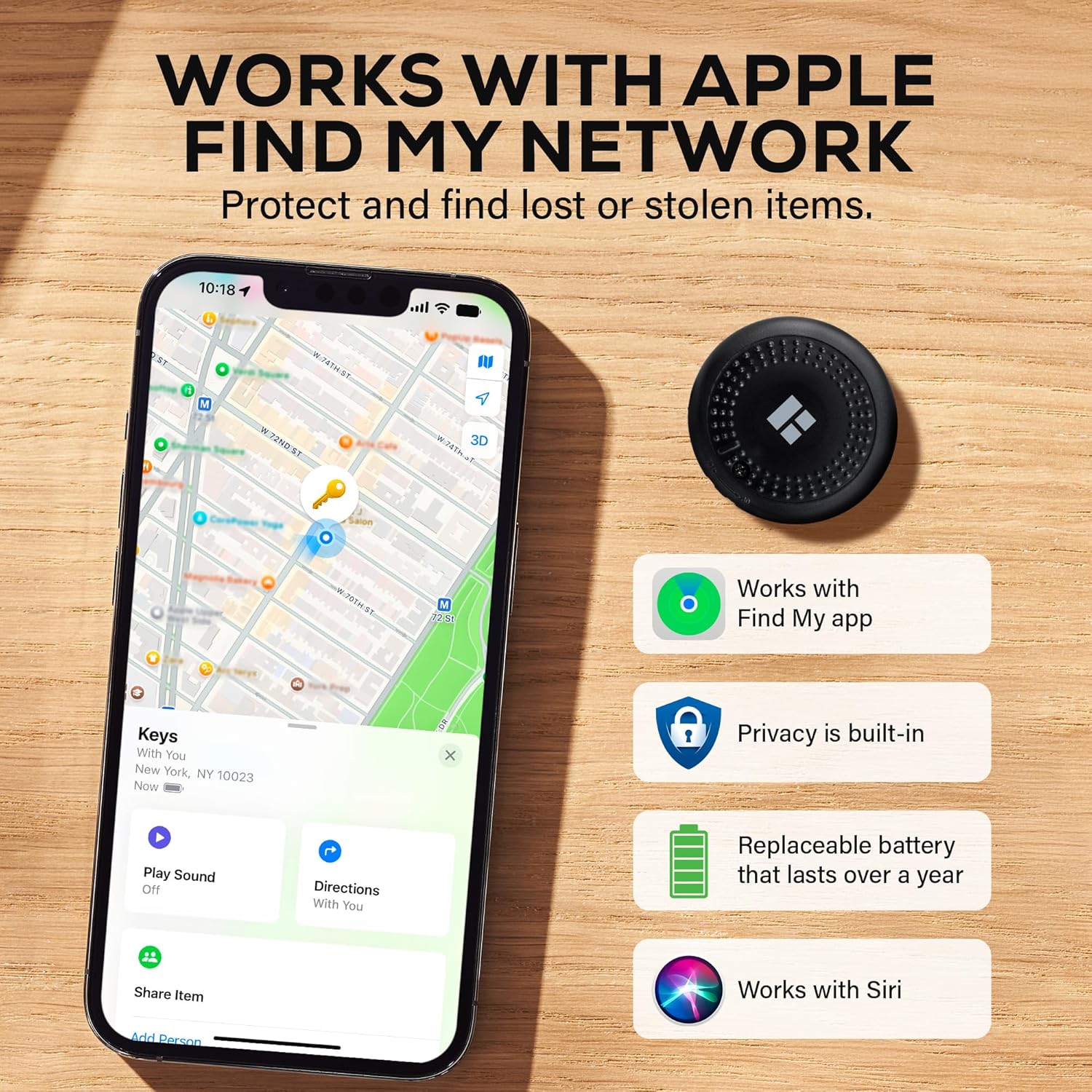
This image demonstrates the tracker's compatibility with the Apple Find My network, showcasing its key features including privacy, a replaceable battery, and Siri integration for voice commands.
4. Operating Instructions
4.1 Locating an Item
To find an item attached to your Smart Tracker Tag:
- Open the 'Find My' app on your Apple device.
- Tap the 'Items' tab.
- Select the name of the Smart Tracker Tag you wish to locate.
- The app will display the item's last known location on a map. If the item is nearby, you can tap 'Play Sound' to trigger the tracker's audible alarm.
- Follow the sound to locate your item. The alarm volume is between 80-100 dB.

The Find My app helps users easily locate items by showing their proximity. Here, a tracker attached to keys is located on a couch, with the app guiding the user to its precise location.
4.2 Proximity Alerts (Left-Behind Reminders)
The Smart Tracker Tag can notify you if you leave an item behind. To enable this feature:
- In the 'Find My' app, select your tracker.
- Scroll down to 'Notifications' and tap 'Notify When Left Behind'.
- Toggle the feature on. You can also customize locations where you do not want to be notified (e.g., your home).
When you move out of range of your tracked item, your Apple device will receive an instant notification.

The tracker provides instant 'left-behind' alerts, notifying you if you move away from your tracked item, as shown by this notification for a key set.
4.3 Attaching the Tracker
Use the included keychain attachment to secure the tracker to various items:
- Keys: Attach directly to your keyring.
- Bags/Luggage: Secure to a zipper pull or handle.
- Pet Collars: Attach to the D-ring of a pet's collar.

The Smart Tracker Tag can be attached to various items, including pet collars, luggage, backpacks, and keychains, to help keep track of important belongings.
5. Maintenance
5.1 Battery Replacement
The Smart Tracker Tag uses a replaceable CR2032 coin cell battery, which typically lasts up to one year. When the battery is low, you will receive a notification in the Find My app.
- Locate the battery compartment on the tracker.
- Use a small tool (e.g., a coin) to twist open the battery cover.
- Remove the old CR2032 battery.
- Insert a new CR2032 battery with the positive (+) side facing up.
- Replace the battery cover and twist to secure it.
5.2 Cleaning
Wipe the tracker with a soft, dry cloth. Avoid using harsh chemicals or abrasive materials.
5.3 Water Resistance
The Smart Tracker Tag is IPX4 weather-resistant, meaning it can withstand splashes of water and light rain. It is not designed for submersion in water.
6. Troubleshooting
- Tracker not pairing: Ensure the battery pull tab has been removed and the battery is active. Try re-inserting the battery. Make sure Bluetooth is enabled on your Apple device and it is within range. The pairing process must be completed quickly after activation.
- No sound from tracker: Check if the tracker's battery is low and replace it if necessary. Ensure your Apple device is within Bluetooth range of the tracker.
- Inaccurate location: The Find My network relies on nearby Apple devices to update the tracker's location. In areas with fewer Apple devices, location updates may be less frequent or precise.
- Left-behind alerts not working: Verify that 'Notify When Left Behind' is enabled for the specific tracker in the Find My app settings. Check that you haven't added your current location to the 'Notify Me Except At' list.
7. Specifications

This diagram provides the physical dimensions of the tracker and highlights key specifications such as its loud alarm, Bluetooth range, IPX4 weather resistance, and long-lasting replaceable battery.
| Feature | Specification |
|---|---|
| Model Number | TS-WP213-101 |
| Brand | Merkury Innovations |
| Dimensions (Tracker) | Approximately 1.35 x 1.35 x 0.2 inches (34.3 x 34.3 x 5.1 mm) |
| Item Weight | 2.08 ounces (per 2-pack) |
| Connectivity Technology | Bluetooth |
| Compatible Devices | Apple Smartphones (iOS only) |
| Battery Type | CR2032 (replaceable) |
| Battery Life | Up to 1 year |
| Audible Alarm Volume | 80-100 dB |
| Water Resistance | IPX4 Weather-Resistant |
| Material | Plastic |
| Included Components | Keychain |
8. Warranty Information
This product is sold without an explicit warranty. Please refer to your retailer's return policy for details on returns or exchanges.
9. Support Information
For further assistance or inquiries, please visit the official Merkury Innovations website or contact their customer support channels. Ensure you have your product model number (TS-WP213-101) available when seeking support.
