
1. Introduction and Product Overview
This manual provides essential information for the safe and efficient use of your Parkside Performance Smart Battery PAPS 208 A1-8 Ah and its accompanying wall mount. The PAPS 208 A1 is a powerful new lithium-ion battery featuring intelligent battery technology and 21700 cells, designed for enhanced performance and longevity. It allows for data retrieval and power parameter configuration via Bluetooth using the free Parkside application.
Key features include:
- Smart Technology: Bluetooth connectivity for data monitoring and settings via the Parkside App.
- Adjustable Modes: Performance, Balance, Eco, and Expert modes for optimized power delivery.
- Battery Monitoring: Access to charge status, remaining time, charging time, and total usage duration.
- Cell Balancing: Ensures uniform cell utilization for extended battery life and maximum charge potential.
- High Power Density: Achieved through the use of 21700 cells.
- Compatibility: Fully compatible with all devices in the Parkside X 20 V and Parkside Performance series.
2. What's in the Box
Upon unpacking, please ensure all components are present and undamaged. The package should contain:
- 1 x Parkside Performance Smart Battery 20 V 8 Ah (PAPS 208 A1)
- 1 x Wall Mount for Battery

Image: The Parkside Performance Smart Battery PAPS 208 A1-8 Ah, showing its compact design and branding.
3. Setup
3.1 Wall Mount Installation
The included wall mount provides a convenient storage solution for your battery. To install:
- Select a suitable location on a sturdy wall, ensuring it is away from direct sunlight, heat sources, and moisture.
- Use appropriate screws and wall plugs (not included) for your wall type.
- Mark the drilling points using the wall mount as a template.
- Drill holes and secure the wall mount firmly to the wall.
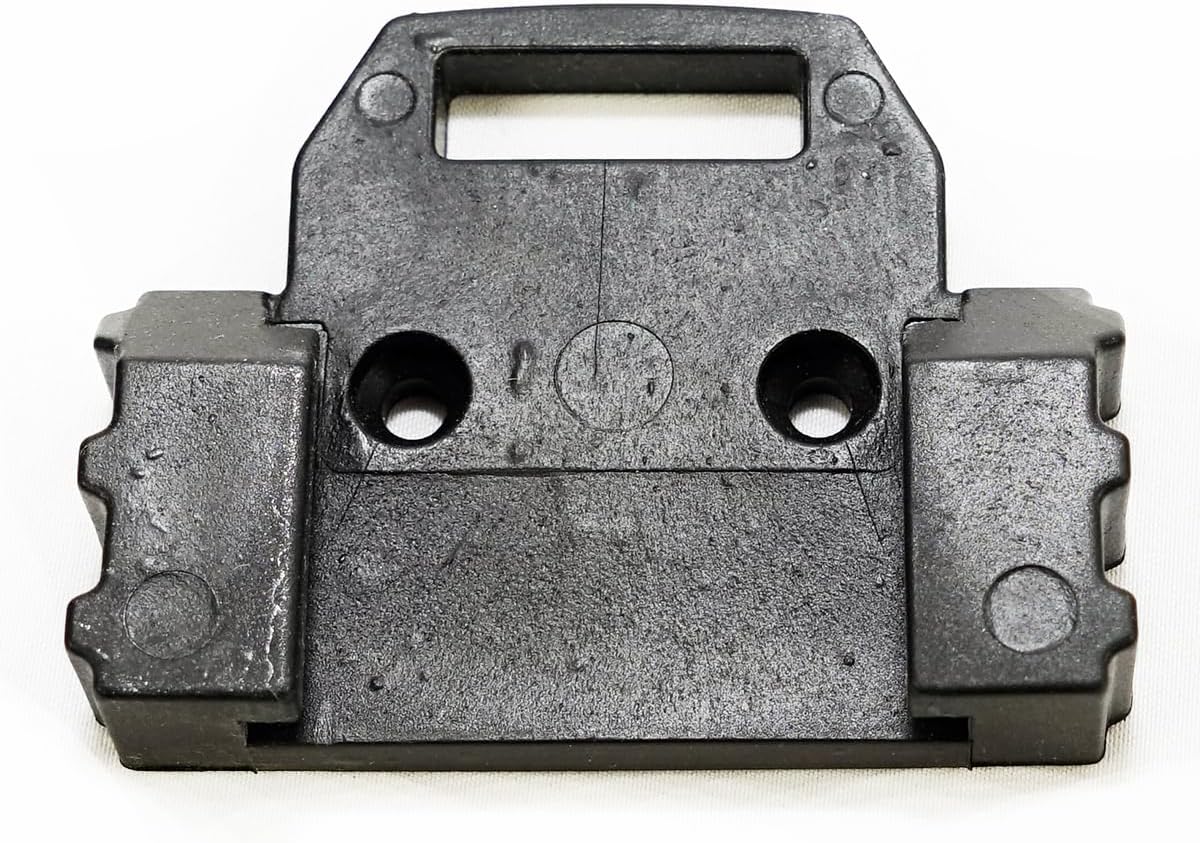
Image: The dedicated wall mount for the Parkside battery, designed for secure storage.
3.2 Initial Battery Charging
Before first use, it is recommended to fully charge the battery. Use a compatible Parkside charger (sold separately) for this purpose. Refer to your charger's manual for specific charging instructions.
3.3 Connecting to the Parkside App
To utilize the smart features of your battery, download the free Parkside App from your device's app store. Follow the in-app instructions to connect your battery via Bluetooth. Ensure Bluetooth is enabled on your mobile device and the battery is within range.

Image: The Parkside Performance Smart Battery, highlighting the Bluetooth connectivity feature.
4. Operating Instructions
4.1 Using the Battery with Tools
The PAPS 208 A1 battery is designed for seamless integration with all Parkside X 20 V and Parkside Performance series tools. Simply slide the battery into the tool's battery slot until it clicks securely into place. To remove, press the release button(s) on the tool and slide the battery out.
4.2 Battery Level Indicator
The battery features a 3-level charge indicator. Press the button on the battery to check the current charge level. The illuminated LEDs will indicate the approximate remaining capacity.
4.3 Parkside App Functions
Once connected via Bluetooth, the Parkside App allows you to:
- Monitor Battery Status: View real-time data such as charge level, remaining runtime, and total usage.
- Select Operating Modes: Choose between Performance, Balance, Eco, and Expert modes to optimize power output and battery life for different tasks.
- Access Historical Data: Review past usage patterns and charging cycles.
5. Maintenance
5.1 General Care and Storage
- Store the battery in a cool, dry place, away from direct sunlight and extreme temperatures.
- Avoid storing fully discharged batteries for extended periods. Charge them periodically if not in use.
- Do not expose the battery to water or other liquids.
5.2 Cleaning
Clean the battery and its contacts with a dry, soft cloth. Do not use abrasive cleaners or solvents.
5.3 Cell Balancing
The intelligent cell balancing feature helps prolong the battery's lifespan by ensuring all cells are uniformly utilized. This process is automatic and contributes to the battery's overall health and performance.
6. Troubleshooting
6.1 Battery Not Charging
- Ensure the charger is properly connected to a power source and the battery.
- Verify that the charger is compatible with Parkside 20V batteries.
- Check for any visible damage to the battery or charger.
- Allow the battery to cool down if it has been recently used intensively, as some chargers have temperature protection.
6.2 Battery Not Connecting to Parkside App
- Ensure Bluetooth is enabled on your mobile device.
- Make sure the battery is sufficiently charged.
- Bring your mobile device closer to the battery.
- Restart the Parkside App and/or your mobile device.
- Check for app updates in your device's app store.
6.3 Tool Not Operating with Battery
- Ensure the battery is fully inserted and securely latched into the tool.
- Check the battery's charge level using the indicator.
- Verify that the tool is compatible with Parkside X 20 V or Parkside Performance batteries.
- Test the battery with another compatible tool, if available, to determine if the issue is with the battery or the tool.
7. Specifications

Image: The underside of the Parkside Smart Battery, displaying technical specifications and compliance markings.
| Feature | Specification |
|---|---|
| Model Name | PAPS 208 A1 im Set |
| Battery Type | Lithium-ion |
| Nominal Voltage | 20 V |
| Capacity | 8 Ah (Ampere-hours) |
| Energy Content | 160 Wh |
| Charge Level Indicator | 3 levels |
| Battery Monitoring | Via Parkside App |
| Material | Plastic |
| Dimensions (approx.) | 123 x 72 x 84 mm |
| Weight (approx.) | 1 kg |
| Compatibility | All Parkside X 20 V and Parkside Performance series devices |
8. Warranty and Support
8.1 Warranty Information
Specific warranty terms and conditions for the Parkside Performance Smart Battery PAPS 208 A1-8 Ah are provided by the manufacturer or the point of purchase. Please refer to your purchase documentation or contact the seller for detailed warranty information.
8.2 Customer Support
For technical assistance, troubleshooting beyond this manual, or inquiries regarding spare parts, please contact the retailer or the official Parkside customer support channels. Contact information can typically be found on the product packaging or the manufacturer's official website.


