
Introduction
This manual provides detailed instructions for the installation, features, and maintenance of the Leipsden Ultra Shield Protective Film, designed specifically for the BOIFUN 5-inch Motorcycle Smart Monitor MT04. This product is a high-quality protective film and not the monitor device itself. It is engineered to provide superior protection and enhance the usability of your smart monitor.
Product Features
The Leipsden Ultra Shield Protective Film offers a range of advanced features to ensure optimal protection and viewing experience for your BOIFUN MT04 monitor:
- 9H High Hardness: Utilizes high-strength material with 9H surface hardness, providing excellent durability and robust protection against scratches and impacts, equivalent to tempered glass.
- Anti-Glare Processing: Designed with low-reflection specifications to suppress glare from sunlight and fluorescent lamps, significantly improving screen visibility, especially in bright outdoor environments.
- Self-Adhesive Application: Features a self-adhesive design for smooth and easy installation without the need for special adhesives. It is engineered to minimize air bubbles during application, making it user-friendly even for first-time installers.
- Fingerprint Resistance: Made from a special material that resists visible fingerprints, keeping your touch panel clean. An anti-fingerprint coating allows for easy wiping of any smudges.
- Water Repellent Coating: Features a water-repellent coating that repels water, protecting the device's screen from moisture.
- Antibacterial Properties: Incorporates antibacterial processing to prevent the proliferation of bacteria, ensuring a cleaner screen surface.
- Made in Japan: Manufactured in Japan, ensuring high quality and reliability.
Package Contents
- Leipsden Ultra Shield Protective Film x 1
- Film Application Tool Set x 1
Setup and Installation
Follow these steps for proper installation of your protective film:
- Prepare the Screen: Ensure the BOIFUN MT04 monitor screen is completely clean and free of dust, smudges, and debris. Use the provided cleaning tools (if any) from the application tool set. A clean screen is crucial for bubble-free application.
- Align the Film: Carefully peel off the protective layer from the adhesive side of the film. Align the film precisely with the edges of your monitor screen. Note: This film is designed for flat surfaces and does not cover curved sections of the monitor.
- Apply the Film: Once aligned, gently lay the film onto the screen. The self-adhesive property will allow it to adhere smoothly.
- Remove Bubbles: Use the provided squeegee or a soft cloth to gently push out any air bubbles towards the edges of the film. Small bubbles may disperse naturally over a few days due to the film's bubble dispersion design.
- Final Check: Once applied, ensure the film is securely attached and the screen is clear.

Image Description: This image shows the Leipsden Ultra Shield Protective Film being applied to the BOIFUN 5-inch Motorcycle Smart Monitor MT04. The film is transparent and covers the main display area, with the monitor's interface visible underneath, featuring various app icons. Text overlays on the image highlight "9H Hardness" and "Anti-Reflection" properties of the film.

Image Description: This graphic illustrates the bubble dispersion feature of the self-adhesive protective film. On the left, a screen labeled "Immediately after application" shows several visible air bubbles. On the right, a screen labeled "After a few days" shows that most of the bubbles have dispersed, resulting in a cleaner appearance. An arrow indicates the progression from immediate application to dispersed bubbles. A note at the bottom clarifies that some bubbles may not disappear depending on their size.
Operating Instructions
Once installed, the Leipsden Ultra Shield Protective Film operates seamlessly with your BOIFUN MT04 monitor. The film is designed to maintain the original touch sensitivity and clarity of your screen.
- Touch Responsiveness: The film does not interfere with the touch functionality of your monitor, allowing for smooth and accurate interactions.
- Enhanced Visibility: The anti-glare properties ensure that the screen remains clearly visible even under direct sunlight or bright indoor lighting, reducing eye strain.
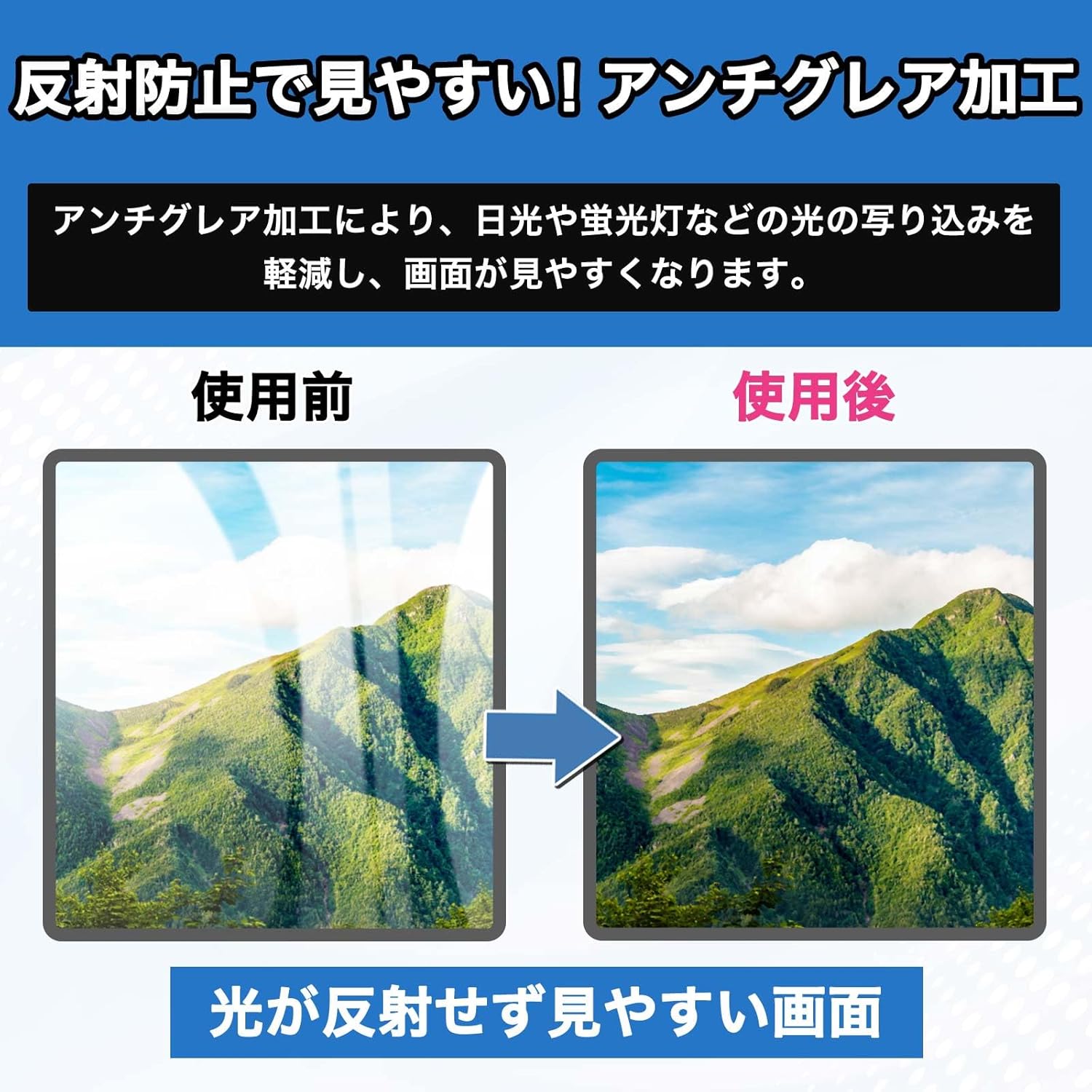
Image Description: This image demonstrates the anti-glare effect of the protective film. It shows two side-by-side screens. The "Before Use" screen on the left displays a landscape with significant light reflections, making the image unclear. The "After Use" screen on the right shows the same landscape with reflections greatly reduced, resulting in a clear and easy-to-view image. The accompanying text states, "Screen is easy to see without reflections."
Maintenance
Maintaining your Leipsden Ultra Shield Protective Film is simple due to its advanced properties:
- Cleaning: To clean the film, gently wipe it with a soft, lint-free cloth. For stubborn smudges, a slightly damp cloth can be used. Avoid harsh chemicals or abrasive materials.
- Fingerprint Removal: The anti-fingerprint coating allows for easy removal of smudges. Simply wipe with a clean cloth to restore clarity.
- Water Resistance: The water-repellent coating helps liquids bead up on the surface, making them easy to wipe away.

Image Description: This graphic illustrates the fingerprint prevention feature. The "Before Use" screen on the left shows a black surface covered with multiple visible fingerprints. The "After Use" screen on the right shows a completely clean black surface, free of any fingerprints. An arrow indicates the transformation from a smudged to a clean screen, with the text "Maintains a clean screen."
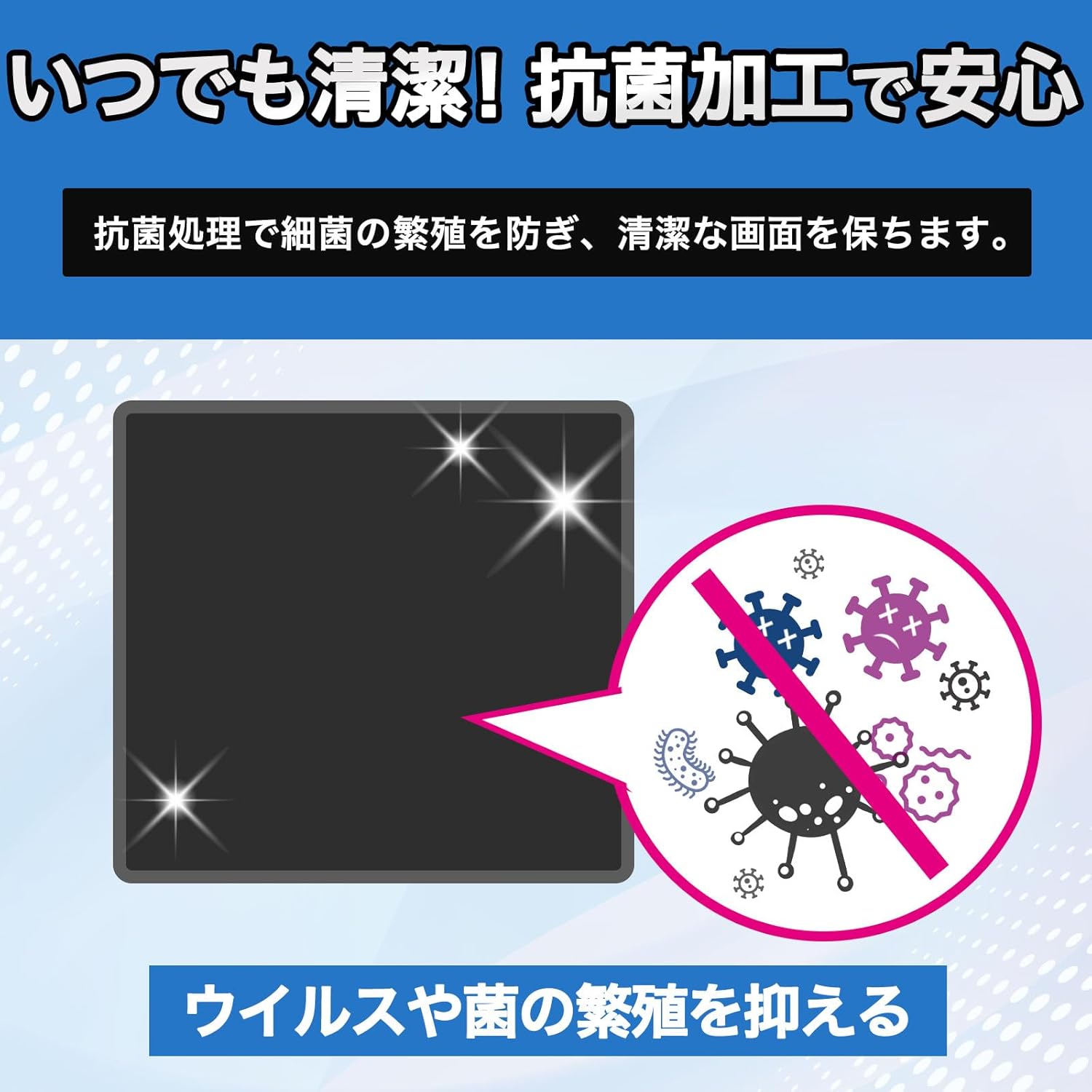
Image Description: This image highlights the antibacterial properties of the film. It shows a black screen with sparkling effects, and a circular inset on the right depicts various bacteria and viruses, with a red "no" symbol over them, indicating suppression. The text below states, "Suppresses the proliferation of viruses and bacteria."

Image Description: This graphic demonstrates the water-repellent coating. It shows a black screen surface with several water droplets beaded up on it, indicating that water does not spread or soak in. A circular inset on the right shows a water droplet with a red "no" symbol, emphasizing the repellent effect. The text below states, "Protects the screen from water leaks."
Troubleshooting
Here are some common issues and their solutions:
| Problem | Possible Cause | Solution |
|---|---|---|
| Air bubbles under the film | Dust particles on the screen; improper application; large air pockets. | Ensure screen is thoroughly cleaned before application. Use the squeegee to push out bubbles towards the edges. Small bubbles may disappear naturally over a few days. For persistent large bubbles, carefully lift a corner of the film and reapply, ensuring no dust is trapped. |
| Film not adhering properly | Screen not clean; film misaligned; adhesive side touched. | Clean the screen thoroughly. Realign the film carefully. Avoid touching the adhesive side during application. |
| Reduced touch sensitivity | Rare, but could be due to improper installation or a faulty film. | Ensure the film is applied smoothly without gaps. If the issue persists, contact customer support. |
Specifications
| Attribute | Detail |
|---|---|
| Compatible Device | BOIFUN 5-inch Motorcycle Smart Monitor MT04 |
| Material | Polyethylene Terephthalate (PET) |
| Surface Hardness | 9H (equivalent to tempered glass) |
| Finish Type | Matte (Anti-Glare) |
| Special Features | Anti-Glare, Low Reflection, Smooth Touch, Scratch Protection, Anti-Fingerprint, Antibacterial, Water Repellent |
| Product Weight | 65 g |
| Product Dimensions | 0.01 x 0.01 x 1.27 cm |
| Manufacturer | Leipsden |
| Country of Origin | Japan |
Warranty and Support
For any questions, concerns, or support regarding your Leipsden Ultra Shield Protective Film, please contact your retailer or the manufacturer directly. Please note that product specifications, size, and shape may be subject to change without prior notice.