
Samsung BN59-01357B
Samsung BN59-01357B Smart TV Remote Control User Manual
Model: BN59-01357B | Brand: Samsung
Introduction
The Samsung BN59-01357B is a high-quality solar-powered remote control specifically designed for Samsung Smart TVs. It offers convenient control without the need for traditional batteries, as it can be charged via solar energy or a USB-C connection. This remote ensures a pleasant viewing experience through precise signal transmission and ergonomically designed buttons. It is an original replacement model, not a replica, and is designed for direct use without additional programming.
Product Overview
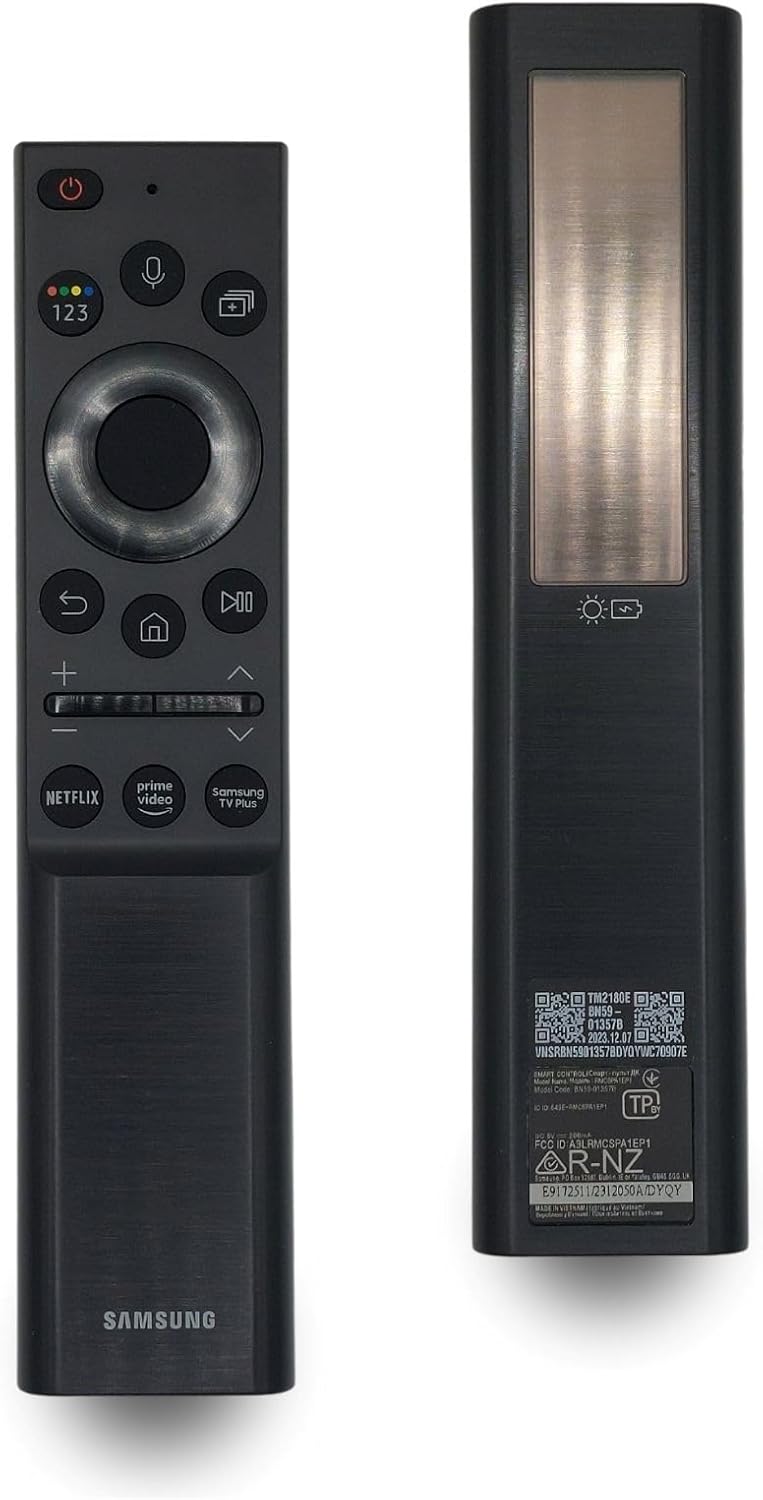
Image: Front and back view of the Samsung BN59-01357B remote control, showcasing its sleek black design and solar panel on the rear.
Key Features:
- Original Samsung Quality: Designed specifically for Samsung Smart TVs, ensuring seamless compatibility and performance.
- Ready to Use (Plug & Play): No complex setup or programming required. Simply charge and begin using.
- Sustainable Power: Features a solar panel for charging and a USB-C port, eliminating the need for disposable batteries.
- Precise Signal Transmission: Utilizes reliable infrared and Bluetooth technology for fast and smooth control with a long operating range.
- Ergonomic and Durable Design: Comfortable to hold with robust, easy-to-press buttons for optimal user comfort.
- Wide Compatibility: Works with various Samsung Smart TV models.
Setup
- Initial Charging: Before first use, ensure the remote control is sufficiently charged. Place the remote with its solar panel facing a light source (natural sunlight or indoor lighting) or connect it to a USB-C power source (charging cable not included).
- Automatic Pairing: The Samsung BN59-01357B remote control is designed for immediate use with compatible Samsung Smart TVs. No additional pairing or programming steps are typically required. Simply point the remote at your Samsung TV and begin operating.
- Troubleshooting Pairing (if needed): If the remote does not respond, ensure it is charged. For some models, pressing and holding the "Return" and "Play/Pause" buttons simultaneously for 3 seconds might initiate a pairing process.
Operating Instructions
The BN59-01357B remote control features an intuitive layout for easy navigation and control of your Samsung Smart TV.
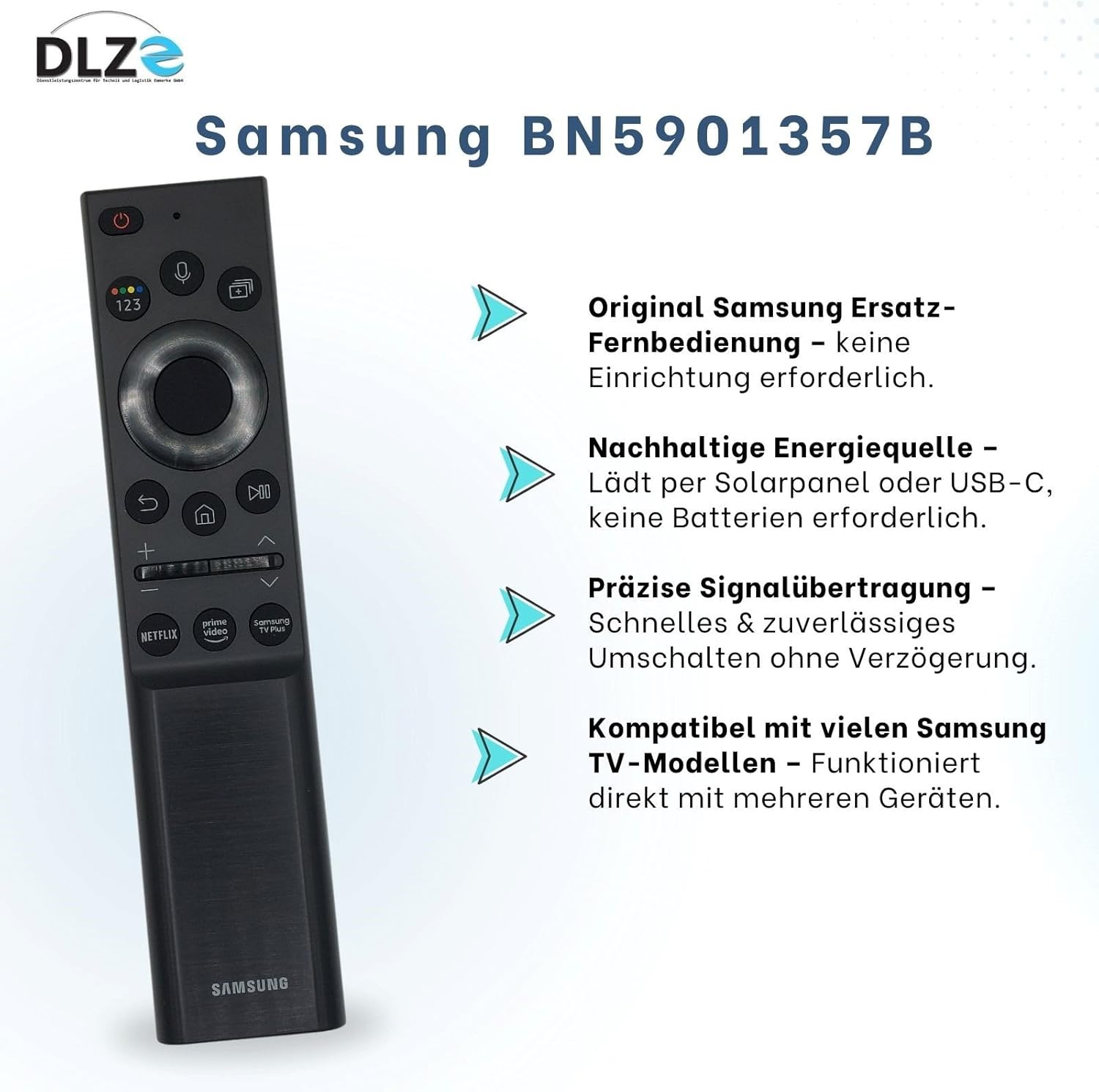
Image: The remote control with visual cues pointing to its key features: original quality, solar/USB-C charging, precise signal, and wide compatibility.
Button Functions:
- Power Button (⏻): Turns the TV on or off.
- Voice Assistant Button (🎙️): Activates the voice assistant for commands.
- Number Pad Button (123): Displays a virtual number pad on screen for channel input.
- Ambient Mode Button (🖼️): Activates Ambient Mode on compatible TVs.
- Directional Pad (Circle): Navigates menus and selects items. Press the center button to confirm.
- Return Button (↩️): Returns to the previous screen or menu.
- Home Button (🏠): Accesses the Smart Hub or home screen.
- Play/Pause Button (▶️⏸️): Controls media playback.
- Volume Up/Down (+ / -): Adjusts the TV volume.
- Channel Up/Down (∧ / ∨): Changes TV channels.
- Dedicated App Buttons: Direct access to popular streaming services like Netflix, Prime Video, and Samsung TV Plus.
The remote uses both Infrared (IR) for basic TV control and Bluetooth for advanced Smart TV functions and voice commands, ensuring reliable connectivity.
Compatibility
The Samsung BN59-01357B remote control is specifically designed for a wide range of Samsung Smart TV models. It is not a universal remote and will only function with Samsung brand televisions.

Image: The remote control displayed alongside a list of compatible Samsung TV series, emphasizing its broad compatibility within the Samsung ecosystem.
Supported Samsung TV Series Include:
- Samsung QLED Series
- Samsung Crystal UHD Series
- Samsung Neo QLED Series
- Samsung Lifestyle Models (e.g., The Frame 2021, 2022, 2023)
- And many other Samsung Smart TV models.
Important: Please verify your specific Samsung TV model's compatibility before purchase to ensure full functionality.
Maintenance
The Samsung BN59-01357B remote control is designed for low maintenance, primarily focusing on its innovative charging methods.

Image: The rear of the remote control, highlighting the solar panel for eco-friendly charging and the USB-C port for convenient wired charging.
Charging the Remote Control:
- Solar Charging: The remote features a solar panel on its back. To charge, simply place the remote with the solar panel facing a light source. This can be natural sunlight or bright indoor lighting. Regular exposure to light will keep the remote charged.
- USB-C Charging: For faster charging or when light is insufficient, connect a USB-C cable (not included) to the port located at the bottom of the remote and to a power adapter.
- Battery Indicator: The remote may have an on-screen indicator on your TV or a small LED to show battery status. Refer to your TV's manual for details.
Avoid exposing the remote to extreme temperatures, direct water, or harsh chemicals. Clean with a soft, dry cloth.
Troubleshooting
Common Issues and Solutions:
- Remote Not Responding:
- Ensure the remote is sufficiently charged via solar or USB-C.
- Check for any obstructions between the remote and the TV's IR receiver.
- If using Bluetooth, ensure the TV's Bluetooth is enabled and the remote is paired. Try re-pairing by holding the "Return" and "Play/Pause" buttons for 3 seconds.
- Voice Command Not Working:
- Ensure the remote is paired via Bluetooth. Voice commands typically require a Bluetooth connection.
- Check TV settings to ensure voice assistant is enabled.
- Buttons Feel Stiff or Unresponsive:
- Clean the remote's surface and around the buttons with a soft, dry cloth to remove any dust or debris.
- Ensure the remote is not physically damaged.
If issues persist, consult your Samsung TV's user manual or contact Samsung customer support.
Specifications
| Feature | Detail |
|---|---|
| Model Name | BN59-01357B |
| Brand | Samsung |
| Color | Black |
| Connectivity Technology | Infrared, Bluetooth |
| Special Feature | Rechargeable (Solar & USB-C) |
| Compatible Devices | Samsung Smart Televisions |
| Number of Buttons | 20 |
| Controller Type | Button Control |
| Item Model Number | 4262514860020 |
Warranty and Support
This product is an original Samsung replacement part, ensuring quality and reliability. While specific warranty details are not provided in this manual, Samsung typically offers support for its genuine products.

Image: A visual representation of customer satisfaction, implying reliable customer service and product quality assurance.
For Assistance:
- For technical support, warranty claims, or further inquiries, please refer to the official Samsung support website or contact their customer service directly.
- Ensure you have your TV model number and remote control model number (BN59-01357B) ready when contacting support.
Your satisfaction is important. Samsung strives to provide reliable products and support.
Related Documents - BN59-01357B
 |
Samsung BN59-00516A Replacement Remote Control Guide This guide provides button mapping details for the Samsung BN59-00516A replacement remote control, covering TV, DVD, STB, and CABLE-VCR functions. Compare original remote buttons to their replacements. |
 |
Samsung Remote Control User Guide and Compatibility Comprehensive guide to Samsung remote control functions, installation steps, and compatibility with various Samsung TV models. Includes model numbers for easy reference. |
 |
Samsung BN59-01259E Universal Smart TV Remote Control User Manual User guide for the Samsung BN59-01259E Universal Smart TV Remote Control, covering usage steps, safety restrictions, and CE certification details. |
 |
Samsung Smart-TV Remote Control Function Guide: TM1850A BN59-01259B & Replacement Models Detailed comparison of original and replacement remote control buttons for Samsung Smart TVs, including models TM1850A BN59-01259B, BN59-01301A, and BN59-01350B. Find button function mapping from Mandis shop. |
 |
Samsung BN59-01180A Remote Control Guide A comprehensive guide detailing the original and replacement functions of the Samsung BN59-01180A remote control, including button mappings and features. |
 |
Samsung Universal Remote Control BN59-01315A User Guide Comprehensive user guide for the Samsung BN59-01315A universal remote control. Learn about its features, compatibility with Samsung smart TVs, setup, and programming instructions for seamless TV and cable/satellite box operation. |
Ask a question about this manual
Ask about setup, troubleshooting, compatibility, parts, safety, or missing instructions. Manuals+ will review the question and use this page’s manual context to help answer it.