
1. Product Overview
The Budora WR02X11768 Ice Deflector Spring is a replacement component designed for use in various refrigerator models. This spring plays a crucial role in the ice dispensing mechanism, ensuring proper function of the ice deflector. It is engineered to meet the specifications of the original part, providing reliable performance.
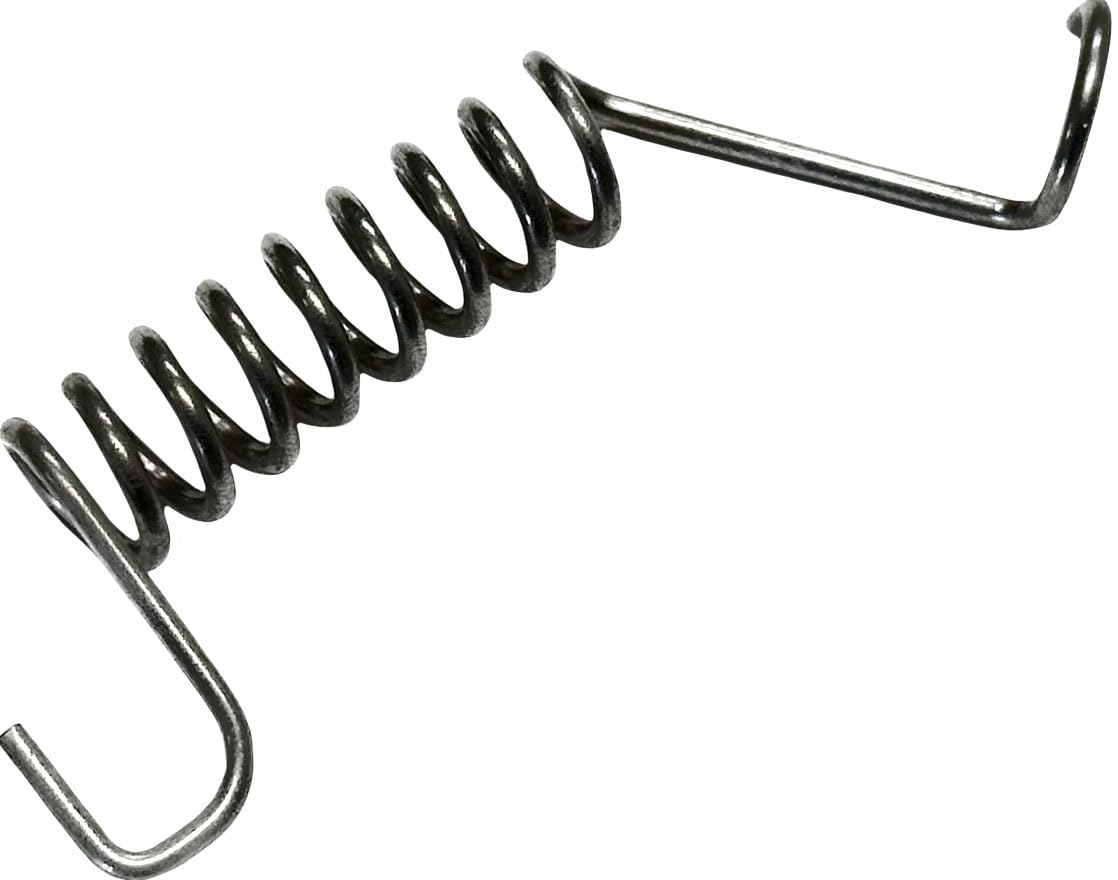
Image 1.1: Front view of the Budora WR02X11768 Ice Deflector Spring.
2. Safety Information
Before attempting any repair or installation, please read and understand all safety instructions. Failure to follow these instructions may result in personal injury or property damage.
- Disconnect Power: Always unplug the refrigerator from its power source before beginning any service or repair.
- Wear Protective Gear: It is recommended to wear work gloves and safety glasses to prevent injury.
- Professional Assistance: If you are unsure about any step, consult a qualified appliance technician.
- Handle with Care: Springs can be under tension. Exercise caution during removal and installation to avoid sudden release.
3. Compatibility
This ice deflector spring (part number WR02X11768) is compatible with a wide range of refrigerators from brands including General Electric, Hotpoint, RCA, and Kenmore/Sears. It cross-references with part numbers such as AP4297422, 1257005, AH1766053, EA1766053, PS1766053, WR02X10583, and WR2X10583.
For a comprehensive list of compatible models, please refer to the product listing or your appliance's original service manual. Always verify the part number required for your specific refrigerator model before purchase and installation.
4. Installation Instructions
The following steps provide general guidance for replacing the ice deflector spring. Specific procedures may vary depending on your refrigerator model. Always consult your appliance's service manual for detailed, model-specific instructions.
- Disconnect Power: Unplug the refrigerator from the electrical outlet to prevent electric shock.
- Access Ice Dispenser: Open the freezer door and locate the ice dispenser assembly. You may need to remove the ice bucket and any cover panels to gain access to the deflector mechanism.
- Locate and Remove Old Spring: Identify the existing ice deflector spring. Carefully note its orientation and how it connects to the deflector and dispenser housing. Use appropriate tools (e.g., needle-nose pliers) to detach and remove the old spring.
- Install New Spring: Position the new Budora WR02X11768 Ice Deflector Spring in the same orientation as the original. Securely attach one end of the spring to its designated anchor point, then carefully stretch and attach the other end to the deflector or housing. Ensure the spring is properly seated and provides the correct tension to the deflector.
- Reassemble: Reinstall any removed cover panels and the ice bucket.
- Restore Power: Plug the refrigerator back into the electrical outlet.
- Test Functionality: Test the ice dispenser to ensure the deflector operates smoothly and returns to its correct position after dispensing.

Image 4.1: Side view of the ice deflector spring, showing its coiled and extended structure.

Image 4.2: Another perspective of the ice deflector spring, highlighting the hook ends.
5. Operation
Once correctly installed, the Budora WR02X11768 Ice Deflector Spring operates automatically as part of your refrigerator's ice dispensing system. It provides the necessary tension to control the movement of the ice deflector, ensuring ice is dispensed properly and the deflector returns to its closed position when not in use.
6. Maintenance
The ice deflector spring itself requires no routine maintenance. However, during any other maintenance or cleaning of the ice dispenser area, it is advisable to visually inspect the spring for any signs of wear, corrosion, or damage. If the spring appears stretched, broken, or corroded, it should be replaced.
7. Troubleshooting
If you experience issues with your ice dispenser after replacing the spring, consider the following:
- Ice Deflector Not Returning: Ensure the spring is correctly installed and securely attached at both ends. Verify that there are no obstructions preventing the deflector from moving freely.
- Ice Dispensing Issues: If the deflector spring is correctly installed but ice dispensing problems persist, the issue may lie with other components of the ice maker or dispenser assembly, such as the auger motor, dispenser solenoid, or control board. Consult your refrigerator's service manual for further diagnostic steps.
- Spring Detachment: If the spring detaches, re-secure it following the installation steps. Ensure the attachment points are not damaged.
8. Specifications
| Part Number | WR02X11768 |
| Cross-Reference Part Numbers | AP4297422, 1257005, AH1766053, EA1766053, PS1766053, WR02X10583, WR2X10583 |
| Manufacturer | Budora |
| Item Weight | 0.634 ounces |
| Product Dimensions | 2 x 0.5 x 0.25 inches |
| Included Components | Ice Deflector Spring |

Image 8.1: Close-up view of the ice deflector spring, showing material and coil detail.
9. Warranty and Support
This Budora WR02X11768 Ice Deflector Spring comes with a 1-Year Warranty from the date of purchase. This warranty covers defects in material and workmanship under normal use.
For warranty claims, technical assistance, or any questions regarding the product, please contact Budora customer service through the retailer where the product was purchased or refer to the Budora official website for support contact information.