
Tapo Tapo C460
Tapo C460 4K 8MP Battery Security Camera User Manual
Model: Tapo C460
Brand: Tapo
1. Introduction
This user manual provides comprehensive instructions for the installation, operation, and maintenance of your Tapo C460 4K 8MP Battery Security Camera. Designed for both indoor and outdoor use, this wireless camera offers advanced features such as 4K Ultra HD video, AI detection, two-way talk, and starlight color night vision, all without monthly subscription fees.

Image: The Tapo C460 camera shown alongside a smartphone displaying its live 4K feed, highlighting its high-resolution capabilities.
2. Safety Information
Please read and follow all safety instructions carefully to prevent damage to the device or injury. Keep this manual for future reference.
- Do not expose the camera to extreme temperatures or humidity.
- Use only the power adapter and accessories provided by Tapo.
- Ensure the camera is securely mounted to prevent falling.
- Keep the camera away from direct sunlight for prolonged periods if not equipped with a solar panel.
- Do not attempt to disassemble or repair the camera yourself. Contact customer support for assistance.
- Dispose of batteries according to local regulations.
3. Package Contents
Verify that all items are present in your package:
- Tapo C460 Camera
- Magnetic Base
- Mounting Tool
- USB Adapter Cable
- Extension Wire
- Quick Start Guide
- 1 AA Battery (included)
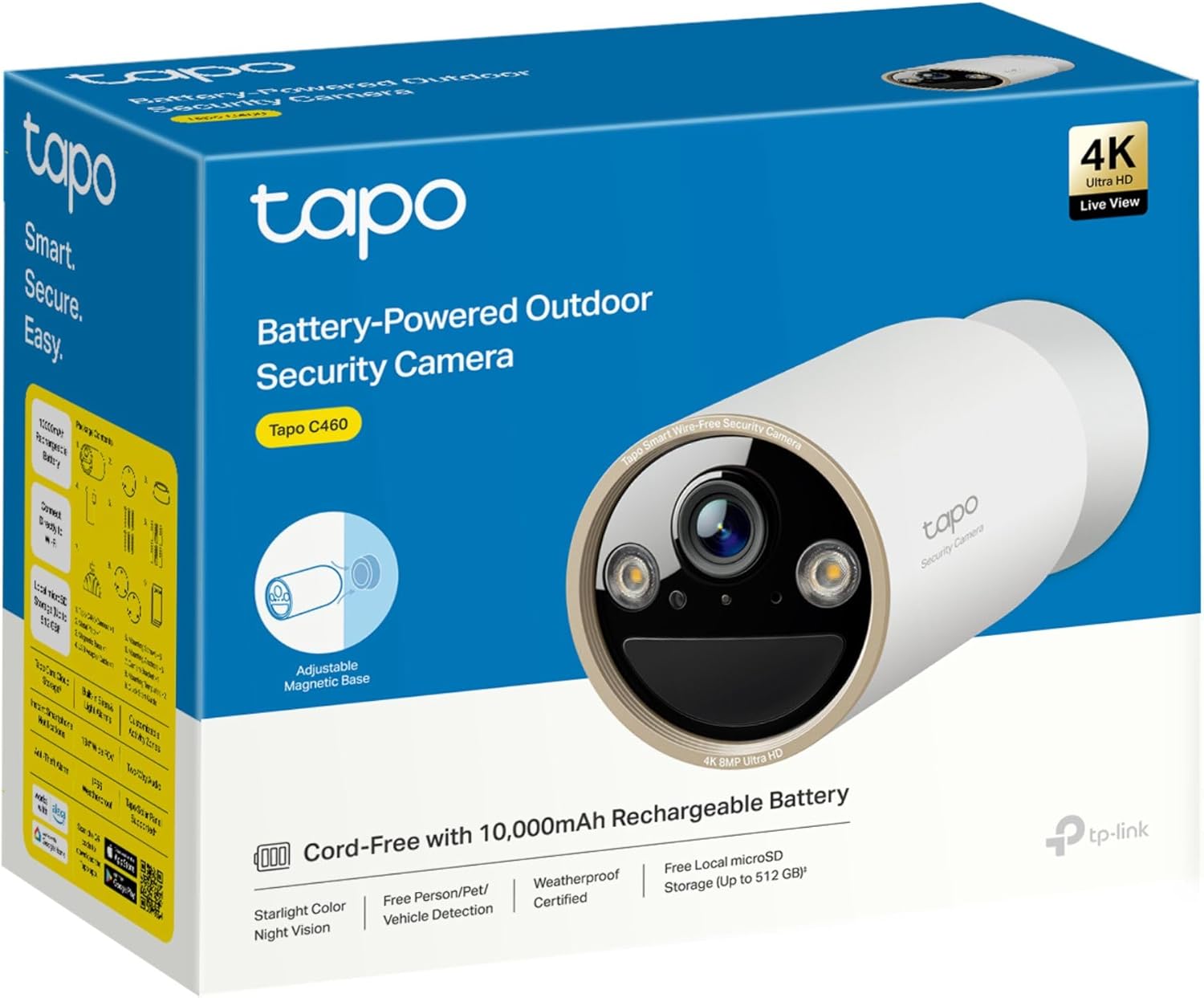
Image: The Tapo C460 product packaging, illustrating the camera and its key features.
4. Product Overview
The Tapo C460 is designed for versatile surveillance with its compact and robust build. Key components include the camera lens, built-in spotlights, microphone, speaker, and a magnetic base for flexible positioning.
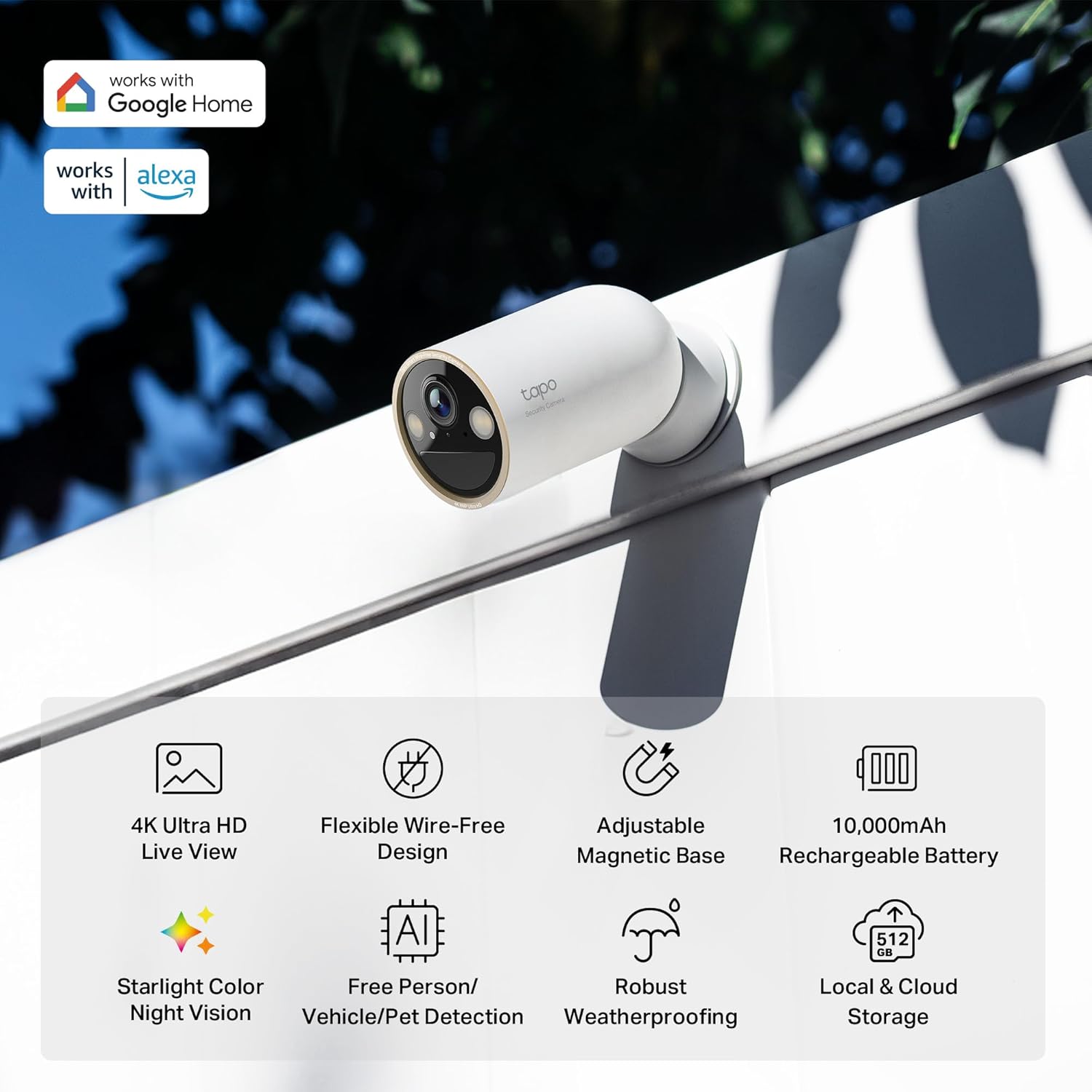
Image: An infographic detailing the main features of the Tapo C460 camera, including its 4K resolution, wire-free design, and battery life.
5. Setup
5.1 Charging the Battery
Before initial use, fully charge the camera's 10,000mAh rechargeable battery using the provided USB adapter cable. A full charge can last up to 200 days, depending on usage and environmental factors.

Image: A cutaway view of the Tapo C460 camera illustrating its internal 10,000mAh rechargeable battery, emphasizing its long battery life.
5.2 Downloading the Tapo App
The Tapo app is essential for setting up and managing your camera. Download it from the App Store (iOS) or Google Play Store (Android).
- Search for "Tapo" in your device's app store.
- Install the Tapo app.
- Create a TP-Link ID or log in if you already have one.
5.3 Connecting to Wi-Fi
Follow the in-app instructions to connect your Tapo C460 to your home Wi-Fi network. The camera supports dual-band Wi-Fi (2.4 GHz and 5 GHz) for flexible connectivity.

Image: A visual representation of dual-band Wi-Fi connectivity (2.4 GHz and 5 GHz) within a home, demonstrating the camera's flexible network options.
5.4 Mounting the Camera
The Tapo C460 features a magnetic base for easy, wire-free installation. Choose a location that provides the desired viewing angle and strong Wi-Fi signal.
- Identify a suitable mounting surface (wall, ceiling, or magnetic surface).
- Use the provided mounting tool to secure the magnetic base if not using a magnetic surface.
- Attach the camera to the magnetic base.
- Adjust the camera angle for optimal coverage.

Image: A hand demonstrating the attachment of the Tapo C460 camera to its magnetic base, highlighting the ease of wire-free installation.

Image: A collage showcasing the Tapo C460 camera mounted in diverse outdoor settings, emphasizing its wire-free and versatile installation options.

Image: A hand adjusting the Tapo C460 camera on its magnetic base, illustrating the ease of finding the optimal viewing angle.
5.5 MicroSD Card Installation
For local storage, insert a microSD card (up to 512GB, sold separately) into the designated slot on the camera. Ensure the camera is powered off before inserting or removing the card.

Image: A hand demonstrating the insertion of a microSD card into the Tapo C460 camera for local storage.
6. Operating the Camera
6.1 Live View
Access the live feed of your camera anytime, anywhere through the Tapo app. The 4K 8MP resolution provides superior clarity and detail.

Image: A side-by-side comparison demonstrating the superior detail and clarity of 4K resolution compared to 1080p, specifically showing a clearer license plate in 4K.

Image: A visual comparison illustrating the enhanced image sharpness and detail achieved with the Tapo C460's Edge Improvement algorithm.
6.2 Two-Way Talk
Utilize the built-in microphone and speaker for two-way audio communication. This allows you to interact with visitors or deter intruders directly from your smartphone.

Image: A visual representation of the two-way talk feature, showing a person communicating with a delivery driver via the camera.
6.3 AI Detection
The Tapo C460 features advanced AI detection capabilities, providing intelligent alerts for various events:
- Person Detection: Identifies human presence.
- Pet Detection: Recognizes pets, reducing false alarms.
- Vehicle Detection: Detects vehicles entering or leaving the monitored area.
- Motion Detection: General movement detection.
- Line-Crossing Detection: Triggers alerts when an object crosses a predefined boundary.
- Tampering Detection: Notifies if the camera is obstructed or moved.

Image: Examples of the camera's AI detection capabilities, showing it accurately identifying a person, a pet, and a vehicle.

Image: Visual examples of the Tapo C460's free AI detection features, including person, pet, and vehicle identification.

Image: A smartphone screen showing a real-time "Person Detection" notification from the Tapo app, indicating an alert triggered by the camera.

Image: A visual demonstration of the camera's alarm function, showing a hand interacting with the camera and an alert icon.
6.4 Night Vision
The Tapo C460 features Starlight Color Night Vision, enhanced by an F1.6 large-aperture lens, starlight sensor, and built-in spotlight. This technology delivers clear, full-color footage even in low-light conditions.

Image: A comparison demonstrating the superior clarity and full-color output of Starlight Color Night Vision compared to traditional night vision.

Image: A nighttime scene captured by the camera, showcasing the effectiveness of Starlight Color Night Vision in providing clear, illuminated footage.
6.5 Voice Control
The Tapo C460 is compatible with Google Assistant and Amazon Alexa, allowing for hands-free control of your security system using simple voice commands.

Image: A woman interacting with an Amazon Echo Show, demonstrating voice control integration with Alexa to view the camera's live feed.
6.6 Storage Options
The camera offers flexible storage solutions:
- Local Storage: Supports microSD cards up to 512GB (sold separately) for secure on-device storage.
- Cloud Storage: Optional Tapo Care cloud storage provides additional security and features, with a free one-month trial available.

Image: A close-up of the Tapo C460 camera's microSD card slot, emphasizing the secure local storage option.
7. Maintenance
7.1 Battery Care
- Recharge the battery when the low battery indicator appears in the Tapo app.
- Consider using the Tapo Solar Panel (sold separately) for continuous charging and reduced manual recharging.
- Avoid exposing the camera to extreme cold or heat for prolonged periods, as this can affect battery life.

Image: The Tapo C460 camera installed with an optional solar panel, demonstrating its support for continuous, maintenance-free power.
7.2 Cleaning the Camera
- Gently wipe the camera lens and body with a soft, damp cloth.
- Do not use harsh chemicals or abrasive cleaners.
7.3 Weatherproofing
The Tapo C460 is IP66-rated, providing superior waterproof and dustproof performance. It is designed to withstand various weather conditions, including heavy rain and snow.

Image: A series of images illustrating the Tapo C460's durability and IP66 weather resistance in various environmental conditions, including rain and snow.
8. Troubleshooting
| Problem | Solution |
|---|---|
| Camera not connecting to Wi-Fi | Ensure the camera is within Wi-Fi range. Check your Wi-Fi password. Try restarting your router and the camera. If using 5GHz, ensure your router supports it and the camera is close enough. |
| Poor video quality | Check your Wi-Fi signal strength. Ensure the camera lens is clean. Adjust the camera's position to avoid glare or obstructions. |
| Battery drains quickly | Frequent motion detection, live view access, or extreme temperatures can reduce battery life. Consider reducing detection sensitivity or installing a Tapo Solar Panel. |
| No notifications | Check app notification settings on your phone and within the Tapo app. Ensure the camera has an active internet connection. |
| MicroSD card not recognized | Ensure the card is correctly inserted. Try formatting the card within the Tapo app. Use a compatible microSD card (up to 512GB). |
9. Specifications
| Feature | Detail |
|---|---|
| Model | Tapo C460 |
| Indoor/Outdoor Usage | Outdoor, Indoor |
| Power Source | Battery Powered (10,000mAh rechargeable) |
| Connectivity Protocol | Wi-Fi (Dual-Band 2.4 GHz & 5 GHz) |
| Video Capture Resolution | 4K (8MP) |
| Mounting Type | Wall Mount (Magnetic Base) |
| Included Components | Mounting Tool, USB Adapter Cable, Tapo Camera, Magnetic Base, Extension Wire |
| Viewing Angle | 134 Degrees |
| Night-Vision Range | 49 Feet |
| Frame Rate | 15 frames per second |
| Water Resistance Level | IP66 Weatherproof |
| Item Dimensions (L x W x H) | 11.5 x 15 x 8.4 centimetres |
| Item Weight | 327 Grams |
| Compatible Devices | Alexa, Tapocare, Tablet, Google Home, Smartphone |
| Special Features | 2 Way Audio, Night Vision, Weather Proof, Image Sensor, Motion Sensor, AI Detection (Person, Pet, Vehicle) |
10. Warranty and Support
Your Tapo C460 camera comes with a manufacturer's warranty. For detailed warranty information, please refer to the warranty card included in your package or visit the official Tapo website. For technical support, troubleshooting, or service inquiries, please contact Tapo customer support through their official channels or the Tapo app.
You can find more information and support resources on the Tapo Brand Store on Amazon.
Related documentsTapo C460


Ask a question about this manual
Ask about setup, troubleshooting, compatibility, parts, safety, or missing instructions. Manuals+ will review the question and use this page’s manual context to help answer it.