
Samsung S931B
SAMSUNG Galaxy S25 SM-S931B/DS User Manual
Model: SM-S931B/DS | Brand: Samsung
1. Introduction
Welcome to the user manual for your new SAMSUNG Galaxy S25 SM-S931B/DS AI Smartphone. This guide provides essential information to help you set up, operate, maintain, and troubleshoot your device. Please read this manual thoroughly to ensure optimal performance and longevity of your smartphone.

Figure 1.1: Front and back view of the SAMSUNG Galaxy S25 smartphone.
2. Getting Started: Setup
2.1 Unboxing Your Device
Upon opening the package, ensure all components are present:
- SAMSUNG Galaxy S25 Smartphone
- USB-C Cable
- SIM Ejection Pin
- Quick Start Guide
2.2 SIM Card Installation
Your Galaxy S25 uses a Nano-SIM card. Follow these steps to install it:
- Locate the SIM card tray on the side of your device.
- Insert the SIM ejection pin into the small hole next to the tray and push gently until the tray pops out.
- Place your Nano-SIM card(s) into the tray with the gold contacts facing down. Ensure it is seated correctly.
- Gently push the tray back into the slot until it clicks into place.
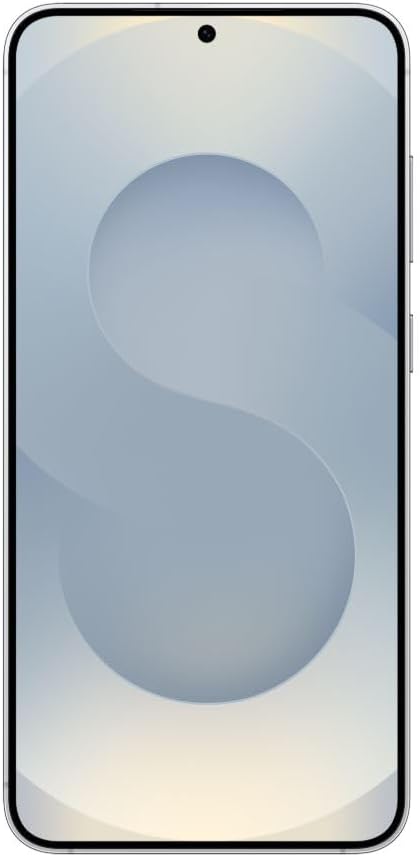
Figure 2.1: Front view of the Galaxy S25, indicating the general area for the SIM tray on the side.
2.3 Initial Power On and Setup
Press and hold the Power/Side key until the Samsung logo appears. Follow the on-screen prompts to complete the initial setup, including language selection, Wi-Fi connection, Google account sign-in, and data transfer.
2.4 Charging the Device
Connect the USB-C cable to the charging port at the bottom of your phone and the other end to a compatible power adapter. A charging indicator will appear on the screen. For optimal battery life, use Samsung-approved chargers and cables.
3. Operating Your Galaxy S25
3.1 Basic Navigation
Your Galaxy S25 features an intuitive touchscreen interface. Use gestures like tap, swipe, pinch-to-zoom, and long-press to navigate through apps and menus.
3.2 Calls and Messaging
To make a call, open the Phone app and dial the number or select a contact. For messaging, open the Messages app to send and receive SMS/MMS.
3.3 Camera Features
The Galaxy S25 is equipped with advanced camera capabilities. Open the Camera app to capture photos and videos. Explore various modes like Portrait, Night, and Pro for enhanced photography.

Figure 3.1: Back view of the Galaxy S25, showcasing the triple camera system.
3.4 Connectivity (Wi-Fi, Bluetooth)
Access Wi-Fi settings from the Quick Panel or Settings app to connect to wireless networks. Bluetooth allows you to connect to headphones, speakers, and other compatible devices.
3.5 AI Features
Leverage the integrated AI features for enhanced productivity and creativity. These may include AI-powered photo editing, real-time translation, and intelligent search functionalities. Refer to the on-device tips for specific AI capabilities.
4. Care and Maintenance
4.1 Cleaning Your Device
Use a soft, lint-free cloth to clean the screen and body of your phone. Avoid abrasive materials or harsh chemicals. If necessary, slightly dampen the cloth with water.
4.2 Software Updates
Regularly check for and install software updates to ensure your device has the latest features, security patches, and performance improvements. Go to Settings > Software update > Download and install.
4.3 Battery Optimization
To maximize battery life, adjust screen brightness, disable unnecessary background apps, and use power-saving modes when needed. Avoid extreme temperatures.
5. Troubleshooting Common Issues
This section addresses common issues you might encounter with your Galaxy S25.
| Issue | Solution |
|---|---|
| Device won't turn on | Ensure the battery is charged. Press and hold the Power/Side key for at least 10 seconds to force restart. |
| Apps are crashing or freezing | Clear the app's cache (Settings > Apps > [App Name] > Storage > Clear cache). If the issue persists, reinstall the app or perform a factory reset (backup data first). |
| No network signal | Check if the SIM card is properly inserted. Restart the device. Verify network settings (Settings > Connections > Mobile networks). |
| Battery drains quickly | Reduce screen brightness, disable unused features (Wi-Fi, Bluetooth, GPS), and close background apps. Check battery usage in Settings to identify power-hungry apps. |
6. Technical Specifications
Key specifications for the SAMSUNG Galaxy S25 SM-S931B/DS:
| Feature | Detail |
|---|---|
| Model Number | SM-S931B/DS |
| Operating System | Android 15 |
| Display Size | 6.2 Inches |
| Resolution | 2340 x 1080 |
| RAM | 12 GB |
| Memory Storage Capacity | 256 GB |
| CPU Model | Snapdragon |
| CPU Speed | 4.47 GHz |
| Battery Capacity | 4000 mAh (4E+3 Milliamp Hours) |
| Connectivity | 2G/3G/4G/5G |
| Item Weight | 11.3 ounces |
| Color | Silver |
7. Warranty and Support
7.1 Warranty Information
Please note that this device is a global model and does not include a US warranty, as some manufacturers do not honor warranties for international items. For warranty details specific to your region, please consult the documentation provided with your purchase or visit the official Samsung website for your country.
7.2 Customer Support
For further assistance, technical support, or service inquiries, please visit the official Samsung support website or contact their customer service hotline in your region. You can find contact information and FAQs on the Samsung support portal.
Official Samsung Support: https://www.samsung.com/us/support/
Related Documents - S931B
 |
Samsung SM-S931B/DS Quick Reference Guide: Terms and Conditions | Samsung US Official quick reference guide for Samsung SM-S931B and SM-S931B/DS mobile devices, covering terms and conditions, setup, safety, legal information, and FCC compliance. |
 |
Samsung SM-S931B/DS Reparatiegids Een gedetailleerde reparatiegids voor de Samsung SM-S931B en SM-S931B/DS, met instructies voor software-updates, kalibraties, demontage en montage, en functionele tests. |
 |
Guía de Reparación Samsung SM-S931B Guía completa de reparación para el Samsung SM-S931B y SM-S931B/DS, cubriendo actualizaciones de software, pruebas de calidad, calibraciones, desmontaje y montaje de componentes. |
 |
Samsung Galaxy S25 Series User Guide: Setup, Features, and Settings Official user guide for Samsung Galaxy S25, S25+, and S25 Ultra smartphones. Learn how to set up your device, explore its features, manage settings, and troubleshoot issues with this comprehensive manual. |
 |
Samsung Galaxy S25 Series User Guide This user guide provides comprehensive instructions for Samsung Galaxy S25 series smartphones, including models SM-S931B, SM-S936B, and SM-S938B, covering setup, features, and settings. |
 |
Samsung Galaxy S25 Series User Guide: Features, Settings, and How-Tos Comprehensive user guide for Samsung Galaxy S25, S25+, S25 Edge, and S25 Ultra smartphones. Learn about device setup, features, settings, camera, apps, and troubleshooting. |
Ask a question about this manual
Ask about setup, troubleshooting, compatibility, parts, safety, or missing instructions. Manuals+ will review the question and use this page’s manual context to help answer it.