
1. Introduction
Thank you for choosing the BAISULI Digital Torque Adapter. This manual provides essential information for the safe and effective operation, setup, and maintenance of your device. Please read it thoroughly before use and keep it for future reference.
This digital torque adapter is designed for precise torque measurement in various applications, including automotive, bicycle, and general mechanical maintenance. It offers real-time, peak, and preset modes for flexible usage and features a clear digital display with backlight, as well as sound and light alarms for convenient operation in diverse environments.
2. Safety Information
- Always wear appropriate personal protective equipment, such as safety glasses, when using this tool.
- Ensure the adapter is securely attached to the wrench and the fastener before applying torque.
- Do not exceed the maximum torque capacity of the device (340 N.M for TQA2-340). Overloading can damage the tool and lead to inaccurate readings.
- Keep the device away from water, excessive heat, and corrosive substances.
- Do not attempt to disassemble or modify the adapter. Repairs should only be performed by qualified personnel.
- Store the device in a dry, clean place when not in use.
3. Product Overview
The BAISULI Digital Torque Adapter converts any standard ratchet wrench into a digital torque wrench, providing accurate torque readings on its digital display.

Figure 3.1: Front view of the Digital Torque Adapter showing the LCD display and control buttons (Up/Down arrows, RT, M, U, C).
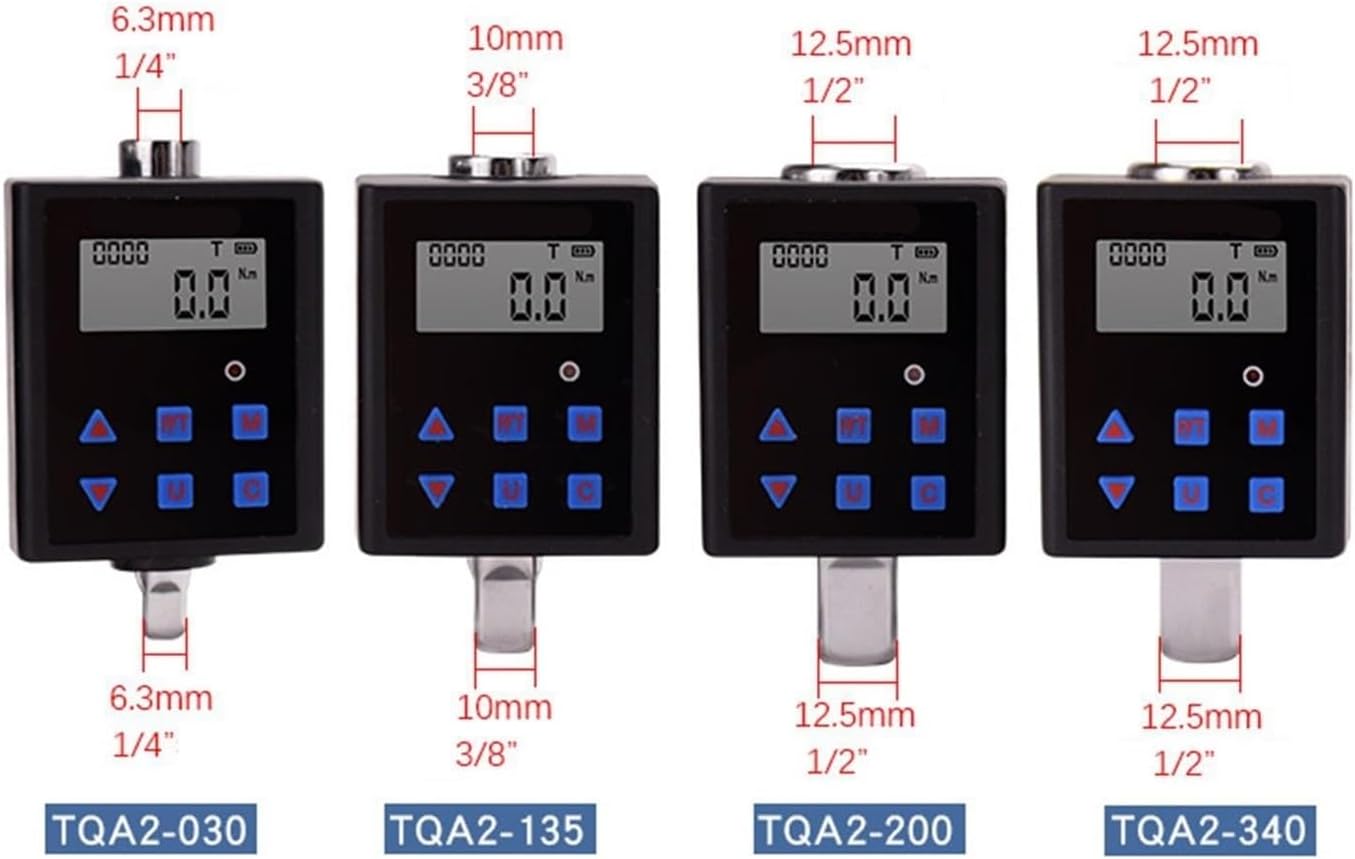
Figure 3.2: Various models of the Digital Torque Adapter, illustrating different drive sizes and torque ranges. The TQA2-340 model features a 1/2 inch drive.
4. Setup
4.1 Unpacking and Inspection
Carefully remove the digital torque adapter and accessories from its packaging. Inspect all components for any signs of damage. The package typically includes:
- 1 x Digital Torque Adapter
- 1 x Screwdriver (for battery compartment)
- 1 x Square Head Adapter (if applicable to model)
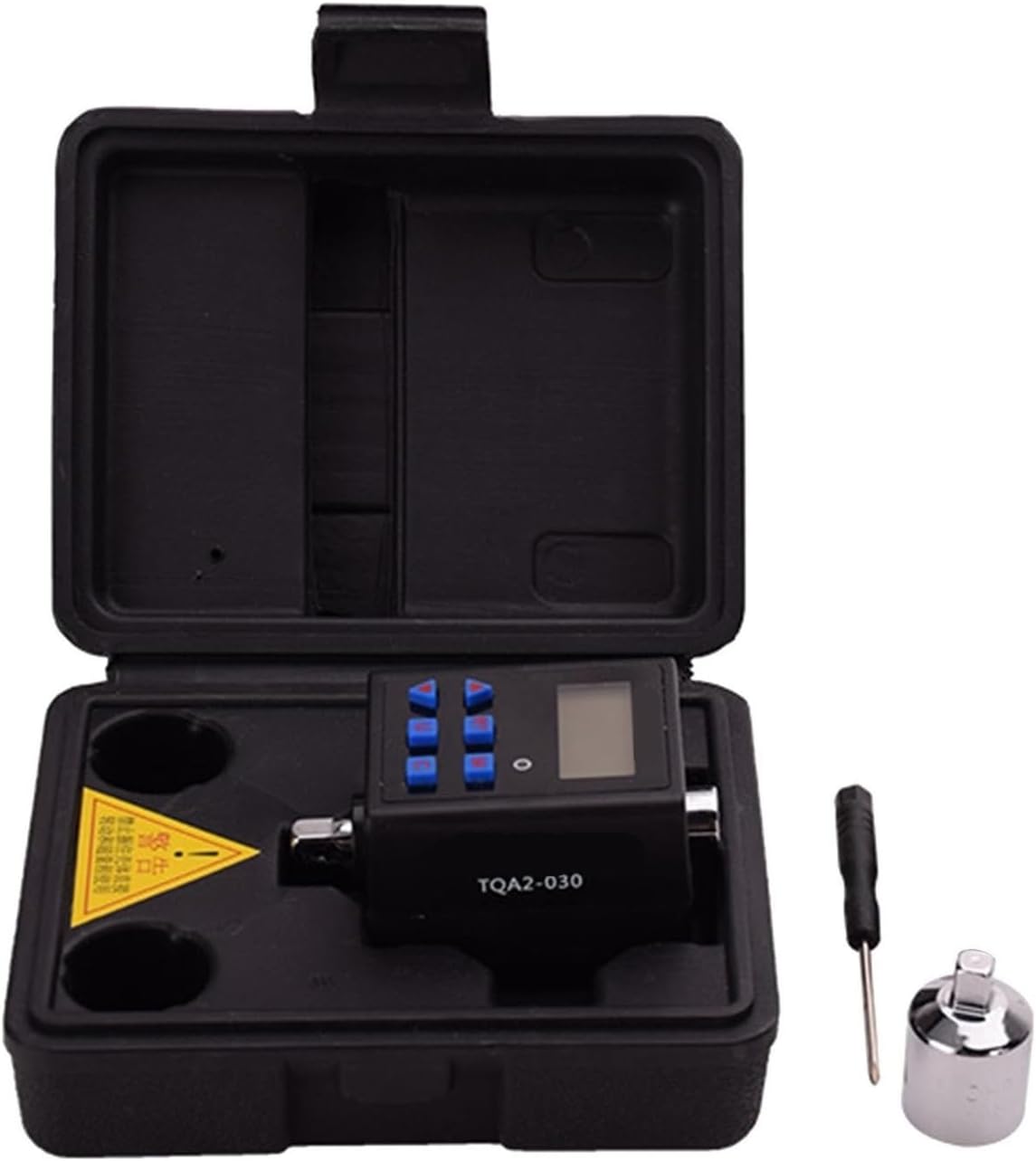
Figure 4.1: Contents of the package, including the torque adapter, screwdriver, and square head adapter, stored in a protective case.
4.2 Battery Installation
The device requires batteries for operation. Locate the battery compartment cover, typically on the back or side of the unit. Use the provided screwdriver to open the cover. Insert the required batteries (e.g., AAA batteries, not included) according to the polarity markings. Close the cover securely.
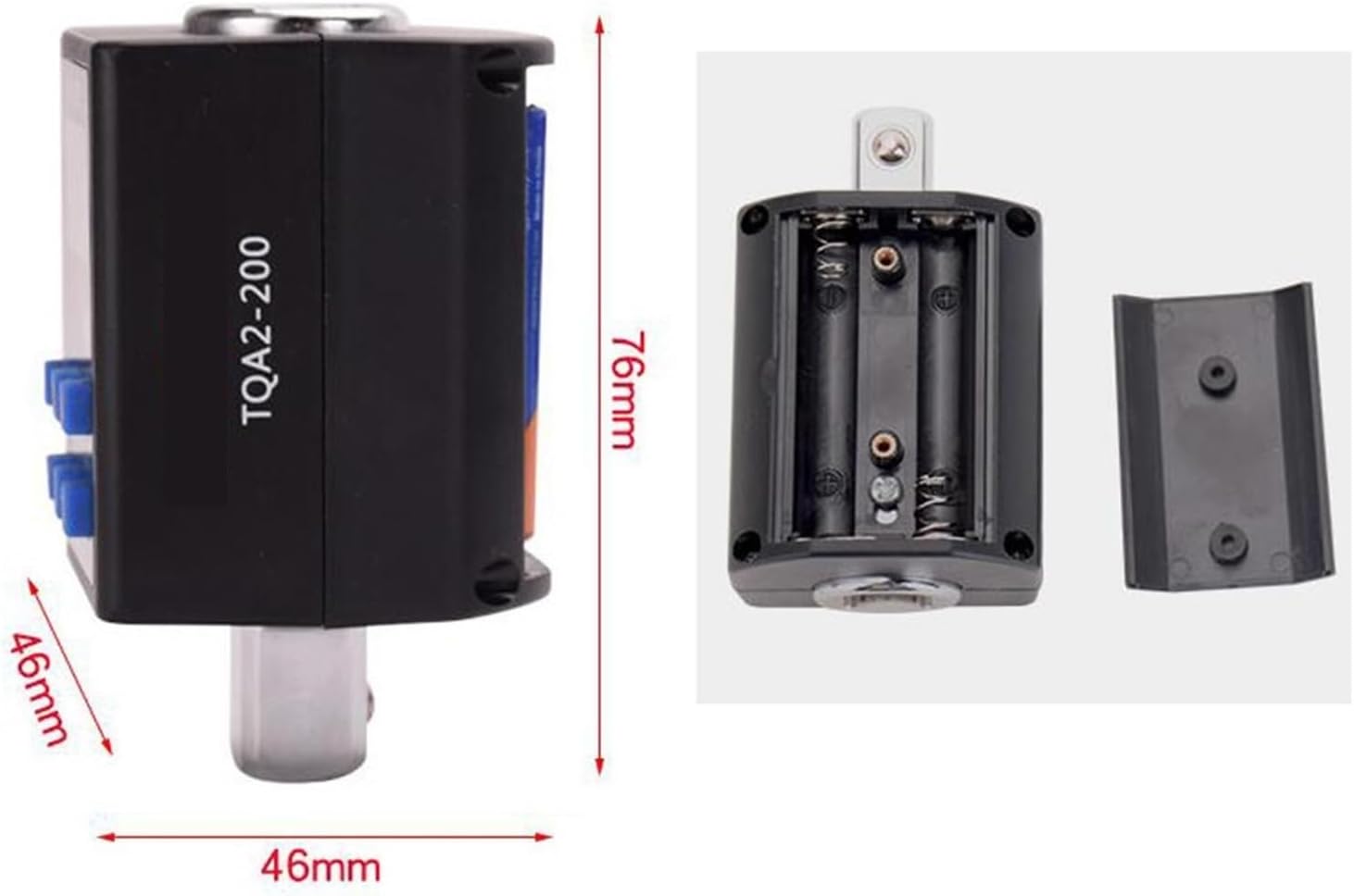
Figure 4.2: Rear view of the adapter with the battery compartment open, showing where to insert batteries.
4.3 Attaching to a Wrench
Attach the digital torque adapter to the square drive of a standard ratchet wrench. Ensure it is firmly seated and locked into place. The adapter is designed to fit standard drive sizes (e.g., 1/2 inch for TQA2-340).
5. Operating Instructions
5.1 Power On/Off
Press and hold the 'C' button (or power button) to turn the device on. The display will illuminate. To turn off, press and hold the 'C' button again.
5.2 Mode Selection
The adapter offers three operating modes:
- Real-time Mode (RT): Displays the current torque being applied. Press the 'RT' button to select this mode.
- Peak Mode (P): Captures and displays the maximum torque value reached during an operation. Press the 'M' button to cycle through modes until 'P' is indicated.
- Preset Mode (T): Allows you to set a target torque value. The device will alert you when this value is approached or reached. Press the 'M' button to cycle through modes until 'T' is indicated.
5.3 Unit Selection
Press the 'U' button to cycle through available torque units (e.g., N.m, ft-lb, in-lb, kg-cm). Select the desired unit for your measurement.
5.4 Setting Target Torque (Preset Mode)
In Preset Mode ('T'), use the Up (▲) and Down (▼) arrow buttons to adjust the target torque value. The display will show the set value. Once set, apply torque. The device will provide a sound and light alarm as you approach and reach the target torque.
5.5 Applying Torque
With the adapter and wrench securely attached to the fastener, apply smooth, steady force. Observe the digital display for real-time readings or peak values, depending on the selected mode. Pay attention to the sound and light alarms in preset mode.

Figure 5.1: The digital torque adapter in use, attached to a standard wrench for accurate torque application.
6. Maintenance
6.1 Cleaning
Wipe the device with a soft, dry cloth. Do not use abrasive cleaners or solvents, as these can damage the display or casing. Ensure no liquids enter the device.
6.2 Storage
When not in use, store the digital torque adapter in its protective case in a cool, dry place, away from direct sunlight and extreme temperatures. If storing for extended periods, remove the batteries to prevent leakage.
6.3 Calibration
For optimal accuracy, periodic calibration by a qualified service center is recommended, especially after heavy use or if accuracy is suspected to be compromised.
7. Troubleshooting
| Problem | Possible Cause | Solution |
|---|---|---|
| Device does not power on. | Dead or incorrectly installed batteries. | Check battery polarity. Replace batteries with new ones. |
| Inaccurate torque readings. | Improper attachment to wrench; device needs calibration; damaged sensor. | Ensure secure attachment. Consider professional calibration. Contact support if damage is suspected. |
| Display is dim or flickering. | Low battery power. | Replace batteries. |
| Alarm does not sound in Preset Mode. | Volume too low or disabled; not in Preset Mode. | Check device settings for alarm volume. Ensure 'T' mode is selected. |
8. Specifications
| Feature | Specification |
|---|---|
| Model | TQA2-340 |
| Material | Steel |
| Torque Range | 0.3 - 340 N.M |
| Drive Size | 1/2 inch (12.5mm) |
| Dimensions (L x W x H) | 46mm x 46mm x 76mm (1.81 x 1.81 x 2.99 inches) |
| Weight | 500 Grams |
| Operating Modes | Real-time, Peak, Preset |
| Alarm Function | Sound and Light |
| Power Source | Batteries (not included) |
9. Warranty and Support
BAISULI products are manufactured to high-quality standards. This product is covered by a limited warranty against defects in materials and workmanship. Please refer to the warranty card included with your purchase for specific terms and conditions, or visit our official website for more details.
For technical support, service, or inquiries regarding your digital torque adapter, please contact BAISULI customer service through the retailer where the product was purchased or via the contact information provided on our official website. Please have your model number and purchase date ready when contacting support.