1. Product Overview
The TOSOT 9,000 BTU Mini-Split Air Conditioner and Heating System, part of the Cosmo Series WiFi, provides efficient climate control for your space. This ductless inverter AC unit offers both cooling and heating functionalities, enhanced by smart control features and energy-saving technology.
- Smart Cooling: Control your unit remotely with the Gree+ app and utilize voice control for hands-free adjustments.
- Efficiency Meets Savings: With a SEER2 rating of up to 22, the Cosmo series is designed to reduce energy costs.
- Advanced Compressor: Features an inverter compressor for stable temperatures, quieter operation, and energy efficiency, capable of cooling in temperatures up to 122°F and heating as low as -13°F.
- Noiseless Operation: Operates at a low noise level of 22dB to 36dB, suitable for quiet environments.
2. Setup and Installation
Proper installation is crucial for the optimal performance and longevity of your TOSOT Mini-Split system. It is highly recommended to have this unit installed by a qualified HVAC professional to ensure compliance with local codes and warranty requirements. The system includes an indoor unit, an outdoor unit, and a 16ft copper line set.

Figure 2.1: Overview of the TOSOT Mini-Split system components, including indoor unit, outdoor unit, line set, remote, and app interface.
2.1 Components Included
The package typically includes:
- Indoor Unit
- Outdoor Unit
- 16 Ft. Copper Line Set
- Remote Control
- User Manual & Quick Guide
- Mounting Plate and Fixing Screws
- Drain Joint, Wall Cuff, Sealing Gum, Insulation Sleeve
- Electrical Cable and Signal Cable
Note: Units may be shipped in multiple packages and arrive at different times. Please confirm all packages are received before scheduling installation.
2.2 Outdoor Unit Placement
The outdoor inverter unit should be placed on a stable, level surface, such as a concrete pad, away from direct sunlight and obstructions to ensure proper airflow. Ensure adequate clearance around the unit for maintenance and operation.

Figure 2.2: The TOSOT outdoor inverter unit, designed for energy efficiency and quiet operation.
2.3 Wiring Considerations
Wiring diagrams are provided in the installation manual. It is critical to follow these diagrams precisely. Incorrect wiring can lead to system malfunction or safety hazards. Some users have noted that the wiring diagram for the indoor unit in older manuals might differ from the outdoor unit's diagram; always ensure consistency between the indoor and outdoor unit wiring (e.g., L1 - S - L2 configuration).
For optimal performance and to maintain warranty, ensure all connections are secure and refrigerant lines are properly evacuated and charged by a certified technician.
2.4 Visual Guide to Components

Figure 2.3: Detailed breakdown of included components for both indoor and outdoor units, including mounting hardware, cables, and line set.
3. Operating Instructions
Your TOSOT Mini-Split system offers various modes and control options for personalized comfort.
3.1 Remote Control Functions
The included remote control allows you to easily adjust settings:
- Power On/Off: Turn the unit on or off.
- Mode Selection: Switch between Cooling, Heating, Fan, Dry (Dehumidifying), and Auto modes.
- Temperature Adjustment: Increase or decrease the desired temperature.
- Fan Speed: Adjust the fan speed (e.g., Low, Medium, High, Auto).
- Swing: Control the louver direction for optimal air distribution.
- Timer: Set a timer for automatic on/off operation.
- Sleep Mode: Adjusts temperature for comfortable sleep and energy saving.
- Turbo Mode: Provides rapid cooling or heating.

Figure 3.1: The remote control for the TOSOT Mini-Split, showing buttons for mode, temperature, fan speed, and other functions.
3.2 Smart Control (Wi-Fi Enabled)
The TOSOT Cosmo series is Wi-Fi enabled, allowing for convenient control via the Gree+ app on your smartphone or tablet. This feature also supports voice control for hands-free operation.
- Download the Gree+ app from your device's app store.
- Follow the in-app instructions to connect your unit to your home Wi-Fi network.
- Once connected, you can adjust settings, monitor status, and set schedules from anywhere.
- Integrate with compatible voice assistants for voice commands.

Figure 3.2: The TOSOT indoor unit demonstrating smart control capabilities via a smartphone app and remote control.
3.3 Operating Modes
- Cooling: Provides 9,100 BTU/h of cooling capacity.
- Heating: Provides 10,000 BTU/h of heating capacity.
- Dehumidifying: Removes up to 40.56 Pints/day of moisture.
- Fan: Offers 7 fan speeds for air circulation without temperature change.
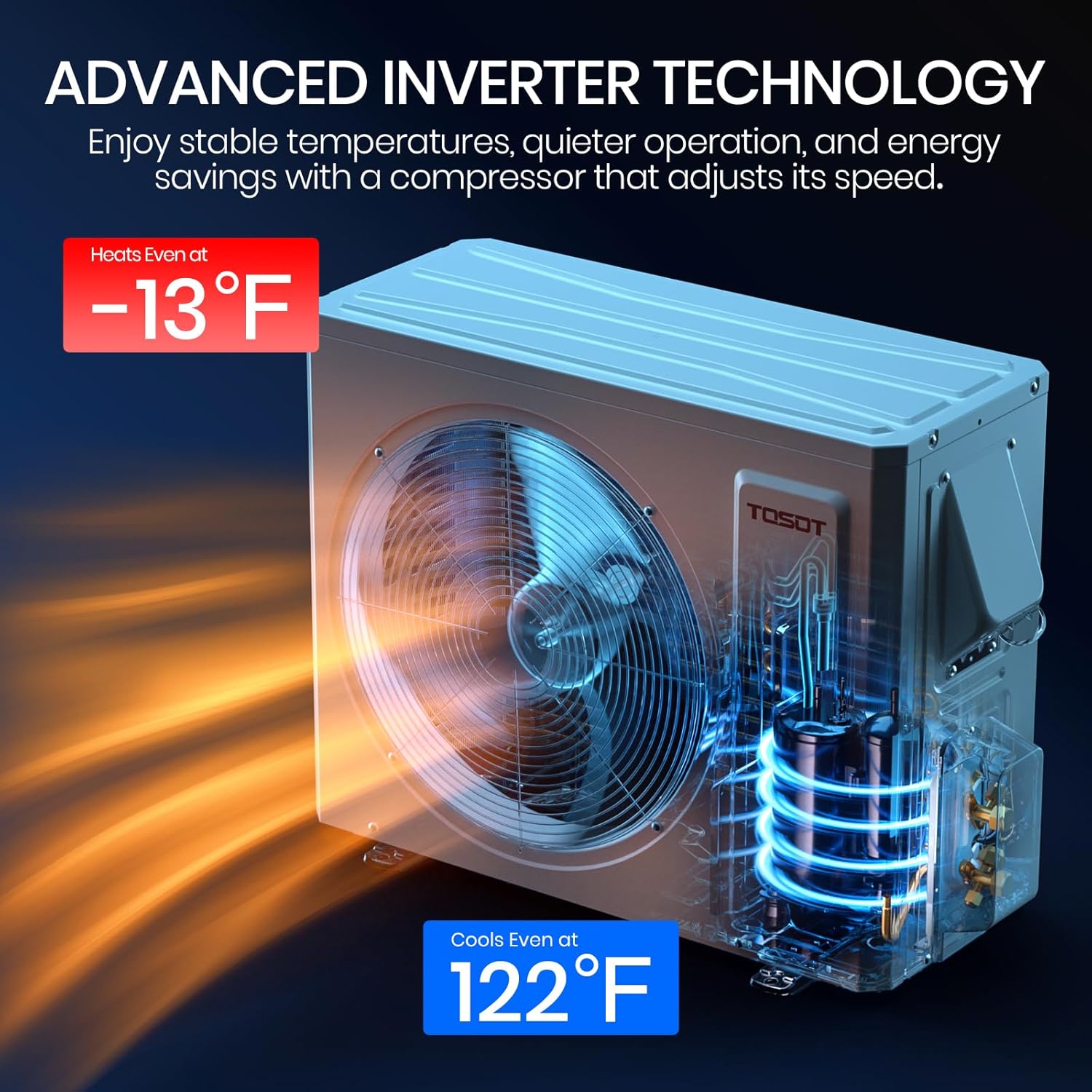
Figure 3.3: Visual representation of the unit's four primary operating modes: cooling, heating, dehumidifying, and fan, along with their respective capacities.
4. Maintenance
Regular maintenance ensures efficient operation and extends the lifespan of your TOSOT Mini-Split system.
- Filter Cleaning: Clean the air filters in the indoor unit regularly (e.g., every 2-4 weeks, depending on usage) to maintain airflow and efficiency. Refer to the user manual for specific instructions on filter removal and cleaning.
- Outdoor Unit Cleaning: Keep the outdoor unit free from debris, leaves, and other obstructions. Periodically clean the coils with a soft brush or vacuum cleaner.
- Drainage Check: Ensure the condensate drain line is clear and free-flowing to prevent water leaks.
- Professional Inspection: Schedule annual professional maintenance to check refrigerant levels, electrical connections, and overall system health.
5. Troubleshooting
If you encounter issues with your TOSOT Mini-Split system, refer to the following common troubleshooting tips before contacting customer support.
| Problem | Possible Cause | Solution |
|---|---|---|
| Unit does not turn on | No power, remote control batteries dead, circuit breaker tripped. | Check power supply, replace remote batteries, reset circuit breaker. |
| Insufficient cooling/heating | Dirty air filters, blocked outdoor unit, incorrect temperature setting, low refrigerant. | Clean filters, clear obstructions, adjust temperature, contact professional for refrigerant check. |
| Water leakage from indoor unit | Clogged drain line, improper installation angle. | Clear drain line, ensure proper unit leveling (professional assistance may be needed). |
| Unusual noise | Loose parts, fan obstruction, compressor issue. | Check for loose parts/obstructions, contact professional if noise persists. |
| Wi-Fi connectivity issues | Weak Wi-Fi signal, incorrect app settings, router issues. | Check Wi-Fi signal strength, reconfigure app settings, restart router. |
For more detailed troubleshooting or issues requiring technical expertise, please consult the full user manual or contact TOSOT customer support.
6. Specifications
| Feature | Detail |
|---|---|
| Model Number | GWH09ATCXB-A6DNA1AO |
| Cooling Power | 9100 British Thermal Units |
| Capacity | 0.75 Tons |
| Seasonal Energy Efficiency Ratio (SEER2) | 20.5 |
| Voltage | 110-120 Volts (AC) |
| Noise Level | 22-36 Decibels |
| Product Dimensions | 28.82 x 21.85 x 12.99 inches |
| Item Weight | 123.8 pounds |
| Floor Area Coverage | Up to 450 Square Feet |
| Special Features | Fast Cooling, Heating & Cooling Function, Inverter Compressor, WiFi Enabled |
7. Warranty and Support
The TOSOT 9,000 BTU Mini-Split Air Conditioner and Heating System comes with a 5-Year Warranty. For specific terms and conditions, please refer to the warranty documentation included with your product.
For any questions, technical assistance, or warranty claims, please contact TOSOT Customer Support. Contact information can typically be found in your user manual or on the official TOSOT website.
Durable packaging ensures your unit arrives safely. In the event of any shipping damage or missing parts, please contact your retailer or TOSOT customer support immediately.
8. Official Product Video
Watch this official product video from Sain Store (Seller) for a visual overview of the TOSOT Mini Split Air Conditioner.
Video 8.1: TOSOT Mini Split Air Conditioner overview by Sain Store. This video provides a brief look at the unit's features and operation.


