
Introduction
This manual provides detailed instructions for the operation and maintenance of your Joymate 5000mAh Charging Phone Stand with Bluetooth Speaker, Model L43. Please read this manual thoroughly before using the product to ensure proper function and longevity. Keep this manual for future reference.
Product Overview
The Joymate L43 is a versatile device combining a phone stand, a Bluetooth speaker, and a 5000mAh power bank. It features a foldable design for portability, adjustable viewing angles, and a built-in microphone for hands-free calls.
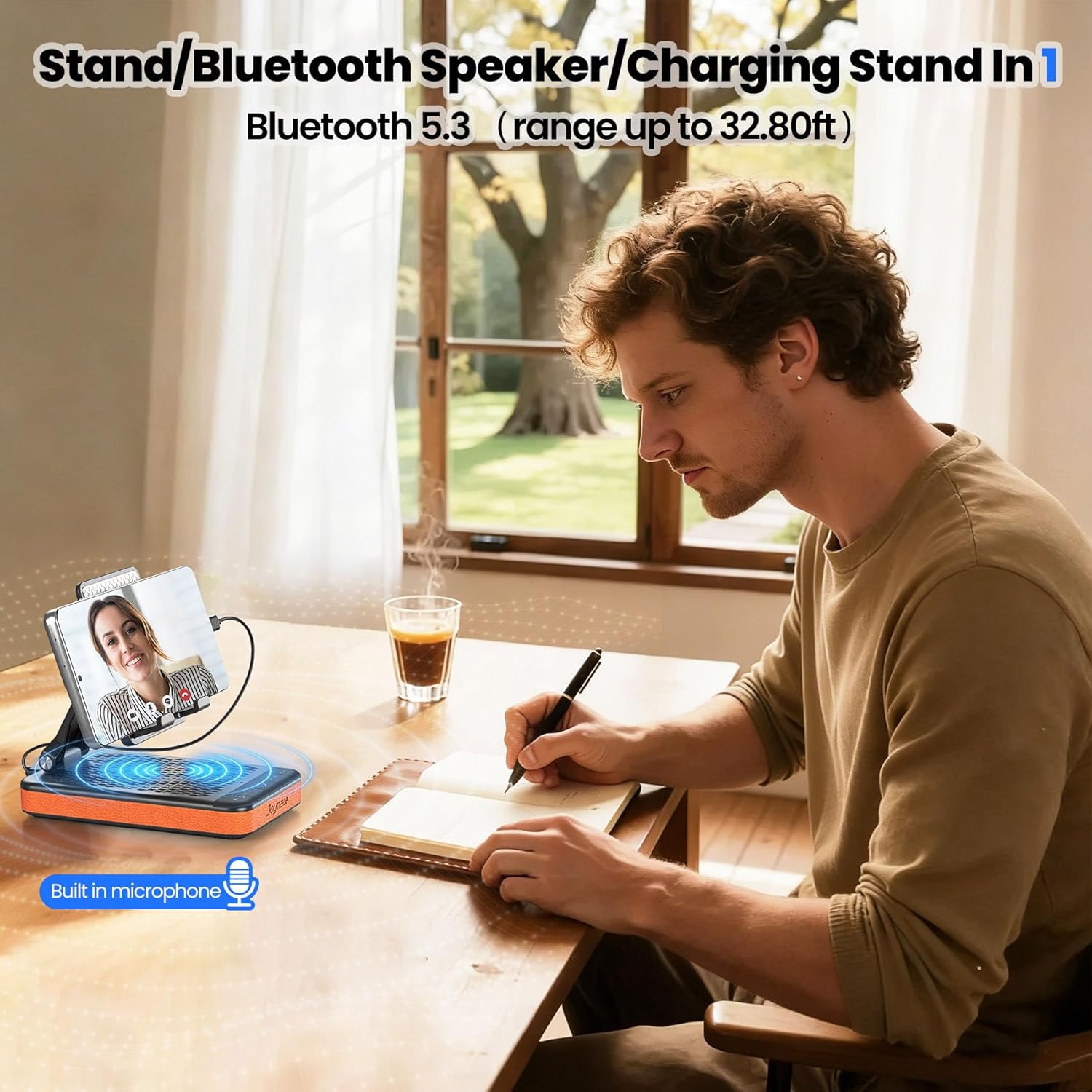
Figure 1: Joymate L43 Phone Stand with Bluetooth Speaker in use, showing a phone connected and playing music, with a person working at a desk.
Key Features:
- Multi-purpose Design: Functions as a phone stand, Bluetooth speaker, and 5000mAh power bank.
- Adjustable Viewing Angle: Ergonomic design to reduce neck and wrist strain.
- Built-in Microphone: For hands-free calls and video conferencing.
- Dual Speakers: Delivers clear and powerful audio.
- Bluetooth 5.3: Ensures stable and reliable wireless connection up to 32.80ft.
- Portable and Foldable: Compact design for easy transport.
- Anti-slip Silicone Panel: Securely holds your device.

Figure 2: Overview of the Joymate L43 control buttons and indicators.
Controls and Indicators:
- Battery Level Display: Indicates remaining battery charge.
- Volume Down / Previous Track: Short press for volume down, long press for previous track.
- Power ON/OFF / Mode: Press and hold to power on/off, short press to change mode.
- Volume Up / Next Track: Short press for volume up, long press for next track.
- Answer / Hang Up / Play / Pause: Multifunction button for calls and media playback.
- Microphone: Built-in for hands-free communication.
- USB-A Charging Output Port: For charging external devices.
- Type-C Charging Input Port: For charging the device itself.
Setup
Unpacking:
Carefully remove all components from the packaging. Ensure all items listed in the packing list are present.

Figure 3: Contents of the Joymate L43 package.
- Joymate L43 Phone Stand with Bluetooth Speaker
- Type-C Data Cable (Wall charger not included)
- Instruction Manual
- Packaging Box
Initial Charge:
Before first use, fully charge the device. Connect the provided Type-C data cable to the Type-C input port (8) on the device and the other end to a USB power adapter (not included). The battery level display (1) will indicate charging status.
Operating Instructions
Power On/Off:
Press and hold the Power ON/OFF button (3) for approximately 3 seconds until the indicator lights illuminate.
Bluetooth Pairing:
- Ensure the device is powered on.
- On your mobile device, navigate to Bluetooth settings.
- Search for available devices and select "Joymate L43" to pair.
- A confirmation sound will indicate successful pairing.
Video 1: A brief introduction to the Joymate L43 Phone Stand with Bluetooth Speaker, demonstrating its features and connectivity.
Media Playback:
- Play/Pause: Press the Answer/Hang Up/Play/Pause button (5).
- Next Track: Long press the Volume Up / Next Track button (4).
- Previous Track: Long press the Volume Down / Previous Track button (2).
- Volume Adjustment: Short press the Volume Up (4) or Volume Down (2) buttons.
Answering Calls:
When a call comes in, press the Answer/Hang Up/Play/Pause button (5) to answer. Press it again to end the call. The built-in microphone (6) allows for hands-free communication.
Using as a Phone Stand:
Unfold the stand to your desired viewing angle. The anti-slip silicone panel will securely hold your smartphone or tablet. Adjust the angle for optimal comfort during video calls, media consumption, or work.

Figure 4: The adjustable bracket allows for various viewing angles.
Using as a Power Bank:
Connect your mobile device's charging cable to the USB-A charging output port (7) on the Joymate L43. The internal 5000mAh battery will provide backup power to your device.

Figure 5: The Joymate L43 can charge your phone on the go.
Maintenance
- Keep the device dry. Do not expose it to moisture or extreme temperatures.
- Clean the device with a soft, dry cloth. Do not use abrasive cleaners or solvents.
- Avoid dropping or subjecting the device to strong impacts.
- Store in a cool, dry place when not in use.
Troubleshooting
| Problem | Possible Cause | Solution |
|---|---|---|
| Device does not power on. | Low battery. | Charge the device fully using the provided Type-C cable. |
| Cannot pair via Bluetooth. | Bluetooth is off on your device; device is out of range; already paired to another device. | Ensure Bluetooth is enabled. Move closer to the device. Disconnect from other devices. Restart both devices. |
| No sound from speaker. | Volume too low; device not connected; media paused. | Increase volume. Ensure successful Bluetooth connection. Check media playback status. |
| Phone not charging. | Low battery on Joymate L43; incorrect cable; phone not properly connected. | Charge the Joymate L43. Use a compatible charging cable. Ensure secure connection to USB-A output port. |
Specifications
| Feature | Detail |
|---|---|
| Model Number | L43 |
| Brand | Joymate |
| Battery Capacity | 5000mAh |
| Bluetooth Version | 5.3 |
| Bluetooth Range | Up to 32.80 ft (10 meters) |
| Speaker Output | 4Ω3W (Dual Speakers) |
| Product Dimensions | 5.6 x 3.6 x 2.1 inches |
| Item Weight | 9.2 ounces |
| Input Port | USB Type-C |
| Output Port | USB-A |
| Compatible Devices | Smartphones, E-readers, Kindles, Nintendo, Tablets |
Warranty and Support
For warranty information or technical support, please contact Joymate customer service. Refer to the product packaging or the official Joymate website for contact details. Please have your model number (L43) and purchase information ready when contacting support.
You can visit the official Joymate store on Amazon for more information: Joymate Store