
1. Introduction
This manual provides detailed instructions for the installation, maintenance, and care of your Traxxas Mini Maxx Stub Axle Carriers. These components are designed to enhance the performance and durability of your Traxxas Mini Maxx vehicle.
2. Product Overview
The Traxxas 10751-BLUE Stub Axle Carriers are precision-engineered components for the Mini Maxx. Constructed from high-grade 6061-T6 aluminum, they offer improved strength, precision, and a brilliant anodized blue finish. These carriers are a direct replacement for the stock components, ensuring a perfect factory fit.
Key Features:
- Improved appearance, strength, and precision.
- Made from high-grade 6061-T6 aluminum.
- Brilliant anodized blue finish.
- Premium quality construction with factory fit and finish.
Included Components:
- Left Stub Axle Carrier (1)
- Right Stub Axle Carrier (1)
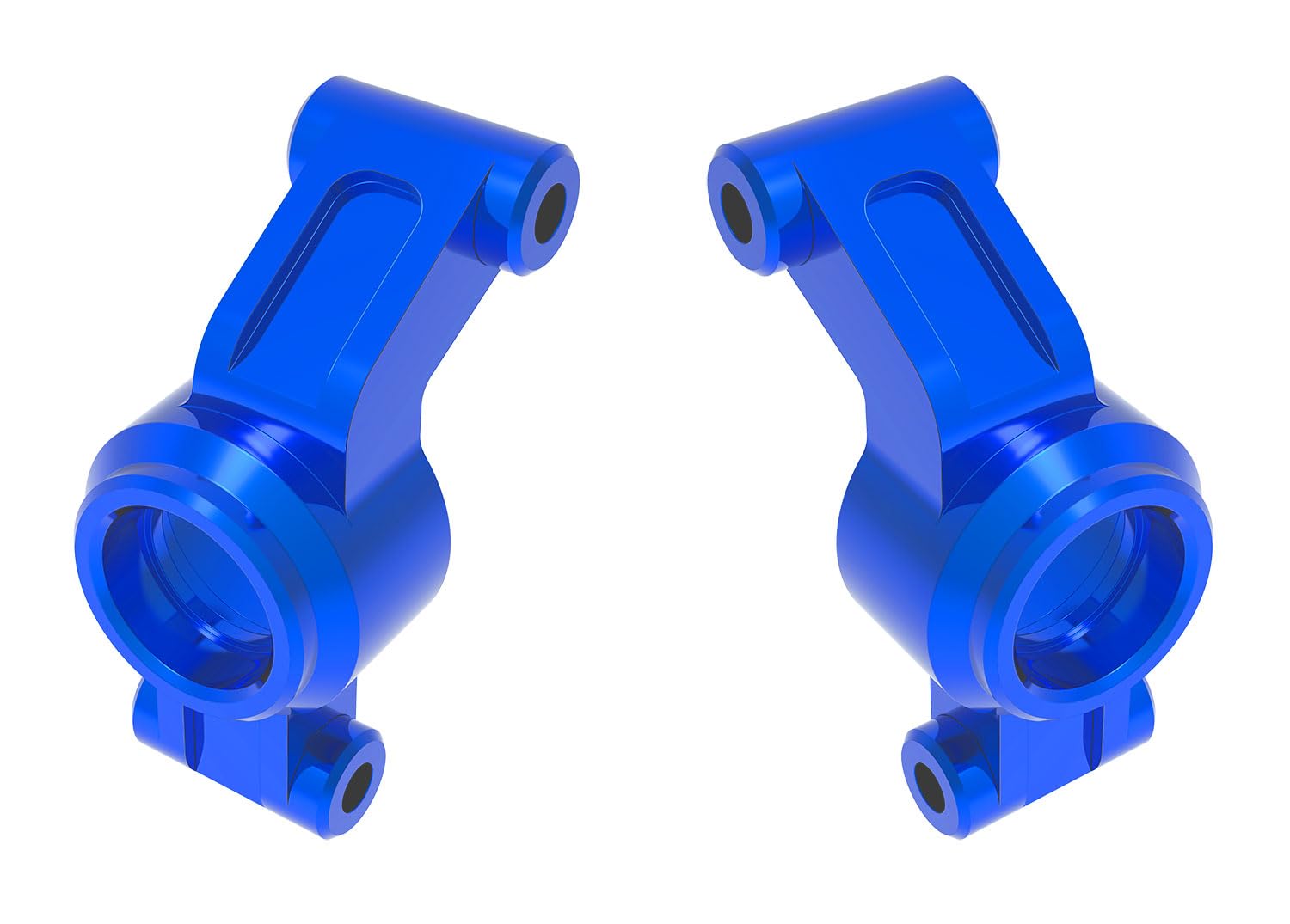
Figure 2.1: Traxxas Mini Maxx Stub Axle Carriers (Left and Right) in blue finish. These aluminum components are designed for enhanced durability and precision in your RC vehicle.
3. Setup and Installation
Before beginning installation, ensure your Traxxas Mini Maxx vehicle is powered off and the battery is disconnected. Refer to your vehicle's original manual for specific disassembly instructions if needed.
- Prepare the Vehicle: Place the vehicle on a stable surface. Remove the wheels and any components that obstruct access to the existing stub axle carriers.
- Remove Old Carriers: Carefully unfasten the screws or pins securing the stock stub axle carriers to the suspension arms. Note the orientation of all removed parts for correct reassembly.
- Transfer Components: Transfer any bearings, pins, or other small components from the old carriers to the new Traxxas aluminum carriers. Ensure all parts are clean and free of debris.
- Install New Carriers: Position the new aluminum stub axle carriers onto the suspension arms, ensuring the correct left and right orientation. Secure them using the original screws or pins. Do not overtighten.
- Reassemble: Reattach any removed components, including the wheels. Ensure all connections are secure and there is no binding in the suspension or steering.
Note: Professional installation is recommended if you are unfamiliar with RC vehicle assembly. Always use appropriate tools to avoid damaging components.
4. Post-Installation Checks
After installing the new stub axle carriers, perform the following checks before operating your vehicle:
- Wheel Spin: Manually spin each wheel to ensure it rotates freely without obstruction or excessive friction.
- Steering Function: Check the steering mechanism for full range of motion and smooth operation. Ensure there is no binding.
- Suspension Travel: Compress the suspension on each corner to verify full and smooth travel without interference.
- Fastener Security: Double-check all screws and pins used during installation to ensure they are properly tightened.
These checks help confirm correct installation and prevent potential issues during operation.
5. Maintenance
To ensure the longevity and optimal performance of your Traxxas aluminum stub axle carriers, follow these maintenance guidelines:
- Regular Inspection: Periodically inspect the carriers for any signs of wear, damage, or bending, especially after heavy use or impacts.
- Cleaning: Keep the carriers and surrounding components clean from dirt, dust, and debris. Use a soft brush or compressed air. Avoid harsh chemicals that may damage the anodized finish.
- Fastener Check: Regularly check the tightness of all fasteners connected to the stub axle carriers. Vibrations during operation can cause screws to loosen over time.
- Bearing Inspection: If applicable, inspect the bearings housed within the carriers for smooth operation. Replace worn or seized bearings promptly.
6. Troubleshooting
If you encounter issues after installing your new stub axle carriers, consider the following:
| Problem | Possible Cause | Solution |
|---|---|---|
| Wheel does not spin freely. |
|
|
| Steering feels stiff or binds. |
|
|
| Carrier appears loose. |
|
|
7. Specifications
- Part Number: 10751-BLUE
- Material: 6061-T6 Aluminum
- Color: Blue Anodized
- Compatibility: Traxxas Mini Maxx
- Dimensions: Approximately 6 x 3.25 x 1 inches (Item Dimensions)
- Weight: Approximately 1.44 ounces
- UPC: 020334043221
8. Support and Warranty
For technical assistance or further information regarding your Traxxas Mini Maxx Stub Axle Carriers, please visit the official Traxxas website or contact their customer support. Information regarding product warranty is typically available on the manufacturer's website or included with the original product packaging.
Traxxas Official Website: www.traxxas.com


