1. Introduction
This manual provides essential information for the safe and effective use of your new Generic 130000RPM 200W Turbo Blower Compressed Air Duster. Please read this manual thoroughly before operating the device and retain it for future reference.
The cordless handheld air duster is designed to be compact, lightweight, and portable. Constructed from durable ABS and metal materials, it offers powerful performance for various cleaning applications.
2. Safety Information
- Do not operate the device near flammable liquids or gases.
- Keep out of reach of children.
- Avoid directing the airflow directly at eyes or sensitive body parts.
- Do not immerse the device in water or expose it to excessive moisture.
- Use only the provided Type-C cable for charging.
- If the device overheats (exceeding 150°C), it will automatically shut down. Allow it to cool before resuming use.
- Do not attempt to disassemble or modify the device.
3. Package Contents
Verify that all items are present in the package:
- 1 x Dust Blower Unit
- 1 x Type-C Charging Cable
- 1 x Nozzle Attachment
4. Product Overview
The Generic Turbo Blower is equipped with a high-speed brushless motor, delivering powerful airflow for efficient cleaning. Its ergonomic design ensures comfortable handling for various tasks.
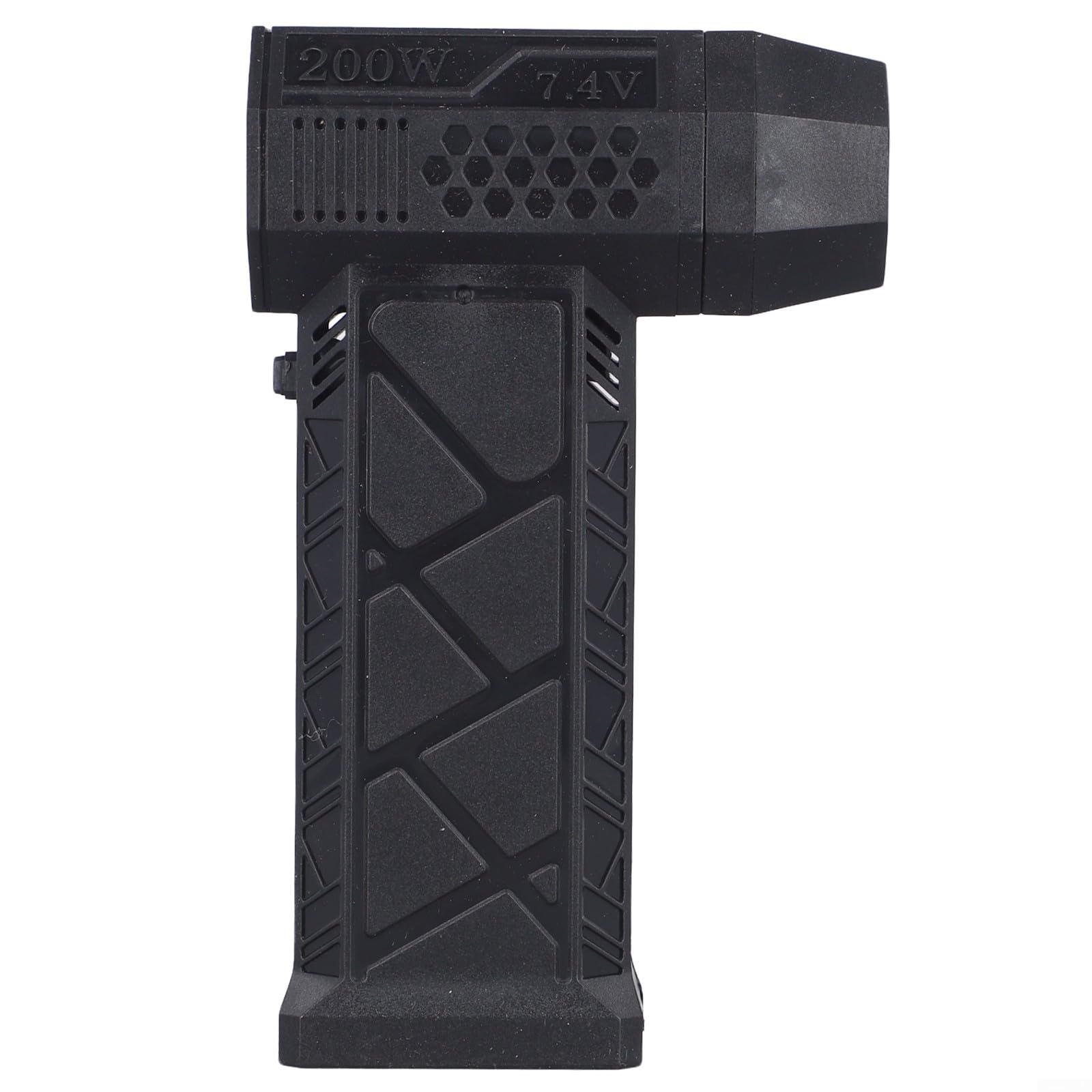
Image: The Generic 130000RPM 200W Turbo Blower Compressed Air Duster, showcasing its compact and ergonomic design.

Image: The air duster shown next to a smartphone, illustrating its compact and mini body for easy portability.

Image: Close-up views highlighting the product details, including the nozzle, fan blades, and overall construction.
5. Setup
- Unpack: Carefully remove all components from the packaging.
- Attach Nozzle: Align the nozzle attachment with the air outlet of the blower unit and firmly push it into place until it clicks securely.
- Initial Charge: Before first use, fully charge the device using the provided Type-C cable. Refer to the "Charging Instructions" section for details.

Image: Side view of the air duster with the nozzle attached, ready for use.
6. Operating Instructions
- Power On/Off: Locate the power button on the device. Press and hold the button to turn the air duster on or off.
- Adjust Speed: The device features adjustable powerful blowing. Press the power button briefly to cycle through different speed settings (if applicable).
- Direct Airflow: Point the nozzle towards the area you wish to clean. Maintain a safe distance from delicate components.
- Cleaning Applications: This air duster is suitable for various tasks including:
- Cleaning computer keyboards and electronics
- Dusting car interiors, including crevices and consoles
- Blowing dust from outdoor equipment
- Assisting with carbon fire ignition
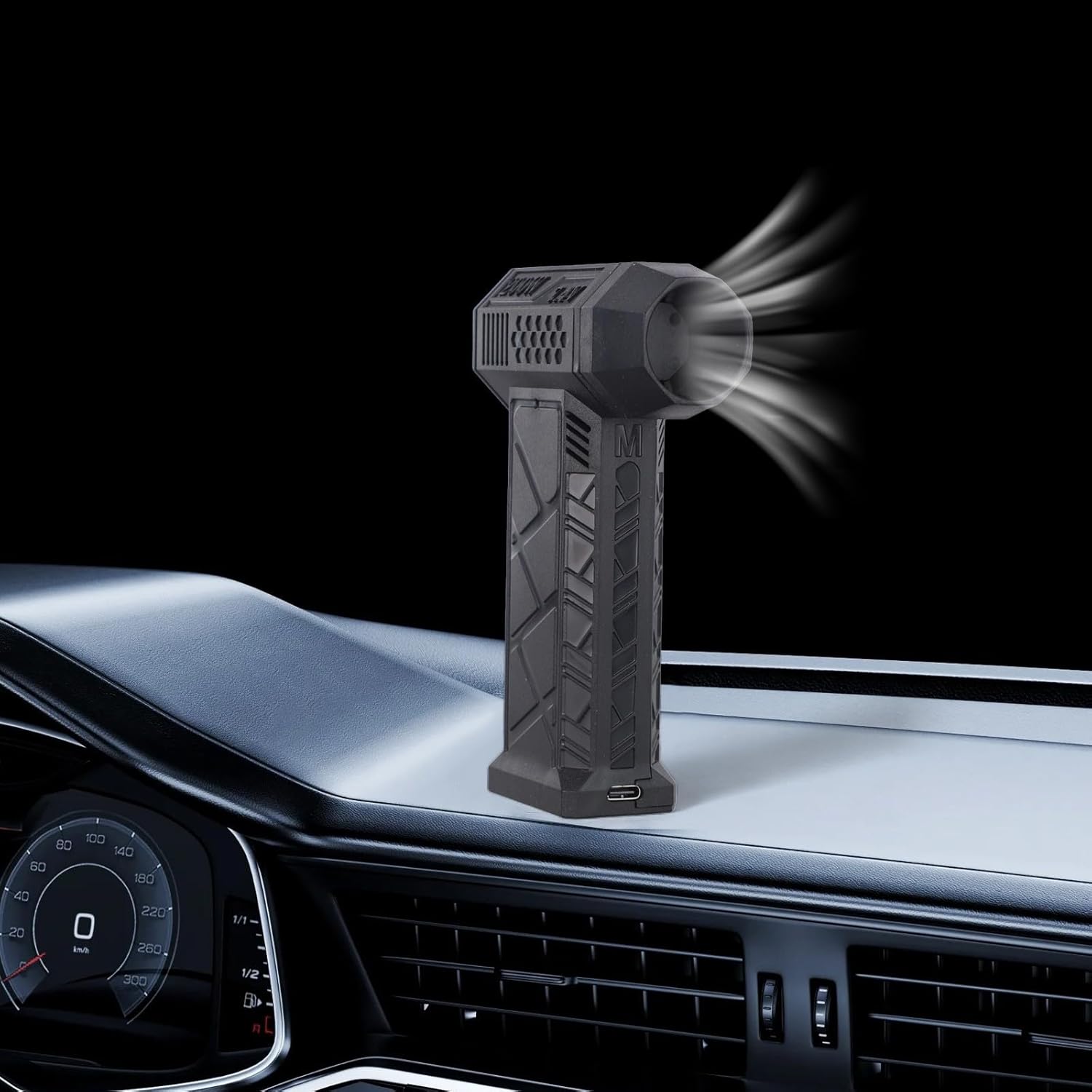
Image: The air duster in action, effectively cleaning dust from a car dashboard.

Image: The air duster being used to clean debris from a car seat, demonstrating its versatility.
7. Charging Instructions
The air duster is equipped with a built-in 4000mAh high-capacity lithium battery and supports 15W QC fast charging.
- Connect the provided Type-C charging cable to the charging port on the device.
- Connect the other end of the cable to a compatible USB power adapter (not included) or a computer USB port.
- The charging indicator light will illuminate (or change color) to show that the device is charging.
- Once fully charged, the indicator light will change (or turn off). Disconnect the charger.
A full charge provides up to 15 minutes of continuous operation, depending on the speed setting.
8. Maintenance
- Cleaning the Exterior: Wipe the exterior of the device with a soft, dry cloth. Do not use harsh chemicals or abrasive cleaners.
- Nozzle Cleaning: If the nozzle becomes clogged, remove it from the unit and clear any obstructions.
- Storage: Store the air duster in a cool, dry place away from direct sunlight and extreme temperatures. Ensure the device is turned off before storing.
- Battery Care: To prolong battery life, avoid completely draining the battery frequently. Charge the device regularly, even if not in use for extended periods.
9. Troubleshooting
| Problem | Possible Cause | Solution |
|---|---|---|
| Device does not turn on | Battery is depleted | Charge the device fully. |
| Weak airflow | Battery is low or nozzle is obstructed | Charge the device. Check and clear any obstructions in the nozzle. |
| Device stops unexpectedly | Overheat protection activated | Allow the device to cool down for several minutes before resuming operation. |
| Charging not working | Faulty cable or power source | Ensure the Type-C cable is securely connected. Try a different USB power adapter or port. |
10. Specifications
- Model Number: B0NKZD262GI61AJ0Y7J71NC3X2
- Maximum Motor Speed: 130,000 RPM
- Maximum Motor Power: 200W
- Voltage: 6-8.4V
- Current: 30A
- Battery Capacity: 4000mAh Lithium Battery
- Charging Interface: Type-C
- Fast Charging Protocol: 15W QC
- Maximum Duration: Up to 15 minutes
- Over-temperature Protection: 150°C automatic shutdown
- Material: Acrylonitrile Butadiene Styrene (ABS), Metal
- Item Weight: 287 Grams
- Color: Black
11. Warranty and Support
For warranty information or technical support, please refer to the retailer where the product was purchased or contact the manufacturer directly through their official channels. Keep your purchase receipt as proof of purchase.