
Introduction
This manual provides detailed instructions for the installation, operation, and maintenance of your GE LED HD+ 24-Inch Undercabinet Light Fixture. This integrated fixture offers versatile lighting options for kitchen environments, featuring high-definition light with five selectable color temperatures. It is designed for either direct wire or plug-in installation and allows for linking with additional undercabinet bars and puck lights from a single power source.
Safety Information
Please read and understand all instructions before beginning installation. Failure to follow these instructions may result in electric shock, fire, or other hazards that could cause injury or property damage.
- WARNING: Risk of electric shock. Disconnect power at the fuse or circuit breaker before installing or servicing.
- CAUTION: Suitable for dry locations only. Do not install near water or in damp areas.
- Ensure all connections are secure and properly insulated.
- Do not attempt to modify the fixture. Any modifications may void the warranty and create safety hazards.
- This fixture is intended for undercabinet mounting only.
Package Contents
Verify that all components are present before proceeding with installation:
- 1 x GE LED HD+ 24-Inch Undercabinet Light Fixture
- 1 x 12-inch Linking Cable
- 1 x Power Cord
- 2 x Cable Clips
- 2 x Screw Hole Covers
- 2 x Mounting Screws
- 1 x Terminal Cap (for direct wire option)
- 1 x Installation Guide (this document)

Image: The GE LED HD+ 24-Inch Undercabinet Light Fixture shown in its retail packaging, alongside the fixture itself. The packaging highlights key features such as 24-inch length, 5 CCT (Correlated Color Temperature) options, and 1000 lumens brightness.
Setup and Installation
The GE LED HD+ Undercabinet Light Fixture is designed for easy installation with captive screws and a plug-in option. It can also be direct-wired if preferred. No assembly is required for the fixture itself.
Mounting the Fixture
- Prepare the Surface: Ensure the mounting surface under the cabinet is clean, dry, and flat.
- Position the Fixture: Hold the fixture in the desired location. Mark the positions for the two mounting screws.
- Secure the Fixture: The fixture features captive screws for simplified mounting. Align the fixture with the marked positions and use a screwdriver to tighten the screws directly into the cabinet surface. For softer wood, a small pilot hole (smaller than the screw core) may be drilled to prevent splitting.

Image: A hand using a screwdriver to secure the undercabinet light fixture to the underside of a cabinet. The fixture's captive screws are visible, simplifying the mounting process.
Power Connection Options
This fixture offers both plug-in and direct-wire options for power.
Option 1: Plug-in Installation
- After mounting the fixture, connect the provided power cord to the designated port on the fixture.
- Plug the other end of the power cord into a standard 120V AC wall outlet.
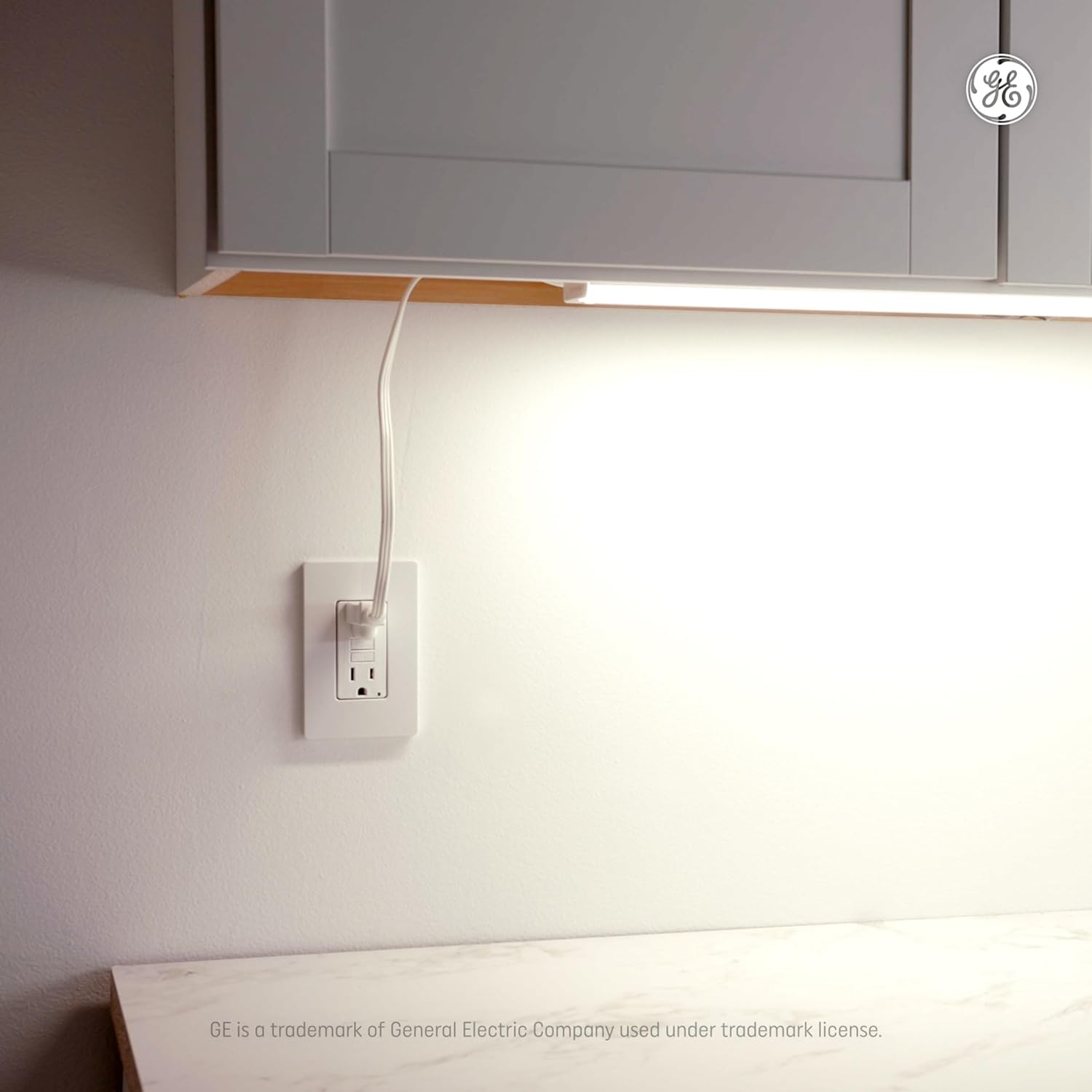
Image: An installed undercabinet light fixture illuminating a countertop, with its power cord neatly plugged into a wall outlet below the cabinet.
Option 2: Direct Wire Installation
For direct wire installation, consult a qualified electrician if you are unfamiliar with electrical wiring. Ensure power is disconnected at the circuit breaker before proceeding.
- Remove the terminal cap from the fixture's direct wire input.
- Connect the household wiring (live, neutral, ground) to the corresponding terminals on the fixture using appropriate wire connectors.
- Securely replace the terminal cap.

Image: A close-up view of the undercabinet light fixture showing the internal wiring compartment with black, white, and green wires connected using quick-connect terminals, indicating a direct wire installation.
Modular Connectivity
The fixture includes a 12-inch linking cable to connect multiple GE undercabinet fixtures or puck lights. Longer 24-inch and 36-inch cables are available separately.
- Ensure power is off before connecting or disconnecting linking cables.
- Insert one end of the linking cable into the output port of the first fixture.
- Insert the other end of the linking cable into the input port of the next fixture.
- Repeat for additional fixtures, ensuring the total wattage of linked fixtures does not exceed the maximum rating specified on the fixture or in the specifications section.

Image: A hand connecting a white linking cable to the side port of an undercabinet light fixture, demonstrating the modular connectivity feature.
Operating Instructions
The GE LED HD+ Undercabinet Light Fixture features a touch-sensitive switch for power control and color temperature selection.
Power On/Off
- Locate the touch switch on the fixture.
- Press the switch once to turn the light on.
- Press the switch again to turn the light off.
Color Temperature Selection
This fixture offers five distinct color temperature options: Soft White, Warm White, Daylight, Cool Daylight, and Cool White. The light provides 1,000 lumens of brightness.
- With the light on, press and hold the touch switch for approximately 2-3 seconds.
- The light will cycle through the five available color temperatures.
- Release the switch when your desired color temperature is displayed. The fixture will remember your last selected setting.

Image: A detailed view of the GE LED HD+ undercabinet light fixture, highlighting the integrated touch switch for power and color temperature control.
Maintenance
The GE LED HD+ Undercabinet Light Fixture requires minimal maintenance.
- Cleaning: Ensure the fixture is turned off and cool before cleaning. Wipe the exterior with a soft, dry, or slightly damp cloth. Do not use abrasive cleaners, solvents, or cleaners containing alcohol, as these may damage the finish.
- Bulb Replacement: The LED light source is integrated and not user-replaceable. The fixture is rated for 50,000 hours of operation.
Troubleshooting
If you encounter issues with your fixture, refer to the following common problems and solutions:
| Problem | Possible Cause | Solution |
|---|---|---|
| Light does not turn on. | No power to the fixture. | Check if the power cord is securely plugged in or if the direct wire connection is correct. Verify the wall outlet or circuit breaker is supplying power. |
| Light flickers or dims unexpectedly. | Loose connection or power fluctuation. | Ensure all power and linking cable connections are secure. Test the fixture in a different outlet if possible. |
| Cannot change color temperature. | Incorrect operation of the touch switch. | Ensure you are pressing and holding the touch switch for 2-3 seconds to cycle through options. |
| Linked fixtures not working. | Improper linking cable connection or exceeding maximum linked units. | Check all linking cable connections. Ensure the total wattage of linked fixtures does not exceed the specified limit. |
Specifications
| Feature | Specification |
|---|---|
| Brand | GE |
| Model Name | Undercab Bar Light 24in 5CCT |
| Model Number | 93132134 |
| Product Dimensions | 24.02"L x 1.5"W x 0.67"H |
| Wattage | 12 Watts |
| Brightness | 1000 Lumens |
| Voltage | 120 Volts |
| Light Color | Multiple colors (Soft White, Warm White, Daylight, Cool Daylight, Cool White) |
| Control Method | Touch (Push Button Switch) |
| Mounting Type | Under Cabinet Mount |
| Material | Plastic |
| Finish | Satin |
| Indoor/Outdoor Usage | Indoor |
| Certifications | ETL, FCC |
Warranty
This GE LED HD+ Undercabinet Light Fixture is covered by a Limited Warranty. Please refer to the product packaging or the official GE Lighting website for specific terms, conditions, and duration of the warranty.

Image: A circular badge indicating a '5 Year Limited Warranty' for the product.
Support
For further assistance, technical support, or warranty claims, please contact GE Lighting customer service. Contact information can typically be found on the product packaging or the official GE Lighting website.
Online Resources: Visit the official GE Lighting website for FAQs, additional product information, and support.