
1. Introduction
This manual provides detailed instructions for the assembly, operation, maintenance, and troubleshooting of your Resenkos White Nightstand with Charging Station and LED Light, Model W2156. Please read this manual thoroughly before use to ensure proper function and safety.
2. Safety Information
Always assemble the product according to the provided instructions. Ensure the nightstand is stable and secure before use, especially when the top drawer is open. Do not place heavy objects on the table that could cause it to tip over. Keep liquids away from the charging station to prevent electrical hazards. Do not attempt to modify the electrical components.
3. Product Overview
The Resenkos White Nightstand (Model W2156) is a modern bedside table designed for convenience and style. It features a built-in charging station, adjustable LED lighting, and ample storage space.
Key Features:
- Integrated Charging Station: Includes 2 USB ports (5V/2A) and 2 AC outlets (125V/12A) for convenient device charging.
- Multicolor LED Light: Offers over 60,000 adjustable RGB colors with three control methods (remote, touch switch, smartphone app) and dynamic lighting modes (Music Mode, Mic Mode, Timing Mode).
- Ample Storage: Features a spacious tabletop, a hidden storage compartment under the sliding top, and three large drawers (35 lbs weight capacity per drawer).
- Durable Construction: Crafted from high-quality MDF with sturdy metal hardware for lasting use.
Dimensions:
28.8 inches (W) x 17 inches (D) x 30.5 inches (H)
Product Visuals:
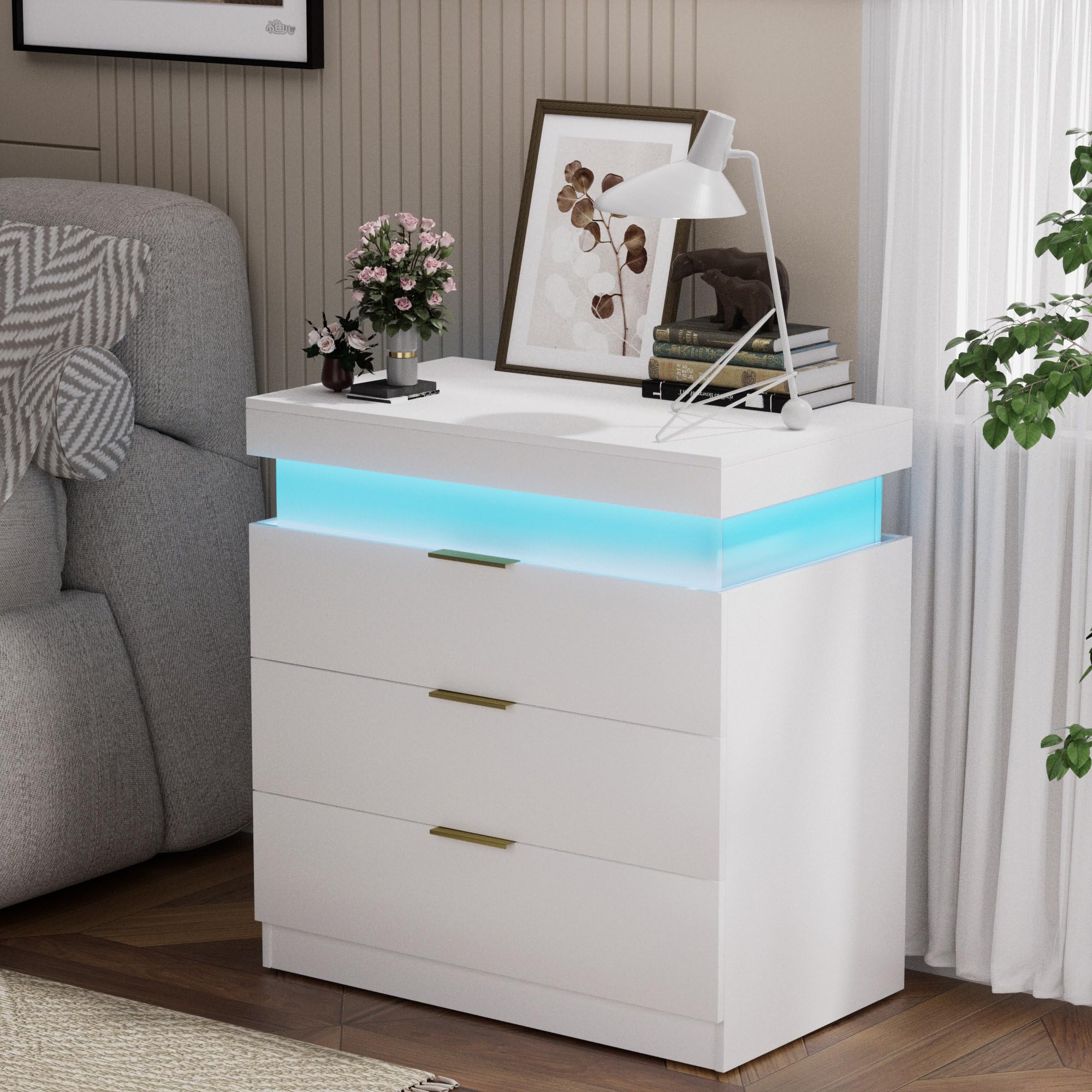
Image 3.1: The Resenkos White Nightstand, showcasing its overall design and LED light feature.

Image 3.2: Illustration of the LED light control options, including remote, app, and touch switch.

Image 3.3: The nightstand's sliding top feature, revealing a hidden storage space and the integrated charging station.

Image 3.4: A detailed view of the built-in charging station, showing the 3 AC outlets and 2 USB ports.

Image 3.5: The nightstand with its three drawers open, demonstrating the large storage capacity.
4. Setup
Your Resenkos Nightstand requires assembly. Please refer to the detailed assembly guide included in the product packaging. All parts are labeled for easy identification. Tools recommended for assembly include an Allen Key and a screwdriver.
Assembly Video:
Video 4.1: A product showcase video demonstrating the features of the nightstand, including its design and functionality. While not a step-by-step assembly guide, it provides a visual overview of the assembled product.
5. Operating Instructions
5.1. Using the Charging Station
The nightstand features a hidden charging station located under the sliding top. To access, gently slide the top surface. Plug your devices into the 2 USB ports or 2 AC outlets as needed. Ensure the nightstand is connected to a power source.
5.2. Controlling the LED Light
The integrated LED light offers multiple control options and dynamic modes:
- Remote Control: Use the provided remote to change colors, adjust brightness, and select lighting modes.
- Touch Switch: A discreet touch switch on the nightstand allows for basic control of the LED lights.
- Smartphone App: Download the dedicated app to access advanced customization options, including over 60,000 RGB colors and personalized lighting effects.
LED Lighting Modes:
- Music Mode: Synchronizes light changes with the rhythm of music played nearby.
- Mic Mode: Lights respond to surrounding sounds, creating an immersive experience.
- Timing Mode: Set a specific duration for the lights to automatically turn off, ideal for bedtime.
6. Maintenance
To maintain the appearance and longevity of your nightstand, wipe surfaces with a dry cloth. Avoid using abrasive cleaners or harsh chemicals, as these may damage the finish. Regularly check all hardware to ensure it remains tight and secure.
7. Troubleshooting
Common Issues and Solutions:
- Missing or Broken Parts: If you encounter any missing or broken parts during assembly or use, please contact our support team for assistance. We can issue new parts or boards as needed.
- LED Lights Not Functioning: Ensure the nightstand is properly plugged into a working power outlet. Check the remote control battery if applicable. Try controlling the lights via the touch switch or smartphone app to isolate the issue.
- Charging Station Not Working: Verify that the nightstand is connected to a live power source. Ensure devices are properly plugged into the USB ports or AC outlets. Test with different devices and cables.
8. Specifications
| Feature | Detail |
|---|---|
| Brand | Resenkos |
| Model Name | Nightstand |
| Model Number | W2156 |
| Product Dimensions | 17"D x 28.8"W x 30.5"H |
| Item Weight | 30.86 Pounds |
| Maximum Weight Recommendation | 105 Pounds |
| Frame Material | Engineered Wood |
| Color | White |
| Number of Drawers | 3 |
| Special Features | Charging Station, Deep Drawer, Large Size, LED Light, Sliding Top |
| Charging Station | 2 USB ports (5V/2A), 2 AC outlets (125V/12A) |
| LED Light Colors | Over 60,000 adjustable RGB colors |
| LED Control Methods | Remote control, Touch switch, Smartphone app |
| Product Care Instructions | Wipe with Dry Cloth |
| Assembly Required | Yes |
9. Warranty and Support
This product comes with a limited warranty. For specific warranty details, please refer to the documentation included with your purchase. If you encounter any problems during the assembly process or have questions about product functionality, our professional support team is available to provide assistance and ensure your satisfaction. Please contact us through the retailer's customer service portal or the contact information provided in your product packaging.
Frequently Asked Questions:
- Broken or Missing Parts? We can issue new parts or boards.
- When will it be shipped? We usually send it to you within 2 business days.