
1. Introduction
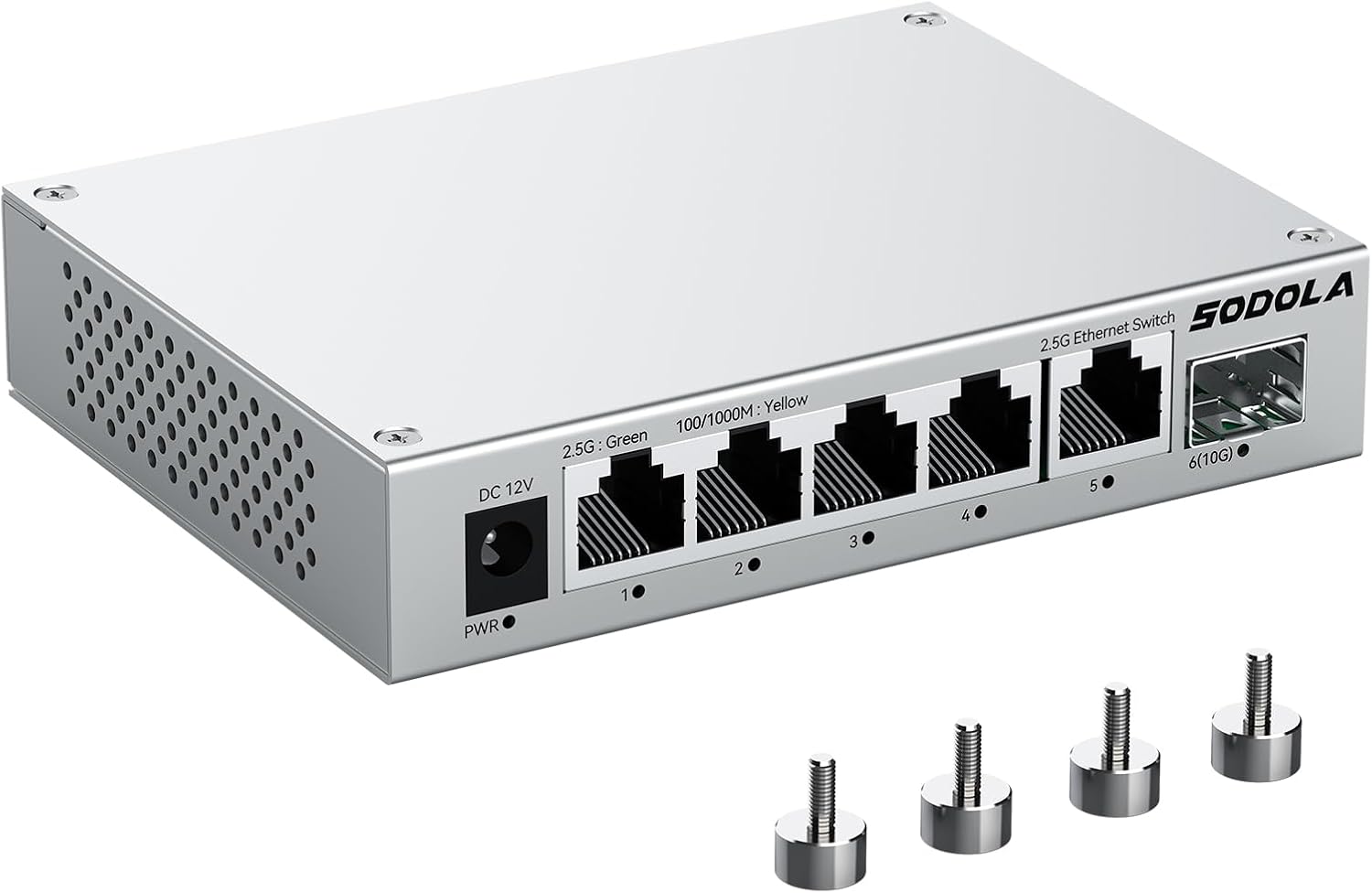
Figure 1: The Sodola 2.5Gb Unmanaged Switch, showcasing its compact design and port layout.
This manual provides comprehensive instructions for the installation, operation, and maintenance of your Sodola 2.5Gb Unmanaged Switch. This high-performance network switch is designed to provide blazing-fast 2.5Gb Ethernet connectivity with an additional 10G SFP+ slot for high-bandwidth applications. Its plug-and-play design ensures easy setup without complex configurations.
2. Product Features
- High-Speed Connectivity: Equipped with 5 x 2.5G Base-T Ethernet ports and 1 x 10G SFP+ slot, ideal for bandwidth-intensive tasks such as 4K streaming, NAS transfers, and low-latency gaming.
- Enhanced Compatibility: Connects wired devices including gaming PCs, consoles, laptops, smart TVs, WiFi access points, and NAS devices.
- Efficient Cooling: Features an upgraded aluminum alloy housing that reduces heat by 40% compared to steel, ensuring consistent performance and low packet loss.
- Fanless Design: Operates silently, making it suitable for noise-sensitive environments like home offices or media cabinets.
- Flexible Placement: Includes 4 strong magnetic pads for attachment to metal surfaces (racks, desks) or can be used with included rubber feet for desktop placement.
- Plug and Play: Unmanaged switch design allows for immediate use without requiring any software configuration.
3. Package Contents
Verify that all items are present in the package:
- Sodola 5 Port 2.5G Ethernet Switch
- Power Adapter
- Magnetic Assembly (x4)
- User Manual (this document)
4. Product Overview
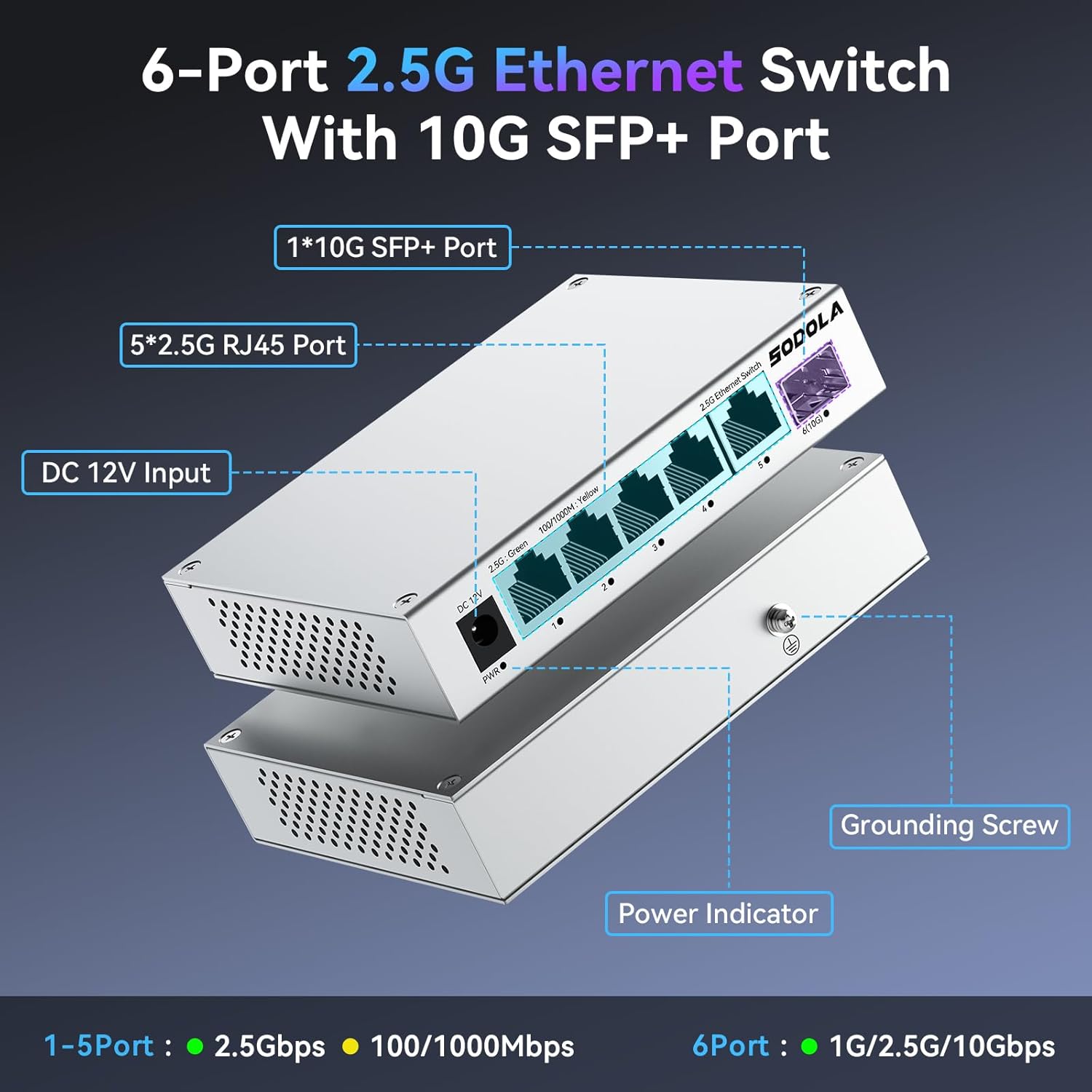
Figure 2: Front and rear view of the Sodola 6-Port 2.5G Ethernet Switch, highlighting the DC 12V Input, Power Indicator, 5x 2.5G RJ45 Ports (1-5), 1x 10G SFP+ Port (6), and Grounding Screw. Ports 1-5 support 2.5Gbps (Green LED) or 100/1000Mbps (Yellow LED), while Port 6 supports 1G/2.5G/10Gbps.

Figure 3: Detailed view of the switch dimensions (120mm x 90.8mm x 25mm) and a summary of key specifications including interface types, switching capacity, packet forwarding rate, buffer, MAC address table, jumbo frame support, surge protection, power supply details, no-load power, and operating temperature. Also shows the included accessories.
5. Setup
5.1 Power Connection
- Connect the provided power adapter to the DC 12V input port on the switch.
- Plug the power adapter into a standard electrical outlet. The Power Indicator LED will illuminate, indicating the switch is receiving power.
5.2 Network Connection (Plug and Play)

Figure 4: A hand connecting an Ethernet cable to one of the 2.5G RJ45 ports on the switch, demonstrating the simple plug-and-play setup.
- Connect your network devices (e.g., computers, NAS, routers) to any of the 5 x 2.5G RJ45 ports using standard Ethernet cables (Cat5e, Cat6, or Cat7 are compatible for 2.5G speeds).
- For 10G connectivity, insert a compatible SFP+ module (not included) into the 10G SFP+ slot and connect your 10G device using an appropriate fiber optic cable.
- The switch is unmanaged, meaning it requires no software configuration. Devices connected will automatically establish network communication.
5.3 Magnetic Mounting (Optional)
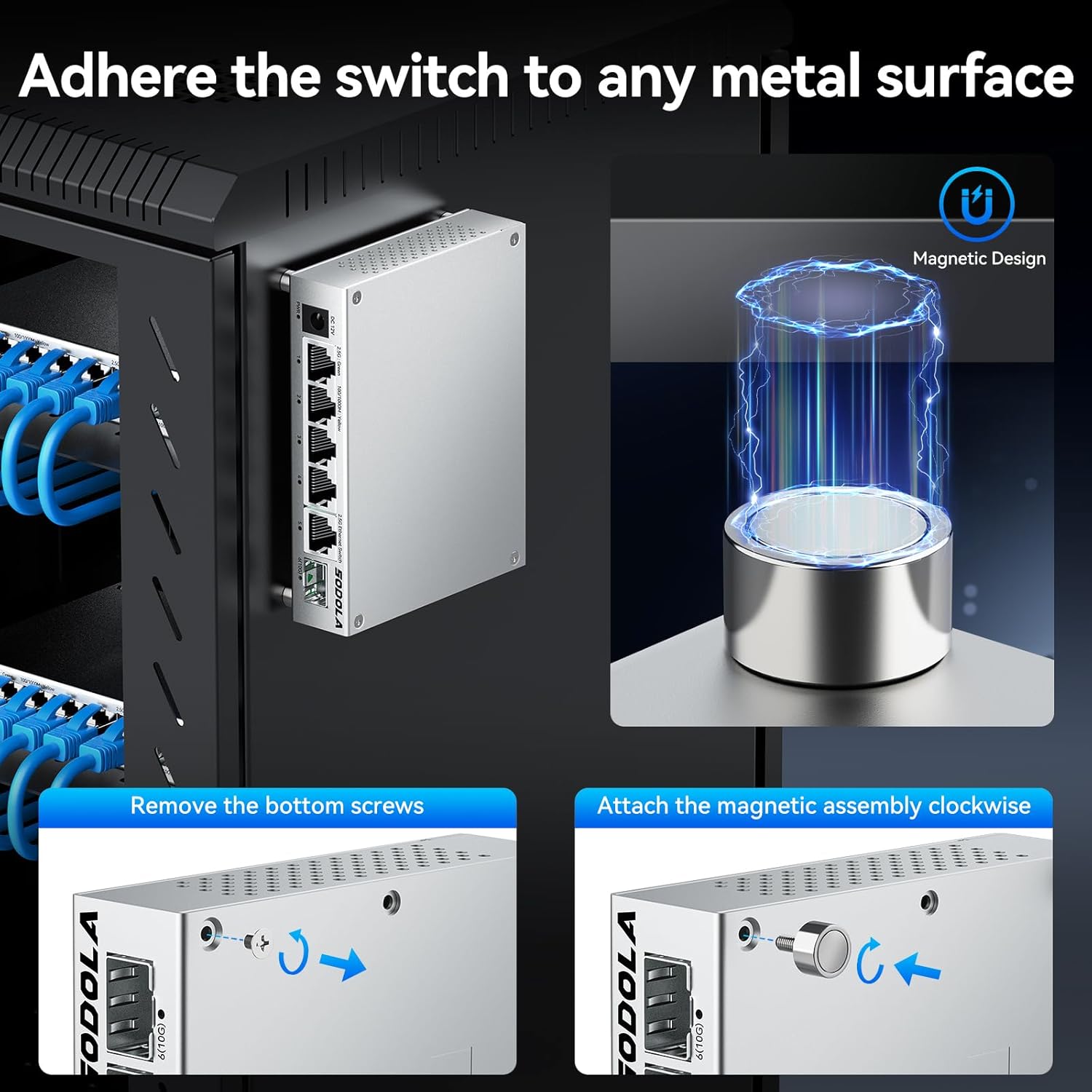
Figure 5: Illustration of the magnetic mounting feature. The image shows the switch attached to a metal rack and a close-up of how to remove bottom screws and attach the magnetic assembly clockwise for secure placement on metal surfaces.
- To utilize the magnetic mounting feature, remove the four bottom screws from the switch.
- Attach the provided magnetic assemblies clockwise into the screw holes.
- The switch can now be securely adhered to any suitable metal surface, such as a server rack or metal desk.
6. Operating the Switch
6.1 LED Indicators
Each RJ45 port has an LED indicator to show its current link speed:
- Green LED: Indicates a 2.5Gbps connection.
- Yellow LED: Indicates a 100/1000Mbps (Gigabit) connection.
The 10G SFP+ port also has an indicator for its link status and speed.
6.2 Network Performance
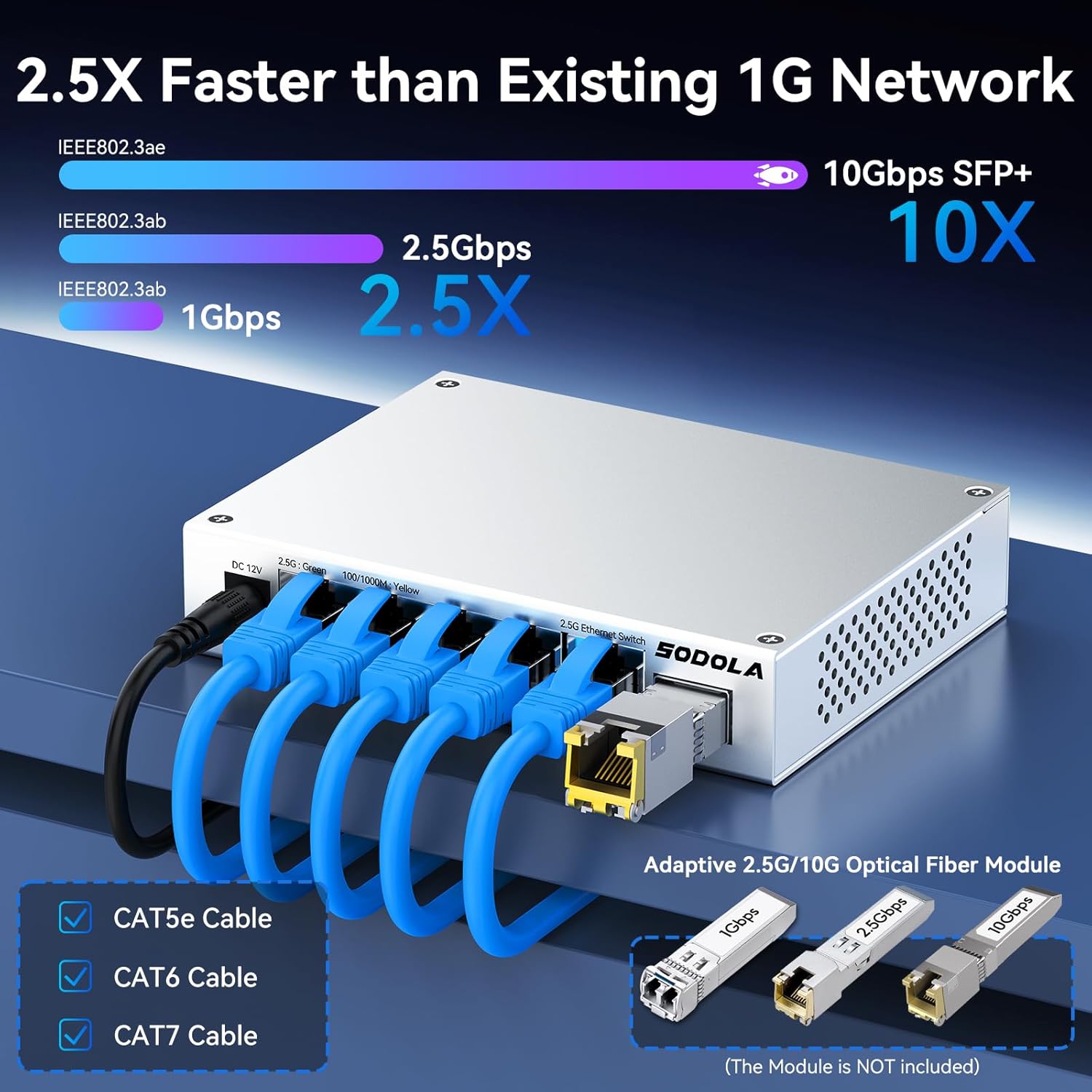
Figure 6: A visual representation comparing 1Gbps, 2.5Gbps, and 10Gbps SFP+ speeds, showing that 2.5Gbps is 2.5 times faster than 1Gbps, and 10Gbps is 10 times faster. It also indicates compatibility with Cat5e, Cat6, and Cat7 cables for 2.5G speeds.
The switch automatically detects the speed of connected devices and negotiates the highest possible speed. For optimal performance, ensure your connected devices and cabling support 2.5Gbps or 10Gbps speeds.
7. Maintenance
7.1 Heat Dissipation

Figure 7: Graphs illustrating the superior heat dissipation of aluminum alloy compared to steel shell, showing lower temperature and better loss tolerance under load. This highlights the importance of the aluminum casing for optimal performance.
The Sodola switch features an aluminum alloy casing designed for superior heat dissipation. As a fanless device, it relies on passive cooling. To ensure optimal performance and longevity, place the switch in a well-ventilated area, away from direct sunlight or heat sources. Avoid obstructing the ventilation holes on the sides of the unit.
7.2 Cleaning
To clean the switch, use a soft, dry cloth. Do not use liquid cleaners or aerosol sprays, as they may damage the device.
8. Troubleshooting
- No Power:
- Ensure the power adapter is securely connected to the switch and a working electrical outlet.
- Verify the power outlet is functional by plugging in another device.
- No Link/Activity on Port:
- Check if the Ethernet cable is securely connected to both the switch port and the network device.
- Try a different Ethernet cable to rule out cable issues.
- Verify the connected device is powered on and functioning correctly.
- Observe the LED indicator for the port: if it's off, there's no link; if it's yellow, it's a 100/1000Mbps link; if green, it's a 2.5Gbps link.
- Slow Network Speed:
- Ensure all connected devices and cables (Cat5e, Cat6, or Cat7) support 2.5Gbps or 10Gbps speeds to achieve maximum performance.
- Check for network congestion or issues with other devices on your network.
- Ensure the switch is placed in a well-ventilated area to prevent overheating, which can impact performance.
9. Specifications
| Feature | Description |
|---|---|
| Model Number | 5X2.5G RJ45+1x10G SFP+(Unmanaged) |
| Switch Type | Plug and Play (Unmanaged) |
| Number of Ports | 6 (5 x 2.5G RJ45, 1 x 10G SFP+) |
| Interface Type | 1x10Gb SFP+, 5x2.5Gb RJ45 |
| Data Transfer Rate | 2.5 Gigabits Per Second (RJ45), 10 Gigabits Per Second (SFP+) |
| Case Material | Aluminum Alloy |
| Color | Grey |
| Item Weight | 11.7 ounces |
| Package Dimensions | 7.24 x 4.8 x 3.11 inches |
| Compatible Devices | Desktop, Gaming Console, Laptop, NAS, Smart TV, WiFi access point |
| Manufacturer | Shenzhen hongyavision Technology Co.,Ltd. |
| Date First Available | April 30, 2025 |
10. Warranty and Support
Sodola is committed to providing excellent product support. This multi-gigabit switch comes with a 1-year product replacement service without requiring repair. For any inquiries or support needs, please refer to the contact information provided with your purchase or visit the official Sodola website.
For additional resources and product information, you may visit the Sodola Store on Amazon.