
1. Introduction
This manual provides essential information for the installation, operation, maintenance, and troubleshooting of the JYFORNWC TP.SK506S.PB802 TV Motherboard. This product is designed as a replacement component for compatible televisions, aiming to restore functionality and improve performance.
2. Product Overview
The JYFORNWC TP.SK506S.PB802 is a television motherboard, also known as a main board or control board. It is a critical component responsible for processing signals, managing power distribution, and controlling various functions of a television. Replacing a faulty motherboard can resolve common TV issues such as power failure, black screen, or flickering displays.

Figure 2.1: Top view of the JYFORNWC TP.SK506S.PB802 TV Motherboard.
3. Setup and Installation
Important Safety Information: Before attempting any installation, ensure the television is completely disconnected from the power source. Static electricity can damage electronic components; use appropriate anti-static precautions (e.g., anti-static wrist strap) during handling and installation. If you are not comfortable performing this procedure, seek assistance from a qualified technician.
3.1 Tools Required
- Phillips head screwdriver
- Flat head screwdriver (optional, for prying)
- Anti-static wrist strap
- Plastic prying tools (optional, for opening TV casing)
3.2 Installation Steps
- Disconnect Power: Unplug the TV from the wall outlet and disconnect all external cables (HDMI, antenna, etc.).
- Access TV Back Panel: Place the TV face down on a soft, clean surface to prevent screen damage. Carefully remove the screws securing the TV's back panel.
- Remove Back Panel: Gently detach the back panel. Be mindful of any ribbon cables or wires connected to the panel.
- Locate Old Motherboard: Identify the existing motherboard. It is typically the largest circuit board with numerous ports (HDMI, USB, VGA, etc.).
- Disconnect Cables: Carefully disconnect all cables and connectors from the old motherboard. Take photos before disconnecting to aid reassembly. Pay attention to the orientation of connectors.
- Remove Old Motherboard: Unscrew the mounting screws holding the old motherboard in place. Lift the board out of the TV chassis.
- Install New Motherboard: Position the JYFORNWC TP.SK506S.PB802 motherboard into the chassis, aligning it with the screw holes. Secure it with the mounting screws.
- Connect Cables: Reconnect all cables and connectors to the new motherboard, referring to your photos if necessary. Ensure all connections are firm and correctly oriented.
- Test Functionality (Optional): Before fully reassembling, you may perform a preliminary power-on test. Reconnect the power cable and briefly turn on the TV to check for basic functionality. Immediately disconnect power after the test.
- Reassemble TV: Reattach the TV's back panel and secure it with screws.
- Final Connections: Reconnect all external cables and the power cord.

Figure 3.1: Top view of the motherboard with key connection areas indicated by arrows.
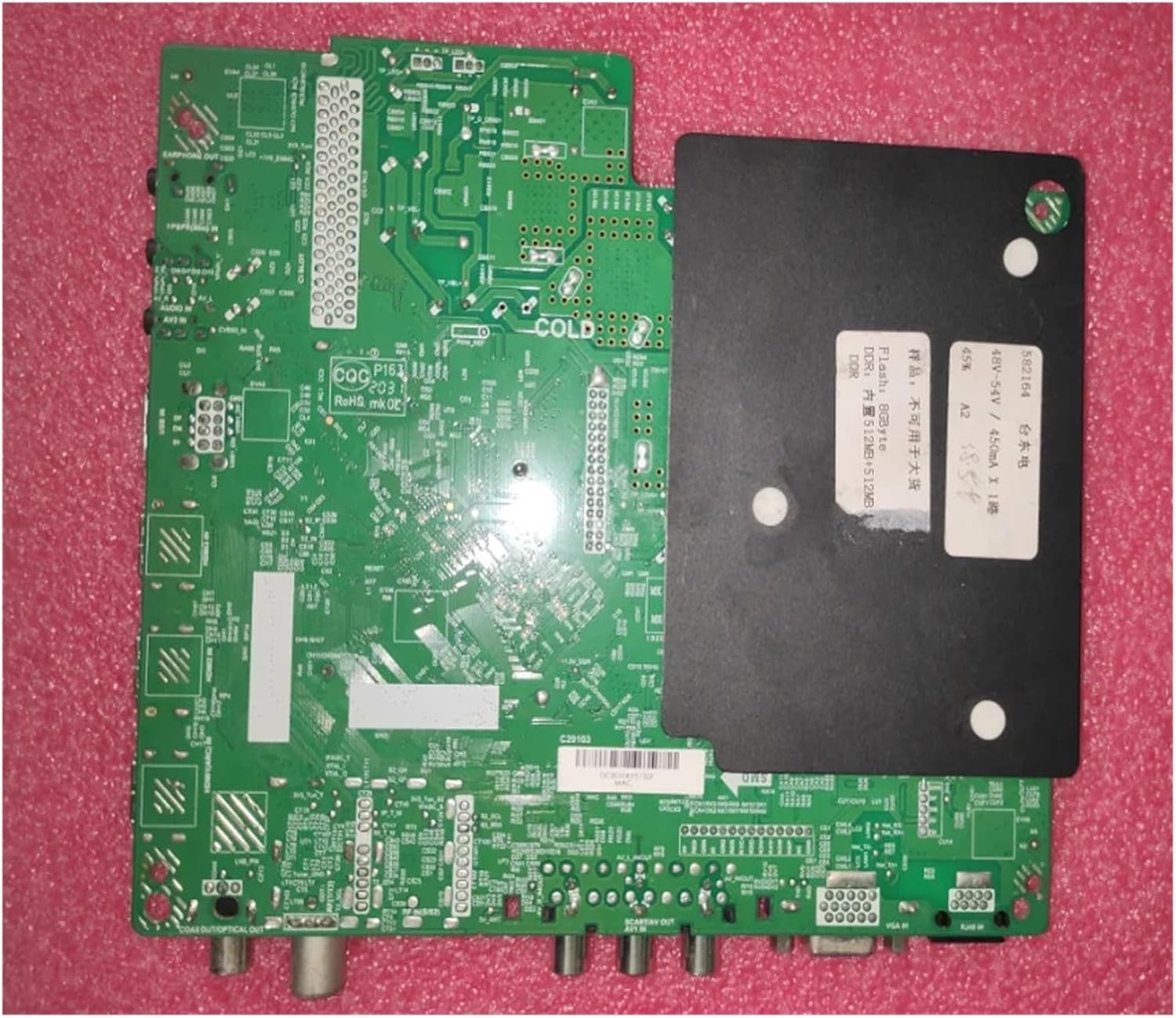
Figure 3.2: Back view of the motherboard, showing solder points and component layout.
4. Operating Principles
Once correctly installed, the JYFORNWC TP.SK506S.PB802 TV Motherboard functions as the central control unit for your television. It processes video and audio signals from various inputs, manages power to different TV components, and executes commands from the remote control or TV buttons. A properly functioning motherboard ensures stable operation, clear picture quality, and responsive user interaction.
- Restored Functionality: Resolves issues like TV not turning on, black screen, or flickering.
- Improved Performance: Can lead to better image processing and faster response times.
- Extended TV Life: Prevents further damage to other components by replacing a faulty core part.
5. Maintenance
The JYFORNWC TP.SK506S.PB802 TV Motherboard is designed for long-term reliability and generally requires minimal maintenance. To ensure its longevity and optimal performance:
- Keep Dry: Avoid exposing the TV to moisture or high humidity, which can damage electronic components.
- Dust Prevention: Periodically clean the interior of the TV (when powered off and unplugged) to remove dust buildup, which can impede cooling and lead to overheating. Use compressed air or a soft brush.
- Ventilation: Ensure the TV's ventilation openings are not blocked to allow for proper airflow and heat dissipation.
- Avoid Physical Shock: Protect the TV from impacts or drops that could dislodge or damage internal components.
6. Troubleshooting
If you encounter issues after installing the new motherboard, consider the following troubleshooting steps:
- TV Does Not Power On:
- Verify all power connections are secure, both to the motherboard and the wall outlet.
- Ensure the power button on the TV or remote is functioning.
- Check for any visible damage or loose components on the motherboard.
- Black Screen / No Picture:
- Confirm all display cables (e.g., LVDS cable) are correctly and firmly connected to the motherboard and the display panel.
- Check input source settings.
- Flickering Screen / Distorted Image:
- Inspect ribbon cables for proper seating and any signs of damage.
- Ensure the motherboard is securely mounted and not experiencing any short circuits.
- No Audio:
- Verify speaker connections to the motherboard.
- Check audio settings on the TV.
Replacing a faulty motherboard is a common solution for these types of issues, restoring the TV's normal function and potentially extending its service life.
7. Specifications
| Feature | Detail |
|---|---|
| Brand | JYFORNWC |
| Model Name | TP.SK506S.PB802 |
| Item Model Number | songxdian (Manufacturer's internal model number) |
| ASIN | B0DTHNW5F2 |
| Package Dimensions | 1.18 x 0.79 x 0.39 inches |
| Item Weight | 1.76 ounces |
| Date First Available | January 20, 2025 |

Figure 7.1: Close-up view showing the "TP.SK506S.PB802" model designation on the circuit board.

Figure 7.2: Close-up view indicating power specifications, including "75W1".
8. Warranty and Support
This product is typically covered by a return policy. Please refer to your purchase documentation for specific details regarding returns and replacements. Generally, a 30-day return window is offered for refund or replacement.
For technical support or further inquiries, please contact the seller directly through the platform where the purchase was made. Provide your order number and a detailed description of the issue to facilitate a quicker resolution.