
Introduction
Thank you for choosing the YELIOLED 20 Inch 4200LM LED Flush Mount Ceiling Light. This ultra-slim fixture offers seamless dimming and adjustable color temperature (2700K warm to 6500K daylight) via remote control, providing versatile lighting for various spaces. This manual provides detailed instructions for safe installation, operation, and maintenance of your new ceiling light.
Safety Information
Please read all instructions carefully before installation and use. Failure to follow these instructions may result in electric shock, fire, or other hazards.
- Turn off power: Always disconnect power at the circuit breaker before installing, servicing, or cleaning the fixture.
- Qualified Electrician: If you are unsure about the installation process, consult a qualified electrician.
- Proper Wiring: Ensure all electrical connections are made in accordance with local codes and ordinances.
- Avoid Water: This fixture is for indoor use only and is not water-resistant. Do not install in wet locations.
- Hardwiring Required: This fixture requires hardwiring and is not compatible with dimmer switches. Use the provided remote for dimming.
What's in the Box
Verify that all components are present before beginning installation:
- Light fixture
- Instruction Manual
- Mounting Hardware
- Remote Control
Setup and Installation
Follow these steps for a quick and easy installation:
Video: Demonstrates the easy installation process with auto connectors and dimmable features for the YELIOLED ceiling light.
- Prepare for Installation: Turn off the main power supply at the circuit breaker to avoid electrical shock.
- Remove Base from Fixture: Rotate the light fixture counter-clockwise to detach the base. This base will serve as your mounting bracket.
- Install Mounting Bracket: Position the detached base against the ceiling over the junction box. Use the provided mounting hardware (screws and anchors if needed) to securely fix the base to the ceiling or junction box. The design allows for easy mounting directly into drywall or a junction box.
- Connect Wiring: Connect the electrical wires from the ceiling to the light fixture's wires using the provided auto-connectors. Simply insert the stripped ends of the wires into the connectors until they are secure. Connect black to black (live) and white to white (neutral). Ensure the ground wire is also properly connected.
- Attach Light Fixture: Once wiring is complete, align the light fixture with the installed mounting bracket. Push the fixture up and rotate it clockwise until it locks securely into place.
- Restore Power: Turn the power back on at the circuit breaker.

Image: The light fixture's base serves as the mounting bracket, offering flexible installation options for ceiling, junction box, or surface mounting.

Image: A visual guide to the four-step installation process, from detaching the base to securing the light fixture.
Operating Instructions
Your YELIOLED ceiling light comes with a remote control for convenient operation.
- Power On/Off: Press the power button on the remote to turn the light on or off.
- Brightness Adjustment: Use the brightness buttons (usually marked with sun icons or +/-) to adjust the light intensity from 5% to 100%.
- Color Temperature Control: Adjust the color temperature from warm white (2700K) to daylight (6500K) using the dedicated color temperature buttons on the remote.
- Night Light Mode & Timing Function: Activate the night light mode (3000K, 10% brightness) for a soft glow. The remote also allows you to set a timer for the light to turn off automatically after 15 or 30 minutes.
- Group Pairing (for multiple lights): To control multiple lights simultaneously with one remote:
- Switch on the light using the wall switch.
- Long press button A (or B) on the remote while aiming at the light.
- The light will flash, indicating successful pairing to the selected group.
- Switch off the wall switch to complete the pairing process.

Image: Illustrates the selectable color temperatures and the remote's brightness adjustment range.

Image: Shows the light dimming from 100% to 5% brightness, controlled by the remote.
Image: Illustrates the night light mode and timing function for automatic shut-off.
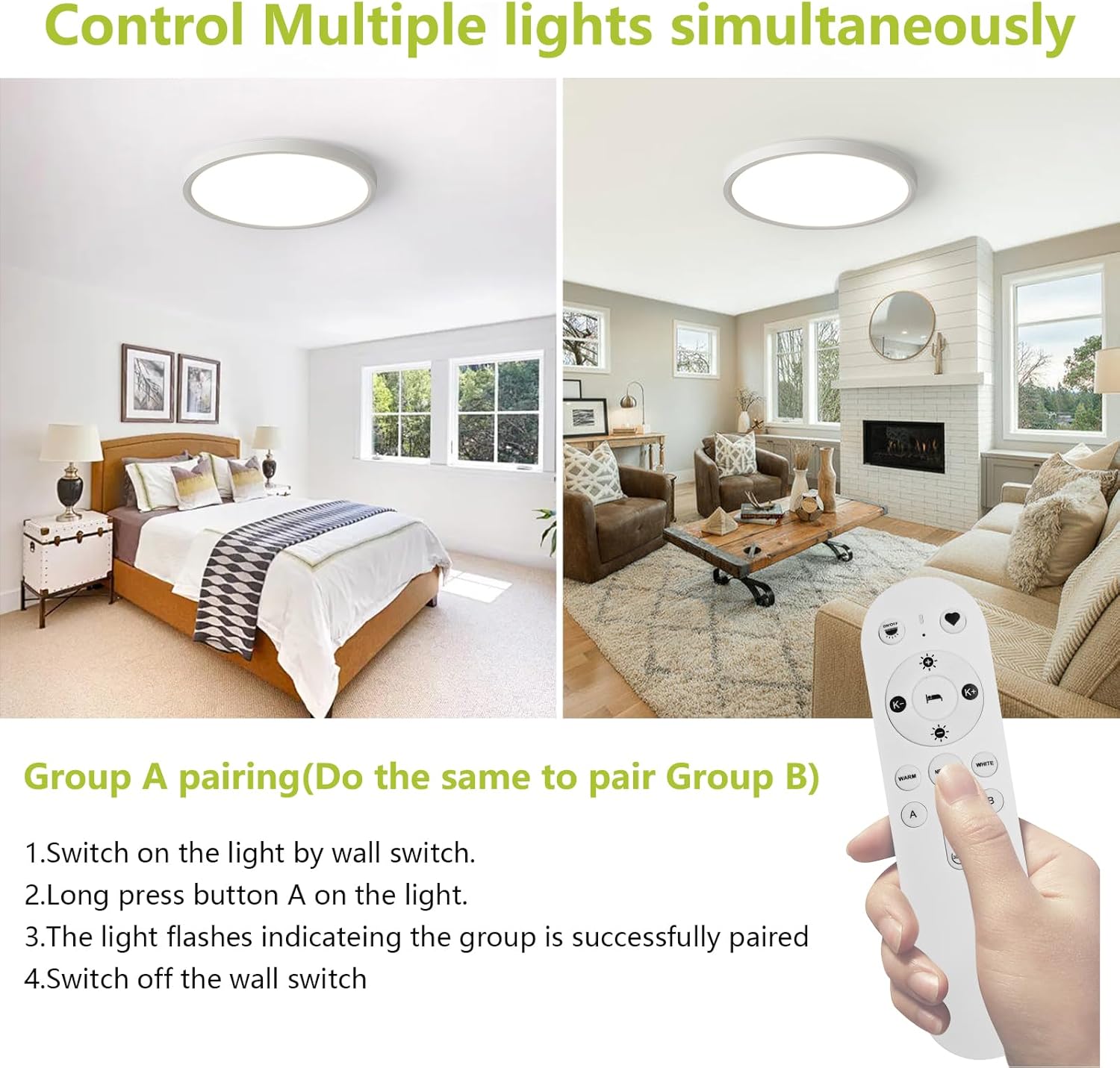
Image: Instructions for pairing multiple lights to a single remote for simultaneous control.
Maintenance
Proper maintenance ensures the longevity and optimal performance of your YELIOLED ceiling light.
- Cleaning: Before cleaning, ensure the power is off. Wipe the fixture with a soft, dry cloth. Do not use harsh chemicals, abrasive cleaners, or solvents, as these may damage the finish or electrical components.
- Bulb Replacement: The LED light source is integrated and non-removable. There are no bulbs to replace.
- Inspection: Periodically check the fixture for any signs of damage or loose connections. If any issues are found, disconnect power and consult a qualified technician.
Troubleshooting
If you encounter any issues with your ceiling light, refer to the following table for common problems and solutions:
| Problem | Possible Cause | Solution |
|---|---|---|
| Light does not turn on | No power supply; Loose wiring; Remote battery dead | Check circuit breaker; Verify wiring connections; Replace remote battery. |
| Light flickers | Loose wiring; Incompatible dimmer switch (if used) | Check wiring connections; Ensure no external dimmer switch is used (fixture is remote-dimmable only). |
| Remote control not working | Remote battery dead; Obstruction between remote and light; Not paired correctly | Replace remote battery; Ensure clear line of sight (within 5m); Re-pair the remote following instructions. |
| Cannot adjust brightness/color temperature | Remote battery low; Not paired correctly | Replace remote battery; Re-pair the remote. |
Specifications
Detailed technical specifications for your YELIOLED ceiling light:

Image: Key parameters and dimensions of the YELIOLED 19.7-inch LED ceiling light.
- Model Number: LA-RC42W20-G-WH-1P
- Light Source: LED (300 SMD2835 beads)
- Power: 42W
- Brightness: 4200 Lumens
- Voltage: 100-120V (AC)
- Color Temperature (CCT): 2700K-6500K Adjustable
- Dimming: 5%-100% (Remote Controlled)
- Control Method: Remote (Infrared)
- Material: Polycarbonate, Plastic
- Dimensions (L x W x H): 19.7" x 19.7" x 0.94"
- Mounting Type: Flush Mount (Ceiling, Surface, Junction Box)
- Indoor/Outdoor Usage: Indoor
- Certifications: CE, FCC
- Lifespan: 30,000+ hours
Warranty and Support
YELIOLED stands behind the quality of its products.
- Warranty: This product is backed by a 2-year manufacturer's warranty.
- Customer Support: For any questions, concerns, or assistance, please contact our customer support team. We offer 24-hour customer support to ensure your satisfaction.