
1. Product Overview
This manual provides instructions for the installation, operation, and maintenance of your LICAEVEY Smart Thermostat, Model 1439WTC. This device is designed to provide precise temperature control for your home or office, featuring Wi-Fi connectivity, voice control capabilities, and a user-friendly interface with a rotating knob and a 1.32-inch TFT screen.
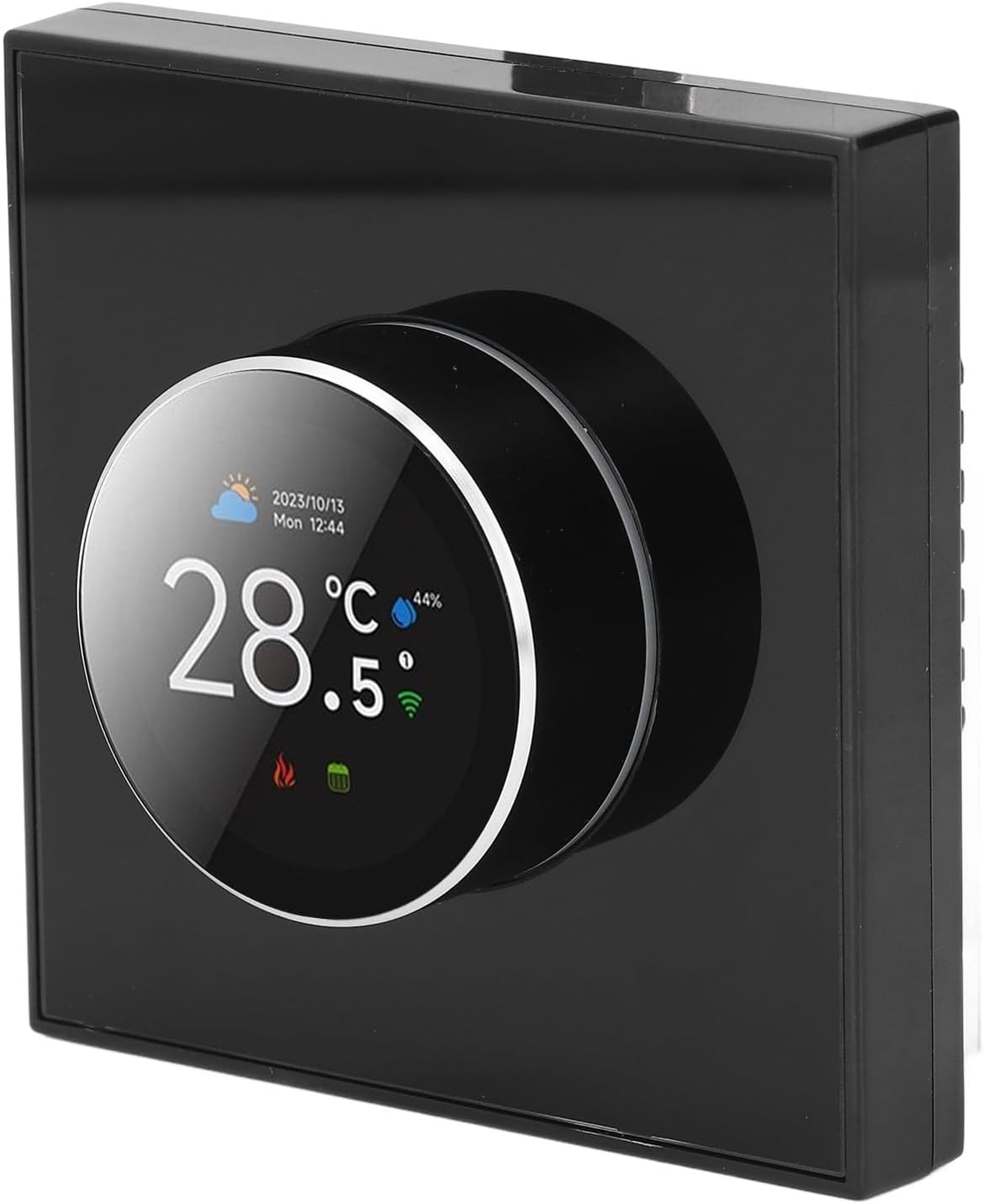
Image 1.1: Front view of the LICAEVEY Smart Thermostat, showcasing its sleek design and central display knob.
2. Key Features
- Modern Design: Features a two-way rotating knob for intuitive control and a contemporary aesthetic.
- User-Friendly Interface: Equipped with a 1.32-inch TFT screen and simple knob control for easy programming and temperature adjustments.
- Smart Voice Control: Compatible with smart home systems, allowing temperature adjustments via smartphone or voice commands.
- Unique Ambience Light: Customizable color ambience apertures that change synchronously with the function area, enhancing visual appeal.
- Accurate Temperature Control: Maintains precise temperature settings for consistent comfort.

Image 2.1: The thermostat displaying different ambient light colors, highlighting its customizable visual feature.
3. Product Specifications
| Specification | Detail |
|---|---|
| Item Type | Smart Knob Thermostat |
| Model | 1439WTC |
| Shell Material | PC and ABS (fireproof) |
| Power Supply | 95-240V AC, 50-60Hz |
| Current Load | 3A (water heating) |
| App Compatibility | For Tuya App |
| Accuracy | ±1℃ |
| Set Temperature Range | 5-35℃ |
| Room Temperature Range | 5-99℃ |
| Display Temperature Range | 5-99℃ |
| Operating Temperature | 0-45℃ |
| Operating Humidity | 5-95%RH (non-condensing) |
| Storage Temperature | -10-45℃ |
| Power Consumption | <1.5W |
| Timing Error | <1% |
| Protect Level | IP20 |
| Mounting Box | 86 x 86mm (3.39 x 3.39in) square box or 60mm (2.36in) round box |
| Terminal Block | 2x1.5mm² or 1x2.5mm² wire |
| Knob Type | Rotating Knob |
| Voice Control | Supported |
| Package Dimensions | 3.94 x 3.54 x 2.76 inches |
| Item Weight | 7.6 ounces |
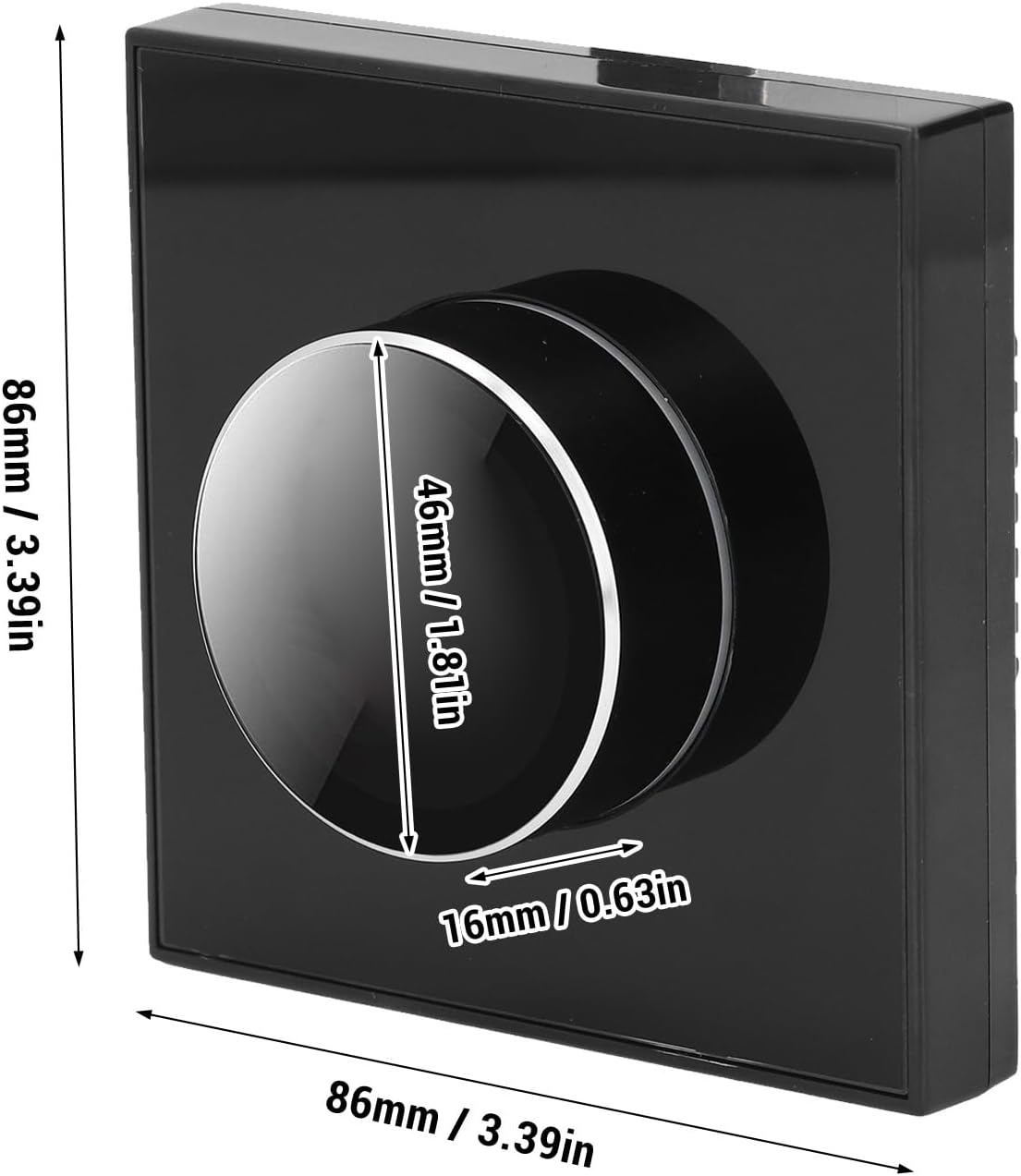
Image 3.1: Diagram showing the physical dimensions of the thermostat: 86mm x 86mm (3.39in x 3.39in) with a knob diameter of 46mm (1.81in) and a depth of 16mm (0.63in).
4. Setup and Installation
Before installation, ensure the main power supply to your heating system is turned off to prevent electrical shock. It is recommended that installation be performed by a qualified electrician.
4.1 Package Contents
- 1 x WiFi Thermostat
- 2 x Installation Screws
- 1 x User Manual (this document)
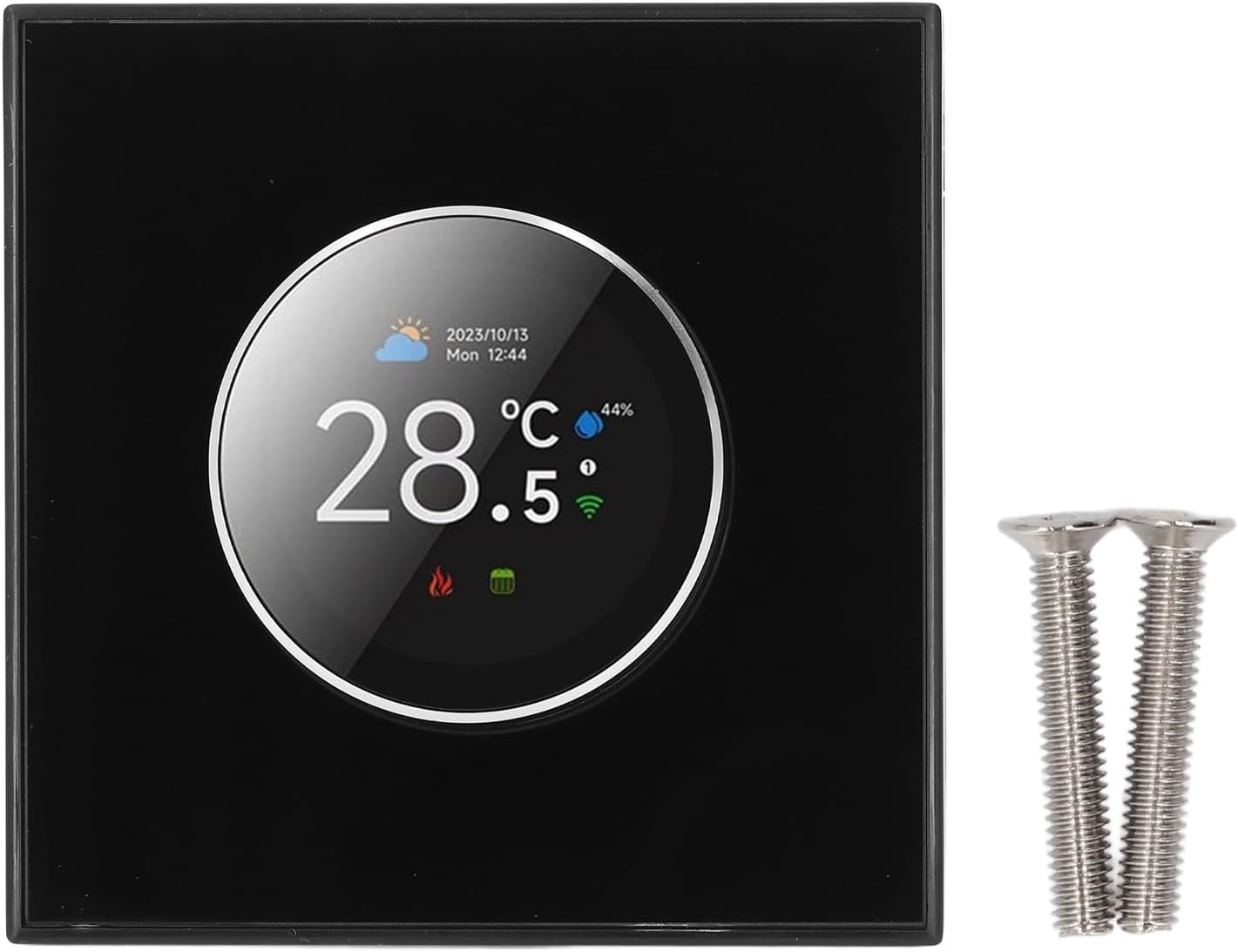
Image 4.1: The thermostat unit shown alongside the two included installation screws.
4.2 Mounting and Wiring
- Turn off power to the heating system at the circuit breaker.
- Remove your old thermostat (if applicable) and label the wires.
- Mount the new thermostat base to an 86x86mm square box or a 60mm round box using the provided screws.
- Connect the wires to the terminal block. The thermostat supports 2x1.5mm² or 1x2.5mm² wires. Refer to your heating system's wiring diagram for specific connections. This thermostat is designed for water heating systems (3A current load).
- Secure the thermostat front panel onto the mounted base.
- Restore power to the heating system.
4.3 App Connection (Tuya App)
To enable smart control features, download the Tuya App from your smartphone's app store. Follow the in-app instructions to connect your thermostat to your home Wi-Fi network and integrate it with your smart home system.
5. Operating Instructions
The thermostat features a rotating knob and a 1.32-inch TFT screen for easy interaction.
5.1 Screen Interface Overview

Image 5.1: Detailed breakdown of the thermostat's home screen elements (Date, Time, Weather, Outdoor Humidity, Programming Cycle, WiFi, Programming Mode, Current Temperature, Heating, Number of Weeks) and the main control interface options (Language, Sensor Type, Clock, Programming Mode, Manual Mode, Luminance, Temperature Calibration, Power Source, Temperature Setting).
5.2 Basic Operation
- Adjusting Temperature: Rotate the knob clockwise to increase the set temperature, and counter-clockwise to decrease it. The current set temperature will be displayed on the screen.
- Accessing Menus: Press the knob to enter the main control interface. Rotate the knob to navigate through options, and press again to select.
- Setting Programming Mode: From the main control interface, select 'Programming Mode' to set daily or weekly schedules for temperature control.
- Manual Mode: Select 'Manual Mode' to override programmed settings and maintain a constant temperature until changed.
5.3 Voice Control
Once connected to your smart home system via the Tuya App, you can use voice commands through compatible voice assistants (e.g., Amazon Alexa, Google Assistant) to adjust the thermostat. Examples include: "Set thermostat to 72 degrees," or "What is the current temperature?"
5.4 Ambience Light Customization
The thermostat features a customizable ambience light. Through the main control interface or the Tuya App, you can select different colors for the ambient aperture. The color will synchronize with the active function area on the display.
6. Maintenance
To ensure optimal performance and longevity of your thermostat, follow these simple maintenance guidelines:
- Cleaning: Gently wipe the screen and body of the thermostat with a soft, dry, or slightly damp cloth. Avoid using abrasive cleaners, solvents, or chemical sprays, as these can damage the surface.
- Avoid Obstructions: Ensure that the thermostat is not covered by furniture, curtains, or other objects that could obstruct airflow and affect temperature readings.
- Software Updates: Periodically check the Tuya App for any available firmware updates for your thermostat to ensure you have the latest features and performance improvements.
7. Troubleshooting
If you encounter issues with your LICAEVEY Smart Thermostat, refer to the following common problems and solutions:
| Problem | Possible Cause | Solution |
|---|---|---|
| Thermostat not powering on | No power supply; incorrect wiring; circuit breaker tripped. | Check the circuit breaker. Verify wiring connections. Ensure power is supplied to the thermostat. |
| Unable to connect to Wi-Fi | Incorrect Wi-Fi password; thermostat too far from router; router issues; app pairing mode not active. | Ensure correct Wi-Fi password. Move thermostat closer to router or use a Wi-Fi extender. Restart router. Follow Tuya App instructions to put thermostat into pairing mode. |
| Temperature reading inaccurate | Thermostat exposed to direct sunlight or drafts; sensor calibration needed. | Relocate thermostat if possible. Check for obstructions. Access 'Temperature Calibration' in the main control interface to adjust. |
| Voice control not working | Not linked to voice assistant; incorrect commands; internet connectivity issues. | Ensure the thermostat is successfully linked to your voice assistant (e.g., Alexa, Google Assistant) via the Tuya App. Use correct voice commands. Check internet connection. |
| Heating system not responding | Wiring issue; heating system malfunction; thermostat in incorrect mode. | Verify wiring connections. Check your heating system for any error codes or malfunctions. Ensure the thermostat is in a heating mode (not off or cooling). |
8. Warranty and Support
For warranty information and technical support, please refer to the documentation provided with your purchase or visit the official LICAEVEY website. Keep your purchase receipt as proof of purchase for warranty claims.
This user manual is intended to provide general guidance. For specific issues or advanced configurations, please contact LICAEVEY customer support.