
Senrusa S966
Senrusa S966 Bike Panel LCD Display Control Panel User Manual
Model: S966 | Brand: Senrusa
1. Introduction
Thank you for choosing the Senrusa S966 Bike Panel LCD Display Control Panel. This manual provides essential information for the proper installation, operation, and maintenance of your new electric bicycle display. Please read it thoroughly before use to ensure optimal performance and safety.
2. Setup and Installation
The S966 Bike Panel is designed for straightforward installation on compatible electric bicycles. Ensure your e-bike's controller uses communication protocol 2 for proper functionality.
2.1 Package Contents
- 1 x S966 Bike Panel LCD Display
- 1 x User Manual (this document)
2.2 Mounting the Display
- Identify a suitable position on your electric bicycle's handlebar. The S966 display is designed to fit 22.2mm handlebars.
- Loosen the screws on the display's mounting bracket.
- Position the display on the handlebar and securely tighten the screws to prevent movement during riding.
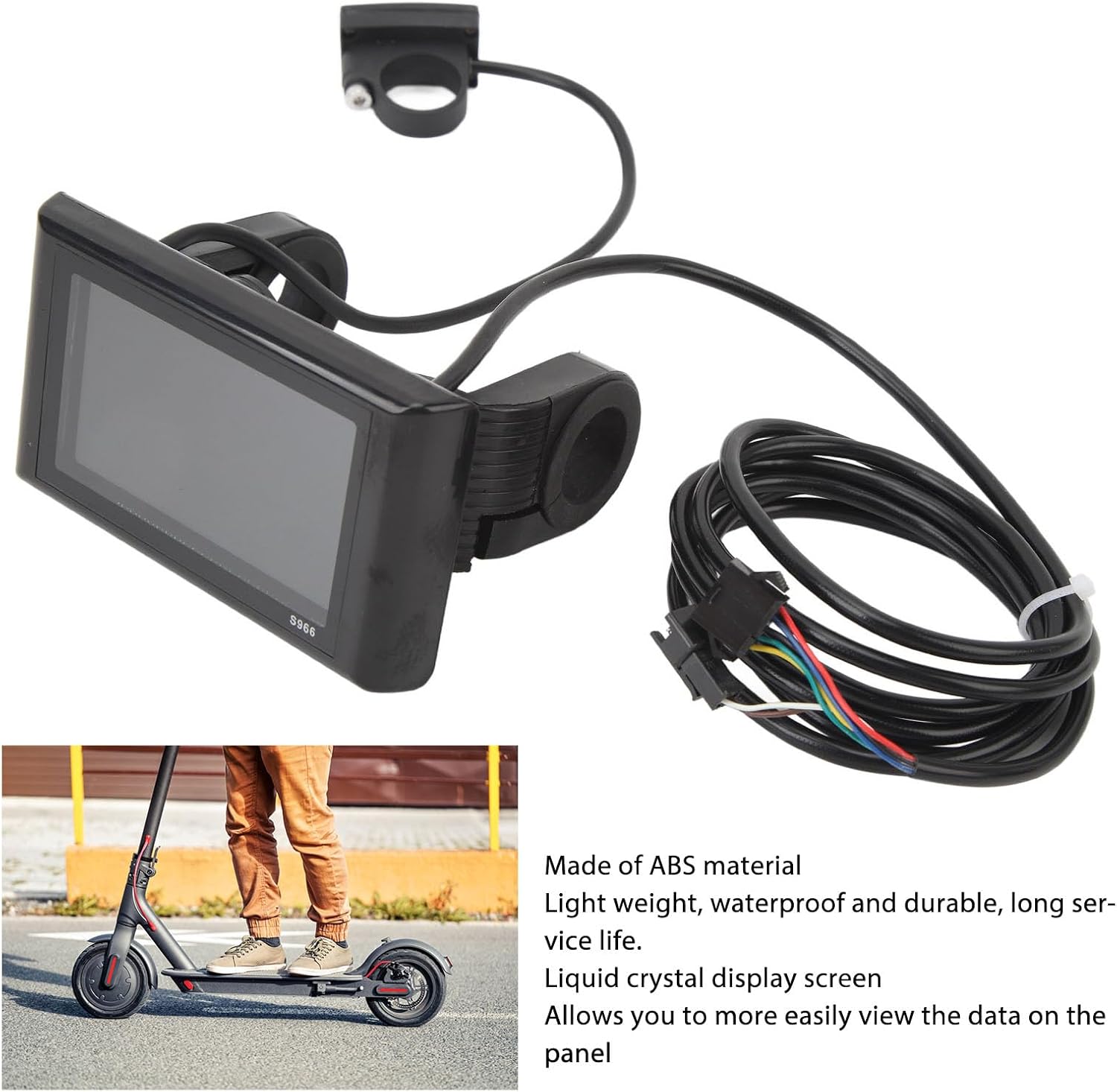
Image: The S966 Bike Panel shown mounted on a handlebar, illustrating its compact design and connection to a separate control unit.
2.3 Wiring Connections
Connect the display's cable to your electric bicycle's controller. Ensure all connections are secure and correctly aligned according to your e-bike's wiring diagram. This panel requires a controller that uses communication protocol 2.

Image: Overview of the S966 Bike Panel, including the main display unit, a separate thumb throttle/button control, and the connecting wiring harness. A close-up of the display shows various data points like speed, battery level, and distance.
3. Operation
The S966 Bike Panel provides a clear and intuitive interface for monitoring your electric bicycle's performance.
3.1 Powering On/Off
Typically, the display is powered on or off by pressing and holding the power button on the separate control unit connected to the display. Refer to your e-bike's specific instructions for exact power procedures.
3.2 Display Functions
The LCD screen provides essential riding information at a glance. While specific icons may vary, common data displayed includes:
- Current Speed: Displays your real-time riding speed.
- Battery Level: Indicates the remaining battery charge.
- Distance: Shows trip distance or total odometer reading.
- Assist Level: Displays the current pedal assist level (if applicable).
- Error Codes: Alerts you to system malfunctions.
3.3 Navigating Menus (If Applicable)
If your control unit includes additional buttons, these are typically used to cycle through display modes, adjust settings, or change pedal assist levels. Consult your e-bike's manual for detailed instructions on menu navigation and setting adjustments.
4. Maintenance
Proper care ensures the longevity and reliability of your S966 Bike Panel.
4.1 Cleaning
The display panel is constructed from durable ABS material. To clean, gently wipe the screen and casing with a soft, damp cloth. Avoid using abrasive cleaners, solvents, or harsh chemicals, as these can damage the display surface or casing.
4.2 Water Resistance
The S966 Bike Panel is designed to be water-resistant, allowing it to function reliably in various weather conditions. However, it is not waterproof. Avoid submerging the unit in water or exposing it to high-pressure water jets, which could compromise its internal components.
4.3 Storage
When not in use for extended periods, store your electric bicycle and the display in a dry, cool environment, away from direct sunlight and extreme temperatures.
5. Troubleshooting
If you encounter issues with your S966 Bike Panel, refer to the following common troubleshooting steps:
- Display Not Powering On:
- Check that the e-bike's battery is charged and properly connected.
- Verify all wiring connections between the display and the controller are secure.
- Ensure the power button on the control unit is functioning correctly.
- No Data Displayed / Incorrect Readings:
- Confirm that your e-bike's controller uses communication protocol 2, as this display requires it. Incompatible controllers will not allow the display to function correctly.
- Check for any loose or damaged wiring.
- If speed is not displayed, ensure the speed sensor (if external) is correctly installed and functioning.
- Error Codes:
- If an error code appears, consult your e-bike's main user manual or the controller's documentation for specific interpretations and solutions.
If problems persist after attempting these steps, please contact Senrusa customer support or a qualified e-bike technician.
6. Specifications
| Feature | Specification |
|---|---|
| Model | S966 |
| Brand | Senrusa |
| Voltage Compatibility | 24-72V |
| Material | ABS |
| Weight | 276g / 9.7oz |
| Handlebar Diameter | 22.2mm |
| Controller Protocol | Communication Protocol 2 (Required) |
7. Warranty Information
The Senrusa S966 Bike Panel comes with a 90-day manufacturer warranty from the date of purchase. This warranty covers defects in materials and workmanship under normal use. It does not cover damage resulting from misuse, accidents, unauthorized modifications, or improper installation.
Please retain your proof of purchase for warranty claims.
8. Customer Support
For further assistance, technical support, or warranty inquiries regarding your Senrusa S966 Bike Panel, please contact Senrusa customer service through the retailer where the product was purchased or refer to the official Senrusa website for contact information.