
1. Introduction
This manual provides essential information for the safe and efficient operation of your Fierscial 1500W Convection Panel Heater. Please read all instructions carefully before use and retain this manual for future reference.
2. Safety Information
Your safety is paramount. This heater incorporates multiple safety features. Always follow these guidelines:
- The heater is constructed from V-0 flame retardant material to resist high temperatures.
- An overheating protection system automatically shuts off the unit if it exceeds safe operating temperatures.
- Tip-over protection automatically deactivates the heater if it is accidentally knocked over.
- Ensure the heater is placed on a stable, level surface or securely wall-mounted.
- Do not cover the heater at any time to prevent overheating.
- Keep flammable materials at least 3 feet (0.9 meters) away from the heater.
- Do not use in bathrooms or other wet environments unless specifically designed for such use.
- Keep out of reach of children and pets. Utilize the child lock feature when necessary.
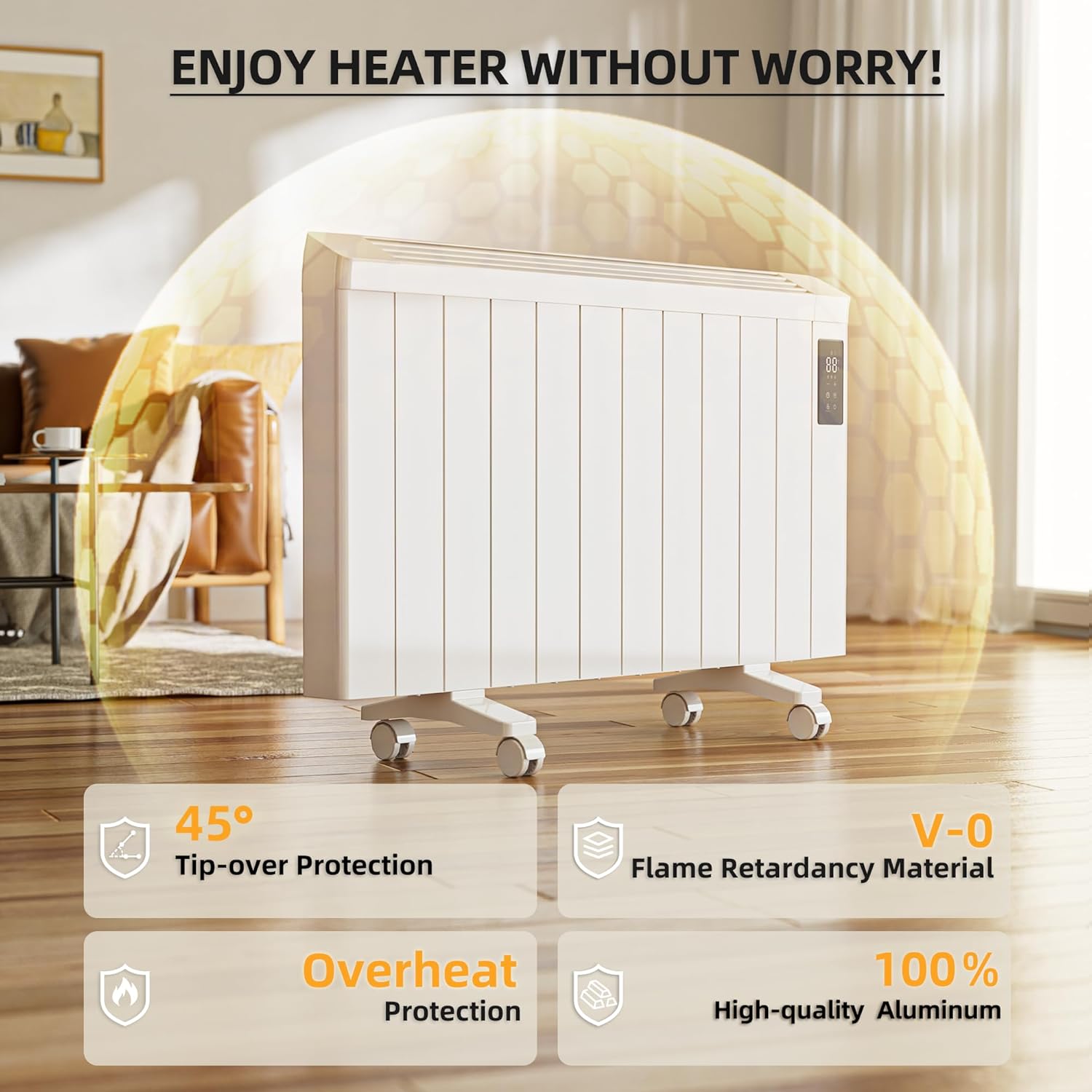
Image: The Fierscial Convection Panel Heater highlighting its 45° Tip-over Protection, V-0 Flame Retardancy Material, Overheat Protection, and 100% High-quality Aluminum construction.
3. Package Contents
Verify that all items are present in the package:
- 1 x Aluminium Radiator (Heater Unit)
- 1 x Instruction Manual
- 1 x Remote Control
- 2 x Aluminum Feet
- 4 x Casters (Wheels)
- Screws and Nuts for assembly
4. Assembly and Setup
The Fierscial Convection Panel Heater offers two mounting options: freestanding with wheels or wall-mounted.
4.1 Freestanding Setup
- Carefully remove the heater from its packaging.
- Attach the two aluminum feet to the bottom of the heater using the provided screws and nuts.
- Insert the four casters into the designated slots on the aluminum feet. Ensure they are securely locked in place.
- Place the heater on a flat, stable surface, ensuring adequate clearance from walls and furniture.
4.2 Wall-Mount Setup
- Identify a suitable wall location, ensuring it is a safe distance from flammable materials and power outlets.
- Use the provided mounting hardware (screws and wall anchors) to securely attach the wall brackets to the wall. Refer to the detailed diagram in the included instruction manual for precise measurements and placement.
- Carefully lift the heater and align the hooks on the back of the unit with the installed wall brackets.
- Ensure the heater is firmly seated and stable on the wall brackets.
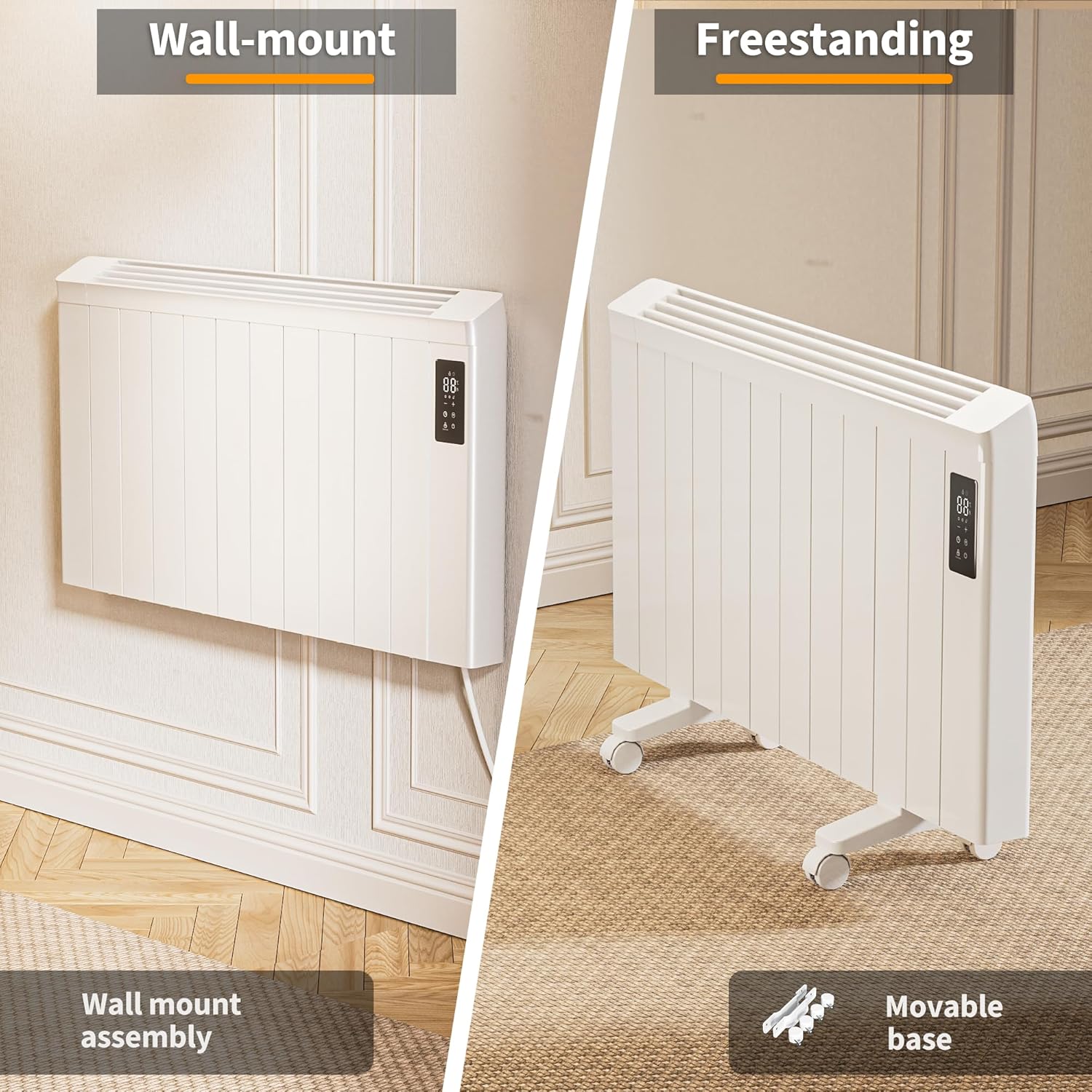
Image: The heater displayed in both wall-mounted and freestanding configurations, illustrating its versatility.
5. Operating Instructions
The heater can be operated using the integrated touch control panel or the included remote control.
5.1 Power On/Off
Press the power button on the control panel or remote to turn the heater on or off. The LED display will illuminate when the unit is active.
5.2 Temperature Adjustment
Use the '+' and '-' buttons on the control panel or remote to set your desired temperature. The temperature range is 45°F to 86°F (7°C to 30°C). The heater will automatically maintain the set temperature.
5.3 Timer Function
Press the timer button to activate the timer. Use the '+' and '-' buttons to set the desired operating duration (up to 24 hours). The heater will automatically turn off once the set time has elapsed.
5.4 Child Lock
To activate the child lock, press and hold the lock button on the control panel or remote for a few seconds. This will disable all other buttons, preventing accidental changes to settings. Repeat the action to unlock.

Image: Detailed view of the heater's touch control panel and the remote control, showing various function buttons.
5.5 Remote Control
The remote control provides convenient access to all heater functions from a distance. Ensure batteries are installed correctly.
Video: An overview of the Fierscial Convection Panel Heater, demonstrating its features and quiet operation.
6. Key Features
- Energy Efficient Convection Heating: Utilizes advanced aluminum convection technology to warm air evenly and gently without fans, gas, oil, or exposed heating elements. This design helps maintain comfortable room temperature and high air quality.
- Quiet Airless Heating: The fanless design ensures ultra-quiet operation (0 dB), making it ideal for bedrooms, offices, or any space where noise disturbance is undesirable.
- Smart Digital Display & Remote Control: Features a user-friendly touch control panel and a remote for easy temperature adjustment and setting customization.
- Portable & Stylish Design: Modern white finish complements various decor styles. Can be used freestanding with universal wheels for easy mobility or mounted on a wall for a slim, compact profile.
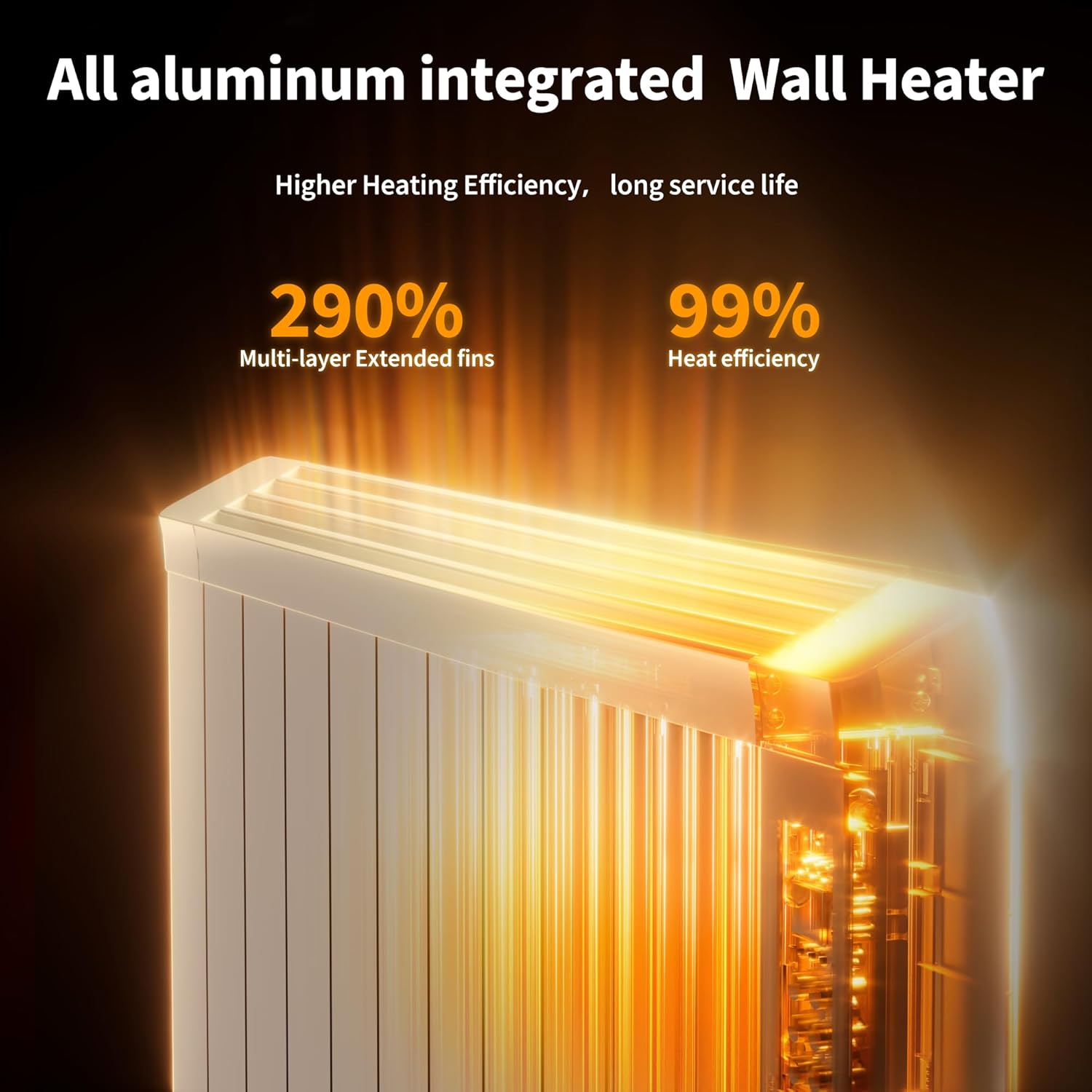
Image: Illustration of the heater's internal structure, emphasizing multi-layer extended fins for higher heating efficiency.
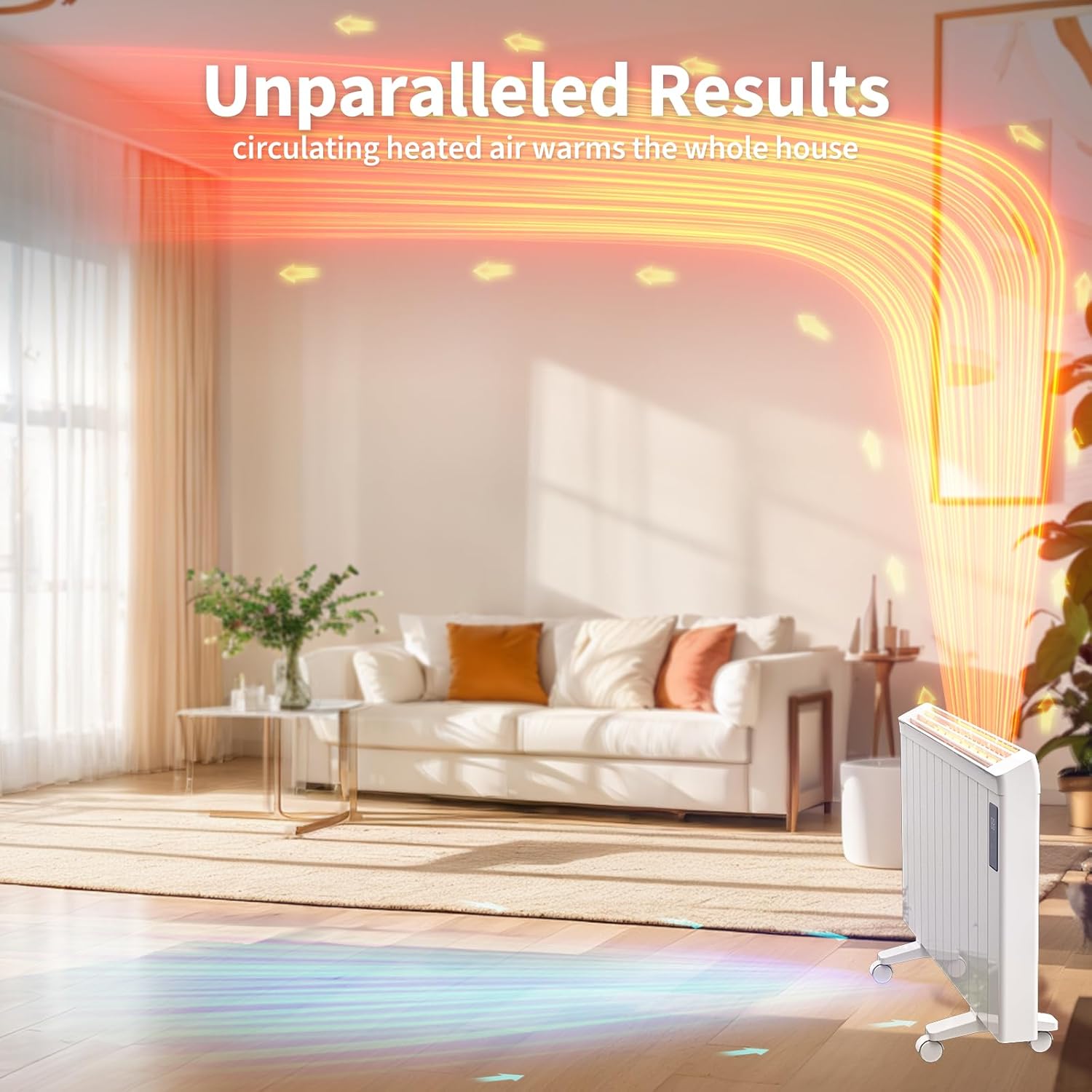
Image: A visual representation of heated air circulating from the panel heater, warming the entire room.

Image: A graphic demonstrating the heater's noiseless operation (0 dB) compared to typical sound levels like talking (50 dB) and whispering (30 dB).
7. Maintenance
Regular maintenance ensures optimal performance and longevity of your heater.
- Always unplug the heater and allow it to cool completely before cleaning.
- Wipe the exterior surfaces with a soft, damp cloth. Do not use abrasive cleaners or solvents.
- Do not immerse the heater in water or allow water to drip into the interior.
- Store the heater in a cool, dry place when not in use.
8. Troubleshooting
If you encounter issues with your Fierscial Convection Panel Heater, refer to the following common problems and solutions:
| Problem | Possible Cause | Solution |
|---|---|---|
| Heater does not turn on. | Not plugged in, power outlet issue, power button not pressed, safety feature activated. | Ensure the power cord is securely plugged into a working outlet. Press the power button. Check if the tip-over or overheating protection has been triggered (unplug, wait 10 minutes, replug). |
| No heat output. | Temperature setting too low, timer active, unit malfunction. | Increase the temperature setting. Check if the timer is set to turn off the unit. If issues persist, contact customer support. |
| Display is off but unit is working. | Normal operation (display may dim or turn off to save energy). | This is normal. The heater continues to operate according to settings. Touch any button to reactivate the display. |
| Child lock is active. | Child lock feature engaged. | Press and hold the lock button for a few seconds to deactivate the child lock. |
9. Specifications
| Feature | Specification |
|---|---|
| Brand | Fierscial |
| Model Number | HKWH004-1500W |
| Heat Output | 1500 Watts |
| Voltage | 110-120 Volts AC, 60Hz |
| Amperage | 12.5 Amps |
| Temperature Range | 45°F to 86°F (7°C to 30°C) |
| Heating Coverage | Up to 150 sq.ft |
| Product Dimensions | 5.31"D x 42.5"W x 25.2"H |
| Item Weight | 26 pounds |
| Mounting Type | Wall Mount / Floor Mount |
| Special Features | Bladeless, Energy Efficient, Flame Resistant, Freestanding/Wall Mount, Noiseless, Overheat & Tip-Over Protection, Wheels |
10. Warranty and Support
Fierscial offers a 30-day exchange/refund policy and a 1-year warranty service to ensure your satisfaction. If you have any questions or concerns regarding missing parts, quality issues, transportation, or any other matter, please do not hesitate to reach out to Fierscial customer support for assistance.