1. Introduction
This instruction manual provides guidance for the proper handling, installation, and maintenance of the JYFORNWC TD.MT9612.795 (5P 1T) TV Motherboard. This component is designed as a replacement part for compatible television sets. Please read this manual thoroughly before attempting any installation or repair to ensure safety and optimal performance.
2. Safety Information
Warning: Installation of this product should only be performed by qualified technicians. Improper installation can lead to electric shock, damage to the TV, or personal injury.
- Always disconnect the television from the power outlet before beginning any repair work.
- Discharge any residual power from capacitors before touching internal components.
- Wear anti-static gloves or use an anti-static wrist strap to prevent electrostatic discharge (ESD) damage to sensitive electronic components.
- Handle the motherboard by its edges to avoid touching components directly.
- Ensure all connections are secure and correctly oriented before reapplying power.
3. Product Overview
The TD.MT9612.795 (5P 1T) is a main control board for televisions, integrating various functions such as video processing, audio processing, and input/output management. It serves as the central hub for the TV's operations.

Figure 3.1: Front view of the TD.MT9612.795 TV Motherboard. This image displays the main components including the central heatsink, various connectors for power, display, and peripheral devices, and integrated circuits.
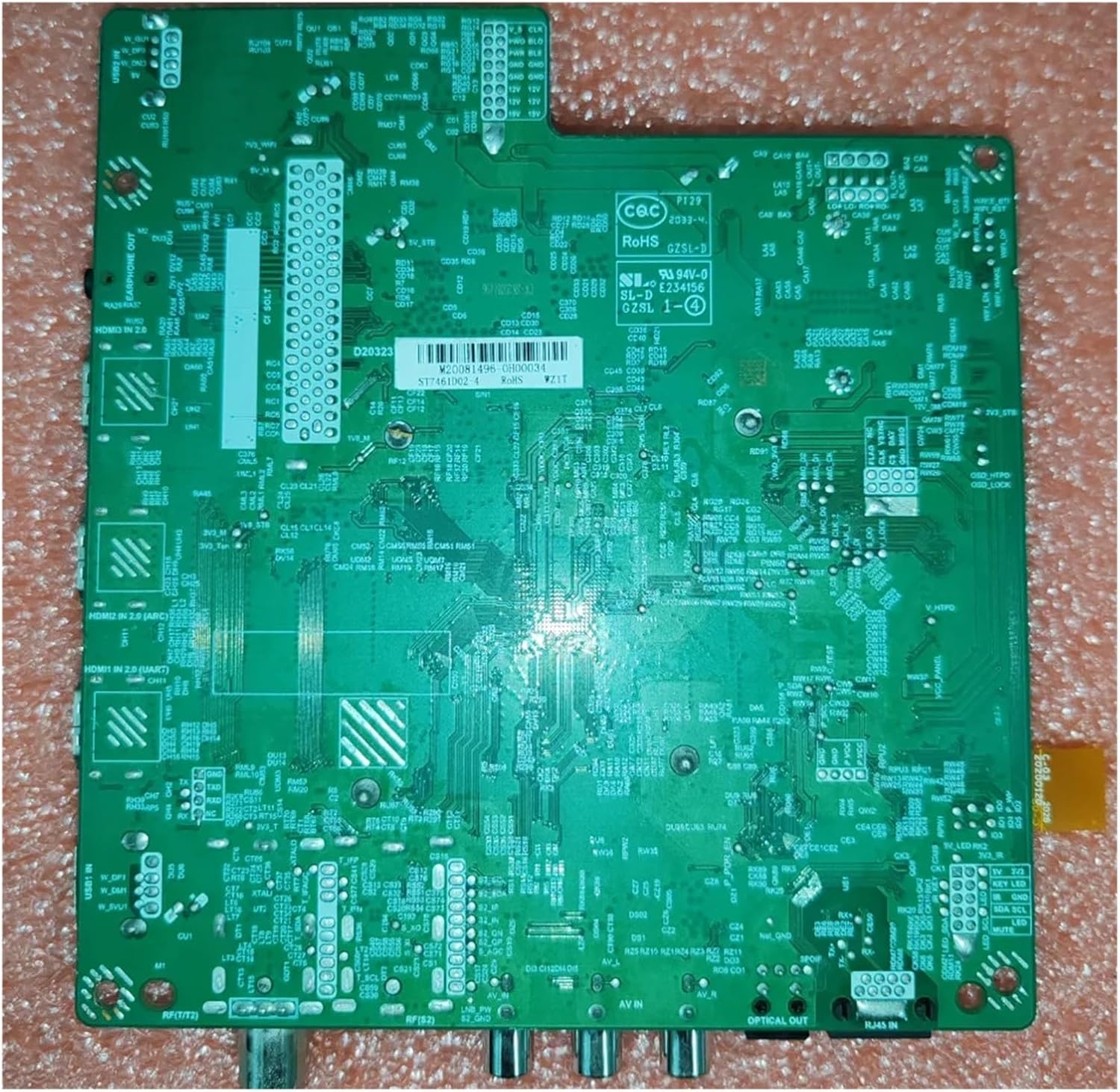
Figure 3.2: Back view of the TD.MT9612.795 TV Motherboard. This image illustrates the intricate circuit traces and solder points on the reverse side of the board, essential for its functionality.
4. Setup and Installation
This section outlines the general steps for replacing a TV motherboard. Specific steps may vary depending on your TV model. Refer to your TV's service manual for detailed instructions.
- Preparation: Ensure the TV is unplugged from all power sources and external devices. Place the TV on a soft, clean surface to prevent scratches.
- Accessing the Motherboard: Carefully remove the back cover of the TV. This usually involves unscrewing several screws.
- Disconnecting the Old Motherboard:
- Take photos of all cable connections before disconnecting them. This will aid in reassembly.
- Carefully disconnect all cables connected to the old motherboard (e.g., power, display panel, speakers, input ports).
- Unscrew the old motherboard from the TV chassis.
- Installing the New Motherboard:
- Gently place the new TD.MT9612.795 motherboard into position, aligning it with the screw holes.
- Secure the new motherboard with the appropriate screws. Do not overtighten.
- Reconnect all cables to their corresponding ports on the new motherboard, referring to your photos taken earlier. Ensure all connections are firm and correct.
- Reassembly and Testing:
- Before fully reassembling the TV, temporarily plug in the power cord and perform a quick test to ensure the TV powers on and displays an image.
- If the initial test is successful, disconnect power again and reattach the TV's back cover.
- Perform a full functional test, checking all inputs and features.
5. Operating Information
The JYFORNWC TD.MT9612.795 (5P 1T) TV Motherboard is an internal component and does not have direct user operating controls. Once correctly installed, its functions are integrated into the television's overall operation. The TV will operate as designed by its manufacturer, utilizing the new motherboard for its core processing.
After installation, it may be necessary to perform a factory reset or update the TV's firmware, depending on the specific TV model and the nature of the replacement. Consult your TV's user manual or manufacturer's support for post-replacement procedures.
6. Maintenance
Proper maintenance helps ensure the longevity and stable performance of your TV motherboard.
- Dust Prevention: Periodically clean the interior of your TV to prevent dust buildup on the motherboard, which can lead to overheating and component failure. Use compressed air or a soft brush. Ensure the TV is unplugged before cleaning.
- Ventilation: Ensure the TV's ventilation openings are not blocked to allow for proper airflow and heat dissipation.
- Environmental Conditions: Avoid exposing the TV to extreme temperatures, high humidity, or direct sunlight.
- Liquid Contact: Keep liquids away from the TV to prevent accidental spills that could damage the motherboard.
7. Troubleshooting
If you encounter issues after replacing the motherboard, consider the following troubleshooting steps. Always ensure the TV is unplugged before checking internal connections.
- No Power / TV Does Not Turn On:
- Verify that the power cable is securely connected to both the TV and the wall outlet.
- Check all internal power connections to the motherboard.
- Ensure the power supply unit (PSU) is functioning correctly.
- No Picture / Black Screen:
- Confirm that the display panel cable (LVDS cable) is properly seated on both the motherboard and the display panel.
- Check external input sources (HDMI, AV) if applicable.
- Ensure the backlight is functioning.
- No Sound:
- Verify speaker connections to the motherboard.
- Check audio settings in the TV menu.
- Flickering Screen / Distorted Image:
- Re-seat the display panel cable.
- Ensure there are no loose connections or damaged cables.
- Remote Control Not Responding:
- Check the IR receiver connection to the motherboard.
- Ensure the remote control batteries are functional.
If these steps do not resolve the issue, professional assistance is recommended.
8. Specifications
| Feature | Detail |
|---|---|
| Brand | JYFORNWC |
| Model Number | TD.MT9612.795 (5P 1T) |
| Item Weight | 1.76 ounces |
| Package Dimensions | 1.18 x 0.79 x 0.39 inches |
| Manufacturer | songxdian |
| ASIN | B0DT98TPNK |
9. Warranty and Support
This product is subject to the return policy of the seller. As per the provided information, a return policy with a duration of 30 days for refund/replacement is available from the date of purchase.
For technical support, specific compatibility questions, or warranty claims, please contact the seller directly through the platform where the purchase was made. Provide your order details and a clear description of the issue for prompt assistance.
Seller: songxdian