
1. Introduction
Thank you for choosing the hosowe 520W 8-Port GaN Fast Charging Station Hub. This device is designed to provide efficient and simultaneous charging for multiple electronic devices, utilizing advanced GaN technology for optimal performance and safety. Please read this manual thoroughly before use to ensure proper operation and to maximize the lifespan of your product.

Image 1.1: The hosowe 520W 8-Port GaN Fast Charging Station Hub, showcasing its compact design and the included 100W USB-C cables.
2. Package Contents
Please verify that all items are present in your package:
- 1 x hosowe 520W 8-Port USB C Charger Block
- 1 x 5ft AC Power Cord
- 1 x 3.3ft PD100W Type-C Charging Cable
- 1 x User Manual (this document)
3. Product Features
The hosowe 520W Charging Station offers a range of features designed for convenience and performance:
- High Power Output: Total 520W power delivery, capable of charging up to 8 devices simultaneously.
- Multiple Ports: Features 4 USB-C ports (up to 100W Max each) and 4 USB-A ports (up to 30W Max each).
- GaN Technology: Utilizes advanced Gallium Nitride (GaN) technology for higher efficiency, reduced heat generation, and a compact design.
- Fast Charging Protocols: Supports PPS, PD (Power Delivery), QC (Quick Charge), and other fast charging protocols.
- Intelligent Power Distribution: Built-in smart IC automatically distributes power across multiple connected devices to ensure optimal and safe charging.
- Compact and Portable: Designed for use in various environments, including travel, home, and office, helping to reduce cable clutter.

Image 3.1: Detailed view of the charging station's ports and their respective maximum power outputs.
4. Safety Information
To ensure safe operation and prevent damage to the device or connected electronics, please observe the following safety guidelines:
- Do not expose the device to water, moisture, or extreme temperatures.
- Avoid dropping or subjecting the device to severe impacts.
- Do not disassemble, modify, or attempt to repair the device. Refer to qualified service personnel.
- Ensure proper ventilation around the charging station during use. Do not cover it with cloths or other materials.
- Use only the provided AC power cord and compatible charging cables.
- The device incorporates multiple safety protections, including overvoltage, over-current, over-temperature, over-charge, short circuit, disconnection, anti-interference, and anti-static protection.

Image 4.1: Overview of the integrated safety features protecting the charging station and connected devices.
5. Setup
Follow these steps to set up your charging station:
- Place the hosowe 520W Charging Station on a stable, flat surface with adequate ventilation.
- Connect the provided 5ft AC power cord to the power input port on the back of the charging station.
- Plug the other end of the AC power cord into a standard wall outlet.
- The charging station is now ready for use.
6. Operating Instructions
To charge your devices:
- Identify the appropriate port type for your device (USB-C or USB-A).
- Connect your device to the charging station using a compatible charging cable. For optimal fast charging, use high-quality cables that support the required power delivery.
- The charging station will automatically detect the connected device and deliver the appropriate power.
- When multiple devices are connected, the intelligent power management system will distribute the total 520W output efficiently across all active ports.
Note on Power Distribution: When using two USB-C ports simultaneously, each can deliver up to 100W max output. For 100W output, use fast charge cables; output depends on the device's max input power and may vary during different charging phases.

Image 6.1: The charging station in use, powering various devices simultaneously.

Image 6.2: Illustration of the charging station providing high-power charging to two laptops.
7. Universal Compatibility
The hosowe 520W Charging Station is compatible with a wide range of devices, including but not limited to:
- Laptops: MacBook Pro 13''/15''/16'', MacBook Air, Dell XPS, HP Chromebook, Microsoft Surface Pro, and other USB-C powered laptops.
- Tablets: iPad Pro/Air/Mini, Samsung Galaxy Tab, and other USB-C/USB-A tablets.
- Smartphones: iPhone 17/16/15/14/13/12/SE Series, Samsung Galaxy S24/S23 Series, Google Pixel 8/7, and other USB-C/USB-A smartphones.
- Other Devices: Smartwatches, headphones, earbuds (e.g., AirPods), game consoles (e.g., Steam Deck, Nintendo Switch), speakers, MP3 players, and DJI Mavic drones.
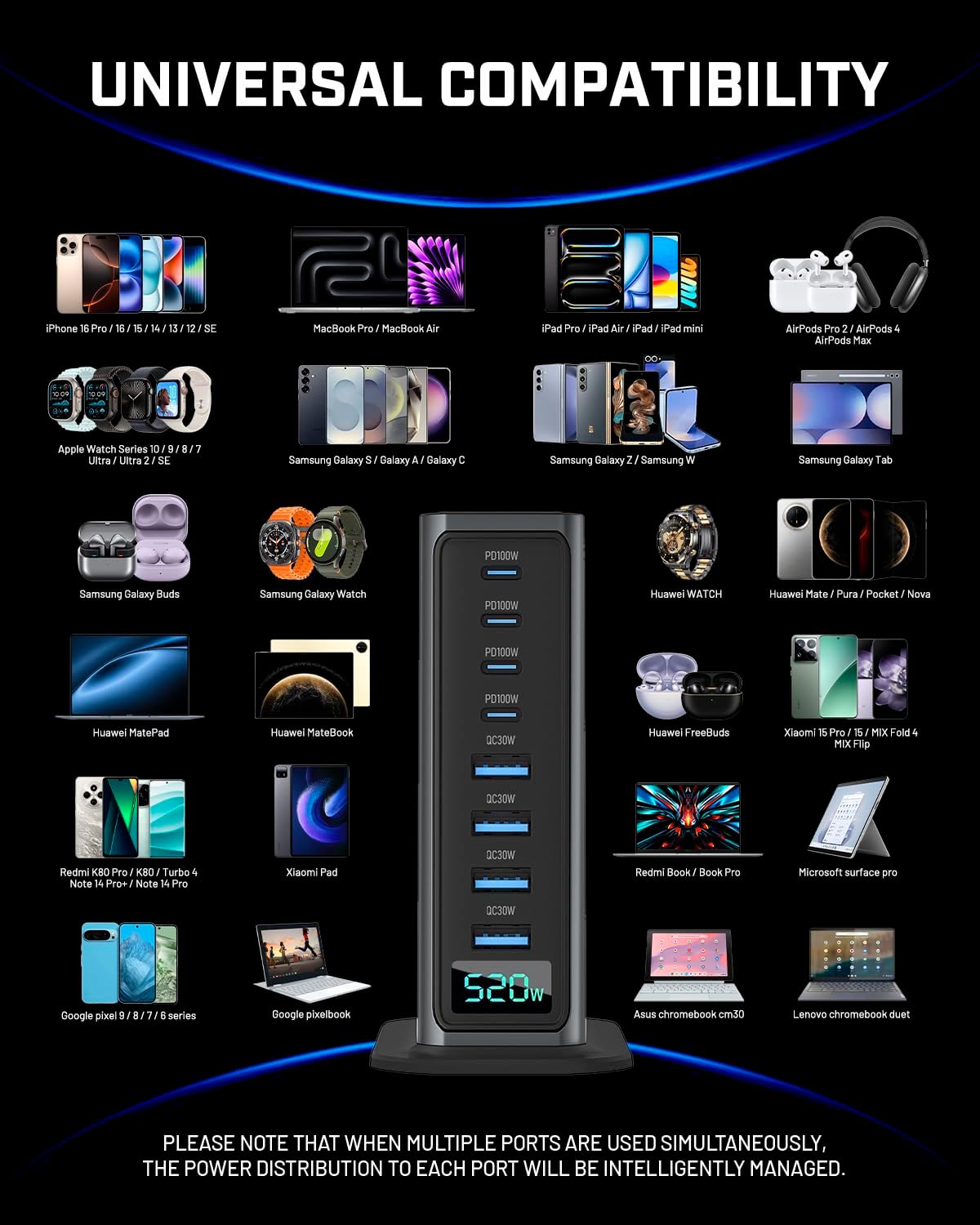
Image 7.1: Visual representation of the charging station's broad device compatibility.
8. Maintenance
To maintain the performance and longevity of your charging station:
- Cleaning: Disconnect the power cord before cleaning. Use a soft, dry cloth to wipe the surface. Do not use liquid cleaners or aerosols.
- Storage: Store the device in a cool, dry place away from direct sunlight and extreme temperatures when not in use for extended periods.
- Cable Management: Avoid bending or twisting cables excessively, as this can damage them over time.
9. Troubleshooting
If you encounter issues with your charging station, please refer to the following common solutions:
- Device not charging:
- Ensure the charging station is properly plugged into a live power outlet.
- Verify that the charging cable is securely connected to both the charging station and your device.
- Try using a different charging cable or port to rule out a faulty cable or port.
- Confirm your device is compatible with the charging station's output specifications.
- Slow charging:
- Ensure you are using a fast-charging compatible cable for your device.
- Check if your device supports fast charging protocols (PD, QC).
- If multiple high-power devices are connected, the total power is distributed, which might reduce the individual charging speed for some devices.
- Close background applications on your device to reduce power consumption during charging.
- Charging station feels warm:
- It is normal for the charging station to generate some heat during operation, especially when charging multiple devices at high power.
- Ensure adequate ventilation around the device. If it becomes excessively hot, disconnect it from power and allow it to cool down.
- Specific ports not working:
- If certain ports are consistently non-functional, try restarting the charging station by unplugging and re-plugging the AC power cord.
- If the issue persists, contact customer support.
10. Specifications
| Feature | Detail |
|---|---|
| Model Number | NCC-666 520W |
| Total Power Output | 520W Max |
| USB-C Ports | 4 (PD 100W Max per port) |
| USB-A Ports | 4 (QC 30W Max per port) |
| Input Voltage | 240 Volts (AC) |
| Technology | GaN (Gallium Nitride) |
| Dimensions | 5.31 x 5 x 2.32 inches |
| Item Weight | 14.9 ounces (approx. 422g) |
| Included Components | Charger Block, 5ft AC Power Cord, 3.3ft PD100W Type-C Cable, User Manual |
11. Warranty Information
hosowe products are manufactured to high-quality standards. For specific warranty terms and conditions, please refer to the warranty card included with your product or visit the official hosowe website. Typically, a standard manufacturer's warranty covers defects in materials and workmanship for a specified period from the date of purchase.
12. Customer Support
If you have any questions, require assistance with setup, or encounter any issues not covered in this manual, please do not hesitate to contact our customer support team. We are committed to providing satisfactory service.
Contact Information:
Please refer to the product packaging or the official hosowe website for the most current customer service contact details (e.g., email address, phone number, or support portal).