
Introduction
This manual provides detailed instructions for the safe and efficient use of your penaover Magnetic Power Bank, Model TW1015. Please read this manual thoroughly before operating the device and retain it for future reference.
Product Overview
The penaover Magnetic Power Bank is a versatile 10000mAh portable charger designed for convenience and compatibility. It features multiple charging options, including magnetic wireless charging, built-in cables, and an integrated AC wall plug.

Image: The penaover Magnetic Power Bank, Model TW1015, showcasing its compact design with integrated cables and a foldable AC wall plug.
Key Features
- All-in-One Design: Integrated Type-C cable, iPhone cable, USB-C port, and AC wall plug for comprehensive charging solutions.
- Magnetic Wireless Charging: Strong magnetic connection for compatible iPhone series.
- Fast Charging: Supports QC3.0/QC4.0+ technology, providing up to 20W via USB-C port/cable and 15W wireless charging.
- LED Digital Display: Shows the exact remaining power percentage.
- Foldable Stand: Allows for convenient vertical or horizontal phone viewing while charging.
- Universal Compatibility: Charges a wide range of devices including iPhones, Samsung, Pixel phones, AirPods, iPads, and other USB-powered devices.

Image: A diagram illustrating the various features of the power bank, including the iPhone cable, wireless charging pad, USB-C port, Type-C cable, foldable stand, foldable AC plug, and LED display.
Setup and Initial Use
- Unpacking: Carefully remove the power bank from its packaging.
- Initial Charge: Before first use, fully charge the power bank. Refer to the "Recharging the Power Bank" section for instructions. The LED display will show 100% when fully charged.
- Power On/Off: The power bank typically activates automatically when a device is connected. To check the battery level, briefly press the power button.
Operating Instructions
Recharging the Power Bank
Your penaover power bank offers two methods for recharging:
- Via AC Wall Plug: Fold out the integrated AC plug and insert it directly into a wall outlet. Charging time is approximately 4 hours.
- Via USB-C Port: Connect a USB-C cable (not included) to the power bank's USB-C input port and a compatible USB wall adapter. Charging time is approximately 3 hours.
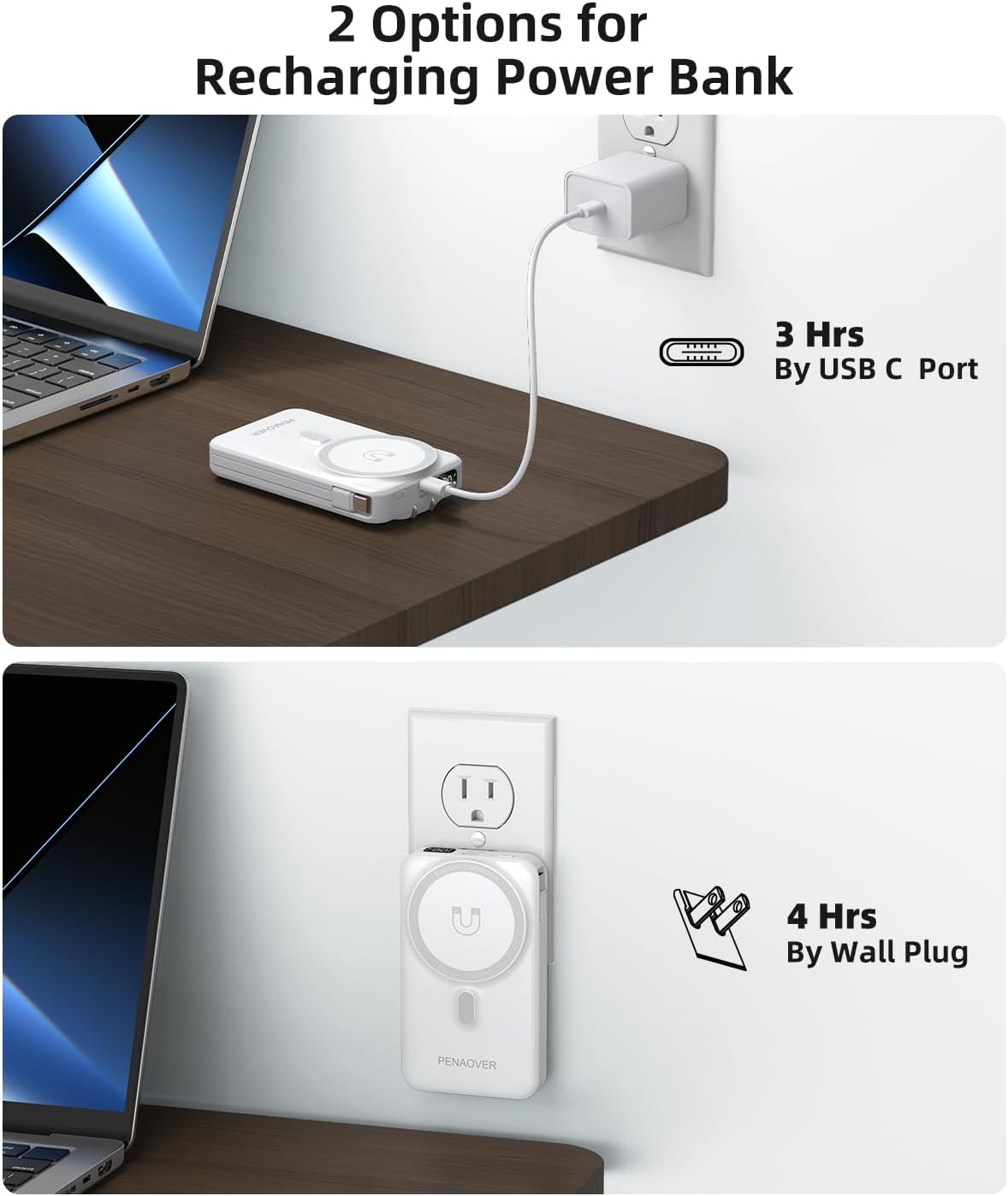
Image: Visual representation of recharging the power bank using its integrated AC wall plug or a USB-C cable, with estimated charging times.
Magnetic Wireless Charging
This feature is designed for iPhone 12 series and newer models that support MagSafe technology. For optimal performance, use with magnetic cases.
- Ensure your iPhone is MagSafe compatible or has a MagSafe-compatible case.
- Align the back of your iPhone with the magnetic charging area on the power bank. A strong magnetic connection will be felt.
- The LED display on the power bank will indicate charging status.

Image: An iPhone magnetically attached to the power bank, demonstrating the wireless charging function with a strong magnetic connection.
Charging Multiple Devices Simultaneously
The power bank can charge up to four devices concurrently using its various output options:
- Built-in Type-C cable
- Built-in iPhone cable
- USB-C output port
- Magnetic wireless charging pad

Image: A visual demonstration of the power bank charging four different devices (two phones, one earbud case) using its various output methods simultaneously.
Using the Foldable Stand
The integrated foldable stand allows you to prop up your phone for hands-free viewing while it charges.
- Gently pull out the stand from the back of the power bank.
- Adjust the stand to your desired viewing angle.
- Place your phone on the stand, either vertically or horizontally.
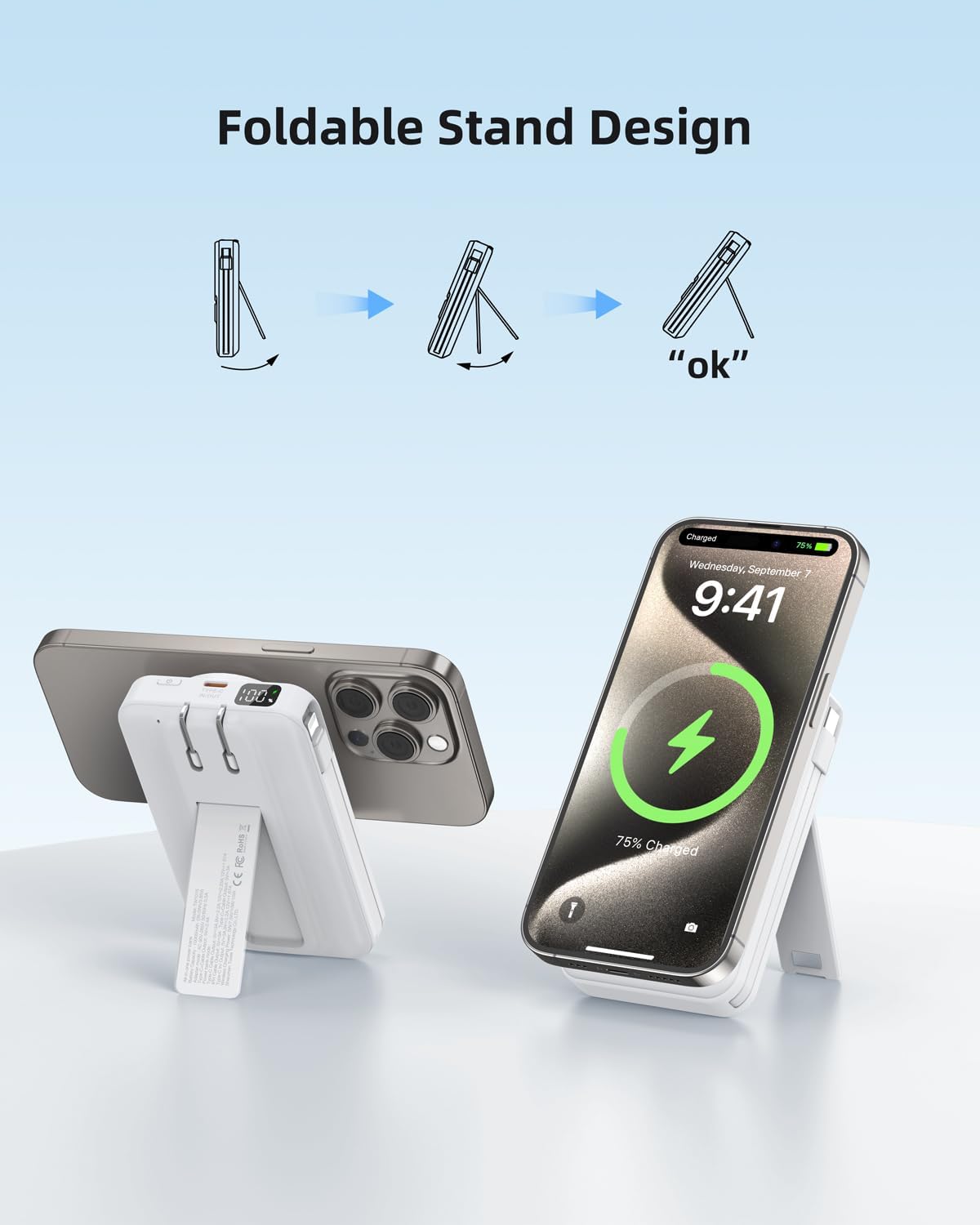
Image: The power bank with its foldable stand extended, supporting a smartphone in both vertical and horizontal orientations.
Compatibility
The penaover Magnetic Power Bank is compatible with a wide range of devices:
- iPhone Series: 17, 16, 15, 14, 13, 12 series (magnetic charging for MagSafe compatible models).
- Samsung: S20, S21, S22, S10, S9, and other USB-C compatible models.
- Google Pixel: P5, P4, P4a, P3, and other USB-C compatible models.
- Other Devices: AirPods, iPads (Pro/Air/Mini), USB fans, Nintendo Switch, Bluetooth headsets, and other devices chargeable via USB-C or Lightning.

Image: A chart illustrating the universal compatibility of the power bank with various devices including iPhones, iPads, AirPods, Samsung, Google Pixel, and other USB-powered gadgets.
Specifications
| Model Number | TW1015 |
| Battery Capacity | 10000mAh |
| Input (AC Wall Plug) | AC 100-240V, 50/60Hz |
| Input (USB-C) | 5V/3A, 9V/2A, 12V/1.5A (Max 18W) |
| Output (USB-C Port) | 5V/3A, 9V/2.22A, 12V/1.67A (Max 20W) |
| Output (Built-in Type-C Cable) | 5V/3A, 9V/2.22A, 12V/1.67A (Max 20W) |
| Output (Built-in iPhone Cable) | 5V/2.4A (Max 12W) |
| Wireless Output | 5W/7.5W/10W/15W |
| Dimensions | 4.48 x 2.48 x 1 inches |
| Item Weight | 8.3 ounces |
Maintenance and Care
- Keep the power bank away from water, moisture, and extreme temperatures.
- Avoid dropping or subjecting the device to strong impacts.
- Clean the surface with a soft, dry cloth. Do not use harsh chemicals or abrasive materials.
- Store in a cool, dry place when not in use.
Troubleshooting
- Device not charging:
- - Ensure the power bank is sufficiently charged (check LED display).
- - Verify that cables are securely connected to both the power bank and the device.
- - For wireless charging, ensure your device is MagSafe compatible and properly aligned.
- - Try a different cable or charging port.
- Power bank not recharging:
- - Ensure the AC plug is fully inserted into a live wall outlet or the USB-C input cable is connected to a working power source.
- - Check if the wall outlet is functional.
- Slow charging:
- - Ensure you are using appropriate cables and adapters for fast charging.
- - Charging multiple devices simultaneously may reduce individual charging speeds.
- - For wireless charging, ensure no foreign objects are between the power bank and your device.
Safety Information
- Do not disassemble, modify, or repair the device.
- Do not expose to fire, direct sunlight, or high temperatures.
- Keep out of reach of children.
- Dispose of the power bank according to local regulations for electronic waste.
Warranty and Support
For warranty information or technical support, please refer to the documentation included with your purchase or contact penaover customer service through their official channels. Please have your model number (TW1015) and purchase details ready.


